Recommended Free Tools
Z-Wave 700 is a sub-GHz smart-home platform that combines low-power wireless mesh networking with more local processing capacity. That combination can help a controller and compatible devices coordinate sensors, locks, switches and other equipment without sending every decision to a cloud service. “Augmented edge intelligence” describes applications developers may build with that local computing headroom; it does not mean every Z-Wave 700 product contains artificial intelligence.
What is Z-Wave 700?
Z-Wave 700 is a generation of Z-Wave silicon and software for residential and light-commercial control, monitoring and status reporting. It uses sub-GHz radio rather than the crowded 2.4 GHz band used by many Wi-Fi and Bluetooth devices. Silicon Labs describes 700-series end-device software for products such as sensors, door locks and switches.
The platform is best understood as two layers: Z-Wave provides the protocol and networking model, while a manufacturer’s device, firmware and controller determine what the finished product can actually do. A 700-series chip therefore does not guarantee the same features, battery life or automation behavior across brands.
How does Z-Wave mesh networking work?
In a Z-Wave mesh, mains-powered nodes can relay messages for other nodes. A controller may reach a distant door lock through one or more switches or plug-in devices rather than requiring a direct radio path from the controller to every endpoint. The network can route around a failed or obstructed node when the controller and devices support the relevant routing behavior.
#1 Best Overall

- Powered by SmartThings: Connect, monitor, and automate your home through the SmartThings app. Build a reliable, unified smart home using Samsung's proven ecosystem
- Matter + Zigbee Smart Home Hub: Supports the newest Matter standard plus Zigbee for lighting, sensors, plugs, switches, thermostats, and more - thousands of compatible devices. PLEASE NOTE: Z-Wave not supported
- Easy Setup with Wi-Fi or Ethernet: Get started in minutes using Wi-Fi or a wired Ethernet connection for apartments, houses, and expanding smart home systems - Z-Wave not supported
- Automations That Work for You: Create custom routines for security, lighting, comfort, and energy savings. Many local automations continue working even if your internet goes offline
- Wide Device Compatibility: Connect compatible smart devices from Aeotec and many other brands to build a unified system for lighting, voice control, energy management, and climate settings
Why sub-GHz operation matters
- Sub-GHz signals can avoid some interference associated with the 2.4 GHz band.
- Battery-powered sensors can communicate using a low-power protocol designed for periodic reports and commands.
- Walls, floor construction, metal services and appliance placement still affect coverage; radio frequency alone does not guarantee a connection in every room.
Mesh is not the same as Z-Wave Long Range
| Mode | Topology | How it is used | Planning implication |
|---|---|---|---|
| Z-Wave mesh | Multi-node mesh | Messages can use intermediate powered devices to reach endpoints. | Plan node placement and allow for routing through suitable devices. |
| Z-Wave Long Range | Star topology | Endpoints communicate directly with a central hub or controller over a long-range link. | Do not assume mesh repeaters provide the Long Range behavior; verify controller and device support. |
Silicon Labs presents these as different network modes. A product described as Z-Wave Long Range should not automatically be treated as a 700-series mesh device, and a mesh installation should not inherit Long Range coverage claims.
What “augmented edge intelligence” means in practice
Silicon Labs’ Z-Wave 700 material highlights additional processing resources, including a 32-bit ARM Cortex-M4 in its platform discussion. The stated opportunity is to run more application logic near the device or controller instead of depending entirely on remote servers.
Examples of local logic
- A motion sensor and door contact could be evaluated together locally before a light is switched.
- A lock controller could apply an access rule even when an internet connection is unavailable, if its product firmware supports that behavior.
- A system could combine temperature, occupancy and time-of-day signals locally to adjust heating or ventilation.
- Developers could experiment with contextual or machine-learning functions that fit the device’s available memory, processor and power budget.
These are development possibilities, not promises that every consumer device performs AI inference. The white paper is vendor material, not an independent benchmark, so it does not establish a particular latency reduction, battery-life gain or AI accuracy. Silicon Labs’ rationale is that local computation can improve responsiveness and reduce cloud communication; the result depends on implementation.
Rank #2

- AUDIO ALARM: Choose from preloaded siren and chime sounds or upload your own in mp3 or wav format to create custom sound automations.
- VISUAL ALARM: The LED indicator on the device is fully programmable for different visual modes and colors of your choice.
- PLUG-IN POWER: Installs in a standard 120 V outlet, with built-in backup battery to stay active even during power outages.
- COMPACT DESIGN: It's small and doesn't cover the other outlet. With up to 90 dB siren alarm, adjustable playback duration & volume, this device is ideal for discreet placement with powerful alerts.
- Z-WAVE COMPATIBILITY: Works best with the Z-Box Hub. Supported by open Z-Wave systems only, including Home Assistant, HomeSeer, and Hubitat hubs. NOT supported by SmartThings or alarm panels like Vivint, Qolsys, 2GIG, ADT, Ring Alarm or others.
Local processing versus cloud-dependent automation
| Consideration | More local processing | More cloud-dependent processing |
|---|---|---|
| Response path | Rules can execute within the home when supported by the product. | Events may need to travel to an online service and return. |
| Internet outage | Some functions may continue, depending on controller firmware and device design. | Functions that require the service may stop or degrade. |
| Privacy and traffic | Fewer events need to leave the home for supported functions. | More event data may be exchanged with a provider. |
| Capability | Limited by local processor, memory, storage and update model. | Provider servers can offer more computational capacity, but availability and policy are external dependencies. |
Before specifying a system for a renovation or new build, ask the manufacturer which automations remain operational without internet access. A 700-series radio does not by itself make an entire installation autonomous.
Security: useful protocol protection, not a complete guarantee
Silicon Labs’ 700-series white paper says S2 security is present in Z-Wave 700 products and includes end-to-end encryption. Protocol-level encryption helps protect Z-Wave messages from being read or altered in transit, but it is only one part of a secure installation.
- Use secure inclusion and confirm that the controller reports the device as securely included.
- Keep controller and device firmware current when updates are available.
- Protect the controller account, local network and remote-access pathway.
- Retire devices whose vendors no longer provide security maintenance.
- Check how a product handles reset, lost credentials and physical access.
Implementation quality, controller behavior, update practices and the wider home network determine practical risk. S2 should not be represented as making an entire home invulnerable.
Rank #3

- 2 MODES IN 1 GATEWAY: This Smart home hub support Bluetooth mesh (SIG) + Zigbee3.0 multi-protocol communication. Only one gateway is needed to connect devices of different protocols to the 2.4Ghz network.
- APP REMOTE CONTROL: Smart Bluetooth Zigbee hub works with smart life/Tuya App, Support Adding devices, device reset, third-party control and group control. You can manage and remotely control the device through the Smart Life App. You can manage and remotely control your lights, fingerbot and other smart devices via the app, even when you're not home.
- VOICE CONTROL: The smart hub Support voice control, Simply give a voice command to Alexa or Google home to control devices(such as turn on/off the smart plug, turn on/off the Finger Bot).
- SMART HOME AUTOMATION: Sub-devices of the gateway act as trigger conditions for Interacting with devices such as ZigBee, Bluetooth, Wi-Fi, for device linkage. Featured as one powerful network bridge for whole house linkage in a real sense for all smart home devices.
- SUPPORT 128 DEVICES: Support up to 128 Tuya smart home devices, such as ZigBee Motion Sensor, Leak Detector, BLE Finger Bot, Zigbee Door Sensor, BLE Thermometer, ZigBee Window Gate Sensor, etc. NOTE: Supports Tuya/SmartLife devices only.
Does Z-Wave work with Matter?
Legacy Z-Wave devices can appear in a Matter fabric through a bridge. Silicon Labs’ Unify Matter Bridge documentation describes exposing legacy Z-Wave and Zigbee devices to Matter-compatible ecosystems.
This is interoperability through an intermediary, not native Matter support in the Z-Wave radio. The bridge translates between the systems, and the devices, functions and controls visible to Matter depend on the bridge implementation and the receiving platform. Do not assume every hub exposes every Z-Wave feature.
Free tools Windows power users keep installed
One-click scans. No signup required.
Planning a Z-Wave 700 installation
- Define the required functions. List sensors, locks, switches, alarms and status points, then identify which must work during an internet outage.
- Confirm the generation and radio mode. Check whether each part is Z-Wave 700 mesh, Z-Wave Long Range, another generation or a combination. Do not confuse an 800-series development kit with a 700-series product.
- Check regional frequency. Z-Wave radio frequencies vary by region. Buy devices approved for the installation’s country and confirm that the controller uses the same regional variant.
- Verify controller and certification support. Confirm that the controller supports the device type, secure inclusion, firmware updates and any required Matter bridge functions.
- Design coverage around the building. Account for concrete, foil-backed insulation, masonry, metal cabinets and floor separation. Place suitable powered nodes where a mesh route is needed, then test at the actual endpoint locations.
- Commission securely. Include devices near the controller when practical, use the manufacturer’s secure-inclusion procedure and record device locations and recovery details.
- Test failure conditions. Disconnect internet access, power-cycle relevant nodes and test lock, lighting, alarm and sensor behavior before handing the system over.
700-series terminology to keep straight
- 700-series: A silicon and software generation with additional local processing resources described by Silicon Labs.
- Z-Wave mesh: A sub-GHz multi-node network in which supported devices can relay messages.
- Z-Wave Long Range: A separate star-topology mode; its capabilities and compatibility must be verified independently.
- Augmented edge intelligence: A description of possible local applications, not a universal AI feature.
- Matter bridge: An intermediary that exposes legacy Z-Wave devices to a Matter fabric; it does not turn the devices into native Matter endpoints.
What to verify before specifying equipment
For a construction project, document the exact controller, regional radio version, device certification, secure-commissioning method, coverage plan, firmware policy and offline behavior. The most suitable design depends on the building, the required automations and the controller ecosystem; the 700 label alone is not enough to select hardware.
Rank #4
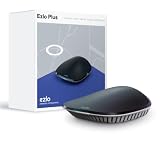
- OS for Property: The Ezlo Plus Smart Home Hub runs on MiOS by Ezlo, the first operating system for property. Mios is innovative and pioneering, you are now free to mix and match devices and brands across your smart home and control them all from the web or mobile app, anywhere.
- Integration Freedom: Connect and control any Z-Wave, Zigbee, or RF device, as well as thousands of Wi-Fi devices via your Amazon Alexa or Google Assistant. The Ezlo Plus Smart Home Hub has endless possibilities.
- Full control: Coordinate and automate a wide array of smart devices, including video doorbells, sensors, smart lights, smart cameras, smart door locks, and much more from most manufacturers.
- Voice Control: Easily connect the Ezlo Smart Home Hub to Amazon Alexa or Google Assistant with ease and use your voice to control thousands of smart-enabled devices such as bulbs, motion sensors, smart locks, and more.
- Easy Setup and Management: Connect the Ezlo Plus Smart Home Hub to your router using the included Ethernet cable and use the in-app guide to set it up. Requires an internet-connected Wi-Fi router with an available Ethernet port recommended. Smartphone/Tablet Requirements: iOS 9.0 or later; Android 8.1 or later
Frequently Asked Questions
Can a Z-Wave 700 device run AI?
The platform provides processing headroom that developers may use for local or contextual applications, including possible AI functions. Whether a particular device runs AI depends on its manufacturer, firmware, memory and power budget.
Will Z-Wave mesh work if one repeater fails?
A mesh can route through alternate supported nodes, but the result depends on the controller’s routing, node placement and whether another usable path exists. Test the installed network rather than assuming automatic redundancy.
Is Z-Wave 800 the same as Z-Wave 700?
No. They are different hardware generations. Confirm the generation of a controller, device or development kit before applying 700-series claims.
Quick Recap
Product prices and availability are accurate as of the date/time indicated and are subject to change. Any price and availability information displayed on Amazon at the time of purchase will apply.