Crashes, No Sound, or Screen Glitches?
Random freezes, missing sound and display glitches usually trace back to one bad driver. Find and replace yours safely.Free scan · under a minuteWindows Errors? Fix Them Before They Spread
Repair common Windows errors and clear accumulated junk for a smoother, more stable PC - no reinstall needed.Free scan · no reinstallChoose a multifunction wall scanner when you need to locate studs and screen for metal and live, unshielded AC wiring in common wall materials. For embedded metal in concrete or masonry, consider a dedicated metal locator instead. Match the tool’s modes and stated depth to the target and wall, and never treat a scanner result as proof that a spot is safe to drill.
Metal readings can indicate pipes, conduit, studs, fasteners, or other objects; a live-wire alert may miss wiring in some conditions. Before drilling, compare the result with plans and visible pipe or wiring entry points, and reassess or get qualified help if the reading is unclear or flags a possible hazard.
Choose a scanner by the job
| Task or wall type | Tool category to consider | What to check |
|---|---|---|
| Finding framing for shelves, pictures, or cabinets on ordinary drywall | Multifunction scanner | Stud mode, metal mode, live-wire alert, calibration method, and instructions for the wall thickness |
| Locating metal in concrete or masonry | Dedicated metal locator | Whether the tool is designed for embedded metal and whether its stated depth applies to the target and substrate |
| Metal studs or lath-and-plaster construction | Scanner with metal detection, or a locator suited to the surface | Whether it can help map metal targets; verify performance on the exact wall type |
| Screening for live wiring | Scanner with an AC or live-wire mode | Whether it detects live, unshielded wiring and what depth and material caveats apply |
Compare tools by target types, depth for each target, supported wall materials, live-wire detection, and calibration or indication method. Do not compare them using an unqualified maximum-depth figure.
Understand what the modes can detect
Stud-finding and multifunction scanners
Multifunction scanners combine stud-finding with metal detection and, on some models, live-wire detection. The available modes and calibration vary, so follow the exact model’s instructions rather than assuming two scanners work alike. For example, Zircon lists stud edge-finding, DeepScan, ferrous and non-ferrous metal detection, live unshielded AC detection, and wall-density calibration for its MultiScanner 440. This is a manufacturer example, not an independent product ranking.
Recommended Free Tools
#1 Best Overall

- Dual audible and visual alarms for clearer identification: When a target is detected, the device simultaneously emits a buzzer and illuminates an LED indicator. Even in noisy construction sites or dimly lit environments, the dual audible and visual cues accurately pinpoint the location of hidden objects.
- High-precision multi-mode detection for more reliable positioning: It can accurately detect wooden frames, metal objects, and live wires behind walls, drywall, or concrete. Calibration before each use effectively improves detection accuracy, providing a reliable reference for drilling and construction.
- Adjustable sensitivity to adapt to different wall surfaces: Supports switching between different sensitivity levels based on wall material and thickness. Whether it's a thin partition or a thick wall, it can be flexibly adjusted to meet the detection needs of various working conditions.
- Lightweight design for comfortable handling: The product features a lightweight design and an ergonomic handle, making it easy to operate and reducing fatigue during extended use. Suitable for both home users and professionals.
- Three-in-one function, more convenient for multiple uses: It integrates wood keel detection, metal scanning and live wire detection, reducing the trouble of frequent tool replacement, and is an ideal auxiliary tool for home decoration, drilling installation and construction renovation.
Dedicated metal locators
A dedicated metal locator is intended to find embedded metal rather than serve as a general stud finder. Zircon describes its MetalliScanner MT 6 for metal embedded in concrete and walls, including rebar, conduit, and plumbing. The cited product page is from Zircon’s UK site; confirm the regional model and availability before buying.
Live-wire detection
A live-wire mode is a screening aid, not a universal wire detector. Zircon says electrical-field locators may miss live wires when they are too deep, in concrete, inside conduit, behind metallic coverings, or where moisture interferes. A no-alert result does not establish that no wiring is present.
Check depth claims carefully
Detection depth depends on the target, wall material, and conditions. In the instructions for its HD800, Zircon specifies up to 3 inches (76 mm) for ferrous metal, 1½ inches (38 mm) for non-ferrous metal, and 2 inches (51 mm) for live, unshielded AC wires. These are model-specific manufacturer specifications, not a universal range for wall scanners.
Rank #2

- Newest Upgraded Stud Finder - FNIRSI stud finder have Newly Designed Positioning Hole which can accurately and quickly mark up edges and center of metal, studs, pipes, live AC wire behind walls, floors. Fast detection saves users time and effort
- 6-in-1 DETECTION: The wall detector provides users with more detection needs. Exact scan mode locates the center and edges of wood and metal studs up to 0.75'' deep; Depth scan mode locates the center and edges of wood and metal studs up to 1.5'' deep
- 6-in-1 DETECTION: Non-Ferrous Metal scan detects metal (Copper) up to 3.9'' deep; Ferrous Metal scan detects metal (Iron) up to 4.7'' deep; AC scan detects live unshielded AC wires up to 2'' deep; Copper wire scan detects copper wire up to 1.6'' deep
- Digital LCD Display & Audio Alarm: This stud finder comes with LCD display and sound alarm, which can detect the exact location of the objects. Rechargeable mode saves you from the hassle of battery replacement
- Easy to Use & Auto Calibration: Easy-to-read LCD display provide users with comfort and convenience while scanning. The wall detector can be automatically calibrated anywhere on the wall to successfully find the center of studs in one step
Check the stated depth for the mode and material you intend to scan. Wall texture, moisture, and construction can affect sensing depth and accuracy; a number quoted for one target or substrate may not apply to another.
Do these 3 things before closing this tab:
1Clear out junk files and repair common Windows errors2Fix the driver behind crashes, sound loss and screen glitches3Repair Windows errors before they cause bigger problemsHow to scan before drilling
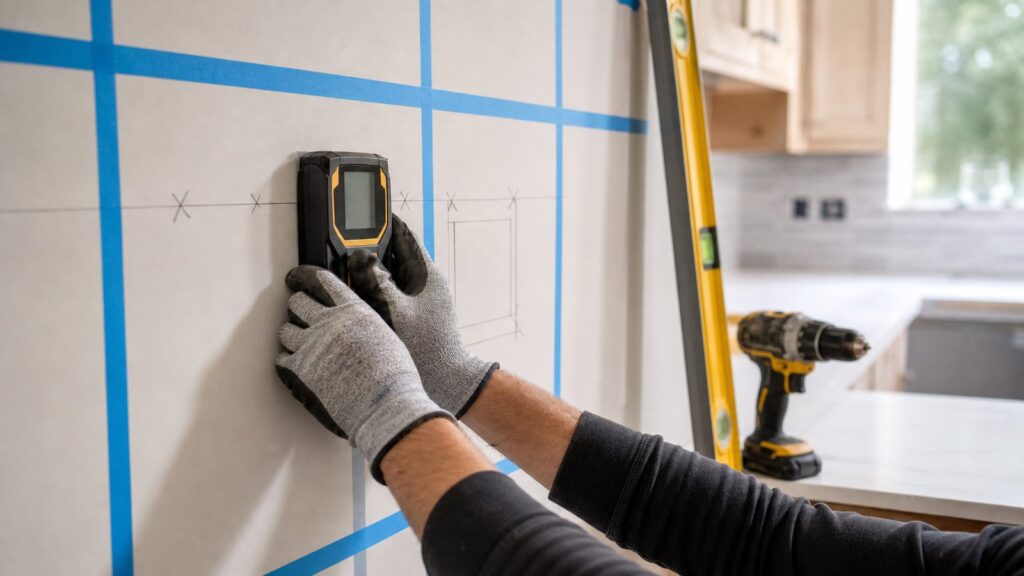
- Read the wall and available information. Check plans and note visible pipe or wiring entry points. Consider what is on the other side of the wall as well.
- Read the exact tool instructions. Select the mode for the target and substrate, and observe its stated limits and warnings.
- Calibrate as directed. Calibration differs by model. For example, Zircon describes wall-density calibration for the MultiScanner 440 and advises placing products that require surface calibration on the wall before powering them on.
- Scan at more than one height. If a metal reading is unclear and the device has metal mode, scan vertically to see whether the indication continues. A continuous signal may still be a metal stud or pipe; it does not identify the object with certainty.
- Cross-check before deciding. Compare the proposed drilling location with plans and visible pipe or wiring entry points. Do not rely exclusively on the detector to locate items behind the surface.
- Respond conservatively to warnings. If the detector indicates metal or possible wiring where you intend to drill, choose another location or obtain qualified help rather than drilling through the indication.
Examples of manufacturer-documented tools
| Example | Manufacturer-described function | Important qualification |
|---|---|---|
| Zircon MultiScanner 440 | Stud edge-finding, DeepScan, ferrous and non-ferrous metal detection, live unshielded AC detection, and wall-density calibration | Features and performance are model-specific |
| Zircon MetalliScanner MT 6 | Dedicated locator for embedded metal such as rebar, conduit, and plumbing | Cited page is regional; confirm local model and availability |
| Bosch Professional GMS 120-27 | Metal and live-wire detection | Bosch advises checking other information sources before drilling, sawing, or milling |
These examples illustrate tool categories, not independent rankings or hands-on test results. Consult the manufacturer’s current instructions and specifications for the specific model you are considering.
Safety limits to keep in mind
A metal indication does not tell you whether the object is a pipe, conduit, stud, fastener, or something else. Zircon advises scanning at multiple heights and checking vertically in metal mode where available; a continuous target can still be a metal stud or pipe.
Rank #3

- PRO-GRADE MULTI-FUNCTION DETECTION: Stop guessing, start knowing with this stud finder wall scanner that accurately locates wood studs, metal framing, copper pipes, and live AC electrical wiring behind drywall, saving you from costly mistakes
- ABSOLUTE PRECISION & CONFIDENCE: This wall stud finder helps find the exact center of the stud. The easy-to-read graphical display and color-coded marking ring for clear, confident feedback, turning green for "safe" and red for "live wire detected"
- BUILT FOR THE PROFESSIONAL JOBSITE: Cheaper tools fail; this BOSCH stud finder works. Made with an IP54-rated dustproof and water-resistant body and shock-absorbing rubber casing to withstand daily abuse on a construction site, garage, or workshop
- DUAL POWER FOR ZERO DOWNTIME: This stud detector offers power flexibility, running on the included AA batteries for immediate use or on a BOSCH 3.7V Li-Ion battery sold separately for extended, rechargeable performance, a must-have for any pro
- THE ULTIMATE SCANNER FOR PROS: The wood stud finder provides the reliability & multi-material detection that electricians, plumbers, remodelers, & installers demand; it's an investment in accuracy, safety, and efficiency that pays for itself
Likewise, a live-wire alert may not detect wiring that is de-energized, too deep, inside conduit, behind metallic covering, or affected by moisture or dense material. The Bosch Professional GMS 120-27 guidance says to check other sources to determine whether a detected object is actually a wooden beam before drilling, sawing, or milling. Zircon’s HD800 instructions also caution: “Do not rely exclusively on the detector to locate items behind the scanned surface.”
If a result is ambiguous, do not drill through the indicated area. Reassess the location or get qualified help. The cited guidance does not establish a universal safe clearance distance.
FAQ
How do I choose a wall scanner before drilling?
Start with the target and wall: use a multifunction scanner for stud-finding plus metal and live-wire screening in common wall materials, and consider a dedicated metal locator for embedded metal in concrete or masonry. Compare modes, target-specific depth, supported materials, and calibration instructions.
Rank #4

- 𝐄𝐧𝐡𝐚𝐧𝐜𝐞𝐝 𝐏𝐫𝐞𝐜𝐢𝐬𝐢𝐨𝐧 𝐚𝐧𝐝 𝐒𝐩𝐞𝐞𝐝 𝐒𝐭𝐮𝐝 𝐅𝐢𝐧𝐝𝐞𝐫 𝐌𝐨𝐝𝐞𝐥: Efficiently and Accurately locates edges and centers of metal, studs, joists, pipes, and live AC wires in walls, floors, and ceilings,saving time and effort
- 𝐅𝐢𝐯𝐞 𝐒𝐜𝐚𝐧𝐧𝐢𝐧𝐠 𝐌𝐨𝐝𝐞𝐬 𝐟𝐨𝐫 𝐃𝐢𝐟𝐟𝐞𝐫𝐞𝐧𝐭 𝐍𝐞𝐞𝐝𝐬: 3 stud modes (up to 1.5 inches), metal mode (up to 2.36 inches), and AC mode (up to 2 inches). Deep stud scan detects larger objects and metal scan identifies plumbing
- 𝐃𝐮𝐫𝐚𝐛𝐢𝐥𝐢𝐭𝐲 𝐚𝐧𝐝 𝐄𝐚𝐬𝐲 𝐭𝐨 𝐔𝐬𝐞: This stud finder features a shock-resistant, dust-resistant design for long-lasting durability. Its bright, backlight LCD displays the center and edge of studs, with audio alerts for effortless, efficient use
- 𝐍𝐞𝐯𝐞𝐫 𝐌𝐢𝐬𝐬 𝐚 𝐒𝐭𝐮𝐝 𝐰𝐡𝐢𝐥𝐞 𝐀𝐯𝐨𝐢𝐝𝐢𝐧𝐠 𝐋𝐢𝐯𝐞 𝐖𝐢𝐫𝐞𝐬: This stud finder gives continuous wire alerts in all modes-wood, metal studs, and live AC wires. It keeps you aware of nearby wires, preventing accidental drilling into live wires
- 𝐖𝐢𝐝𝐞 𝐔𝐬𝐞 𝐚𝐧𝐝 𝐑𝐞𝐥𝐢𝐚𝐛𝐥𝐞: Our stud finder is ideal for hanging shelves and heavy objects without damaging walls. It detects live wires and pipes, preventing accidents and costly repairs, making it a valuable tool for any home project
Will a metal detector find pipes or wires in a wall?
A metal mode can indicate metal targets, but it cannot necessarily identify whether one is a pipe, conduit, stud, or fastener. Live-wire detection is a separate function and may miss wiring under some conditions. Cross-check with plans and visible service entry points.
How deep can a wall scanner detect metal?
There is no universal depth. Zircon’s HD800 instructions specify up to 3 inches (76 mm) for ferrous metal and 1½ inches (38 mm) for non-ferrous metal on that model. Depth depends on the tool, target, substrate, and conditions.
Can I trust a scanner if it gives no warning?
No. A no-alert result does not prove the wall is clear. Some live wires can be missed because of depth, conduit, metallic coverings, concrete, moisture, or other conditions. Use other evidence and reassess before drilling.
Quick wins for a faster PC:
Scan for outdated or missing drivers - takes under a minuteDriver Scan →Repair Windows errors before they cause bigger problemsFix Now →What should I do if the scanner shows metal where I plan to drill?
Do not drill through the indication. Scan at other heights if the tool supports it, compare with plans and visible pipe or wiring entry points, and choose another location or obtain qualified help if the target remains uncertain.
Do wall scanners work on plaster, tile, or concrete?
Performance depends on the exact tool and wall assembly. Verify that the manufacturer supports the intended substrate and target; do not extrapolate a drywall depth specification to plaster, tile, concrete, or masonry.
Quick Recap
Product prices and availability are accurate as of the date/time indicated and are subject to change. Any price and availability information displayed on Amazon at the time of purchase will apply.