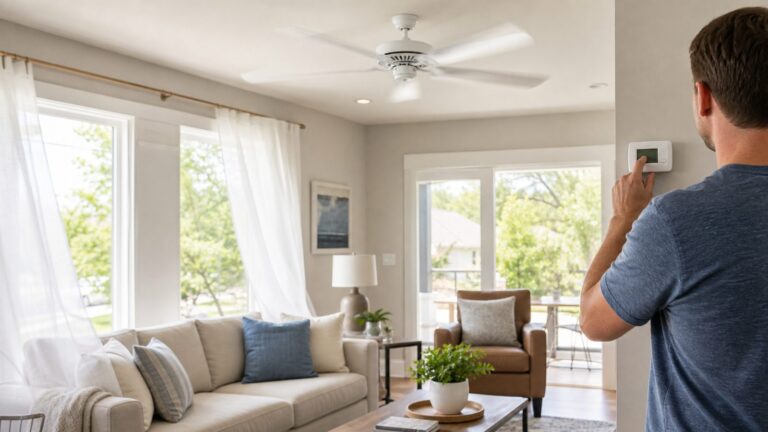
Set the fan to its built-in low speed using its pull chain, remote, or original wall control. If low is still too fast, don’t add a dimmer or generic controller: first identify the fan and confirm that its manual permits an external speed control.
Use the fan’s existing control first
Choose the lowest setting with the control supplied for the fan, then verify that the setting changed. A pull-chain fan may require cycling through its settings; a remote or wall control may have a labeled low-speed setting. Follow the model’s manual if the control sequence is unclear.
If the lowest setting works but still moves more air than you want, the next step depends on the fan’s design—not just the fact that it has three speeds.
Check compatibility before adding a control
Find the fan’s brand and model, then check its motor label and manual. Confirm that the fan is designed to work with an external speed control and that the control permits that motor type and matches the fan’s voltage and current rating. A “three-speed” label alone does not establish compatibility.
Recommended Free Tools
#1 Best Overall

- Product Type: FAN SPEED CONTROL SWITCH
- Turn Rotary dial to control fan speed
- Provides single pole control of ceiling fans
- Compatible with Decora Plus screwless wallplates and Decora wallplates (sold separately)
- Fan type: Confirm whether it is an overhead ceiling paddle fan, portable fan, exhaust fan, or another type. Controls intended for one type may not suit another.
- Motor and approval: Match the motor type and any requirement that the fan be marked suitable for solid-state speed control.
- Electrical rating: Check both voltage and maximum current in the fan and controller documentation.
- Control purpose: Distinguish a fan’s factory-provided control from an external wall control. Use the fan manual and the controller’s instructions together.
For example, Leviton’s Cat. No. 6616 instructions specify ceiling paddle fans with split-capacitor or shaded-pole motors marked suitable for solid-state fan-speed control, rated 120 volts and no more than 5 amperes. Leviton warns that other motor or equipment types may overheat or be damaged. These limits describe that control, not all fan controls.
Leviton’s DSF01 product information describes a three-speed control for overhead ceiling paddle fans up to 1.5 A and says not to use it for exhaust fans or other motor loads. Check current product instructions and the fan’s own specifications before selecting any compatible ceiling-fan speed control.
Rank #2

- Ceiling Fan Switch: Ceiling fan pull chain switch 3 speed 4 pre-installed wires. Max current 6A, Max voltage 250V. UL listed (US), CSA certified (Canada)
- Ceiling Fan Capacitor: Come with CBB61 fan capacitor, 4.5uF + 6uF + 5uF, 5-coloured wires, 250V-300VAC, 50/60HZ, 70 Celsius maximum operating temperature
- 3 Fan Speeds: The combination of the ceiling fan switch and fan capacitor lets the fan have 3 speeds (HIGH-MED-LOW-OFF)
- Let the Failed Fan Working Again: If the fan does not start, or if the speed decreases, choose this CBB61 capacitor and replace the old one
- Universal Components: It is widely used for motor speed control and switching control. Compatible with Hunter, Hampton Bay, Harbor Breeze, and other ceiling fan brand. It is also used for light control
Do not use an ordinary light dimmer
A light dimmer is not a general-purpose fan speed control. Leviton Product Support states: “No. A dimmer can damage the motor in a ceiling fan. There are controls designed specifically to control ceiling fans and they are generally called fan speed controls.” See Leviton’s guidance on dimmers and ceiling fans.
If the fan will not change speeds
If the fan stays at one speed, a lower setting does nothing, or speed control has stopped working, consult the model-specific manual before replacing parts. Hunter’s troubleshooting guidance lists the remote, wall control, reverse switch, capacitor, and wiring harness among possible causes. That list is not a diagnosis: the symptom alone does not establish which component has failed.
Rank #3
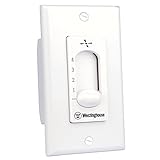
- Four Fan Speeds
- Two-Wire Installation
- Replaces Toggle Switch
Start by checking the original remote or wall control and the manual’s troubleshooting steps. Avoid assuming that the capacitor is at fault or that an external controller will repair a failed fan control.
Electrical safety for hardwired controls
Do not follow wiring instructions for an unidentified fan or controller. For a compatible hardwired control, Leviton’s 6616 instructions direct users to turn off power at the breaker or fuse and test that power is off before wiring; they also say to consult an electrician if unsure. Use the instructions for the exact equipment being installed, and have an electrician handle work you cannot safely verify.
Rank #4

- EASY TO INSTALL - slim profile fits in shallow wallboxes. Works with existing wiring, no neutral wire required for installation
- CUSTOMIZEABLE – provides full range control of the fan speed
- PRACTICAL – can use with more than one ceiling fan provided doesn’t exceed total amperage. For use with ceiling paddle fans with split-capacitor or shaded pole motors, refer to fan manufacturers ratings to confirm type
- VERSATILE – minimum speed adjustment to set lowest fan speed setting
Why improvised voltage reduction is risky
Do not assume that reducing voltage is a safe way to slow any fan. Analog Devices discusses PWM and linear regulation for brushless DC fans, including startup and stalling concerns when a fan is operated outside its intended range. Those observations apply to the DC fan context discussed there, not as a universal diagnosis or repair method for household AC fans. See Analog Devices’ fan-speed control discussion.
Quick Recap
Best Value
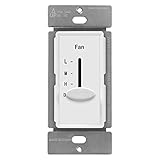
- Modern decorator style fan switch allows for quiet 3 speed control. Compatible with 3 speed fans only
- Easy-to-use slider provides low, medium, and high fan speeds as well as an OFF position; for residential or commercial use
- Easy replacement to any wall switch of the same configuration. Dimensions: 2.27" eight x 1.72" length
- Made of Polycarbonate Thermoplastic (PCT) material to provide the durability and resilience needed to withstand hard impacts and heavy force; heat and fade resistance to temperatures over 100° to prevent discoloration; flammability UL94; V2 rating
- Compatible with 3-speed fans only; 120VAC 60Hz, 2.5A max fan load; No Neutral Wire Required; wiring instructions included; 1-year warranty; ETL Listed; wall plate sold separately
Product prices and availability are accurate as of the date/time indicated and are subject to change. Any price and availability information displayed on Amazon at the time of purchase will apply.
Do these 3 things before closing this tab:
1Repair Windows errors before they cause bigger problems2Scan for outdated or missing drivers - takes under a minute3Clear out junk files and repair common Windows errors