Crashes, No Sound, or Screen Glitches?
Random freezes, missing sound and display glitches usually trace back to one bad driver. Find and replace yours safely.Free scan · under a minuteWindows Errors? Fix Them Before They Spread
Repair common Windows errors and clear accumulated junk for a smoother, more stable PC - no reinstall needed.Free scan · no reinstallIf your Fellowes shredder will not run, first check power, the bin and shredder head, any safety lock, a possible jam, and the overheat indicator. These are common reasons a shredder stops, and they do not necessarily mean it has failed. Use the manual for your exact model before relying on a cooldown time, control setting, or maintenance procedure.
1. Find the model and its manual
Fellowes shredder controls, safety features, and recovery times vary by model. Find the model number or CRC and search the Fellowes Manuals and Downloads page. Fellowes says the shredder CRC may be on the underside of the cutter or shredder head, or on the packaging. Use the matching manual for setup, jam clearing, cooldown, and oiling instructions.
2. Check power, controls, and setup
- Confirm the power cord is connected and the power switch is on.
- Set the control to the appropriate Auto or On position for your model.
- Make sure the shredder head is seated correctly on the basket and the bin is installed and not full.
- If your model has a safety lock, check that it is unlocked.
These checks address basic setup and safety interlocks described in Fellowes manuals. If the shredder still does not respond, consult the manual rather than assuming that a control or indicator works the same way on every model.
3. Check whether it is overheated
If the overheat indicator is lit, the motor has exceeded its operating temperature and the shredder will not run during its recovery period. Wait for the indicator to go out and follow the cooldown time in the exact model manual. Fellowes’ FAQ suggests waiting around 30 minutes or until the light goes out, but that is not a universal timer: the 10M manual gives a 20-minute cooldown check for a no-start condition, while the 53C manual gives a 30-minute check. Follow your own model’s instructions.
The Tool Desk
Outbyte Driver Updater FREEScan for outdated or missing drivers - takes under a minuteDriver Scan →Outbyte PC Repair FREERepair Windows errors before they cause bigger problemsFix Now →#1 Best Overall

- Reliable Paper Shredder Gear engineered to restore smooth operation for your device, delivering consistent shredder replacement performance for daily tasks
- Precise Size Compatibility matches the M-7Cm model with a 36 x 7 specification, ensuring this shredder drive gear fits securely into the existing mechanism
- User-Friendly Installation allows for straightforward setup without complicated tools, letting you quickly attach this gear and resume shredding
- Smooth Rotational Motion reduces extra strain on the shredder motor, ensuring this drive part operates quietly and effectively during heavy usage
- Disclaimer: This product is a third-party accessory. It is not an official accessory and is not authorized or endorsed by them. Brands mentioned are for compatibility purposes only.
4. Clear a paper jam safely
Use the model manual first. Fellowes’ general jam guidance recommends this sequence:
- Switch the shredder off before handling the bin or paper near the cutters.
- Run Reverse for 2–3 seconds, then gently pull the uncut portion of the paper.
- If paper remains, alternate Reverse and Forward slowly for 2–3 seconds at a time, then remove the uncut paper.
Fellowes warns that the cutters are sharp and may start again. Keep hands clear of the cutter opening, do not reach into the mechanism, and do not improvise by disassembling the shredder. See Fellowes’ how-to guide for getting out of a paper jam and its paper jam guidance.
Rank #2
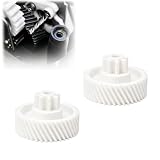
- REPAIR SOLUTION: Replace worn internal gear components to help restore normal shredding operation and reduce machine downtime
- PRECISE COMPATIBILITY: Designed as a replacement gear compatible with Fellowes 60MC paper shredder models
- FUNCTIONAL DESIGN: Provides stable gear engagement and consistent power transfer inside the shredder mechanism
- EASY INSTALLATION: Compact replacement component allows straightforward installation for common repair needs
- QUALITY MATERIAL: Made from plastic material with accurate molding details for reliable replacement performance
5. Reduce the chance of another jam
- Stay within the sheet capacity marked near the paper entry. A folded sheet counts as more than one sheet.
- Do not feed folded, creased, or wrinkled paper if the manual warns against it.
- Let the previous stack finish before feeding another.
- Shred only media approved for your particular model.
Fellowes identifies overfeeding, mis-feeding, and feeding a new stack before the previous one finishes as common jam causes. Check the model’s marked capacity and manual; do not assume a rating from another Fellowes shredder applies.
6. Oil only if the manual calls for it
Oil may be part of routine cutter maintenance, but it will not fix a power, safety-interlock, or motor fault. Follow the manual for your model and use non-aerosol shredder oil if specified. Fellowes says vegetable-based oil may be a temporary measure and warns against aerosol oil because of fire risk. Its 10M manual, for example, specifies non-aerosol vegetable oil in a long-nozzle container and names Fellowes 35250 as an example. Do not assume that product, procedure, or an oiling frequency applies to every model.
Free tools Windows power users keep installed
One-click scans. No signup required.
Rank #3
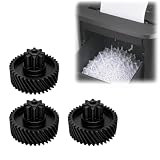
- Compatibility and Adaptability: Designed for direct component replacement, ensuring smooth operation of your shredder
- Restore Shredder Performance: Install this precision gear to help your machine return to quiet and efficient operation
- High-Strength Construction: Constructed from robust and wear-resistant materials, ensuring durability under heavy daily document processing tasks and providing reliable power transmission
- Cost-Efficient Maintenance Solution: Extend your machine's lifespan by replacing only this gear, without replacing the entire shredder, providing a practical and economical maintenance solution
- Easy Installation: Designed for easy assembly, users can efficiently perform necessary internal maintenance and quickly restore the shredder to normal operation
7. When to contact Fellowes
If the shredder remains unresponsive after the setup checks and its model-specific cooldown, consult the matching manual and contact Fellowes product or warranty support. Do not open the machine to investigate a fault. The US Fellowes Contact Us page lists product and warranty support at 1-800-955-0959, Monday–Friday, 8:00 a.m.–6:00 p.m. CST. Hours and support options can change; check the page and use local support if you are outside the United States.
Quick Recap
Best Value

- RESTORE SWITCH CONTROL: Replaces a broken or missing external control button so the shredder can be operated through its normal Auto, Off, and Reverse positions during everyday paper shredding
- MODEL-SPECIFIC REPLACEMENT: Designed around the M-8C control area and clip-style mounting shape, providing a direct replacement option when the switch button has cracked or snapped
- BUTTON-ONLY REPAIR PART: Replaces the external power and direction control piece without requiring replacement of the entire shredder, making it practical for home and small-office maintenance
- SIMPLE INSTALLATION CHECK: Unplug the shredder before repair, fit the replacement button into the matching control position, then confirm smooth movement through each setting before reconnecting power
- HELPFUL FOR DAILY SHREDDING: Restores an accessible control surface for selecting normal shred, off, or reverse functions, supporting routine document disposal at a desk, home office, or workspace
Rank #4

- Master Power Switch for Fellowes SB99 SB-99 99ci Family Series
- This switch can be used for Fellowes SB-99 99Ci Family Series machines.
- Widely used in appliance, electronic equipment, automatic machine, car electric, microwave, micro, door, oven, refrigerator, interlock, and repair job.etc
- Durable material construction, long using life.
Product prices and availability are accurate as of the date/time indicated and are subject to change. Any price and availability information displayed on Amazon at the time of purchase will apply.