Windows Errors? Fix Them Before They Spread
Repair common Windows errors and clear accumulated junk for a smoother, more stable PC - no reinstall needed.Free scan · no reinstallOutdated Drivers Are Slowing You Down
One free scan finds every outdated or missing driver and matches the right update for your exact hardware.Free scan · exact hardware matchStart with the planning application on your local authority’s website. Review the submitted drawings and any daylight, sunlight, or design reports, then compare the proposal with local planning policies. The evidence and rules vary by authority, so use local guidance rather than assuming a single national checklist applies.
1. Find the application and check its status
On the local planning authority’s planning portal, confirm the site address, application reference, proposal description, documents, current status, and consultation deadline. The portal is the primary place to see the current application record and submitted plans. Check the authority’s own validation checklist and guidance for what supporting evidence it expects; for example, Belfast’s validation checklist and Camden’s daylight and sunlight guidance have local requirements.
As an Amazon Associate I earn from qualifying purchases.
Check whether the application is full or outline. An outline application may leave details for a later reserved-matters application. Government guidance explains that outline permission establishes the acceptability of the development’s scale and nature before all details are settled; identify what is fixed now and what remains undecided in the record. See Design: process and tools.
The Tool Desk
Outbyte Driver Updater FREEScan for outdated or missing drivers - takes under a minuteDriver Scan →Outbyte PC Repair FREERepair Windows errors before they cause bigger problemsFix Now →2. Read the drawings before judging illustrations
Start with the site plan, floor plans, elevations, sections, and any parameter plans. Locate your home, the boundary, nearby windows, gardens or other outdoor spaces, and the proposed building. Note its height, bulk, position, and orientation, as well as proposed windows, balconies, terraces, and elevated outdoor areas.
#1 Best Overall

- Classifies Sunlight Exposure in Real Environments. Accurately identifies Full Sun, Partial Sun, Partial Shade, or Shade based on DLI (Daily Light Integral) levels—helping gardeners and designers optimize plant placement.
- Clear Visual Feedback. Digital display shows the daily light accumulation in mol/m²/day and directly tells you the light category—no need for calculations or charts.
- Stores up to 10 days of DLI histroy. Records up to 10 days of daily DLI readings, allowing you to review recent sunlight conditions and compare how much light a planting location receives over time.
- No Setup & Auto Start. Simply place EVO-20 in the soil at the spot you want to evaluate. The meter starts accumulating daily light automatically, making it easy to check the DLI reading and sunlight category later.
- Works with for sunlight, LED grow lights, HPS, and CMH.
Check whether a perspective image or other visual representation is indicative or forms part of the application. Government design guidance cautions that visual representations should not mislead through inaccurate details or elements that have not yet been decided. Where a drawing and an illustration appear inconsistent, identify the specific documents and ask the case officer which proposal details are being assessed.
3. Check daylight, sunlight, and overshadowing evidence
Look for a daylight and sunlight assessment, shadow diagrams, or other technical report. A useful review starts by identifying which neighbouring windows, gardens, and public spaces the assessment includes, what existing conditions it uses as a baseline, which dates and times it models, and what assumptions or mitigation it describes. Camden says assessment reports should help the authority understand existing and expected light and overshadowing and measures to reduce impacts.
Compare the reported effects with the drawings: are the affected windows or outdoor spaces actually represented, and does the proposed height and position match the assessed scheme? If a relevant receptor appears to be missing, or the report does not explain its assumptions, name that gap in your representation rather than making an unsupported claim about the result.
What’s actually slowing this PC down?
Pick the symptom - the matching free tool is one click away.
Rank #2
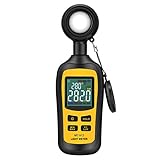
- Measures luminosity from 0 to 200,000 Lux and ambient temperature
- High accuracy of ±3% rdg ± 8 dgts (10,000 Lux)
- 4 digital color LCD screen, MIN/Max readings, data hold, auto power off, and low battery indication
- Wide range of application, use lux light meter for set design, factory, office or home use
- lightweight and compact, 2 years long period warranty
Local checklists can specify particular evidence. Belfast, for example, asks for aerial plans of existing and proposed shadows at the spring equinox at 8 a.m., 10 a.m., noon, 2 p.m., 4 p.m., and 6 p.m., and refers major development to the latest relevant BRE guidance. Those are Belfast checklist details, not a universal requirement for every application.
The Planning Portal explains that local authorities assess whether natural light is adequate using submitted drawings and may request a daylight assessment. The actual evidence expected depends on the local authority and proposal.
4. Assess privacy and overlooking
Mark the proposed windows, balconies, terraces, and other elevated spaces that face your habitable-room windows or private garden. Use the plans, elevations, and sections to understand their orientation and relationship to your property. Then check the local plan, design guide, and amenity guidance for how the authority assesses overlooking and loss of privacy.
Rank #3

- Quantify the total amount of photons received by plants per square meter over the course of a day. The unit is mol/m²/d (DLI). After connecting to your phone for the first time, the meter automatically records daily DLI values. Each time you check the data, simply press the button and connect your phone to update records — up to 180 days of history.
- Light Level Reference: Full Sun: >20 mol | >6h. Partial Sun: 15–20 mol | 4–6h. Partial Shade: 10–15 mol | 1–4h. Shade: <10 mol
- Review DLI data and trends over the past 6 months. Helps growers adapt to seasonal light changes and optimize plant growth and productivity. Data can be exported for further analysis.
- Suitable for both outdoor and indoor use, especially for sunlight conditions that change throughout the day.
- Simple and secure app: Connect via Bluetooth — no internet required. Works even in airplane mode.
Manchester lists overlooking and loss of privacy among issues it may consider when determining a planning application. The National Design Guide also directs attention to the scale and context of a proposal. Neither example establishes a universal separation distance: assess the particular design against the policy that applies at the application site.
5. Separate private views from public views and local character
Be precise about what view is affected. A private view from a home is not necessarily treated the same as a public view, a sight line, or a proposal’s effect on local character. Manchester says loss of view is not a matter it can consider in determining an application. By contrast, the National Design Guide says tall or unusually bulky buildings need special consideration of location and context, including local character, views and sight lines, sunlight, daylight, and overshadowing.
The guide states: “Proposals for tall buildings (and other buildings with a significantly larger scale or bulk than their surroundings) require special consideration.” Treat this as design guidance, not as a guarantee that a particular view is protected. Check the relevant local policy and explain whether your concern relates to a private view, a public place, a sight line, or the character of the area.
Rank #4
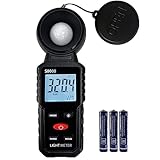
- 【Widely used】S8608 is a digital illuminometer, used for measuring visible brightness, large screen display, wide measuring range, up to 200000LUX, automatic conversion range. Can be widely used in such as schools, hospitals, factories, airports, families and other occasions of brightness measurement.
- Measurement visible brightness, measurement range is wide
- lluminance unit switch,Unit of illuminance:LUX、FC
- Measurement time: S
- MAX/ MIN,Data HOLD,Backlight function
6. Distinguish planning assessment from right to light
A planning assessment of daylight or sunlight and a private right-to-light issue are separate matters. The Planning Portal discusses right-to-light surveys and possible private remedies separately from the authority’s planning assessment. Manchester likewise identifies right to light as a private property matter outside the issues it considers when determining an application.
Do not assume that a planning decision resolves a private rights dispute, or that a planning objection establishes a legal right. If a private right to light is central to your concern, seek advice from an appropriately qualified specialist; the applicable legal route and evidence are distinct from a planning representation.
Recommended Free Tools
7. Compare revised designs consistently
If the applicant has submitted multiple versions or design options, compare them using the same baseline and assumptions. Useful points to record include:
Best Value

- Measure Daily Plant Light (DLI). Quantify total plant light received throughout the day in mol/m²/day. Identify Full Sun, Partial Sun, Partial Shade, or Shade conditions for better plant placement and care.
- Automatically Records Up to 180 Days. After first Bluetooth connection, the meter automatically records daily DLI values. Press the button and reconnect your phone anytime to update and review up to 180 days of history.
- Track Seasonal Light Changes. Review DLI trends over the past 6 months to understand changing sunlight conditions and optimize plant growth, placement, and productivity.
- Measure PAR and Track Light Changes. Measure real-time PAR in µmol/m²/s and record how plant light changes throughout the day. View PAR curves to see actual sunlight or grow light patterns from morning to evening.
- Bluetooth App, CSV Export & 1-Year Battery. Connect by Bluetooth with no internet required. Works even in airplane mode. Export DLI and PAR records as CSV files. Powered by 1 AAA battery with up to 1 year of use.
- Building height, bulk, position, and orientation.
- Distance and relationship to the affected windows and outdoor spaces.
- Which receptors are assessed and the dates and times shown in shadow material.
- Proposed facing windows, balconies, terraces, and screening.
- Effects on public views, sight lines, and local character where relevant.
- Changes to massing, window placement, screening, or landscaping offered as mitigation.
The reviewed local and national guidance does not establish one universal score for weighing these effects. Focus on identifiable changes and whether the evidence makes the comparison clear.
8. Make a focused planning representation
Check the authority’s portal for how and by when to comment; submission rules and deadlines are local. A useful comment identifies the application and the evidence at issue, then connects a specific design feature to a specific effect and relevant local policy or assessment question.
- Name the drawing or report and the affected window, garden, or public space.
- Describe the proposed feature and the likely effect, such as a facing balcony or a shadow shown at a particular time.
- Identify the local policy, guidance, or validation issue relevant to that concern.
- If information is missing or unclear, state exactly what receptor, assumption, or comparison needs explanation and ask the case officer to address it.
For complex technical material, or where a private right-to-light claim is at stake, consider advice from a suitably qualified planning consultant or specialist surveyor.
Which guidance applies?
The examples here come from UK planning sources and local authorities in Belfast, Camden, and Manchester. Terminology, planning procedures, and policy differ across jurisdictions and between authorities. For a live proposal, check the current local authority portal, adopted local plan, supplementary guidance, and validation checklist.
Quick Recap
Product prices and availability are accurate as of the date/time indicated and are subject to change. Any price and availability information displayed on Amazon at the time of purchase will apply.