Quick wins for a faster PC:
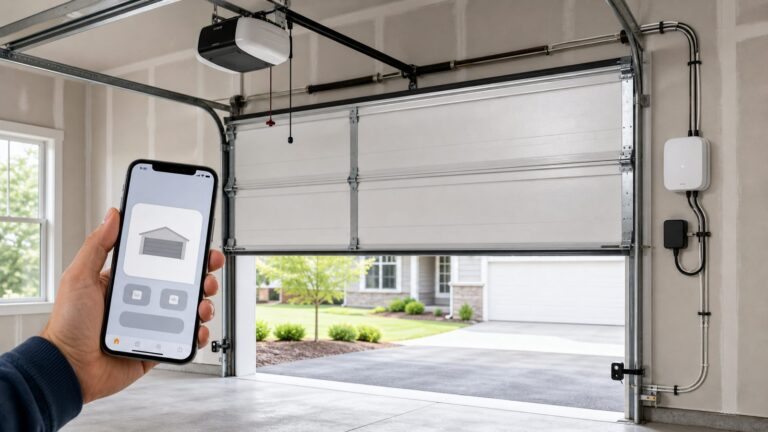
Scan for outdated or missing drivers - takes under a minuteDriver Scan →Repair Windows errors before they cause bigger problemsFix Now →Fix the driver behind crashes, sound loss and screen glitchesFind Drivers →If you want a myQ garage door button on your phone’s home screen in 2026, the short answer is yes, but with limits. The most reliable control point is still the official myQ app. Home-screen shortcuts, widgets, and IFTTT buttons can add convenience, especially for closing the door, but they should be treated as shortcut layers, not as the actual safety system.
The reason this needs a current answer is simple: a lot of older garage-door shortcut advice no longer matches the way myQ works. Native Apple Home/HomeKit support is not broadly available. Home Assistant removed its myQ integration in late 2023 after Chamberlain Group blocked third-party API access. Alexa, Google Home, Homebridge, and unofficial automation paths should not be assumed reliable unless you verify the current supported integrations before you build your routine around them.
On our job sites, we look at this as a construction and safety issue first, then a phone convenience issue. A smart garage controller is useful only if the door is mechanically sound, the opener is compatible, the photo-eyes work, the ceiling outlet is safe, and the Wi-Fi signal is dependable with the door closed and vehicles parked inside. If those basics are wrong, a home-screen button can make a bad setup easier to operate, which is not the same thing as making it safe.
The Practical 2026 Options for myQ Home-Screen Control
For most homeowners, there are four realistic ways to get faster myQ access from a phone screen. They are not equal. Some are officially supported. Some depend on IFTTT. Some only open the myQ app faster instead of directly moving the door.
Recommended Free Tools
#1 Best Overall

- “Did I shut the garage” No more worrying.
- Open or close your garage from anywhere. Simply download the free myQ app for iPhone or Android and get connected with your very own Smart Garage
- Works with Amazon Key In-Garage Delivery—an exclusive Prime member benefit that protects your Amazon packages.
- Give access to family or friends while on the go
- Never worry if the garage is closed at night by setting a close schedule
Option 1: Put the myQ app where your thumb already goes
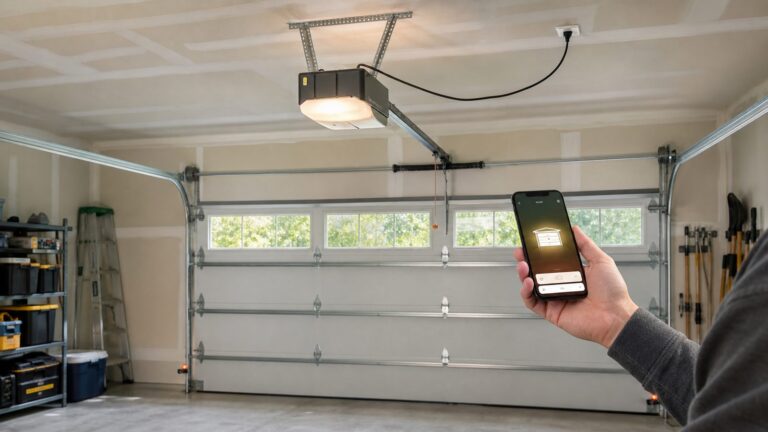
The simplest and most dependable option is the official myQ app icon on your iPhone or Android home screen. It is not fancy, but it is the control path myQ is built around. The myQ app supports opening, closing, and monitoring compatible garage doors, commercial doors, and gates from anywhere, assuming your opener, hub, account, and Wi-Fi are working.
For a security-critical device, this is often the right answer. It preserves the normal app flow, lets you see door status, shows alerts, and keeps control inside the manufacturer’s supported system. If you are managing guest access, deliveries, or access logs, stay inside myQ instead of sharing your primary account password or relying on a brittle workaround.
Option 2: Use an iPhone Shortcut to open myQ faster
On iPhone, the cleanest low-risk shortcut is a home-screen icon that opens the myQ app. This does not directly open or close the door. It simply removes a few taps. For many homeowners, that is the best balance: quick access without putting a one-tap open command on the lock screen or home screen.
You can create this in the Shortcuts app by making a shortcut that opens the myQ app, then adding it to the home screen. Name it something clear like “Garage” or “myQ Door.” This is useful when you are pulling into the driveway, walking out with groceries, or checking whether the door was left open after leaving the house.
Do these 3 things before closing this tab:
1Fix the driver behind crashes, sound loss and screen glitches2Repair Windows errors before they cause bigger problems3Scan for outdated or missing drivers - takes under a minuteOption 3: Use IFTTT button widgets where available
IFTTT continues to promote myQ applets, including button-widget style actions that can close a garage door from a phone screen or smartwatch. That is the closest practical version of a true home-screen button in many setups. Before you promise yourself this workflow, verify that the live IFTTT plan, myQ service connection, and your specific device are supported at the time you set it up.
We recommend using this kind of widget for close-only actions first. Closing a door remotely is usually a lower-risk command than opening it. A one-tap open button can expose the house, tools, vehicles, and interior access door if the phone is unlocked, borrowed, misplaced, or used by a child. If you do create an open command, require phone authentication and keep it off shared screens.
Option 4: Android shortcuts and widgets
Android support varies by phone launcher, myQ app behavior, and third-party services. Some homeowners can create app shortcuts or use IFTTT widgets for quick actions. Others may only be able to place the myQ app icon on the home screen. Treat Android as a device-specific setup: check your launcher’s widget menu, the myQ app options, and IFTTT availability before assuming the exact same workflow will work across Samsung, Pixel, Motorola, or other Android phones.
| Control method | Best use | Typical reliability | Our safety recommendation |
|---|---|---|---|
| Official myQ app icon | Daily open, close, status checks, guest access | Highest because it stays inside myQ | Best default for most homes |
| iOS Shortcut that opens myQ | Fast access without direct door movement | High because it only launches the app | Good low-risk home-screen option |
| IFTTT Button Widget | One-tap close command where supported | Depends on current myQ and IFTTT connection | Use close-only first; verify service status |
| Android widget or launcher shortcut | Fast access on compatible Android phones | Varies by phone and service | Confirm behavior before relying on it |
| Unsupported API or Home Assistant workaround | Advanced automation experiments | Unreliable in 2026 | Do not build access control around it |
Before You Add Phone Control, Check the Door Like a Builder
A garage door is usually the largest moving object in a house. A double steel sectional door can weigh 150 to 250 pounds, and a wood or oversized insulated door can weigh more. The opener is not meant to muscle a bad door into submission. It is meant to guide a properly balanced door.
Rank #2
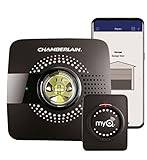
- Smart garage control open and close your garage door from anywhere with your smartphone through the myQ App
- Universal – Easy-to-add functionality to upgrade your existing garage door opener. Works with all major brands of garage door openers made after 1993 that have standard safety sensors
- The requirements needed to start - a router with 2.4 gigahertz Wi-Fi frequency, router with 802.11 B/G/N, a router within 50 feet of the myQ Smart Garage Hub (more details in PDF user manual)
- Simple setup: Wireless install with easy step by step instructions provided in the myQ App means you’ll be able to enjoy smart garage control in minutes
- Guest access: Securely invite up to three people to control your garage with the myQ guest feature (Note: Not intended for guests under the age of 13)
Before enabling remote operation, do these checks with the door closed and the opener unplugged where appropriate:
- Balance: Pull the emergency release and lift the door by hand. It should move smoothly and stay around halfway open without falling or shooting upward.
- Springs and cables: Look for gaps in torsion springs, frayed lift cables, loose drums, or uneven door travel. Do not adjust torsion springs yourself.
- Tracks and rollers: The door should not bind, scrape, or jump. Bent tracks and worn rollers can make the opener work too hard.
- Photo-eyes: Sensors near the floor should be mounted, aligned, clean, and aimed at each other. If the door closes only when you hold the wall button down, fix the safety sensors before adding phone control.
- Manual slide lock: Make sure the door lock is not engaged. A smart opener pushing against a locked door can damage the opener, top section, or drawbar arm.
- Wall control: Confirm the hardwired wall button works consistently before troubleshooting app control.
For remodels and new construction, we prefer to solve these issues before drywall, trim, and finished storage go in. It is easier to add blocking for an opener rail, place a keypad, plan a camera view, and get power in the right ceiling location while the garage is still open.
Compatibility: Will myQ Work With Your Existing Opener?
The myQ Smart Garage Control is a retrofit hub and door sensor for many existing garage door openers. Chamberlain’s general compatibility guidance points homeowners toward openers manufactured after 1993 with a program or learn button, though some brands and models need specific checks. The 1993 date matters because modern automatic garage door openers are tied to entrapment protection requirements that older equipment may not satisfy.
For setup, Chamberlain states the Smart Garage Hub needs a smartphone with the myQ app, a 2.4 GHz Wi-Fi network, and a compatible opener. That 2.4 GHz point is not a small detail. Garages often have weak signal because of metal doors, masonry walls, foil-faced insulation, vehicles, refrigerators, and distance from the router. We check signal with the garage door closed because that is when many homeowners actually need the system to work.
Crashes, No Sound, or Screen Glitches?
Random freezes, missing sound and display glitches usually trace back to one bad driver. Find and replace yours safely.Free scan · under a minuteWindows Errors? Fix Them Before They Spread
Repair common Windows errors and clear accumulated junk for a smoother, more stable PC - no reinstall needed.Free scan · no reinstallIf your opener is old, noisy, missing safety sensors, or has no recognizable learn button, do not force a smart controller onto it. A full opener replacement may be the better repair. A belt-drive smart opener with battery backup, LED lighting, and built-in myQ can be quieter and cleaner than adding a hub to a worn chain-drive unit from the 1990s.
Step-by-Step: Set Up myQ for Fast Phone Access
1. Confirm the opener and door are safe
Start with the mechanical checks above. If the door is heavy by hand, crooked, jerky, or noisy enough that people avoid using it, fix that first. A remote command does not change the physics of a bad door.
2. Check power and code basics
Modern garages generally need GFCI-protected receptacles. A ceiling receptacle for the opener should be properly installed, not powered by an extension cord draped across framing or storage racks. If the opener shares a circuit with freezers, tools, lighting, or exterior loads, nuisance trips and overloads can become a real usability problem.
If you are adding or relocating a ceiling receptacle, installing a new branch circuit, or opening finished walls, expect electrical code and permit requirements to vary by city. In many US jurisdictions, replacing an opener like-for-like is simpler than adding new electrical work. When we are already remodeling a garage, we usually plan a properly located ceiling outlet, lighting, GFCI protection, and network coverage together instead of treating the opener as an afterthought.
3. Verify Wi-Fi at the opener
Use your phone near the opener head with the garage door closed. If the phone drops to one bar or switches to cellular, the hub may struggle. For detached garages, masonry walls, or long driveways, a mesh node, wired access point, or outdoor-rated network plan may be needed. A $65 controller can turn into a network project if the signal is poor.
Rank #3

- Brand New in box; The product ships with all relevant accessories
- Open and close your garage door from anywhere with your smartphone Easy-to-add functionality with existing garage door openers
- Receive alerts when your garage door opens or closes in real time by setting up customized notifications – great for busy families who come and go from the house through the garage
- Refer user manual for troubleshooting steps
4. Install the myQ app and pair the device
Use the official myQ app, follow the in-app setup, connect to a 2.4 GHz network, and pair the hub or built-in opener. Mount the door sensor exactly as directed for the door type. A poorly mounted tilt sensor can report the wrong status, which defeats the main purpose of smart monitoring.
5. Add the fastest safe home-screen access
On iPhone, add the myQ app to your home screen or create a Shortcut that opens myQ. On Android, place the myQ app on the home screen and check whether your launcher offers relevant app shortcuts. If using IFTTT, create or select a myQ applet only after confirming current service availability. Start with a close command, test it while standing in the garage, and then test it from the driveway with the door closed and the car parked inside.
What Not to Assume About HomeKit, Alexa, Google Home, and Home Assistant
The biggest mistake homeowners make is following an old shortcut recipe without checking whether the integration still exists. In 2026, the reliable answer is more limited than many older smart-home guides suggest.
myQ’s official supported integrations emphasize services such as Amazon Key, Walmart+ InHome, select vehicle integrations, and listed partners. That does not mean every voice assistant, home hub, or automation platform can safely and officially operate your garage door. For a garage door, “I found a workaround” is not the same as “this is supported access control.”
Home Assistant is the clearest example. Its myQ integration was removed in release 2023.12 after Chamberlain Group blocked third-party API access. That matters because homeowners still find older instructions that show myQ inside local dashboards. If local-first smart-home control is a requirement, choose hardware that officially supports it instead of planning around an unsupported myQ path.
For Apple Home/HomeKit, CarPlay, Alexa, Google Home, Homebridge, or advanced automations, make the integration requirement part of the product selection before you buy. In some homes, the right answer is not myQ at all. A different opener or controller with the integrations you need may be cleaner than fighting the ecosystem after installation.
Costs: Adding myQ Versus Replacing the Opener
The hardware price is only one line item. The total cost depends on door condition, opener age, Wi-Fi, electrical work, and whether you need a professional to correct unsafe conditions.
The Tool Desk
Outbyte PC Repair FREEClear out junk files and repair common Windows errorsFree Scan →Outbyte Driver Updater FREEFix the driver behind crashes, sound loss and screen glitchesFind Drivers →| Project | Typical 2026 cost | What affects the price |
|---|---|---|
| myQ Smart Garage Control hardware | About $64.99 for model MYQ-G0401-ES on the official product page; retail deals vary | Compatibility, number of doors, sensor placement |
| Retrofit smart garage controller | About $30-$70 for hardware | Brand, features, app support, number of doors |
| Pro help for retrofit troubleshooting | Often added labor beyond hardware | Weak Wi-Fi, incompatible opener, bad sensors, door balance problems |
| Smart garage door opener hardware | About $200-$550 for the opener alone | Belt vs chain drive, wall-mount design, camera, battery backup, lighting, rail size |
| National opener installation range | Roughly $206-$700, with many homeowners around $383 | Removal, haul-off, ceiling height, door size, wiring condition |
| Professional LiftMaster/myQ replacement | Often about $450-$900 installed | Premium models, battery backup, camera, wall-mount units, door repairs |
| Electrical upgrades | Varies widely | Ceiling receptacle, GFCI protection, panel distance, drywall access, permits |
| Wi-Fi upgrades | Varies by system | Mesh node, wired access point, detached garage, masonry, camera bandwidth |
If the existing opener is less than 10 years old, quiet, properly installed, and compatible, a retrofit myQ controller can be a sensible upgrade. If the opener is 20 to 30 years old, lacks dependable safety sensors, or strains against the door, putting money toward replacement usually gives a better result.
Rank #4

- Compatibility: Compatible ONLY with LiftMaster Security+ 2.0 garage door openers (with myQ logo and yellow learn button) and lighting accessories enabled by MyQ technology
- Connectivity: Does not support WiFi connectivity. Quickly connects to your home network via Ethernet only, facilitating a smooth and simple setup process to smarten your garage opener with ease
- Works with Amazon Key: Enables secure in-garage delivery for Amazon Prime packages; monitor and control your deliveries from your smartphone
- Immediate Alert System: Receive instant, real-time notifications on your device to keep you informed of any changes or movements with your garage door or myQ-connected lights
- Programming Guide: Download the MyQ app onto your phone and set up an account. While setting up in the app, select "Smart Garage Hub" in the devices. Do Not pick Garage Door. Once you select Smart Garage Hub, you will see pictures of various models. Pick the one that looks like the 828LM model and follow the prompts to enter the serial number of the unit off the back. When you get to the prompt, hit "Allow for home data". Other settings can be adjusted later if you want or can remain as default
Safety Standards and Why They Matter
Automatic residential garage door operators are not just convenience appliances. UL 325 requires automatic operators to include entrapment protection, including inherent reversal and either an electric eye or edge sensor. Common residential operators also require a manual release. The International Residential Code points automatic garage door openers to Section R309.4 and requires them to be listed and labeled to UL 325.
In plain terms, a modern opener should reverse when it meets resistance and should not close onto a person, pet, bicycle, trash can, or stored material when the photo-eyes are interrupted. If someone has bypassed the photo-eyes, mounted them too high, taped them together, or ignored a blinking sensor light, remote phone control should be disabled until the safety system is corrected.
We also recommend turning on myQ alerts. At minimum, use push notifications for door opened, door closed, door left open, and failed close events. For many families, a “left open for 10 minutes” alert is more valuable than a one-tap open shortcut.
Free tools Windows power users keep installed
One-click scans. No signup required.
When to DIY Versus When to Hire a Pro
A careful homeowner can usually handle a basic myQ Smart Garage Control install if the opener is compatible, the door works well, the ceiling outlet is already in place, and the Wi-Fi signal is strong. Plan on 30 to 60 minutes for a straightforward setup, plus time to update apps, reset Wi-Fi credentials, or repeat pairing if the first attempt fails.
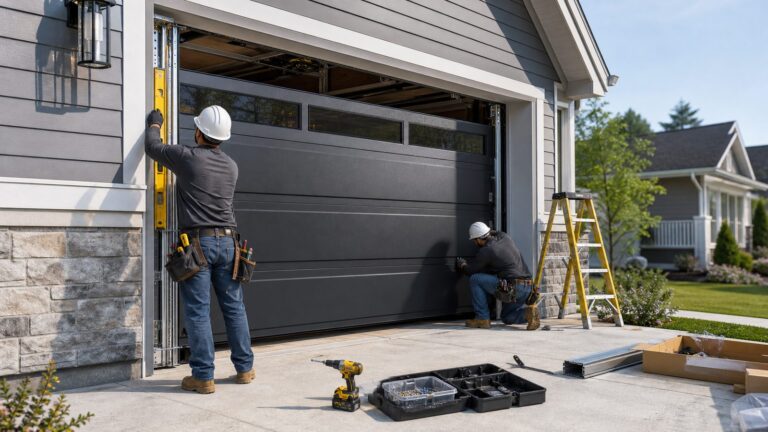
Hire a garage door professional or qualified contractor when the door is unbalanced, springs or cables look worn, the opener shakes, the top door section is cracked, the rail is poorly supported, or the safety sensors are unreliable. Hire an electrician when you need a new ceiling receptacle, GFCI correction, a dedicated circuit, or wiring through finished surfaces. Do not use extension cords as a permanent opener power source.
For remodels, additions, and garage conversions, this is also the time to think about the whole system: opener placement, ceiling storage conflicts, lighting, keypad location, camera line of sight, Wi-Fi access point placement, insulation, and the fire-rated separation between garage and living space. Smart access works best when it is planned with the structure, not bolted on after everything else is finished.
Our Recommended Setup for Most Homes
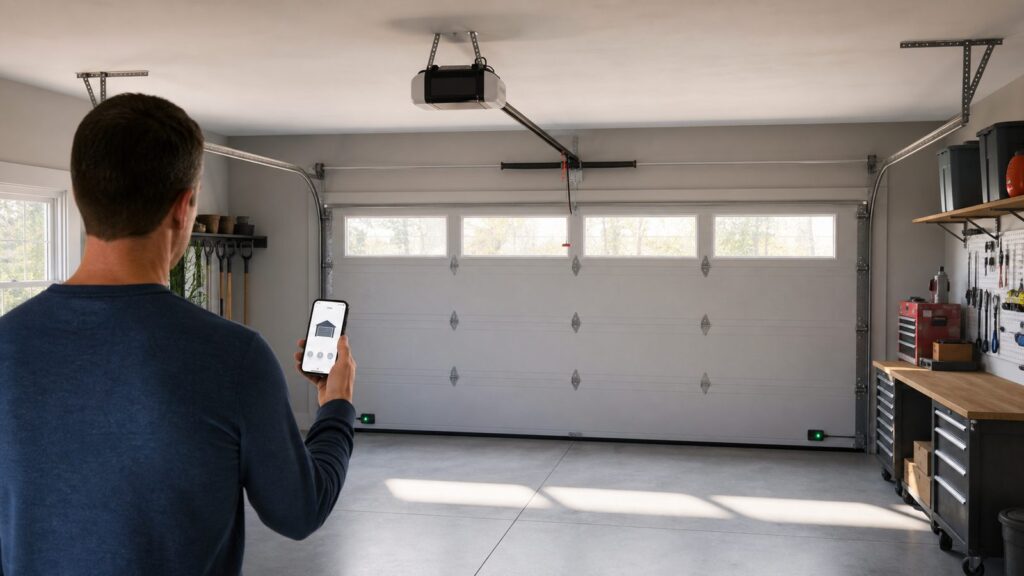
For most homeowners who want myQ on the phone screen, our recommendation is simple: use the official myQ app for open and close control, put it in a primary home-screen position, turn on notifications, and add only low-risk shortcuts. If you use IFTTT, start with a close-only button widget and verify the service still works before relying on it.
What’s actually slowing this PC down?
Pick the symptom - the matching free tool is one click away.
For families, use individual guest access instead of sharing the primary login. Give temporary access to contractors, cleaners, dog walkers, relatives, or delivery services only for the period they need it. Review access history and revoke access when the project or service ends. A garage often contains tools, vehicles, stored belongings, and a door into the house, so access control deserves the same care as a front-door smart lock.
Best Value

- Smartphone control: Control, secure and monitor your garage door from anywhere.
- Universal: Works with all major brands of garage door openers manufactured after 1993 that use photoelectric sensors that do not change to a low power mode.
- New design: Compact modern design with a white finish that blends in with ceilings, walls and garage doors. New mounting plate simplifies install.
- Improved setup: Bluetooth Low Energy (BLE) integration makes setup easier than ever. Download the myQ App and follow the in-app instructions to get set up in minutes.
- Works with Amazon Key: Enables convenient and secure In-Garage Delivery.
If your real goal is a fully integrated Apple Home, CarPlay, Alexa, Google Home, or local Home Assistant garage experience, decide that before buying hardware. myQ may still be the right product for many homes, but it is not the universal automation bridge that older tutorials make it sound like. Choose the opener and controller around the ecosystem you actually plan to use for the next 5 to 10 years.
Bottom Line
You can control a myQ garage door from your phone’s home screen in 2026, but the safest dependable setup is usually not a magic one-tap open button. It is the official myQ app placed for fast access, backed by working safety sensors, a compatible post-1993 opener, strong 2.4 GHz Wi-Fi, proper power, and notifications that tell you what the door actually did.
Use shortcuts and widgets to reduce friction, not to bypass judgment. Close-only shortcuts are usually reasonable. One-tap open commands deserve more caution. And if the door, opener, wiring, or Wi-Fi is already questionable, fix the house system first. A smart garage door should make a good installation easier to live with, not hide a bad one behind an app.
Frequently Asked Questions
Can I put a myQ garage door button on my iPhone home screen in 2026?
Yes, but the most reliable iPhone home-screen option is usually a shortcut that opens the official myQ app. Direct one-tap control may depend on third-party services such as IFTTT, and availability should be verified before relying on it.
Does myQ have an Android widget for opening or closing the garage?
Android options vary by phone, launcher, app version, and third-party services. Most homeowners can at least place the myQ app on the home screen. IFTTT button widgets may support quick actions where the current myQ connection is available.
Does myQ still work with HomeKit, Alexa, Google Home, or Home Assistant?
Do not assume broad support. myQ’s official partner list is more limited than many older tutorials suggest, and Home Assistant removed its myQ integration in 2023 after third-party API access was blocked.
Is a one-tap garage-door open button safe?
A one-tap close button is usually lower risk than a one-tap open button. If you create any open command, keep phone authentication enabled and avoid placing it where children, guests, or anyone using the phone casually can trigger it.
How much does it cost to add myQ to an existing opener?
The myQ Smart Garage Control hardware was about $64.99 in 2026, with similar retrofit smart controllers commonly around $30-$70. Costs rise if you need Wi-Fi upgrades, opener troubleshooting, electrical work, or door repairs.
Will myQ work with an older garage door opener?
Generally, myQ retrofit compatibility is aimed at openers made after 1993 with a program or learn button, but some brands and models need special checks. If the opener lacks modern safety sensors or the door is mechanically unsafe, replacement may be smarter than retrofit control.
Quick Recap
Product prices and availability are accurate as of the date/time indicated and are subject to change. Any price and availability information displayed on Amazon at the time of purchase will apply.