What’s actually slowing this PC down?
Pick the symptom - the matching free tool is one click away.
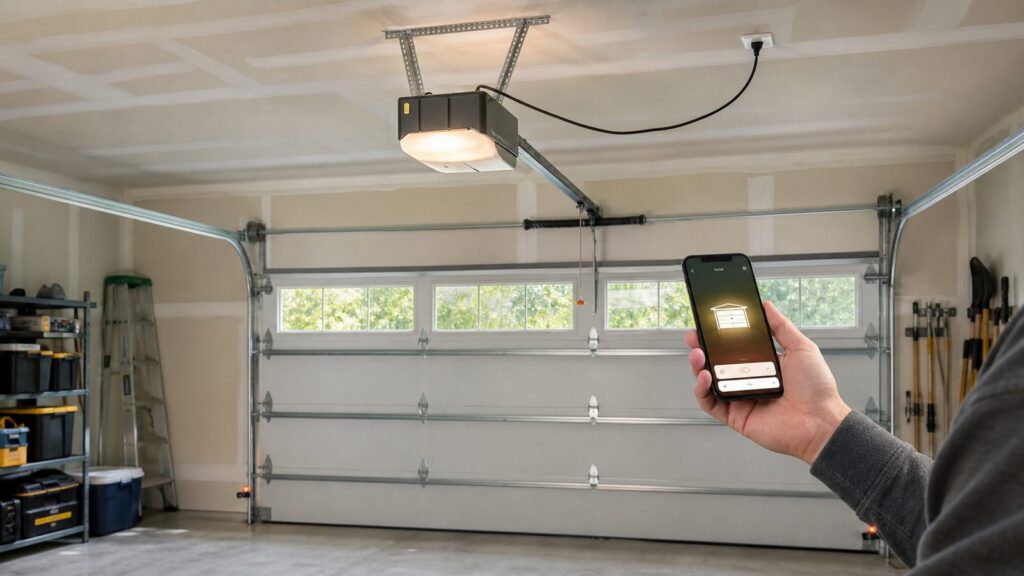
Yes, Siri can open and close a garage door in 2026, but the garage door opener has to be connected to Apple Home through compatible hardware. A generic Wi-Fi opener app is not enough. For Siri voice control, the practical requirement is Apple Home/HomeKit compatibility through a HomeKit-native opener, a retrofit smart garage controller, or a bridge that connects the opener to Apple Home.
The part homeowners underestimate is not the voice command. The hard part is making sure the door is mechanically safe, the opener is compatible, the garage has reliable Wi-Fi, the power supply is code-compliant, and the safety sensors are working as intended. On our job sites, we treat smart garage control as a home system upgrade, not just a gadget added to the ceiling.
As an Amazon Associate I earn from qualifying purchases.
If the door is balanced, the opener is compatible, and there is a strong wireless signal in the garage, Siri control can be a clean upgrade in the $40 to $250 hardware range for retrofit devices. A full smart opener replacement commonly lands around $450 to $900 installed for standard residential work, and more for wall-mount units, battery backup, tall ceilings, heavy doors, or electrical work.
How Siri Garage Door Control Actually Works
Siri does not talk directly to most garage door openers. Siri talks to Apple Home. Apple Home talks to a compatible accessory. That accessory either controls the opener through the wall-button terminals, communicates through a manufacturer-supported integration, or is built into the opener itself.
#1 Best Overall

- Works with Most Models: The smart garage door opener(MSG100HK) is work with 200 brands and over 1600 models. Compatible with openers using Security+ 1.0 and Security+ 2.0 protocols (does not support Security+ 3.0 ). If your garage door requires an extra adapter, please contact us. We'll ship the adapter to you at no additional cost.
- Voice Control: You can control your devices hands-free, just give voice commands to turn on/off the connected devices. Compatible with Apple HomeKit, Siri, Amazon Alexa, Google Assistant, and CarPlay. Please scroll down and check the "Product guides and documents - User Manual" for more product information
- Remote Control: You can turn the garage door on/off from anywhere with internet access via the Meross app. To let in your family, guests, or couriers through the garage door while you are cooking or not at home. No monthly fee or any other subscription fee! Note: 2.4GHz WiFi network support only
- More Precise and Stable: It comes with a high-sensitivity wired sensor that monitors the status of the garage door more accurately and the signal stays stable. And you can check the garage door open/ close operation records through the app. Stay alert by different notification modes such as garage door open/ close status, overtime notification, and overnight notification to remind you to close the garage door
- Easy to Install: Installation is much easier than you may think. Please refer to our installation guide and video tutorial and make sure your WiFi strength is acceptable near your garage door. If you meet any issue about meross garage opener remote, simply contact meross support team
A typical retrofit setup includes three parts: a small Wi-Fi controller mounted near the opener, low-voltage wires connected to the opener’s wall-control terminals, and a door position sensor mounted on the door or track. When you say, “Hey Siri, open the garage door,” Apple Home sends the command to the controller. The controller momentarily closes the same circuit that your wall button uses. The sensor then reports whether the door is open or closed.
That simple description has several real-world exceptions. Some newer openers use encrypted or proprietary wall controls that may not accept a basic dry-contact controller. Some brands support Alexa or Google but not Apple Home. Some products support Apple Home only through a bridge. Some garage locations have such poor Wi-Fi that the smart controller behaves inconsistently even though the opener itself is fine.
Apple also treats garage doors as secure accessories. Depending on your device, settings, and location, Siri may require an unlocked iPhone, Apple Watch confirmation, or other verification before opening the door. That is normal. A homeowner should not assume every Siri garage command will be fully hands-free from every device in every situation.
Your Main Installation Options
There are three realistic ways to make Siri operate a garage door: add a retrofit controller, replace the opener with a smart model that supports Apple Home, or use a bridge/workaround for an opener that does not support Apple Home directly. The right choice depends on the age and condition of the door, the opener model, the homeowner’s security expectations, and whether other remodeling work is already underway.
Option 1: Add a Retrofit Smart Garage Controller
This is usually the first option we evaluate when the existing opener is in good condition. A retrofit controller wires into the opener much like a wall button. It usually includes a door sensor so Apple Home can show whether the door is open or closed.
Single-door retrofit hardware commonly costs about $40 to $100. Multi-door kits, camera-enabled units, and premium controllers can run about $100 to $250 or more. Meross, for example, lists a HomeKit/Siri-compatible smart garage opener at $49.99. That is hardware only; it does not include troubleshooting an old opener, adding an outlet, improving Wi-Fi, or correcting door problems.
A retrofit controller makes sense when the door opens smoothly, the safety sensors work, the opener has standard compatible terminals, and the homeowner wants the lowest-cost path to Siri. It is not the right fix for a noisy 18-year-old chain-drive opener, a sagging wood door, worn rollers, or a door that fails a balance test.
Do these 3 things before closing this tab:
1Scan for outdated or missing drivers - takes under a minute2Clear out junk files and repair common Windows errors3Fix the driver behind crashes, sound loss and screen glitchesOption 2: Replace the Opener With a Smart Model
If the opener is old, loud, underpowered, or missing modern features, replacing it may be better than adding a controller. A full smart opener replacement typically costs about $450 to $900 installed for standard residential units. Higher quotes are common for wall-mount openers, DC belt-drive units, battery backup, integrated cameras, automatic deadbolts, high-lift doors, heavy wood doors, or difficult ceiling framing.
Before buying, confirm Apple Home compatibility specifically. Do not assume “smart,” “Wi-Fi,” “app-controlled,” “Alexa compatible,” or “Google compatible” means Siri will work. Siri control generally means Apple Home compatibility, either native or through a supported bridge.
Option 3: Use a Bridge or Workaround
Some homeowners already have a myQ or other app-based opener and want Siri control without replacing hardware. This is where the details matter. Chamberlain/myQ remains common in the U.S. market, but its current support materials list Apple HomeKit, Siri voice commands, and Shortcuts among unsupported or discontinued integrations. That does not mean every installation is impossible, but it does mean buyers should verify the exact model and integration path before purchasing.
Bridges and home automation platforms can sometimes fill the gap, but they add complexity. For a homeowner who wants a simple, supportable system, we prefer an Apple Home-compatible controller or opener from the start. The more custom the workaround, the more important it is to document reset procedures, account ownership, and what happens when a manufacturer changes its API or app support.
Cost Comparison for Siri Garage Door Control
The cost spread is wide because homeowners are not all starting from the same place. One garage may need only a $50 controller. Another may need a new opener, ceiling receptacle, battery backup, door repairs, and a Wi-Fi access point.
Rank #2

- Compatibility Note: This smart garage door remote (MSG150HK) is designed specifically for the vast majority of Chamberlain, Lift-Master, and Craftsman brand openers (𝗡𝗼𝘁 𝘄𝗼𝗿𝗸𝘀 𝘄𝗶𝘁𝗵 𝗼𝘁𝗵𝗲𝗿 𝗯𝗿𝗮𝗻𝗱𝘀). Work with openers using Security+ 1.0 and Security+ 2.0 protocols (Not Security+ 3.0/Green/White learn button ). For other opener brands, please check out our universal smart garage door remote (MSG100HK) for a smooth smart upgrade.
- Remote Control: Use the Meross app to open or close your garage while cooking, at work, or on vacation. Let in family, guests, or couriers even when you're not home.Ideal for busy parents, frequent travelers, or anyone tired of hiding a spare key. No monthly fee or any other subscription fee!
- Voice Control: Open or close your garage while carrying groceries or handling kids. Just say "Hey Siri, close the garage" or "Alexa, open the garage door" — no phone needed. Compatible with Apple HomeKit, CarPlay, Alexa, Google Assistant, and SmartThings.
- Enhanced Security: Check open/close history in the app. Get alerts when the door is left open too long, left open overnight, or every time it opens or closes. You can also set the door to close automatically after a certain amount of time, or schedule a specific closing time. You’ll never have to wonder again if you forgot to close the garage door.
- Easy to Install: Installation is much easier than you may think. 𝐍𝐎 𝐧𝐞𝐞𝐝 𝐭𝐨 𝐢𝐧𝐬𝐭𝐚𝐥𝐥 𝐚𝐝𝐝𝐢𝐭𝐢𝐨𝐧𝐚𝐥 𝐚𝐝𝐚𝐩𝐭𝐞𝐫 𝐨𝐫 𝐰𝐢𝐫𝐞𝐝 𝐝𝐨𝐨𝐫 𝐬𝐞𝐧𝐬𝐨𝐫𝐬(𝐕𝐬. 𝐚𝐥𝐥 𝐩𝐞𝐞𝐫𝐬). Ideal for renters who can't modify equipment or homeowners who want a quick DIY upgrade. Note: 2.4GHz WiFi network support only
| Project Type | Typical 2026 Cost | Best Fit | Watch For |
|---|---|---|---|
| Retrofit smart controller | $40-$100 hardware; $100-$250+ for multi-door or camera kits | Good existing opener with Apple Home-compatible controller | Opener compatibility, weak Wi-Fi, loose door sensor mounting |
| Professional opener installation | Common national ranges: about $218-$540, $206-$700, or $300-$900+ | Homeowners replacing a worn or noisy opener | Electrical outlet location, ceiling structure, rail clearance |
| Full smart opener replacement | Often $450-$900 installed for standard units | Older opener, better security, battery backup, quieter operation | Apple Home support must be verified before purchase |
| New garage door plus opener | Single doors often $600-$2,000; double doors $2,000-$4,500; premium doors $10,000+ | Door is damaged, heavy, rotted, poorly insulated, or near end of life | Door weight, spring sizing, opener horsepower, framing condition |
| Electrical work for opener power | Small residential electrical permits often about $75-$200+ before labor | No ceiling receptacle, unsafe extension cord use, new circuit needed | Permit rules, GFCI protection, licensed electrician requirements |
Labor rates also vary by city, ceiling height, door count, emergency scheduling, and whether the garage is finished. A clean one-door retrofit may take 60 to 120 minutes. A full opener replacement often takes 2 to 4 hours when framing, power, and door condition are straightforward. Electrical work, drywall access, masonry walls, or poor Wi-Fi can add time.
Compatibility Comes Before Brand Preference
The most common buying mistake is choosing the smart device first and checking compatibility later. For Siri, the order should be reversed: Apple Home compatibility first, opener compatibility second, features third.
Start with the opener model number. It is usually on the motor housing, often behind the light cover or on a side label. Record the brand, model, horsepower or equivalent lifting rating, drive type, wall control type, and manufacture date. Then check whether the smart controller supports that opener. Pay special attention to openers with encrypted wall controls or proprietary terminals because they may not behave like a simple push-button circuit.
Recommended Free Tools
For Apple Home, also confirm whether the accessory needs a Home hub for remote operation. An Apple TV, HomePod, or iPad configured appropriately may be needed for reliable remote access and automation. Without the right home architecture, Siri may work only under limited conditions or fail when the homeowner is away.
Naming also matters. Use a clear name such as “Garage Door,” “North Garage Door,” or “Shop Garage Door.” Avoid names that sound like lights, locks, or rooms. In multi-bay garages, label each door physically during setup so the Home app name matches the actual opening.
Do Not Add Smart Control to an Unsafe Door
A smart controller does not make a bad garage door safe. The opener only moves the door. The springs and counterbalance system carry the actual load. If the springs are weak, cables are frayed, rollers are worn flat, tracks are out of alignment, or the bottom brackets are compromised, adding phone and voice control just lets the problem operate remotely.
Before we add smart controls, we inspect the door like we would before installing a new opener. That includes the balance, spring condition, cable condition, roller wear, track alignment, weather seal, photo-eye alignment, and opener reversal function. A balanced residential sectional door should stay near mid-travel when disconnected from the opener and lifted by hand. If it slams shut, shoots upward, binds, or feels unusually heavy, the door needs service before automation.
The Tool Desk
Outbyte Driver Updater FREEScan for outdated or missing drivers - takes under a minuteDriver Scan →Outbyte PC Repair FREEClear out junk files and repair common Windows errorsFree Scan →UL 325 safety requirements for residential garage door operators exist because closing doors can injure people and damage property. Modern automatic openers rely on entrapment protection, including photo-eye sensors near the floor and force/reversal controls. Never bypass the safety sensors to stop nuisance reversals. Fix the actual cause: misalignment, sun glare, damaged sensor wiring, dirty lenses, track resistance, incorrect force settings, or a door that is not moving freely.
We also keep the wall button and manual emergency release functional. Smart control should supplement normal operation. It should not become the only way a homeowner can get into or out of the garage.
Wi-Fi Reliability Is a Construction Issue, Not Just a Tech Issue
Many smart garage problems are really network problems. Garages are often separated from the router by exterior walls, masonry, metal doors, foil-faced insulation, appliances, vehicles, and long distances. A controller mounted to the ceiling beside a steel opener rail may be in one of the weakest signal spots in the house.
Before installation, check signal strength with the garage door open and closed. If the signal is weak or intermittent, place a mesh node or access point inside or near the garage before blaming the controller. For new construction or remodeling, we prefer to plan this early: rough in a ceiling receptacle for the opener, blocking for the rail and head unit, and low-voltage routing before drywall. If the garage will have cameras, EV charging, smart lighting, or exterior security devices, network planning becomes even more important.
Rank #3

- 🧠 SMARTEN YOUR GARAGE: Universal adapter connects to existing openers & connects to WiFi to allow monitoring and control from your mobile device or voice assistant.
- 🔈 WORKS WITH ALEXA, GOOGLE HOME, IPHONE, SIRI, ANDROID: Use any device including voice assistants, like Alexa, Ok Google, Siri, or even on smart watches.
- 🏡❓👍 WORKS ON MOST OPENERS** (adapter maybe required): Not sure if your openers compatible? It likely is! If it isn't we now have an adapter that expands compatibility - contact us for an adapter 📩 **Sorry RYOBI, the eKyro opener doesn't work with you 😞
- 🏠🏠 WORKS TOGETHER: Multiple eKyro Openers can be paired together if you have more than 1 Garage Door Opener!** **Each Door will need its own eKyro Smart Garage Door Controller
- 💰 NO FEES**: All features come without monthly fees attached including Alexa, Google Assistant (OK Google), Siri, Scheduling, Automatic Door Closing and the ability to open/close the door or monitor anywhere your phone has service! **Additional alerts like SMS messages or phone calls may cost extra, but are not needed for device functions
For detached garages, Wi-Fi may not be enough. A buried conduit for Ethernet or a properly designed point-to-point wireless link can be more reliable than stretching a house router beyond its useful range. That decision should be made before concrete, landscaping, or finished walls make the work more expensive.
Electrical, Code, and Permit Considerations
Most homeowners focus on the smart controller and forget the outlet. A garage door opener should be powered from a proper receptacle, not a permanent extension cord. In many jurisdictions, adding a ceiling receptacle or new circuit requires an electrical permit and a licensed electrician. Small residential electrical permit fees commonly fall around $75 to $200 or more before labor, but local rules vary.
Garage receptacles are commonly required to have GFCI protection under modern electrical codes. The National Electrical Code has expanded GFCI requirements over recent cycles, and local adoption varies. That means the correct answer depends on the jurisdiction, the project scope, and the adopted code edition. For a remodel, we coordinate opener power with the electrician rather than treating it as an afterthought.
Attached garages also bring fire separation concerns. Do not compromise rated drywall, required self-closing house doors where locally enforced, or penetrations between the garage and living space. If wiring, low-voltage cable, or mounting changes affect those assemblies, the work needs to be detailed properly. A smart opener is not an excuse to poke sloppy holes through a fire separation wall or ceiling.
Free tools Windows power users keep installed
One-click scans. No signup required.
Battery backup is another local-code and practical consideration. It is not universal, but it is valuable in storm-prone areas and may be required by state law in some jurisdictions, notably California for certain residential garage door openers. For high-value homes, we often recommend a smart opener package with battery backup, user-level access logs, camera integration, and a separate physical lock or automatic deadbolt.
Security Settings Matter More Than the Voice Command
The useful daily value of a smart garage system is usually not saying “open the garage.” It is knowing the door was left open at 10:30 p.m., seeing who opened it, closing it remotely after a delivery, and limiting access for guests or service providers.
Set up named users instead of shared Apple IDs. Use strong account passwords and multi-factor authentication where available. Give access only to people who need it. For rental suites, workshops, high-value storage, or homes with frequent contractors, user-level access logs are worth paying for.
We recommend alerts for door-left-open events, late-night openings, failed close events, and unexpected activity during travel. Auto-close can be useful, but it should be configured carefully. A garage door that closes automatically must have properly working safety sensors, a clear opening, and a homeowner who understands how the feature behaves.
Quick wins for a faster PC:
Fix the driver behind crashes, sound loss and screen glitchesFind Drivers →Clear out junk files and repair common Windows errorsFree Scan →For families, explain the confirmation behavior. Siri may ask the user to unlock a phone or confirm an opening because a garage door is a secure access point. That extra step can feel inconvenient, but it is part of keeping the door from opening casually through a speaker, a misheard command, or an unauthorized voice.
Independent reader supportYour contribution helps us test, update, and keep practical guides available for everyone.When to DIY vs. When to Hire a Pro
A capable homeowner can often install a retrofit controller if the opener is compatible, the wall-button terminals are accessible, the door already operates safely, and no electrical work is required. The work is low-voltage in many retrofit installations, and the basic steps are straightforward: mount the controller, connect the control wires, mount the position sensor, pair the device to Apple Home, and test open/close status several times.
DIY is reasonable when the door passes a balance test, the opener reverses correctly, the photo-eyes are aligned, the garage Wi-Fi is strong, and the installation does not require a new receptacle or circuit. Plan on 1 to 2 hours for a clean retrofit, plus time for app setup and firmware updates.
Rank #4

- Compatibility Tips: The smart garage door opener is compatible with 200 brands and over 1600 models. Compatible with openers using Security+ 1.0 and Security+ 2.0 protocols (does not support Security+ 3.0 ). Before purchasing, please check if your garage door model is on the compatibility list. If your garage door needs accessories to solve compatibility issues. please send meross support team the information about your garage opener, we can ship the proper accessory separately for you, and make it works. No additional fees.
- More Smart Remote: The external antenna can better receive wifi signals and can support up to 3 garage doors at the same time. (2 wired doors sensor is included in the package. the third door sensor need to be purchased separately)No monthly fee or any other subscription fee!
- Remote and Voice Control: You can control your devices hands free, just give voice commands to turn on/off the connected devices. Compatible with Apple HomeKit, Siri, Amazon Alexa, and Google Assistant.
- More Precise and Stable: It is equipped with a highly sensitive wired sensor which monitors the status of garage door more accurate and the signal stays stable. And you can check the garage door open/ close operation records through the APP. Stay alert by different notification modes such as garage door open/ close status, overtime notification and overnight notification to remind you close the garage door
- Easy to Install: Installation is much easier than you may think. Pls make sure your wifi strength is acceptable near your garage door. Note: 2.4 GHz Wi-Fi network support only
Hire a garage door professional when the door is heavy, crooked, noisy, binding, damaged, or out of balance. Springs, cables, drums, and bottom brackets are not casual DIY parts. They are under significant tension and can cause serious injury. Also hire a pro for opener replacement when ceiling structure, rail alignment, high-lift tracks, jackshaft units, or heavy custom doors are involved.
Hire a licensed electrician when you need a new ceiling outlet, a new circuit, GFCI corrections, conduit, or work in a finished garage where code compliance matters. In many cities, that work requires a permit. The exact permit trigger depends on the local building department, but assuming “it is just a garage opener” is how small projects become inspection problems later.
What We Specify on Remodels and New Garage Builds
When a garage is part of a larger construction project, the best time to plan smart opener control is before drywall. We look at the door size, ceiling height, opener type, rail path, light placement, outlet location, network coverage, and future service access.
For a standard sectional door, the opener head needs solid overhead support and a clear rail path centered on the door. The ceiling receptacle should be located so the factory opener cord reaches without an extension cord. Blocking should be installed where needed for opener brackets, wall controls, cameras, and accessories. Low-voltage routing should stay organized and protected from sharp edges, moving parts, and future storage systems.
We also document the system at turnover. That includes the opener model, accessory model, HomeKit pairing code, breaker or circuit identification, warranty information, reset procedure, and the owner account used for setup. This documentation saves hours later when a homeowner changes phones, replaces a router, transfers ownership, or needs service.
Crashes, No Sound, or Screen Glitches?
Random freezes, missing sound and display glitches usually trace back to one bad driver. Find and replace yours safely.Free scan · under a minutePC Slower Than It Used to Be?
A free scan shows the junk files, broken settings and background clutter dragging Windows down - then fixes them in one click.Free scan · Windows 10 & 11Bottom Line: Yes, Siri Can Open It, but Build the System Correctly
Siri can open your garage door when the opener is connected to Apple Home through compatible equipment. The cleanest paths are a HomeKit-compatible retrofit controller for a good existing opener or a smart opener replacement that explicitly supports Apple Home. Do not treat generic Wi-Fi control, Alexa support, Google support, or a manufacturer app as proof that Siri will work.
The better question is whether the whole garage door system is ready for remote operation. A safe installation starts with a sound door, properly working entrapment protection, reliable Wi-Fi, code-compliant power, and clear access control. Get those pieces right, and Siri becomes a useful convenience. Skip them, and the voice command is just a polished control layer on top of a weak system.
Frequently Asked Questions
Can Siri open my existing garage door opener?
Yes, if your existing opener can connect to Apple Home through a compatible retrofit controller, bridge, or supported smart opener platform. Check the opener model and wall-control compatibility before buying hardware.
Do I need Apple HomeKit for Siri garage door control?
In practical terms, yes. Siri garage door control generally requires Apple Home/HomeKit compatibility. A garage opener that only supports a brand app, Alexa, or Google does not automatically work with Siri.
Crashes, No Sound, or Screen Glitches?
Random freezes, missing sound and display glitches usually trace back to one bad driver. Find and replace yours safely.Free scan · under a minutePC Slower Than It Used to Be?
A free scan shows the junk files, broken settings and background clutter dragging Windows down - then fixes them in one click.Free scan · Windows 10 & 11Does myQ work with Siri or Apple Home in 2026?
Chamberlain/myQ is common, but current support materials list Apple HomeKit, Siri voice commands, and Shortcuts among unsupported or discontinued integrations. Verify the exact model and integration path before buying.
How much does it cost to add Siri control to a garage door?
Retrofit smart controller hardware commonly costs about $40 to $100 for one door, with multi-door or camera-enabled kits around $100 to $250+. A full smart opener replacement often costs about $450 to $900 installed for standard residential projects.
Do I need a permit to install a smart garage door opener?
A simple low-voltage retrofit controller may not require a permit, but adding a ceiling receptacle, new circuit, or other electrical work often does. Small residential electrical permits commonly run about $75 to $200+ before labor, depending on the jurisdiction.
Why does Siri ask me to unlock my phone before opening the garage?
Apple treats garage doors as secure accessories. Depending on your setup, Siri may require an unlocked iPhone, Apple Watch confirmation, or another approval step before opening the door.
Quick wins for a faster PC:
Fix the driver behind crashes, sound loss and screen glitchesFind Drivers →Clear out junk files and repair common Windows errorsFree Scan →Quick Recap
Product prices and availability are accurate as of the date/time indicated and are subject to change. Any price and availability information displayed on Amazon at the time of purchase will apply.

