Do these 3 things before closing this tab:
1Clear out junk files and repair common Windows errors2Fix the driver behind crashes, sound loss and screen glitches3Repair Windows errors before they cause bigger problemsSome links on this page are affiliate links: if you buy through them we may earn a commission, at no extra cost to you.
A Ryobi battery that dies quickly is not automatically defective. Short runtime can come from a high-demand task, a low-capacity pack, an incompatible battery or tool, charging or temperature conditions, a worn battery, or a fault in the tool. Start by recording the battery, charger, and tool model numbers, the battery’s amp-hour (Ah) rating, the job you were doing, and any charger-light behavior. Then work through the checks below before buying a replacement.
What “drains quickly” can mean
Runtime depends on the battery’s capacity, the tool’s electrical demand, the material being cut or drilled, how continuously the tool is used, and the condition of the battery and tool. A pack that lasts less time than expected is therefore a symptom, not a diagnosis.
As an Amazon Associate I earn from qualifying purchases.
First decide whether the change was sudden or has always been present:
- Always short: the pack may be small for the job, the task may be unusually demanding, or the battery and tool may not be the intended platform combination.
- Suddenly shorter: investigate charging, temperature, tool-side problems, physical damage, or battery aging before assuming capacity is the cause.
- Short only on one tool: the tool, accessory, or work material may be creating the extra load.
- Short on several compatible tools: the battery or its charging history becomes more suspicious, although a charger problem can produce similar symptoms.
Ryobi’s product listings describe higher-capacity 4Ah and 6Ah 18V ONE+ batteries as providing longer runtime. Those are manufacturer capacity and runtime statements, not a guaranteed number of minutes, cuts, or holes for every tool and task.
Popular on Amazon

- Battery Type: Li-Ion, Voltage: 18V, Capacity: 6000mAh, Quantity: 2 Pack Replacement for Ryobi Batteries
- Compatible with P102, P103, P104, P105, P107, P108, P109 Ryobi 18V system cordless tools.
- LED Indicator: Visualization of residual power with the LED Indicator, remind you to get ready to charge before your battery is low and a full battery make sure your work is done without recharging.
- Built in premium Lithium battery,and over-charging, over-discharging, over-voltage, over-current, and over-heating protections, protect your battery from damage.
- customer service team is on call 24 hours a day to address any issues you may have.
Record the models before troubleshooting
Write down the complete model number printed on each component:
- Battery pack, including its Ah rating (for example, 4Ah or 6Ah).
- Tool, such as a drill, saw, blower, or trimmer.
- Charger.
- Battery platform and voltage printed on the labels.
Also note the material, accessory size, speed setting, duty cycle, ambient conditions, and whether the tool stopped abruptly or gradually lost power. Ryobi’s support portal uses the model number to provide the applicable manual, parts information, repair guidance, warranty information, and service-center routes. The manual for your exact tool and charger is the controlling reference for fit, operation, and indicator meanings.
How battery capacity affects runtime
Amp-hours describe stored charge under rated conditions. In the same tool and comparable conditions, a higher-Ah battery is intended to run longer than a lower-Ah battery. It does not guarantee a fixed runtime because the tool’s load changes continuously.
| Pack or charger | What Ryobi’s listing establishes | What it does not establish |
|---|---|---|
| PBP004 18V ONE+ 4Ah lithium battery | Described as high capacity for longer runtime and listed as compatible with Ryobi 18V ONE+ products. | A universal runtime, lifespan, or proof that a short-running tool has a bad battery. |
| PBP005 18V ONE+ 4Ah lithium battery | Listed with a fuel gauge, heat-management design, and ONE+ compatibility. | That every 4Ah pack has identical features or delivers the same runtime in every tool. |
| PBP007 18V ONE+ 6Ah lithium battery | Described as a higher-capacity option for longer runtime, with listed heat-management features and ONE+ compatibility. | A guaranteed runtime or a remedy for a defective tool or charger. |
| PCG002 18V ONE+ charger | Listed for 18V lithium-ion batteries with charge-status lights and a temperature LED that indicates when a pack is too hot or too cold to charge. | A universal temperature range or a light-code table for every Ryobi charger. |
| PCG008 18V ONE+ 8A rapid charger | Ryobi states that it charges an 18V ONE+ 4Ah battery in less than 30 minutes. | Any increase in runtime per charge or proof that a rapid charger fixes battery drain. |
The table describes the product listings; it is not a substitute for the manual for a different model. Availability and product specifications can change, so verify the label and current documentation for the exact item you own.
Also popular on Amazon

- High-Capacity Performance: Each 3.0Ah lithium-ion battery offers extended runtime, ensuring your Ryobi 18V tools work longer between charges.
- Perfect Fit: Specifically designed for Ryobi 18V cordless tools, ensuring seamless compatibility and performance.
- Durable and Reliable: Built with high-quality materials, these batteries are tough enough to handle rigorous use and harsh conditions.
- Safety Features: Includes built-in protection against overcharging, overheating, and short-circuiting, ensuring safe and reliable operation.
- Great Value: Save money with this high-capacity replacement battery , offering excellent performance at a fraction of the cost.
Check platform and physical compatibility
Do not assume that every Ryobi battery fits every Ryobi tool. The compatibility statement for the packs above applies to Ryobi’s 18V ONE+ products. Other voltage platforms have different physical and electrical requirements.
- Read the voltage and platform name on the battery and tool.
- Compare both with the tool manual, not just the shape of the connector.
- Confirm that the charger is specified for that battery chemistry and platform.
- Stop if the pack does not seat normally, the contacts are damaged, or the combination is not listed as compatible.
Forcing a pack into a tool, using an adapter of uncertain origin, or charging a battery on an incompatible charger can create a safety hazard and can invalidate any meaningful diagnosis.
Use the charger as a diagnostic clue
Remove the battery, inspect the pack and charger for cracks, melted plastic, corrosion, bent contacts, or contamination, and let both reach room temperature. Do not use a physically damaged pack. Keep the contacts dry and clean; do not scrape them aggressively or bridge them with metal.
Read the indicators
Charger lights can tell you whether a charge is in progress, complete, or being blocked by temperature, but the exact meanings are model-specific. For the PCG002 listing, Ryobi says a temperature LED indicates when a battery is too hot or too cold to charge. The listing does not give one operating-temperature threshold that applies to all Ryobi batteries and tools.
Also popular on Amazon
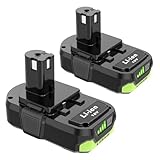
- [Battery Specs] Capacity: 3000 mAh, Voltage: 18v, Package: 2 Pack, Replacement for Ryobi 18v P103 Lithium Ion Battery.
- [High Compatibility] Replacement for RYOBI BPL-1815, BPL-1820G, BPL18151, BPL1820, P102, P103 P104, P105, P106, P107, P108 P109 P122. Compatible with Ryobi 18V Lithium Battery Charger PCG002 P118B P117.
- [Intelligent LED Dynamic Display] Allows users to conveniently monitor charge levels. Displays remaining running time for less downtime on the job,You can see how much fuel the battery has charged up with the LED panel on the side, keeping you aware of when you need to recharge.
- [Safe & Stable] No Memory Effect, Built-in Protection Against Over Charging, over Discharge, Over Current, Provides Short Circuit Protection and Steady Voltage Circuit.
- [Customer Support Service] PEYESTEN Offers a One-Year Warranty, Free Replacement or 90 Days Money Back. Our After Sale Support Team is Available 24/7 to Assist You.
- Insert the pack fully and observe the charger’s status indication.
- Record whether charging begins, stops, or is refused.
- If a temperature indication appears, allow the battery to return naturally to room temperature and consult the charger manual before trying again.
- Do not override a temperature warning or attempt to cool or heat the pack with a freezer, heater, or other improvised method.
A charger that never recognizes a known-compatible pack, or that behaves differently from the manual’s description, needs model-specific service advice. The symptom alone does not prove whether the charger or battery is at fault.
Separate task demand from a battery fault
High-load work can empty a battery quickly even when the battery is healthy. Dense or wet material, a dull blade, an overloaded bit, thick stock, tall grass, a clogged intake, or forcing the tool can all increase demand. Long periods at full trigger also consume more energy than intermittent light work.
Make the task easier before judging runtime
- Use the accessory specified for the tool and material; replace dull or damaged blades, bits, and trimmer line.
- Keep vents and air paths clear.
- Use the correct speed, clutch, or cutting setting from the manual.
- Let the tool do the work instead of forcing it or binding the accessory.
- Compare a short, repeatable light-duty task with the original job.
This comparison is practical troubleshooting, not a manufacturer-published runtime test. It cannot establish a universal number of minutes because no general Ryobi runtime benchmark is supplied for all tools and tasks.
Watch for tool-side symptoms
Excessive heat, unusual noise, a burning smell, intermittent power, a blade or spindle that binds, or a tool that stops under a modest load points to a possible tool or accessory problem. Remove the battery and stop using the tool if it is unsafe. A larger battery should not be used to mask a mechanical or electrical fault.
Also popular on Amazon

- [Battery Specs] Capacity: 5000 mAh, Voltage: 18v, Package: 2 Pack, Replacement for Ryobi 18v P103 Lithium Ion Battery.
- [High Compatibility] Replacement for RYOBI BPL-1815, BPL-1820G, BPL18151, BPL1820, P102, P103 P104, P105, P106, P107, P108 P109 P122. Compatible with Ryobi 18V Lithium Battery Charger PCG002 P118B P117.
- [Intelligent LED Dynamic Display] Allows users to conveniently monitor charge levels. Displays remaining running time for less downtime on the job,You can see how much fuel the battery has charged up with the LED panel on the side, keeping you aware of when you need to recharge.
- [Safe & Stable] No Memory Effect, Built-in Protection Against Over Charging, over Discharge, Over Current, Provides Short Circuit Protection and Steady Voltage Circuit.
- [Customer Support Service] PEYESTEN Offers a One-Year Warranty, Free Replacement or 90 Days Money Back. Our After Sale Support Team is Available 24/7 to Assist You.
Cross-check with another known-compatible component
If you already have another known-good battery or another compatible tool, a careful swap can help isolate the failing component. This is a diagnostic suggestion, not a Ryobi-published test protocol.
- Use only a battery, tool, and charger whose compatibility is confirmed in the applicable documentation.
- Try the suspect battery on the second compatible tool, using a light, repeatable task.
- If available, try the known-good battery on the original tool under the same conditions.
- Record whether the short-runtime behavior follows the battery, stays with the tool, or occurs during charging.
Interpret the result cautiously. A different tool may draw a different amount of power, and a different task may not be comparable. If the result is unclear, or if there is physical damage, stop testing and use Ryobi’s model-specific support and service channels.
The Tool Desk
Outbyte PC Repair FREERepair Windows errors before they cause bigger problemsFix Now →Outbyte Driver Updater FREEFix the driver behind crashes, sound loss and screen glitchesFind Drivers →How to tell whether the battery may be worn
No single symptom proves that a Ryobi battery has reached the end of its useful life. A battery becomes more suspect when all of the following are true:
- It is fully charged on the correct charger.
- The battery, tool, and charger are confirmed to be compatible.
- The same short runtime appears across more than one compatible tool or repeatable task.
- A known-good compatible battery performs normally in the original tool.
- There is no evidence that the tool, accessory, or work material is creating abnormal load.
Even then, use the exact model number to check Ryobi’s current repair, warranty, and replacement guidance. Do not open a lithium-ion pack, bypass its protection electronics, or attempt cell replacement without qualified service.
Also popular on Amazon

- 【Product Specifications】Battery Type: Lithium | Voltage: 18 Volt | Capacity: 8000mAh | Replacement for Ryobi 18v battery and P117 charger
- 【Applicable Model】Compatible with Ryobi p102, p103, p104, p105, p107, p108, p109
- 【Charger Details】Input: 100V--240V | Output Volt: 9.6V--18V | P117 Charger Compatible with Ryobi 18V 14.4V 12V 9.6V Li-ion/Ni-Mh/NiCad battery
- 【LED Indicator】The replacement for Ryobi 18V battery has a LED indicator that shows the remaining charge level. It reminds you to charge when the battery goes off.
- 【ABS plastic shell】Our products are made with ABS plastic shell and are certified, tested by manufacturer to match OEM products,built-in protection against potential damage caused by overcharging, over-discharge, and over-current, extending battery life
When a bigger battery is the right solution
If the battery is healthy and compatible but the job simply requires more energy, a higher-capacity pack is a runtime choice. Ryobi lists 4Ah and 6Ah 18V ONE+ options as higher-capacity alternatives. Confirm that your tool is an 18V ONE+ product and check the manual for any operating or balance considerations.
| Situation | Most sensible next step |
|---|---|
| Runtime has always been short during heavy work, and the tool operates normally. | Compare the stated Ah capacity with the task and consider a compatible higher-capacity pack. |
| Runtime suddenly fell on several compatible tools. | Check charging behavior, temperature indications, damage, and model-specific service guidance before replacing the pack. |
| Only one tool empties packs quickly or overheats. | Inspect the accessory, vents, mechanical load, and tool; do not assume the battery is the cause. |
| The charger does not recognize the pack or repeatedly reports a temperature condition. | Follow the charger manual and contact Ryobi support for the exact models. |
| The pack, tool, or charger is physically damaged. | Stop using it and seek qualified service or replacement advice. |
A 6Ah pack can provide more stored capacity than a 4Ah pack, but it will not repair a defective charger, a failing tool, or a damaged battery. Capacity alone is not a diagnosis.
Free tools Windows power users keep installed
One-click scans. No signup required.
Choosing a replacement battery or charger
Battery checklist
- Match the voltage and platform exactly; the listings concern 18V ONE+ products.
- Choose Ah capacity based on the task and acceptable weight or balance.
- Verify the exact model’s features. Some listed packs include a fuel gauge and heat-management design, but features are not identical across every pack.
- Buy only after the compatibility and fault checks point to the battery as the limiting component.
Charger checklist
- Confirm that the charger is specified for the battery’s platform and chemistry.
- Replace a charger when model-specific guidance identifies it as incompatible or damaged.
- A rapid charger can shorten charging time; Ryobi’s PCG008 listing claims less than 30 minutes for an 18V ONE+ 4Ah battery. That charging-time claim does not increase runtime per charge.
Use the exact model number in Ryobi’s support portal for manuals, parts, warranty information, and authorized service routes when the diagnosis remains uncertain.
Common mistakes that make the problem worse
- Judging capacity by one difficult job: a demanding cut or clogged tool is not a controlled comparison.
- Assuming a 4Ah or 6Ah label guarantees runtime: Ah is capacity, not a universal time estimate.
- Mixing platforms because the connector looks similar: compatibility must come from the manual or product documentation.
- Ignoring temperature indications: do not charge through a hot-or-cold warning.
- Using a bigger pack to hide a tool fault: investigate binding, dull accessories, blocked vents, noise, and overheating first.
- Opening or modifying a lithium-ion pack: battery repair should be handled through qualified service.
- Treating one cross-check as conclusive: different tools and tasks have different loads.
A concise decision sequence
- Record the battery, tool, and charger model numbers, Ah rating, task, and charger indications.
- Confirm the voltage platform and compatibility in the applicable manual.
- Inspect for physical damage and allow a temperature-affected pack to return naturally to room temperature.
- Charge with the specified charger and document whether charging completes normally.
- Reduce task load by using the correct, sharp accessory and clearing vents.
- Repeat a comparable light-duty task and, if available, cross-check with one known-good compatible component.
- If the behavior follows the battery, seek model-specific battery replacement or service guidance; if it stays with the tool, have the tool inspected.
- Use Ryobi support by model number for unresolved indicator meanings, repair options, parts, warranty questions, and service-center information.
This sequence keeps a larger battery from being purchased as a substitute for diagnosing an incompatible combination, charger issue, or tool fault.
When to stop troubleshooting
Stop using the equipment and seek qualified assistance if the battery is swollen, cracked, leaking, unusually hot, smells burnt, has melted plastic, or has been dropped or immersed. Also stop if the tool arcs, smokes, binds dangerously, or repeatedly overheats. Do not puncture, disassemble, short, or dispose of a lithium-ion pack in ordinary household trash; follow local battery-recycling and hazardous-waste requirements.
For normal-looking equipment whose behavior remains unexplained, provide Ryobi support with every model number, the charger-light behavior, when the runtime changed, the task and conditions, and the results of any compatible cross-check. That information is more useful than reporting only that the battery “dies fast.”
Quick wins for a faster PC:
Scan for outdated or missing drivers - takes under a minuteDriver Scan →Clear out junk files and repair common Windows errorsFree Scan →Quick Recap
Product prices and availability are accurate as of the date/time indicated and are subject to change. Any price and availability information displayed on Amazon at the time of purchase will apply.

