Do these 3 things before closing this tab:
1Scan for outdated or missing drivers - takes under a minute2Repair Windows errors before they cause bigger problems3Fix the driver behind crashes, sound loss and screen glitchesVivint is a strong choice for homeowners who want a professionally designed, professionally installed security and smart-home system—and a poor choice for shoppers who prioritize the lowest price, DIY control, or easy portability. Its Smart Hub, app, professional monitoring, cellular backup, battery backup, cameras, locks, thermostats, lighting, and sensors form a polished ecosystem. The trade-off is a premium total cost, possible long-term financing or service obligations, and a hardware ecosystem that is closely tied to Vivint’s service plan.
This review focuses on the United States. Pricing, promotions, equipment availability, financing approval, taxes, fees, contract terms, and smart-home integrations can change, so treat every monthly figure as an advertised starting point—not a personalized quote.
As an Amazon Associate I earn from qualifying purchases.
Vivint review at a glance
| Question | Short answer |
|---|---|
| What is Vivint best at? | Hands-off installation, professional monitoring, centralized control, and integrated home automation. |
| What is its biggest weakness? | Cost and contractual complexity compared with DIY security systems. |
| Is Vivint DIY? | No. Vivint is built around professional system design and installation. |
| Does it work during an outage? | Vivint advertises cellular connectivity and battery backup, although exact functionality depends on the equipment and service plan. |
| Can you use any camera with it? | Vivint says its own cameras are the only cameras that are fully compatible and fully functional with a Vivint system. |
| Is there a contract? | It depends on how the equipment and monitoring are purchased. Financing can create a long obligation, while buying equipment upfront may provide more flexibility. |
| Who should buy it? | Homeowners who value convenience and professional help more than the lowest total cost. |
Verdict: Vivint can be an excellent hands-off security and automation experience, but it is not an obvious bargain. The decision should be based on the complete written offer and full-term cost—not the first monthly price quoted by a salesperson.
What’s actually slowing this PC down?
Pick the symptom - the matching free tool is one click away.
What Vivint includes
Vivint sells a complete ecosystem rather than a single alarm device. Depending on the package and design, a system can include:
#1 Best Overall

- ENDLESS POWER FROM SOLAR ENERGY: Just 45 minutes of direct sunlight powers the camera for a full day of use, while the built-in battery lasts up to 180 days on a single charge during cloudy days. Solar charging requires temperatures above 32°F.△
- EASY WIRE-FREE INSTALLATION: Place the Tapo SolarCam C402 KIT where you need it without relying on nearby outlets. Install the camera and solar panel together or separately using the included 13 ft cable for flexible placement.
- PRIORITIZE WHAT MATTERS: Set activity zones to monitor specific areas for motion or people. Free person and motion detection helps reduce unwanted alerts and notifies you when activity is detected.
- VERSATILE VIDEO STORAGE: Store footage locally via a microSD card (up to 512GB)* or via cloud with a Tapo Care cloud subscription. Tailor your security to suit your needs, whether indoor or outdoor, you have the storage option you need.
- FULL-COLOR 1080P, DAY AND NIGHT: See clearly in low light with a large-aperture lens and built-in spotlights. Capture full-color night vision up to 30 ft away to monitor for possible intruders or motion.
- Smart Hub or Smart Hub Pro
- Door and window sensors, including recessed sensors
- Motion sensors and glass-break sensors
- Panic devices
- Smoke, carbon-monoxide, and water sensors
- Smart locks
- Thermostats, lighting controls, and garage control
- Indoor, doorbell, and outdoor cameras
- Video-storage hardware
- Professional monitoring and the Vivint mobile app
The system is designed so security devices and home-automation products can be controlled from the same ecosystem. That is more convenient than managing a collection of unrelated cameras, locks, and sensors, but it also means you are making a larger commitment to one provider.
The Smart Hub is the command center
The Smart Hub is the central interface for the system. Vivint describes it as combining security and smart-home control, with encrypted Wi-Fi, LTE connectivity, and battery backup. Vivint’s materials also say that a home generally supports only one Smart Hub or Smart Hub Pro per system.
In practical terms, the hub is intended to make everyday actions—arming the alarm, checking sensors, viewing cameras, adjusting connected devices, or triggering automations—feel like parts of one system. That is a meaningful advantage for someone who does not want to troubleshoot interoperability between separate brands.
Quick wins for a faster PC:
Scan for outdated or missing drivers - takes under a minuteDriver Scan →Clear out junk files and repair common Windows errorsFree Scan →Vivint equipment and camera features
Security and environmental sensors
Vivint covers the main categories expected from a professionally installed alarm system: perimeter sensors for doors and windows, motion detection, glass-break detection, panic devices, and environmental alerts for smoke, carbon monoxide, and water. The exact sensor mix matters more than the brand name. A small package with only a few entry sensors may be adequate for an apartment-sized floor plan but insufficient for a larger home with multiple exterior doors, detached areas, or vulnerable basement plumbing.
Ask for every device by model name and quantity. “Whole-home protection” is not a useful substitute for an itemized list showing which doors, windows, rooms, cameras, and environmental hazards are actually covered.
Cameras are a major part of the sales pitch
Vivint markets its camera lineup as a key differentiator. The Outdoor Camera Pro 3 is advertised with a 4K image sensor, 5.3x HD zoom, radar-enhanced detection, and Smart Deter audio and lighting deterrence. Those are manufacturer specifications and claims, not independent test results. They indicate the feature set Vivint is selling; they do not guarantee a particular identification range, nighttime result, false-alert rate, or deterrence outcome at every property.
Camera performance also depends on placement, lighting, the field of view, network conditions, storage choices, and the layout of the property. Before signing, ask:
Recommended Free Tools
- Which camera models are included?
- Is video storage local, cloud-based, or both?
- How long is footage retained?
- Are cameras included in the quoted monitoring price or billed as an additional feature?
- Who can access live video and stored clips for monitoring, support, or troubleshooting?
- What happens to remote viewing and stored video if the Vivint service plan ends?
Vivint states that its own cameras are the only cameras that are fully compatible and fully functional with a Vivint system. That makes the system less attractive to buyers who want to mix and match cameras or reuse hardware with another provider.
How much does Vivint cost?
There is no single honest answer to “How much does Vivint cost?” because the final price combines equipment, professional installation, monitoring, add-ons, financing, taxes, fees, promotions, geography, and the length of the agreement.
The published figures in the reviewed materials illustrate the problem:
| Cost element | Published figure or term | Why it needs clarification |
|---|---|---|
| Monitoring | One official offer advertised monitoring from $24.99 per month. | Other official materials list $29.99 per month for standard HomeProtect terms, while particular packages show higher starting prices. |
| Standard HomeProtect equipment | $349.99 regular equipment pricing. | The listed package contains one security hub, three door-and-window sensors, one motion sensor, one keypad, and one yard sign. Larger systems cost more. |
| Professional installation | $199 in the standard terms unless an offer changes the amount. | Promotional installation pricing may not apply to every customer or package. |
| Equipment financing | Qualified customers may receive 0% APR financing for up to 60 months. | Approval, term, equipment total, and offer conditions matter. Financing is through a third-party financing partner. |
Using the standard figures above, the basic first-year arithmetic would be $349.99 for equipment plus $199 for installation plus 12 months of monitoring at $29.99, or approximately $908.87 before taxes, fees, add-ons, and financing effects. That is an illustration of the published baseline, not a Vivint quote and not a realistic price for a larger camera-heavy installation.
Independent review coverage describes the same general pattern: equipment and installation may be discounted when paired with a multiyear monitoring commitment, while paying for equipment upfront generally creates more flexibility. Monitoring costs rise as cameras and smart-home equipment are added. Some reviewed financing arrangements extend up to 60 months.
Calculate the total cost, not the monthly payment
Before installation, write down this calculation:
Total first-year cost = equipment + installation + 12 months of monitoring + taxes and fees − confirmed credits.
Rank #2

- Outdoor 4 is our most affordable wireless smart security camera yet, offering up to two-year battery life for around-the-clock peace of mind. Local storage not included with Sync Module Core.
- See and speak from the Blink app — Experience 1080p HD live view, infrared night vision, and crisp two-way audio.
- Two-year battery life — Set up in minutes and get up to two years of power with the included AA Energizer lithium batteries and a Blink Sync Module Core.
- Enhanced motion detection — Be alerted to motion faster from your smartphone with dual-zone, enhanced motion detection.
- Person detection — Get alerts when a person is detected with embedded computer vision (CV) as part of an optional Blink Subscription Plan (sold separately).
Then calculate the full commitment:
Total contract cost = equipment payments or equipment price + installation + monitoring for every required month + taxes and fees + early-cancellation or payoff costs, if applicable.
Ask the salesperson to identify which parts of the quote are promotional and when those promotions expire. A low starting monthly price can conceal a larger equipment balance, an installation charge, a required service term, or a higher monitoring rate for cameras.
Contracts, financing, cancellation, and moving
Vivint may be purchased with equipment paid upfront and monitoring handled month to month, or with equipment financed through a third-party financing partner. The agreement structure matters as much as the equipment itself.
A financing agreement and a monitoring agreement are not necessarily the same document or the same obligation. Read both. Confirm:
- Whether monitoring is month to month or tied to a multiyear term
- The equipment balance and monthly financing payment
- The APR, even when an offer advertises 0% financing
- The number of required payments
- Whether cancelling monitoring accelerates the equipment balance
- Early-cancellation fees or remaining-service obligations
- Return, removal, or restocking provisions
- What happens if you sell the home or move
- Whether service can be transferred to a new address and at what cost
- Which features stop working when the service plan is cancelled
Vivint’s support materials indicate that moving during a contract may require transferring service and that customers who cannot fulfill agreement terms may have transfer options. Those options do not replace the signed agreement. Your actual contract and applicable state law control.
This is especially important for renters, military families, frequent movers, and homeowners planning to sell soon. A professionally installed system can be convenient in a long-term home but expensive or inconvenient to transfer, pay off, or replace during a move.
Outdated Drivers Are Slowing You Down
One free scan finds every outdated or missing driver and matches the right update for your exact hardware.Free scan · exact hardware matchWindows Errors? Fix Them Before They Spread
Repair common Windows errors and clear accumulated junk for a smoother, more stable PC - no reinstall needed.Free scan · no reinstallProfessional installation: the main reason to choose Vivint
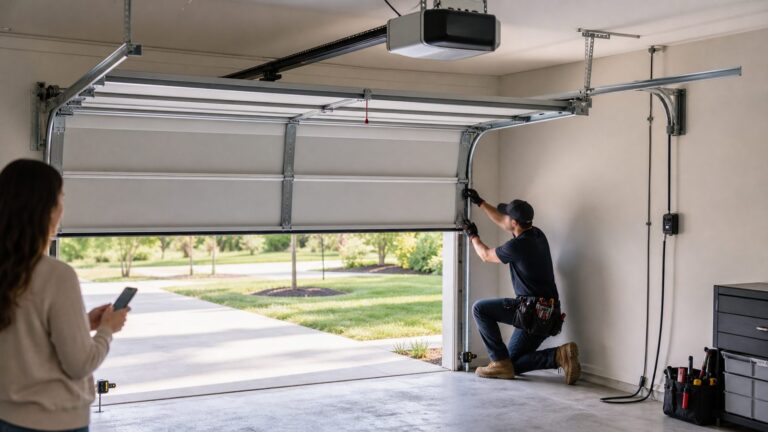
Vivint emphasizes professional installation, compatibility checks, system configuration, and in-person training. The technician-led approach is the opposite of buying a kit, finding sensor locations yourself, pairing each device, and resolving compatibility problems on your own.
That convenience has real value for homeowners who:
- Do not want to design a sensor layout
- Prefer someone else to configure the hub, cameras, and automations
- Want an explanation of the system at installation
- Would rather call for support than troubleshoot several independent products
- Are building a broader security-and-automation system instead of a basic alarm
It is less attractive to technically confident DIY users, renters, frequent movers, and customers who want to take the same hardware to another provider.
A NerdWallet hands-on review described a system costing roughly $2,600 that was installed in July 2024. The reviewer reported an installation of about three hours, reliable operation, and a relatively easy experience, while also describing the system as hardwired and not designed for DIY installation. That is one reviewer’s experience, not a guarantee of the time, wiring, or final price at every property.
Free tools Windows power users keep installed
One-click scans. No signup required.
Advice for a new build or renovation
If you are building or remodeling, make the security scope part of the written project plan rather than treating it as an informal add-on at the end. Request the proposed equipment list and camera locations before approving the installation. Ask Vivint to identify any installation, mounting, power, connectivity, or finish-condition requirements that could affect the work. Most importantly, make sure the final installed system matches the equipment and services you were quoted.
Monitoring and outage protection
Vivint says its professional monitoring team operates around the clock and contacts the customer to verify alarms before dispatching emergency services. That can be reassuring for people who do not want to monitor alerts themselves, particularly when they are asleep, traveling, or unable to respond.
Vivint also advertises cellular backup and battery power so the system can remain connected when household Wi-Fi or power fails. This is one of the stronger arguments for a professionally monitored system, but it should not be interpreted as an unlimited guarantee. Ask what remains operational during a particular outage, how long battery backup is expected to last, and whether cameras or other connected devices have different requirements from the alarm hub.
Rank #3

- 【2K High Definition】Capture every detail inside your home with crystal-clear 2K high definition video with this indoor security camera. Easily see what your baby is holding or what your pet is playing with.Controller Type:Amazon Alexa;Android;Google Assistant.Connectivity protocol:Wi-Fi.Power source type:Corded Electric, Power Adapter: 100–240 V. Connects via 2.4GHz Wi-Fi Band
- 【Up, Down, All Around】This Pan/Tilt camera see everything across an entire room or walkway with the 360° horizontal and 114° vertical range pan/tilt field of view.
- 【Detection & Instant Notification】Get instant push notifications when motion, person or baby crying is detected, there is no additional fee to use it as a baby camera monitor. Discern from notifications that matter, so you'll know if its your pet playing around or if someone is actually there.
- 【Works w/ Alexa & Google Assistant】Fully compatible with Amazon Alexa and Google Assistant, use your simple voice command to view Tapo indoor security camera live stream on Echo Show or Google Chrome Cast with a screen. Streaming via Google limited to display on Chromecast & Nest devices only.
- 【2-Way Audio w/ Built In Siren】Never truly leave home with the built-in 2-way audio. Use as a pet camera with phone app to comfort your pet from anywhere in the world. Keep your family safe with cameras for home security indoor by warding off intruders.
There is an important ownership limitation: Vivint’s official materials state that system functionality is limited without a Vivint services plan, including loss of remote connectivity. In other words, purchasing the physical equipment does not necessarily give you the same app, monitoring, and remote-control experience without an active service relationship. Ask for a written list of functions that remain available after cancellation.
Smart-home integrations
Vivint supports Google Home and Google Nest integrations. Official documentation describes controls for arming the system, locking doors, operating lights, adjusting thermostats, and controlling garage doors, subject to security restrictions.
If temperature automation is important, Vivint documents authorization and integration for the Google Nest Thermostat. Confirm compatibility with your specific Vivint account, region, thermostat model, and software version before buying one; integration policies can change.
A Google Nest speaker can also be useful for selected voice commands involving Vivint devices. However, a voice assistant is not a replacement for professional monitoring or a security keypad. The available commands are limited for safety reasons.
Vivint’s Alexa documentation says its Complete skill can control garage doors, locks, arming, thermostats, and lights. For security, Alexa can arm the system and lock doors but cannot voice-disarm the system or unlock doors. The same documentation says Alexa integration is not available in Canada. This review is focused on the United States.
Because integrations and security permissions can change, verify the current support documentation before purchasing around a specific Google, Nest, or Alexa workflow.
Privacy and camera considerations
Vivint’s privacy notice says the company may collect identifiers, account and financial information, browsing and interaction data, geolocation data, and audio, visual, and sensory information captured by products installed in or around the home. Vivint also says it uses administrative, technical, and physical controls but cannot guarantee that security measures are completely risk-free.
That does not establish that Vivint misuses camera footage or sells it. It does mean that a buyer should understand the data relationship before installing cameras around a home.
At minimum, review:
- Who may access live video or stored clips
- How long recordings are retained
- Whether footage is shared for monitoring, support, legal, or other stated purposes
- Which users have access to the account
- How to remove former household members or installers
- Whether two-factor authentication or other account protections are available
Use a unique, strong password, secure the email account tied to Vivint, and avoid placing indoor cameras where family members or visitors reasonably expect complete privacy.
The Tool Desk
Outbyte PC Repair FREEClear out junk files and repair common Windows errorsFree Scan →Outbyte Driver Updater FREEScan for outdated or missing drivers - takes under a minuteDriver Scan →Maintenance and replacement parts
Battery and sensor problems are ordinary ownership issues that are easy to overlook during a sales presentation. If an older Vivint DW11 door or window sensor needs a replacement, Vivint support identifies a CR2032 lithium coin battery as the required type. Confirm that your sensor is actually the DW11 model before purchasing, because Vivint devices do not all necessarily use the same battery. Avoid bitter-coated batteries, which may not be appropriate for the sensor.
Do not assume that any security sensor with a similar frequency will pair correctly. Vivint identifies 345 MHz sensor models, but compatibility can vary by sensor generation, panel, and system configuration. For a failed or damaged sensor, verify the exact model with Vivint before ordering a third-party replacement.
Independent reader supportYour contribution helps us test, update, and keep practical guides available for everyone.Vivint’s sales history and complaint record
An honest review should not discuss Vivint only as a collection of cameras and glossy app screens. The company’s historical sales practices deserve attention before you authorize a credit check or sign financing paperwork.
In 2021, the Federal Trade Commission announced a $20 million settlement resolving allegations that Vivint representatives improperly obtained and misused credit reports to help unqualified customers obtain financing. The FTC alleged practices that included using another person’s credit history or adding an uninformed third party to an account. The settlement required monetary relief, compliance programs, identity-theft prevention measures, customer-service verification, and independent assessments.
The FTC’s consumer-refund information states that, in December 2024, it sent payments to eligible people whose credit reports were misused; 470 checks totaled nearly $500,000. This concerns historical conduct and is not evidence that every current Vivint representative behaves improperly. It is, however, a strong reason to control the credit-authorization process carefully.
Never allow a salesperson to use another person’s credit information, add a co-signer, or place another person on an account without that person’s informed authorization. Before signing, check the applicant name, equipment amount, monitoring term, payment amount, and financing terms yourself.
The BBB profile reviewed for this article showed Vivint as accredited with a B rating and 9,154 listed complaints. BBB complaint totals are not a controlled measure of product reliability or customer satisfaction, and the number can change over time. Still, the profile is a useful reminder to preserve written promises, installation documents, invoices, and cancellation instructions.
Rank #4

- 【2K Resolution & Color Night Vision】This 2K Ultra HD security camera is designed for indoors and outdoors. You can choose to install indoor and outdoor cameras for home security in the kitchen, living room, bedroom, baby room, yard, garage, etc. You can not only capture high-definition surveillance footage through the security camera outdoor during the day, but also see colorful images at night. The outdoor camera provides comprehensive and multi period services for your home security.
- 【Two-way Talk & Motion Detection】The outdoor security camera is equipped with a noise-canceling microphone and speaker. You can have a remote talk with family, pet or unexpected visitor on the wifi camera side through the phone app. The house cameras with audio and video will bring you an unexpected user experience. Once the motion is detected, the indoor camera will send you a notification via the phone app. If strangers break into home, the built-in siren will help you deter the intruders.
- 【IP65 Waterproof & Easy to install】The outdoor cameras for home security, which have an IP65 waterproof design, so in any weather, there is no need to worry about the outdoor cameras being damaged. The security camera outdoor with dust and water resistance that can be easily installed on walls, shelves, trees, roofs, and other places you want, helping you to keep an eye on your home security anytime and anywhere.
- 【24/7 SD Card Storage & Optional Cloud】 The wifi outdoor camera features in-app 10s alert video clips or pictures. It also supports TF card (up to 128GB, not included) or cloud storage (with a 30-day trial). Both storage ways allow for 24/7 continuous recording, ensuring that you can play back your videos whenever you want. This indoor camera also has advanced encryption technology to protect your privacy, so even if the home security cameras are stolen, no one can access your recorded videos.
- 【Work with Alexa Assistance】The cameras for home security, which can also work with Alexa assistant. If you have third parties at home, you can connect the wifi camera with them, use your simple voice command to view the indoor security camera live stream on Echo Show or other Alexa devices with a screen. Easily get your home security footage up on a larger TV display.
Vivint pros and cons
Pros
- Professionally designed and installed system
- In-person training and configuration
- Unified Smart Hub and mobile app
- 24/7 professional monitoring
- Advertised cellular and battery backup
- Broad combination of intrusion, fire, water, camera, lock, thermostat, lighting, and garage functions
- Google Home, Google Nest, and selected Alexa integration
- Advanced outdoor-camera features, including Smart Deter and radar-enhanced detection claims
Cons
- Premium total cost compared with DIY systems
- Camera and automation add-ons can raise monitoring and equipment costs quickly
- Financing may create an obligation lasting up to 60 months
- Full functionality is tied to Vivint’s service ecosystem
- Professional installation reduces DIY flexibility and portability
- Vivint says its own cameras are the fully compatible option
- Historical FTC allegations and settlement make careful credit and financing review essential
- Complaint volume and contract-related concerns reinforce the need to get every promise in writing
Who should consider Vivint?
Vivint is a reasonable candidate for a homeowner who wants a technician to design and install the system, prefers professional monitoring, and values integrated automation enough to pay a premium. It is particularly compelling when the alternative would be assembling and maintaining several unrelated products.
It may also suit a household that wants one central interface for alarms, cameras, locks, thermostats, lighting, and garage control, and that expects to remain in the home long enough for the installation and service arrangement to make sense.
Vivint is a weaker fit for:
- Renters who need easy removal and portability
- Frequent movers
- Budget-focused shoppers
- DIY users who enjoy selecting and installing their own equipment
- Customers who want self-monitoring without a subscription
- Buyers who want to reuse arbitrary third-party cameras
- Anyone uncomfortable with financing equipment or signing a long service agreement
These are practical conclusions from Vivint’s installation, pricing, financing, and service-plan structure—not claims from an independent performance test.
What to ask before you buy
- Request an itemized equipment list. Get model names, quantities, camera models, sensor types, storage hardware, and accessories in writing.
- Separate every cost. Ask for equipment, installation, monitoring, taxes, fees, financing payments, promotional credits, and any add-on charges as separate line items.
- Identify the agreement length. Confirm whether monitoring is month to month or tied to equipment financing or a multiyear service term.
- Read the financing agreement separately. Verify the lender, APR, term, payment, total repayment amount, and what happens after a monitoring cancellation.
- Ask about moving. Confirm transfer eligibility, relocation charges, equipment payoff, and what happens if the new property is not compatible or you sell the current home.
- Ask about cancellation. Request the early-cancellation, return, removal, and final-balance rules in writing.
- Ask what stops working without service. Specifically address remote app access, cameras, video storage, automations, local control, cellular backup, and alarm functions.
- Confirm privacy and storage. Ask about retention, access, sharing, and account-security controls for camera footage.
- Verify all sales promises. Compare the proposal with the signed service agreement and financing agreement before installation begins.
- Protect your credit information. Do not permit the use of another person’s credit report or the addition of a co-signer without that person’s informed authorization.
Final verdict
Vivint is not the best security system for everyone, but its value proposition is clear. You pay more for a technician-led installation, professional monitoring, a central hub, a unified app, backup connectivity, and a broad smart-home ecosystem.
If those benefits solve problems you do not want to solve yourself, Vivint may justify its premium. If your priorities are low cost, month-to-month simplicity, DIY installation, hardware portability, or self-monitoring, a professionally installed Vivint system is likely to feel expensive and restrictive.
The most important step is not choosing between a $24.99 and $29.99 starting price. It is obtaining the complete written offer, adding the equipment and installation charges, calculating the monitoring cost over the entire required term, and confirming what you own and what still works if the service relationship ends.
Frequently Asked Questions
Is Vivint worth the money?
Vivint can be worth the premium for homeowners who want professional installation, professional monitoring, backup connectivity, and integrated automation. It is less likely to be worthwhile for DIY users, renters, frequent movers, and budget-conscious shoppers who can install and manage a system themselves.
Does Vivint require a contract?
Not every purchase is structured identically. Buying equipment upfront may allow more monitoring flexibility, while equipment financing can be tied to a longer obligation—some reviewed terms extend up to 60 months. Read the monitoring and financing agreements separately before signing.
Does Vivint work without Wi-Fi or power?
Vivint advertises cellular connectivity and battery backup for outage resilience. However, the exact devices and functions available during an outage can vary. Ask how long battery backup lasts and what happens to cameras, remote access, and automations during a Wi-Fi or power failure.
What’s actually slowing this PC down?
Pick the symptom - the matching free tool is one click away.
Can I use third-party cameras with Vivint?
Vivint says its own cameras are the only cameras that are fully compatible and fully functional with a Vivint system. Buyers who want to mix brands should confirm compatibility in writing rather than assume a third-party camera will provide the same features.
What happens if I move while using Vivint?
Vivint’s support materials describe transfer options for some customers moving during a contract. The available option, cost, and remaining obligation depend on the signed agreement and the new property, so ask for the move and cancellation terms before installation.
The Bottom Line
Bottom line: Vivint is a premium, professionally installed security-and-automation ecosystem—not a low-cost alarm kit. Choose it when convenience, monitoring, and integration matter more than price and portability. Before committing, calculate the complete first-year and full-term cost and get cancellation, moving, financing, camera-storage, and post-cancellation functionality terms in writing.
Quick Recap
Product prices and availability are accurate as of the date/time indicated and are subject to change. Any price and availability information displayed on Amazon at the time of purchase will apply.