Free tools Windows power users keep installed
One-click scans. No signup required.
Some links on this page are affiliate links: if you buy through them we may earn a commission, at no extra cost to you.
Verdict: The Makera Z1 is a compact, enclosed, beginner-oriented desktop CNC machine—not a miniature industrial mill. Its strongest advantages are guided software, automated probing and tool changes, wireless connectivity, and a relatively contained workshop footprint. It is a good match for wood, plastics, PCBs, engraving, relief carving, jewelry, fixtures, and cautious aluminum prototyping. Its 200 × 200 × 100 mm work area and 150 W spindle make it a poor choice for large parts, aggressive metal cutting, steel, or high-volume production.
What is the Makera Z1?
The Makera Z1 is a three-axis enclosed desktop CNC machine designed for home workshops, educators, hobbyists, product designers, and small studios. It combines machine control and CAM functions in Makera Studio, supports USB and Wi-Fi connections, and offers guided setup features such as probing, leveling, camera monitoring, and tool changes.
As an Amazon Associate I earn from qualifying purchases.
As of August 18, 2026, Makera’s global store lists the Z1 at $1,099 on sale, compared with a regular price of $1,199. The page labels it a pre-order while also stating that the current batch ships from the factory in 5–10 business days. Availability, taxes, shipping, and delivery times vary by country, so confirm the current terms on the official product page before ordering.
The Z1 originated as a Kickstarter launch in October 2025. A successful crowdfunding campaign demonstrates market interest, but it is not independent evidence of long-term reliability, finished-part accuracy, or software maturity.
Popular on Amazon

- Smart and Affordable Desktop CNC Machine: Carvera Air is a smart and affordable desktop CNC machine designed for makers, hobbyists, and small workshops. Mill, carve, and engrave with ease using our intuitive Makera CAM software for creating prototypes, custom parts, jewelry, electronics projects, and DIY crafts
- Compact Size with Professional Workspace: Carvera Air features a 11.8" x 7.9" x 5.1" work area for detailed CNC machining while maintaining a compact fully enclosed footprint of 19.7" x 17.7" x 17.7". The enclosed design helps reduce noise, contain chips and dust, and improve safety for home workshops, desktops, maker spaces, labs, and small studios
- Quick Tool Changer Switch Tools in 10 Seconds: Speed up your workflow with the built-in quick tool changing system. Change milling bits in just 10 seconds, making multi-step machining faster and easier for CNC jobs that require multiple tools such as engraving, drilling, and cutting in a single project. Spend less time setting up and more time creating
- High Precision CNC with Auto Probing & Leveling: Carvera Air is designed for industrial-level accuracy in a desktop CNC machine. Spindle runout < 0.0004in, Motor resolution 0.0002in, automatic probing and surface leveling. The system automatically calibrates your workpiece, ensuring accurate cuts even on uneven materials for precision parts, PCB milling, and detailed engraving
- Smart CNC Control with Cross-Platform Software: Control your CNC machine easily with Wi-Fi or USB connectivity. Makera CAM software supports MacOS and Windows. Makera Controller compatibility includes iOS, Android, MacOS, Windows, and Linux. Carvera Air also integrates with popular CAD/CAM software including Fusion360, SolidWorks, and VCarve Pro for both beginners and professional makers
Makera Z1 specifications
| Specification | Standard Z1 |
|---|---|
| Work area | 200 × 200 × 100 mm (7.9 × 7.9 × 3.9 in) |
| Approximate footprint | 350 × 470 × 450 mm |
| Approximate weight | 17 kg |
| Spindle | 150 W, 0–13,000 RPM |
| Stated spindle runout | 0.01 mm |
| Stated resolution | 0.02 mm |
| Motion system | Linear rails and Acme lead screws |
| Motors | NEMA 17 steppers |
| Maximum travel speed | 1,200 mm/min stated |
| Tool interface | Custom collet with integrated 1/8-inch support |
| Connectivity | USB, built-in Wi-Fi hotspot, or local Wi-Fi |
| Optional laser | 5 W, 445 nm diode laser |
| Optional rotary capacity | 80 mm diameter × 150 mm length |
These are manufacturer specifications, not independent measurements of finished-part accuracy. Resolution is not the same as repeatability, positioning accuracy, or the dimensional accuracy of a completed part. Tool deflection, calibration, workholding, material movement, thermal changes, backlash, and cutting parameters all affect the result.
What can the Z1 make?
| Material or project | Practical suitability | Important qualification |
|---|---|---|
| Softwood, plywood and MDF | Strong | Good starting materials for signs, plaques and reliefs. |
| Hardwood | Moderate to strong | Use suitable tooling, conservative cuts and effective chip removal. |
| Acrylic and plastics | Moderate to strong | Tool geometry, heat and chip evacuation determine whether plastic melts. |
| PCB isolation routing and drilling | Strong | Requires accurate workholding, suitable small tools and careful zeroing. |
| Aluminum | Moderate | Best understood as light prototype work rather than fast stock removal. |
| Brass and copper | Moderate | Use conservative parameters; the Z1 Pro is the better choice for frequent work. |
| Steel and titanium | Poor for routine work | The Z1 is not intended to replace a metalworking mill. |
| Carbon fiber and FR4 | Possible but safety-sensitive | Dust control, ventilation and appropriate respiratory protection matter. |
| Laser engraving | Optional | Requires separate laser, fire, eye and material-safety precautions. |
Makera lists wood, plastics, aluminum, brass, copper, PCB materials, carbon fiber, FR4 and laser-compatible materials among the supported categories. “Supports aluminum” does not mean that every aluminum job will be fast, clean, economical, or suitable for unattended production. Results depend on tool diameter and geometry, spindle speed, feed rate, depth of cut, workholding, stock thickness and chip evacuation.
Realistic projects include small signs and plaques, relief carvings, acrylic panels, PCB prototypes, jewelry, custom jigs, fixtures, small brackets, prototype enclosures and short-run decorative products. The work envelope is the controlling limitation: measure the largest finished part and allow space for clamps, a vise, tool clearance and waste material.
What does “AI precision” actually mean?
The Z1’s AI branding combines several different technologies that should not be treated as the same thing:
- AI-assisted modeling: AI Craft can help generate or customize models from prompts or images.
- CAM assistance: software may help create operations or toolpaths from selected materials and designs.
- Machine automation: probing, leveling, guided setup, tool changes and monitoring reduce repetitive work.
- Closed-loop control: feedback hardware can detect some motor or positional problems. This applies to the Z1 Pro, not the standard stepper-motor Z1.
Only the first two are properly described as AI-related. Probing and tool changing are automation features, while closed-loop motors are feedback-control hardware. AI does not guarantee dimensional accuracy, correct feeds and speeds, safe workholding or a successful cut.
Also popular on Amazon

- Smart and Affordable Desktop CNC Machine: Carvera Air is a precise and versatile desktop CNC mill for milling, carving, and engraving. Easy to use with user-friendly software. Endless Materials | Quick Tool Changer | Auto Probing and Leveling | Optional 4th Axis and Laser supported | All-in-one CAM Software
- 4th Axis Module for Expanded Capabilities: The 4th axis module expands your capabilities, enabling cylindrical machining, double-sided objects, and 3D shapes. With a rotary work area of 3.6 inch diameter x 7.9 inch length (9.2cm x 20cm), Carvera Air supports true 4th-axis simultaneous machining for crafting detailed 3D models
- Quick Tool Changer for Efficient Workflow: Speed up your workflow with the quick tool changer, switching tools in just 10 seconds. Whether milling wood, plastics, or metals, transitions between tools are seamless for advanced multi-step projects
- Precision Auto-Probing and Leveling System: With auto-probing and leveling, Carvera Air ensures precise calibration and flawless cuts on uneven materials. The closed-loop spindle control (0-13,000 RPM) and spindle runout less than 0.01mm guarantee exceptional accuracy and surface quality, even for high-complexity machining
- Cross-Platform Software Compatibility: Operate your CNC effortlessly with WiFi or USB connectivity. The intuitive Makera CAM software supports Mac OS and Windows; The Controller supports iOS, Android, Mac OS, Windows, and Linux, and integrates with popular CAD/CAM tools such as Fusion360, SolidWorks, and VCarve Pro
An AI-generated model may contain thin walls, unsupported geometry, hidden self-intersections, incorrect scale, detail smaller than the cutter, or shapes that cannot be fixtured. Treat generated geometry as a starting point. Inspect it in CAD or CAM before machining.
What’s actually slowing this PC down?
Pick the symptom - the matching free tool is one click away.
Software and workflow
The expected workflow is:
- Create or import a design.
- Select the material and machining operation.
- Choose tools and generate toolpaths.
- Review stock dimensions, origin, clearance heights and estimated time.
- Secure the workpiece.
- Connect through USB, the Z1 hotspot or a local Wi-Fi network.
- Probe or level the work area where supported.
- Run the job while monitoring the machine.
- Inspect the result and adjust tooling or parameters for the next pass.
Makera Studio combines CAM and machine control, while Makerables provides a project-sharing ecosystem and AI Craft supports model generation or customization. Makera also lists compatibility with third-party design and CAM tools such as Fusion 360, SolidWorks, AutoCAD, VCarve Pro and Aspire.
The integrated approach should reduce friction for beginners compared with assembling a controller, CAM program and machine separately. However, Makera’s own Z1 coverage acknowledges that the software is still evolving and that early users encountered workflow limitations and beta-stage issues. Software maturity should therefore be treated as a major ownership consideration rather than a minor detail.
Before buying, confirm the supported operating system, which features require an account or internet connection, whether projects export to standard formats, how much control users have over feeds, speeds, ramps, tabs and toolpaths, and how a paused or failed job can be recovered. Exact menus and software behavior can change with updates.
Z1 versus Z1 Pro
| Consideration | Standard Z1 | Z1 Pro |
|---|---|---|
| Best fit | Wood, plastics, engraving and light prototyping | More demanding aluminum and copper work |
| Motors | Stepper motors | Closed-loop motors |
| Feedback | Does not provide the Pro’s closed-loop anomaly detection | Can detect certain load or positional problems and stop the job |
| Precision difference | Suitable at conservative speeds | Retains precision better at higher speeds, according to Makera |
| Value proposition | Lower-cost entry point | More headroom for demanding cuts |
Makera says both machines can complete officially recommended machining tasks and that there is no precision difference at low machining speeds. The Pro’s advantage becomes more relevant under higher speeds and heavier loading. It should not be described as universally more accurate.
Recommended Free Tools
Also popular on Amazon

- READY TO CREATE OUT OF THE BOX: Skip the lengthy assembly of traditional CNC kits. Cubiko comes pre-assembled and is designed for beginners, helping you move from unboxing to your first CNC project faster with a simpler setup and learning experience.
- ENCLOSED FOR DESKTOP CNC PROJECTS: The integrated enclosure helps contain chips and debris while reducing operating noise, making Cubiko better suited for home workshops and maker spaces. Opening the cover automatically pauses operation for added protection during use.
- EASIER AUTO Z-PROBING SETUP: Spend less time manually finding the Z-zero point. Enter your material thickness and Cubiko automatically sets the tool height, simplifying one of the most important setup steps before engraving, carving, and milling.
- SMART SURFACE MAPPING FOR PCB MILLING: Cubiko measures multiple points across the work surface and compensates for small height variations during machining, helping maintain more consistent engraving depth for PCB traces and other precision projects on uneven surfaces.
- VERSATILE MATERIALS & FLEXIBLE CONTROL: Create projects in wood, acrylic, PCB, plastics, and suitable soft metals with ±0.1 mm positioning accuracy. Control Cubiko through the Genmitsu App, WiFi, compatible PC software, or offline control for a flexible desktop CNC workflow.
Choose the standard Z1 if most projects involve wood, plastics, PCBs, signs or occasional light aluminum work and you are comfortable using conservative feeds and multiple passes. Choose the Z1 Pro if aluminum or copper is central to the workflow, error detection is valuable, or faster and more demanding machining justifies the additional cost.
Setup, safety and ownership requirements
The machine is enclosed, but enclosure does not mean dust-free or safe to operate unattended. You will need:
- A rigid, level work surface with sufficient clearance to open the enclosure.
- Cutting tools, spare bits and suitable collets.
- A vise, clamps, spoilboard or other appropriate workholding.
- Dust extraction connected to the rear dust port.
- A computer or mobile device for control.
- Ventilation, especially for composites, plastics and laser work.
- Suitable eye, hearing and respiratory protection.
- A visible emergency-stop procedure.
Never leave a CNC or laser job unattended. Secure the stock before probing or cutting, verify tool clearance and travel limits, inspect collet seating and runout, and keep the dust-collection path clear.
Carbon fiber and FR4 can produce hazardous dust. Unknown plastics may release harmful fumes when cut or heated. Laser work introduces additional eye, fire and fume risks and requires material-specific precautions. Consult the official Z1 Quick Start documentation for setup, connection, tool changes, workholding, dust collection and safety procedures.
Accessories and the real purchase cost
The machine price is only the starting point. On Makera’s global store, price signals seen with the Z1 included:
Also popular on Amazon
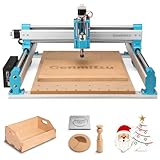
- MORE CONSISTENT CUTS, LESS BED FLEX - The upgraded 4040-PRO CNC router machine features a reinforced hybrid spoilboard with a center aluminum support bar to reduce sagging and maintain a flatter work surface, helping deliver more consistent cutting and carving depth across larger projects.
- RIGID MOTION FOR STABLE MACHINING - Dual 16mm HSS steel tubes on each axis and lead-screw drives create a rigid motion system for smooth, accurate movement. A 32-bit controller with silent Toshiba drivers provides stable, quieter operation for detailed carving, engraving, and CNC milling projects.
- MORE ROOM FOR CREATIVE PROJECTS - A 435 x 400 x 80mm (17.13 x 15.75 x 3.15 in) working area gives this desktop CNC machine room for signs, reliefs, prototypes, and woodworking projects. Machine wood, acrylic, MDF, nylon, and carbon fiber composites with the appropriate bits and cutting settings.
- FROM ASSEMBLY TO CNC FASTER - Pre-assembled modules let you build the 4040-PRO in about 15 minutes, while the relocated Z-probe port provides easier access during setup. GRBL control gives makers a flexible, widely supported workflow for learning CNC, preparing jobs, and running G-code projects.
- UPGRADE AS YOUR SKILLS GROW - Expand your CNC machine instead of outgrowing it. The redesigned Z-axis carriage supports 65mm or 69mm spindle mounts with an additional mount, while dedicated 3-pin ports support compatible accessories such as air assistance and MPG controllers for more advanced projects.
- Fourth-axis module: $269 sale price / $299 regular price
- Cyclone Dust Collector Lite: $359 / $399
- Z1 laser module: $139 / $149
- 3D wired probe: $89 / $99
- Low-profile vise: $89 / $99
- Vacuum bed: $109 / $149
These prices are region-, currency- and promotion-dependent. They should be checked immediately before purchase. Not every buyer needs every accessory: a flat-wood user may need neither the rotary module nor the laser, while a buyer without dust extraction should budget for appropriate debris management.
A practical ownership budget should include the machine, tooling, spare bits, workholding, dust extraction, stock materials, maintenance and failed cuts. A ready-to-use setup can cost substantially more than the advertised bare-machine price.
Independent reader supportYour contribution helps us test, update, and keep practical guides available for everyone.Is the Z1 suitable for a small business?
The Z1 can make sense for prototyping, custom fixtures, product development, one-off decorative goods, small signs, jewelry and short runs. Its enclosed format and guided workflow may be useful where space, noise and operator experience are limited.
It is a weaker choice when profitability depends on high material-removal rates, large workpieces, tight-tolerance contract machining, or rapid repeat production. Calculate total cost per usable part, including design and setup time, tool wear, workholding, dust extraction, finishing, failed jobs and operator supervision. A slower desktop machine can be excellent for prototypes but uneconomical for a product that requires many hours of cutting per unit.
Alternatives to consider
Makera Carvera Air: A larger Makera option with a larger work area and higher stated spindle capability than the Z1. It is worth considering when the Z1’s envelope is too restrictive: official Carvera Air page.
Also popular on Amazon
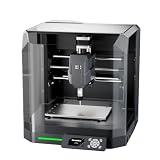
- Pre-Assembled Desktop CNC for Learning & DIY Projects: Ships factory-assembled to reduce setup time and help users get started faster with CNC workflows. Compatible with Genmitsu App, Fusion 360, Candle, Easel, and Carveco for flexible engraving and carving projects.
- Auto Z-Probing & Height Mapping Support: Supports automatic Z-probing and surface mapping workflows to assist with PCB milling, engraving, and uneven material setup. Proper calibration and conductive probe connection are required for optimal probing performance.
- Designed for Wood, Acrylic, PCB & Light-Duty Metal Projects: Suitable for engraving and light carving applications on wood, acrylic, PCB boards, plastics, and selected soft metals using appropriate tooling and machining parameters.
- One-Piece Frame for Stable Engraving Performance: Built with a reinforced integrated frame structure to improve stability during desktop CNC carving and engraving operations. Ideal for hobby projects, prototyping, maker workshops, and creative CNC applications.
- Enclosure Design with Dust & Noise Reduction: Includes a protective enclosure designed to help contain dust and reduce operating noise. The cover-open stop function pauses machine operation when the enclosure is opened for additional user safety.
Makera Carvera: Makera’s more capable flagship desktop option, aimed at buyers who need greater capacity and a broader all-in-one feature set: official Carvera page.
Shapeoko: An open-frame maker ecosystem that may offer greater work-area flexibility, depending on the model and bundle: Carbide 3D.
The Tool Desk
Outbyte PC Repair FREERepair Windows errors before they cause bigger problemsFix Now →Outbyte Driver Updater FREEScan for outdated or missing drivers - takes under a minuteDriver Scan →Bantam Tools: A polished desktop-prototyping and educational alternative: Bantam Tools.
Genmitsu: Lower-cost, more hands-on machines for buyers willing to accept less integrated automation: SainSmart Genmitsu.
The Z1’s main differentiator is not raw cutting power. It is the combination of an enclosed machine, guided software, integrated control and beginner-oriented automation. Buyers who prioritize a larger work area, an open ecosystem, lower entry cost or faster material removal may be better served elsewhere.
Who should buy the Makera Z1?
- Buy it if you want an enclosed, guided CNC for small wood, plastic, PCB, engraving and prototype projects.
- Choose the Z1 Pro if aluminum or copper is a major part of the workflow and heavier loading or closed-loop feedback matters.
- Choose a larger Makera machine if your parts regularly exceed 200 × 200 mm or require more spindle capacity.
- Choose an open-frame alternative if work-area flexibility, lower cost or a broader maker ecosystem matters more than enclosure and automation.
- Skip the Z1 if you need steel machining, aggressive aluminum production, large signs, high-volume output or unattended operation.
The Makera Z1 is best understood as a small, approachable CNC platform that can reduce the setup burden without removing the need for CNC knowledge. Its AI features may simplify design and CAM work, but precision still comes from the mechanical system, tooling, calibration, workholding and operator decisions.
Quick wins for a faster PC:
Clear out junk files and repair common Windows errorsFree Scan →Fix the driver behind crashes, sound loss and screen glitchesFind Drivers →Quick Recap
Product prices and availability are accurate as of the date/time indicated and are subject to change. Any price and availability information displayed on Amazon at the time of purchase will apply.

