Some links on this page are affiliate links: if you buy through them we may earn a commission, at no extra cost to you.
Most thermoelectric wine coolers that stop cooling have an airflow, fan, door-seal, temperature-setting, or operating-environment problem—not a refrigerant problem. Unplug the cooler, identify its exact model, clean the rear heat sink and fan, verify that both fans operate, and check the door gasket before replacing a Peltier module or control board. If the unit is electrically dead after the outlet, cord, switch, and model-specific fuse checks, or if the repair exposes mains-voltage wiring, stop and use qualified appliance service.
What a thermoelectric wine cooler is doing
A thermoelectric wine cooler uses a semiconductor heat pump, commonly called a Peltier or TEC module, instead of a compressor and refrigerant loop. Direct current moves heat from one face of the module to the other. The cold face removes heat from the cabinet; the hot face must discharge that removed heat plus the electrical heat generated while the module operates.
As an Amazon Associate I earn from qualifying purchases.
Do these 3 things before closing this tab:
1Clear out junk files and repair common Windows errors2Scan for outdated or missing drivers - takes under a minute3Repair Windows errors before they cause bigger problemsThat is why the fans, heat sinks, ventilation clearance, and thermal interface material are part of the cooling system. A cooler can have a functioning Peltier module and still fail to cool if the hot-side fan is stalled, the heat sink is packed with dust, the cabinet is installed in a tight enclosure, or the module is no longer clamped correctly.
Do not attempt a refrigerant recharge. A thermoelectric wine cooler does not use the compressor-style refrigerant circuit found in a conventional refrigerator.
Popular on Amazon

- 12 BOTTLE STORAGE: Store up to 12bottles of your favorite vino with this 28.3-lb. space-saving wine cellar. Our BLACK+DECKER wine fridge (10” x 20.4” x 24.9”) also includes 5 full-length chrome removable racks and convenient interior light.
- PRESERVE YOUR WINE: For wine to maintain its taste, quality and even color it must be stored at a consistent temperature. Enjoy delicious-tasting wine preserved in an ideal climate.
- THERMOELECTRIC COOLING: Energy-efficient, quiet and efficient are just a few words to describe this powerful thermoelectric cooling wine fridge. This wine cooler ranges in temperature from 46° to 66°F. Ideal for your favorite bottles!
- MIRRORED DOOR: The solid door with mirrored front on this digital wine cooler blocks out any potential UV light that can damage your wine and alter its true taste. Black trim included for a sleek, sophisticated and modern style.
- GUARANTEED SATISFACTION: BLACK+DECKER products come with a one-year warranty for parts and labor, so you can feel confident with your wine cooler purchase.
Safety before opening the cabinet
- Unplug the cooler before removing a cover, cleaning a fan, touching a connector, or working near the cooling assembly.
- Allow the heat sink and other hot parts to cool before handling them.
- Do not bypass a fuse, ground connection, thermostat, door interlock, thermal protector, or any other safety device.
- Do not continue using the cooler if the plug or cord is cut, loose, discolored, melted, or unusually hot.
- Do not perform live testing inside the appliance unless you are trained and equipped for mains-voltage work and have the model’s service procedure.
- Keep water away from the control board, wiring, power supply, and other electrical parts.
External cleaning and basic operating checks are reasonable DIY tasks. Diagnosis of a power supply, control board, mains wiring, or internal fuse is model-specific and can expose you to hazardous voltage even when the appliance appears simple.
Identify the exact cooler before ordering parts
Record the brand, model number, serial number, rated voltage, and whether the cooler is single-zone or dual-zone. Photograph the wiring and connector locations before disconnecting anything. Find the owner’s manual or service documentation for that exact model and use its specified part numbers, test points, voltages, and access instructions.
Quick wins for a faster PC:
Repair Windows errors before they cause bigger problemsFix Now →Scan for outdated or missing drivers - takes under a minuteDriver Scan →Do not assume that every cooler uses a TEC1-12705 module, a 12-volt supply, two fans, or a standard computer fan. For example, Haier’s HVW18 service documentation describes separate cold-side and hot-side heat sinks and fans with a 12-volt power supply, but that configuration is not universal. Fan size, connector, airflow direction, mounting holes, control logic, module current, and thermal capacity vary between models.
A dual-zone cooler may use a shared cooling kit, separate fans, separate sensors, or another manufacturer-specific arrangement. If only one zone is warm, do not assume that one universal module or fan will solve it; check the model’s airflow path and sensor arrangement first.
What performance is normal?
Thermoelectric cooling is strongly affected by room temperature. The exact operating range in the manual controls, but some manufacturers recommend an ambient range of approximately 50–80°F (10–27°C) for their freestanding models. A unit in a hot garage, sunroom, or poorly ventilated cabinet may not reach its selected temperature even when it is working correctly.
Some thermoelectric coolers may not operate when the room is colder than the selected set point. They are not automatically heating appliances, so a low ambient temperature can make the cooler appear unresponsive or prevent the control system from calling for cooling.
Thermoelectric models generally do not reach the same low temperatures as compressor wine refrigerators, especially in a hot room. Do not use the wine cooler for meat, dairy, leftovers, or other perishable food unless the manufacturer specifically says that model is suitable. Wine-cooler interiors may not stay cold enough to prevent spoilage or bacterial growth.
Tools for safe, limited troubleshooting
- A Phillips screwdriver, if the model manual permits user access to the relevant panel.
- A soft brush and vacuum for dust on the filter, fan blades, vents, and heat-sink fins.
- A flashlight and phone camera for inspecting obstructions and documenting connectors.
- A digital multimeter for qualified users checking an outlet, low-voltage supply, continuity, or a connector fault according to the service manual.
A multimeter is not a substitute for electrical training or the manufacturer’s service procedure. Beginners should not probe an energized appliance with the cover removed.
Diagnostic sequence
Work through the symptoms in order. Start with conditions that can make a healthy cooler perform poorly before buying a module or board.
Also popular on Amazon
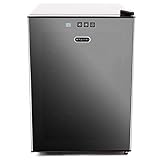
- Measures: 20.5" Long x 15.79" Wide x 22" High
- Capacity: 20 standard wine bottles
- Black tinted mirror glass door with sleek black cabinet and space saving recessed handle with 5 removable premium stainless steel trimmed scalloped chrome shelves
- Adjustable Thermostat, 46°F - 65°F, with soft-touch digital control panel.
- Soft interior LED lighting with on/off switch.Power: 75 watts
1. The cooler has no display, lights, or fan activity
- Test the outlet. Plug another known-working appliance into the same outlet. If the outlet is controlled by a switch, turn the switch on. Reset a tripped breaker or ground-fault device according to household procedures.
- Check the cooler’s controls. Confirm that its power switch is on and that the temperature display has not been turned off by a model-specific standby or display setting.
- Inspect the cord and plug. Look for cuts, loose strain relief, heat damage, discoloration, or a plug that fits poorly. Stop using the cooler if any of these are present.
- Check for an accessible fuse or reset procedure. Look in the exact manual for the fuse location and rating. Replace a fuse only with the specified type and rating. Never install a larger fuse, foil, wire, or other substitute.
- Stop if it remains dead. A good outlet and undamaged cord with no lights or fan activity point toward the switch, fuse, power supply, control board, or internal wiring. Further diagnosis can expose mains voltage and is not a beginner repair.
If a fuse immediately blows again, do not keep replacing fuses. A repeated failure indicates an underlying short, failed power component, damaged wiring, or another fault that needs qualified diagnosis.
Free tools Windows power users keep installed
One-click scans. No signup required.
2. It runs but does not get cold enough
Before opening the cooler, correct the following conditions:
- Ambient temperature: Move the cooler to a climate-controlled location within the range specified for the model. Keep it away from direct sun, ovens, radiators, and other heat sources.
- Ventilation: Restore the manufacturer’s clearance around the rear and sides. NewAir recommends at least 5 inches of clearance around freestanding units and warns that a freestanding model should not be placed inside cabinetry unless it is designed for built-in ventilation.
- Door closure: Make sure bottles, racks, or shelves are not preventing the door from closing completely.
- Door gasket: Inspect the magnetic seal for dirt, tears, gaps, flattening, or deformation. A gasket that leaks warm, humid room air can cause poor cooling and frost.
- Temperature setting: Confirm the selected temperature using the model’s actual controls. A set point that is too low for the ambient conditions may be unattainable for a thermoelectric unit.
- Recovery time: Reduce frequent door opening and allow the cabinet to acclimatize after moving it or loading room-temperature bottles. Judge performance using the manufacturer’s recommended operating period, not a quick check immediately after switching it on.
- Dust and obstructions: Check the rear filter, vents, heat sink, and fan for dust, hair, packaging, or anything blocking airflow.
3. Clean the rear filter, fan, and heat sink
Unplug the cooler first. If the manual permits access, remove or release the rear fan filter and clean it. Vacuum or brush dust from the filter, fan blades, vent openings, and heat-sink fins. Do not bend the fins, spray liquid into the assembly, or wet electrical components.
If the filter is washed, let it dry completely before reinstalling it. Refit the filter and every panel before reconnecting power. A restricted hot-side heat sink cannot reject heat effectively, so cleaning it can restore cooling without replacing any electrical part.
Periodic cleaning is especially important where the cooler is installed near construction dust, pet hair, lint, or other airborne debris. Do not allow the vacuum nozzle or brush to strike fan blades hard enough to deform them.
What’s actually slowing this PC down?
Pick the symptom - the matching free tool is one click away.
4. Check both fans
Most thermoelectric wine coolers have an interior circulation fan and an exterior hot-side fan, although the exact arrangement varies. The interior fan distributes cold air through the cabinet. The exterior fan moves air across the hot heat sink. A failed exterior fan is particularly serious because the module’s hot side must reject both the heat removed from the cabinet and the module’s own electrical heat.
With the appliance unplugged, check each fan for:
- dust or debris caught in the blades;
- a blade that is blocked, loose, cracked, or rubbing its housing;
- bearing noise, scraping, rattling, or stiff rotation;
- a connector that is loose, damaged, or pulled out of its socket; and
- signs of heat damage around the wiring or connector.
After the cooler is safely reassembled, observe the fans only from outside the appliance. A fan that starts normally, stalls, runs intermittently, scrapes, or makes bearing noise is not operating correctly. If the indicator lights are on but no warm air is expelled from the rear, the cooling kit may be at fault—but first confirm that the exterior fan is actually spinning. If warm air is present but the fan is not spinning, the fan is a strong suspect.
When the original fan is stalled, noisy, or electrically failed, a thermoelectric cooler replacement fan may be appropriate. Match the original fan’s voltage, dimensions, airflow direction, connector, current, mounting holes, and control method. A computer fan that looks similar is not automatically compatible.
5. Check for frost, condensation, and door problems
Unplug the cooler and let it defrost according to the model manual if frost or ice has formed on the interior fins. Inspect the door gasket, hinges, alignment, and latch. Frequent door opening, high humidity, a leaking gasket, or poor cold-side air circulation can all contribute to frost.
Never chip ice away with a knife, screwdriver, or other sharp tool. Do not pour water into the cabinet or electrical areas. After defrosting, dry the interior, restore the door seal, and confirm that the cold-side fan can circulate air.
Also popular on Amazon
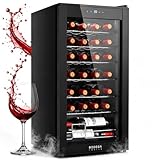
- 【ADVANCED COMPRESSOR COOLING】 - Enjoy perfect wine every time with the BODEGACOOLER 28 Bottles compressor wine cooler refrigerator, the ideal wine enthusiast wine refrigerator. Preserve wine up to 2X longer than thermoelectric coolers with efficient and fast compressor cooling technology. With a temperature range of 41°F to 64.4°F, you can store even sparkling white wines with confidence! Perfect for any room, from a home bar to a mini fridge for your bedroom or office.
- 【QUIET COOLING SYSTEM】 - Let BODEGACOOLER 28 Bottle wine cooler take care of your collection, equipped with a built-in fan, it maintains a consistent temperature throughout, creating an optimal environment for long-term wine storage. Say goodbye to worrying about temperature fluctuations and let your wines age gracefully, preserving their fullest flavor and aroma. Automatic defrost system prevents ice buildup and reduces maintenance. This mini wine cooler for bedroom is also suitable for kitchen and home use. Operates at 40dB whisper-quiet.
- 【DOUBLE-PANED THERMOPANE GLASS】 - Protect your precious wine collection from UV light with our double-paned glass door. Not only does it provide insulation, but it also acts as a shield against UV rays that can damage the tannins and overall flavor of your wines. Rest assured that your wines are safe and well-protected. 6 removable Sleek wine shelves make storage and organization easy, protecting your bottles while showcasing your collection.
- 【SOFT INTERIOR LED LIGHTING】 - As a wine collector hobbyist knows the fact that the strength of different lights can greatly affect the quality and taste of the wine category. This BODEGACOOLER 28 Bottle mini fridge with lock uses a soft LED white lighting to monitor the temperature inside the wine cooler while turning your freestanding mini fridge into a stylish wine showcase!
- 【COMPACT SIZE MINI WINE FRIDGE】- This wine cooler freestanding has a built-in smart memory chip. In the case of a sudden power failure or reboot, it can be restored to the original settings without the need to reset. Dimensions are: 16.9"W x 17.7"D x 33.07"H inches.Enhance your wine-tasting experience and keep your collection safe with the BODEGACOOLER mini refrigerator! Matte black finish pairs functionality with elegance in any space. We provide a 12 months product and reliable customer support, please feel free to contact us anytime for assistance.
Condensation that returns quickly after a complete defrost is a reason to recheck the gasket and door alignment. It can also indicate that the cabinet is receiving too much humid room air or that the cold-side airflow is inadequate.
6. Diagnose unusual noise or vibration
Level the cooler on a stable surface and make sure it is not touching a wall, cabinet, shelf, or another appliance. Check that racks and bottles are not rattling. Then inspect the fans for obstructions, loose mounting screws, warped blades, and worn bearings.
A fan bearing that produces a persistent growl or scraping sound usually needs replacement rather than lubrication. Do not put oil into a sealed fan unless the manufacturer specifically instructs you to do so. Excessive vibration can also be caused by an unlevel cabinet or a panel that was not refitted securely after cleaning.
7. If the fans run but the module does not appear to cool
Possible causes include:
- a failed thermoelectric module;
- a failed DC power supply or control board;
- a temperature sensor or thermostat fault;
- dried, missing, or unsuitable thermal interface material;
- a dirty, warped, or poorly clamped heat-sink surface;
- excessive ambient temperature; or
- blocked hot-side airflow that causes thermal protection to intervene.
Do not condemn the Peltier module solely because the cabinet is warm. First verify the room temperature, clearance, filter, heat sink, fans, door seal, and selected temperature. The hot-side heat sink must dissipate the module’s pumped heat and Joule heat; without effective heat rejection, the cold side cannot perform properly.
A technically qualified person may compare the model’s specified DC supply with the voltage measured at the appropriate low-voltage connector and inspect connectors for continuity or heat damage. Use the service manual’s test points and values. Do not apply arbitrary voltage to a replacement module, and do not assume that a reading from one model applies to another.
Replacing a thermoelectric module
Module replacement is an advanced repair, not the first step in troubleshooting. When available, a complete manufacturer cooling assembly is often safer than a bare generic module because it preserves the correct heat sinks, fans, wiring, mounting hardware, and thermal design.
If the original module has been confirmed defective and you have the required technical skill, a Peltier thermoelectric cooler module must match all relevant specifications:
- physical length, width, and thickness;
- rated voltage and operating current;
- polarity and wiring arrangement;
- temperature rating and performance characteristics;
- surface arrangement and heat-sink mounting method; and
- the appliance’s available power and control-board capacity.
Buying by appearance alone is unsafe. A module with the same outside dimensions can draw too much current, move heat in the wrong direction, use a different connector, or be incompatible with the cooler’s heat sinks and control board.
Module installation principles
- Disconnect power and document the assembly. Photograph the module wires, heat sinks, insulation, seals, and mounting hardware before disassembly.
- Remove the old interface material completely. The mating surfaces must be clean, flat, and free of old paste, debris, corrosion, and high spots. Do not gouge the surfaces.
- Use suitable thermal interface material. Apply the material specified by the appliance or module design to both interfaces where required. A generic computer thermal pad or paste is not automatically correct for the thickness, temperature, electrical insulation, or clamping arrangement of a wine cooler.
- Clamp evenly. The module belongs between the cold-side surface and hot-side heat sink with uniform pressure. Uneven or excessive pressure can damage the ceramic plates; insufficient pressure creates an air gap and poor heat transfer.
- Restore seals and insulation. Moisture or frost around the cold module can reduce performance and damage surrounding parts. Reinstall the original gasket, insulation, barrier, and any moisture seal.
- Confirm polarity. Reversing the DC polarity reverses the direction of heat flow. Follow the model documentation and your photographs before reconnecting.
- Reassemble before powering up. Reinstall the fans, guards, filters, covers, and connectors exactly as specified. Do not run the appliance with exposed energized parts.
If the heat sink is warped, the cabinet seal is damaged, the correct module cannot be identified, or the control board may also be faulty, replacing only the module is unlikely to be a reliable repair. A suitable thermal interface material for a Peltier module is a repair aid, not a guarantee that the module or cooler will work.
Independent reader supportYour contribution helps us test, update, and keep practical guides available for everyone.How to verify the repair
- Check that every connector, fan guard, filter, and cover is back in place.
- Confirm that the door closes and the magnetic gasket contacts the cabinet continuously.
- Place the cooler in the specified ambient range with the required clearance.
- Set the temperature according to the manual and allow the cabinet to stabilize for the manufacturer’s stated period.
- Verify that the interior fan circulates air and that the rear fan moves air across the hot heat sink.
- Confirm that the rear exhaust becomes warm without becoming abnormally hot, and watch for unusual noise, repeated shutdowns, frost, burning odor, or a tripping breaker.
- Use an appliance thermometer only as an additional check; compare the result with the model’s specified range rather than expecting compressor-refrigerator temperatures.
Stop using the cooler if the cord, plug, board, connector, or cabinet becomes abnormally hot; if a breaker trips; if there is a burning smell; or if the fans stop while the unit is calling for cooling.
Repair or replace the cooler?
A cleaning, fan, gasket, leveling, or loose-connector repair is usually the most plausible DIY path when the cabinet, insulation, and control system are otherwise sound. These repairs address the common causes of poor cooling without disturbing the thermoelectric module.
Recommended Free Tools
Also popular on Amazon

- 20 Bottle Capacity: Stores up to 20 standard wine bottles on five removable racks, offering flexible storage for different bottle shapes and sizes in a compact design
- Touchscreen Controls: External digital controls let you adjust temperature and lighting without opening the door, helping maintain a consistent cooling environment
- Quiet Thermoelectric Cooling: Advanced vibration-free system cools efficiently to 46–66°F (8–18°C) to preserve wine flavour, aroma, and quality
- UV-Protective Glass Door: Double-paned mirrored glass blocks harmful UV rays while soft LED lighting highlights your wine collection
- Freestanding Compact Design: Countertop-friendly wine fridge fits easily in kitchens, apartments, or home bars for convenient everyday access
A control-board or module repair is more model-specific. It may require low-voltage and mains-voltage diagnosis, soldering, replacement connectors, thermal-interface restoration, correct clamping, and resealing. If the correct board or complete cooling kit is unavailable, the cabinet insulation or door is damaged, or the parts and labor approach the cost of a suitable replacement, replacing the cooler may be the more practical choice.
For a board fault, inaccessible fuse, exposed mains wiring, unavailable cooling kit, or a repair that is not economical, start with manufacturer wine cooler replacement parts or qualified wine-cooler appliance service. The manufacturer’s parts list and service network are more likely than a generic marketplace listing to identify the correct assembly for your model.
Quick decision checklist
| Symptom | Check first | Likely next step |
|---|---|---|
| No lights, display, or fans | Outlet, switch, cord, breaker, and model-specific fuse | Qualified diagnosis of the power supply, board, wiring, or switch |
| Lights on, no warm rear exhaust | Rear fan, blocked heat sink, connectors, and cooling-kit operation | Fan or cooling-kit diagnosis using the exact manual |
| Warm air present, rear fan stopped | Fan obstruction, connector, voltage, and fan bearing | Model-matched fan replacement if confirmed failed |
| Runs but temperature is too high | Ambient temperature, clearance, door seal, set point, dust, and recovery time | Correct operating conditions and clean airflow before replacing parts |
| Frost or condensation | Defrost procedure, gasket, door alignment, humidity, and cold-side airflow | Defrost, repair the seal, and restore circulation |
| Rattling or scraping | Leveling, loose panels, bottles, and fan bearings | Secure the cabinet or replace the faulty fan |
| Fans run but no cooling after all checks | DC supply, sensor, board, thermal interfaces, and module | Advanced model-specific testing or complete cooling-kit replacement |
This guidance reflects the operating and safety principles described in manufacturer support materials from Haier, NewAir, and Koolatron, together with Ferrotec’s thermoelectric installation guidance. Exact clearances, parts, voltage values, temperature ranges, and access procedures vary by model; use the cooler’s own documentation whenever it conflicts with a general example.
Frequently Asked Questions
Can I recharge the refrigerant in a thermoelectric wine cooler?
No. A thermoelectric cooler moves heat with a semiconductor Peltier module rather than a compressor refrigerant loop. Check airflow, fans, power, the door seal, and the module assembly instead.
The Tool Desk
Outbyte PC Repair FREERepair Windows errors before they cause bigger problemsFix Now →Outbyte Driver Updater FREEScan for outdated or missing drivers - takes under a minuteDriver Scan →Why is my wine cooler running but not cooling?
Start with ambient temperature, rear clearance, the set point, door gasket, dust on the heat sink, and both fans. A blocked or failed hot-side fan can prevent the cooler from rejecting heat even when the display and interior fan still work.
Can I use any computer fan as a replacement?
No. Match the original fan’s voltage, dimensions, airflow direction, connector, current, mounting holes, and control method. A fan that fits physically may not cool the heat sink adequately or connect correctly.
Are thermoelectric wine coolers suitable for food?
Generally, do not use one for perishable food unless the specific manufacturer says that model is suitable. Wine coolers may not maintain temperatures low enough to prevent food spoilage or bacterial growth.
How do I know whether the Peltier module is bad?
Do not conclude that it has failed merely because the cabinet is warm. First rule out hot-side airflow, dust, ventilation, ambient temperature, the door seal, the DC supply, the control board, the sensor, and the thermal interfaces. Confirm the module with the exact service procedure or qualified appliance testing.
PC Slower Than It Used to Be?
A free scan shows the junk files, broken settings and background clutter dragging Windows down - then fixes them in one click.Free scan · Windows 10 & 11Outdated Drivers Are Slowing You Down
One free scan finds every outdated or missing driver and matches the right update for your exact hardware.Free scan · exact hardware matchThe Bottom Line
Begin with the free and model-safe fixes: correct the room temperature and clearance, clean the rear filter and heat sink, check the door gasket, and confirm that both fans run. Replace a fan only after matching its specifications. Treat a Peltier module, control board, power supply, and mains wiring as advanced repairs; use the exact service documentation or qualified appliance service rather than guessing at parts or voltage.
Quick Recap
Product prices and availability are accurate as of the date/time indicated and are subject to change. Any price and availability information displayed on Amazon at the time of purchase will apply.

