Some links on this page are affiliate links: if you buy through them we may earn a commission, at no extra cost to you.
For a current compatible Sleep Number Smart Bed, connect your phone or tablet through the Sleep Number app—not by pairing the bed from your device’s normal Bluetooth list. Turn on Bluetooth, allow the app’s Bluetooth or Nearby devices permission, stay within about 8 feet of the bed, and use Smart Bed → Settings → Connectivity → Bluetooth Devices → Pair My Smart Device.
If you mean the physical Sleep Number remote, use its Settings → Pair Bed menu and the bed’s Pair/Favorite button. Bluetooth is also separate from Wi-Fi: Bluetooth provides local control, while Wi-Fi enables online features such as sleep tracking and Responsive Air® on supported beds.
As an Amazon Associate I earn from qualifying purchases.
Connect your phone or tablet to the bed
These steps are intended for supported Smart Beds purchased from 2022 onward using the Smart Control™ system, including compatible ComfortNext™ and Climate™ Collections. Exact menus can vary slightly by model and app version.
Before you start
- Plug in and power on the bed.
- Install or update the Sleep Number app.
- Use a compatible iPhone, iPad, or Android device with its operating system and app updated.
- Turn on Bluetooth.
- Stay within approximately 8 feet of the bed during setup.
- If your account contains more than one bed, be ready to select the correct one.
Pair through the Sleep Number app
- On an iPhone or iPad, open the device’s Bluetooth settings and make sure Bluetooth is on. Also allow Bluetooth access for the Sleep Number app when prompted.
- On Android, turn on Bluetooth and allow the Sleep Number app to access Nearby devices.
- Open the Sleep Number app and select the relevant bed.
- Go to Smart Bed → Settings → Connectivity → Bluetooth Devices → Pair My Smart Device.
- Follow the prompts and tap Allow when the connection permission appears.
The app should identify the bed, and its Bluetooth indicator should turn green. Test the connection by changing the Sleep Number setting. If your system supports it, also test the FlexFit® base or other connected accessories.
Popular on Amazon

- Universal Compatibility with Mattresses: Adjustable bed frame fits seamlessly with all mattress types (8"-14" thickness for memory foam, latex, hybrid).This is a combination with a medium-firm gel-infused mattress, which features graphene-infused cover that stay cooler than other fabric
- Personalized Ergonomic Zones: 58° head elevation (stops acid reflux) + 37° leg lift (boosts circulation) - Preset Zero Gravity or Flat with the wireless remote. Experience surgical-grade positioning for reading, reflux relief, or sciatica care.
- Static Load Capacity: 750 lbs (340 kg) reinforced steel frame is strong enough for couples, children and even pets. The retainer bar can lock your mattress in place during adjustments.
- Effortless Installation: Designed with ease of use in mind, the adjustable bed base offers a straightforward assembly process. With minimal effort, you can have your new bed base set up and ready to use in no time.
- ZERO WORRY WARRANTY: We are dedicated to giving you the best night of sleep through our superior products. If your mattress and bed frame set is defective or damaged during delivery, our U.S.-based customer support team will happily work with you to address any concerns to make it right. ATTENTION: THERE IS NO TRIAL PERIOD, OPENED MATTRESSES CANNOT BE RETURNED
Do not expect the bed to appear like headphones or a speaker in your phone’s ordinary Bluetooth-device list. Sleep Number’s current instructions direct you to establish the connection inside the app.
Use the app without logging in
If you only need local control and do not want to log in, supported systems can use the app’s logged-out control mode:
- Turn on Bluetooth and remain within about 8 feet of the bed.
- Open the Sleep Number app.
- On the login screen, tap Adjust Your Smart Bed.
- Select the bed when the app scans for nearby beds.
- Use the on-screen controls.
This mode is for local adjustment. It does not replace the account and online setup needed for features such as sleep tracking. Only one device can connect to the bed at a time, so close the Sleep Number app on another nearby phone or tablet if your device cannot connect.
Also popular on Amazon
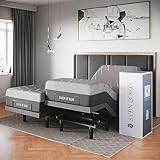
- Unmatched Comfort & Adjustability: Elevate your sleeping experience with our head (up to 75°) and foot (up to 45°) lift mechanism, allowing for perfect positioning. By adjusting your sleeping position to the ideal angle, you can benefit from clearer airways, decreased congestion, lessened snoring, and better spinal alignment to ease back pain.
- Innovative Ergonomic Remote: Dive into a realm of relaxation with settings such as Zero Gravity for weightlessness and Anti-Snore for unobstructed breathing. The remote boasts memory positions to save your favorite settings, under-bed lighting for soft illumination, and dozens of other features to bring you personalized comfort.
- Luxury & Convenience in One: The under-bed lighting casts a serene glow, perfect for nighttime ambience. The built-in USB ports ensure your devices are always charged. For relaxation or therapy, the bed offers various massage modes to soothe your body.
- Comprehensive Warranty & Features: Beyond unmatched coverage with our 25-year warranty (a $299 value), this bed frame promises durability and reliability. The mattress retention system ensures stability, while adjustable legs cater to your height preference. Every feature, from the emergency power-down to the remote layout, has been thoughtfully designed for your convenience.
- Sleep Bundle Includes: Our bundles combine an adjustable base with a luxury mattress of your choice. Our mattresses use bionic cooling gel infused memory foam to eliminate pressure points. The premium quilted covers use heat-wicking technology to keep you cool and comfortable. The comfort foam layer gently cradles and supports your body. Our mattresses are CertiPUR-US Certified and free of any harmful toxins or chemicals. Items contained in 3 separate boxes; transportation times may vary per box.
Pair the physical Sleep Number remote
Pairing a physical Smart Bed remote is different from pairing a phone. The following procedure applies to Smart Bed remotes for beds purchased after 2022 that use the Smart Control system, including current compatible ComfortNext™ and Climate™ products.
- Stay approximately 5–10 feet from the bed.
- Find the bed’s Pair/Favorite button. On a FlexFit Adjustable Base, it is on the side of the base near the hip area. On mattress-only, integrated-base, or foundation configurations, it is on the pump or Smart Control™ system.
- Wake the remote and open Settings → Pair Bed.
- Press and hold the bed’s Pair/Favorite button for about 5 seconds, until it flashes.
- Follow the remote’s prompts.
- Pairing is complete when the remote’s Bluetooth icon changes from blinking to solid.
Test the remote by adjusting firmness and, if available, changing the head or foot position.
Bluetooth versus Wi-Fi
Your bed does not need to be online for every function. A Bluetooth connection can provide local control of firmness and supported adjustable-base functions.
Do these 3 things before closing this tab:
1Scan for outdated or missing drivers - takes under a minute2Clear out junk files and repair common Windows errors3Fix the driver behind crashes, sound loss and screen glitchesAlso popular on Amazon

- PLUG AND PLAY: Sleep Number and Select Comfort Mattress Air Chamber Hose designed to fit the common 3/8" ID valve or hose, featuring both female and male connectors for seamless setup. This type of air chamber was made to fit within the common 4" foam rail encasement mattress.
- HEAVY DUTY & MORE DURABLE: Experience pressure-reduced sleep with the original Euro design of our Income Air Chamber, providing a full 6" of air suspension. Vulcanized construction eliminates seams for long-lasting durability.
- ECO-FRIENDLY: Crafted from high-quality natural materials like cotton and natural latex, offering a soft touch and promoting healthy sleep habits. Sleep soundly knowing it's good for you and the environment.
- EASY SETUP: Effortlessly set up for Sleep Number, Select Comfort, and REM Air System Pumps. Hassle-free installation means you can enjoy a restful night's sleep sooner.
- FROM THE TRUSTED MAKERS: Proudly brought to you by REM AIR SYSTEM (Silver Fish International, LLC), a trusted name in sleep product replacements. Ensure you get the right fit by measuring your existing air chamber's length, width, and height.
Wi-Fi is separate. It is used for online features such as sleep tracking and Responsive Air® where supported. After establishing Bluetooth, use the app’s Wi-Fi setup or Change Wi-Fi option to enter your home network credentials. A bed can therefore be controllable over Bluetooth while still showing as offline.
For Sleep Number’s current online-connection guidance, see Trouble Getting Online and How to get your bed online.
Troubleshoot a phone or tablet that will not connect
- Check power. Confirm the bed and pump are plugged in and powered on.
- Move closer. Put the phone within approximately 8 feet of the bed.
- Check permissions. iPhone and iPad require Bluetooth permission for the app. Android requires the app’s Nearby devices permission.
- Confirm the selected bed. If you have multiple beds, check that the correct bed is selected under the Smart Bed tab.
- Restart the connection. Force-close and reopen the app, then turn Bluetooth off and on again.
- Update the app. If necessary, uninstall and reinstall it before retrying Pair My Smart Device.
- Check for another connected device. Only one phone or tablet can connect at a time. Close the app on the other device. If it is unavailable, power-cycling the bed may help clear the active connection, although the result can vary by model.
If the app connects but Wi-Fi fails
This is usually a Wi-Fi setup problem rather than a Bluetooth problem. Verify the network name and password, then use Change Wi-Fi in the app. If the bed went offline after a router change, unplug it for about 60 seconds and reconnect it, or use Smart Bed → Settings → Restart Bed where that option is available. Reconnect by Bluetooth and enter the Wi-Fi credentials again.
Also popular on Amazon

- Adjustable Head & Foot Angles for Personalized Comfort: Lift the head up to 65° and feet up to 45° on this queen size adjustable bed frame—perfect for reading, easing back pain, or sleeping in Zero Gravity mode. A versatile adjustable bed for better rest and recovery.
- Soothing Massage for Head & Feet: Enjoy relaxing head and foot massage with 3 intensity levels and 4 modes. This adjustable bed frame queen size relieves tension and improves circulation—all easily controlled by the wireless remote.
- Smart Remote with Presets & Extras: The backlit remote features one-touch Anti-Snore, Zero Gravity, and Flat presets, plus two memory slots for favorite positions. Also controls under-bed LED lights and built-in USB-A & USB-C charging ports.
- Cooling Graphene Cover & Supportive Foam Layers: Stay cool with a breathable graphene-infused cover. Layers of gel-infused memory foam and wave-cut foam relieve pressure while supporting your spine. Medium-firm plus feel, made with CertiPUR-US certified foam, and fiberglass-free.
- Tool-Free Setup & Adjustable Height Options: Quick 3-step assembly, no tools needed. Interchangeable 2", 3", and 8" legs create 4 bed heights: 8", 10", 11", and 13". Retainer bar keeps mattress secure, and the electric base supports up to 750 lbs. The bed frame and mattress are shipped in separate packages and may arrive at different times. Please kindly wait for your deliveries.
Run the built-in diagnostic when available
On supported systems, open Smart Bed → Settings → Quick System Test. The test may take up to 8 minutes. Diagnostic and restart features are not available on every Sleep Number product.
Windows Errors? Fix Them Before They Spread
Repair common Windows errors and clear accumulated junk for a smoother, more stable PC - no reinstall needed.Free scan · no reinstallCrashes, No Sound, or Screen Glitches?
Random freezes, missing sound and display glitches usually trace back to one bad driver. Find and replace yours safely.Free scan · under a minuteTroubleshoot a remote that will not pair
- Reseat or replace the remote batteries.
- Keep the remote near the bed and make sure another remote is not pairing nearby.
- Open Settings → Pair Bed again and hold the Pair/Favorite button for the full five seconds.
- If the bed does not enter pairing mode, unplug it for about 30 seconds, reconnect it, wait for startup, and retry.
- After three unsuccessful attempts, remove the remote batteries for 10 seconds, reinstall them, and try again.
- If possible, test the bed from the Sleep Number app. App control can help indicate whether the issue is limited to the remote or involves the bed’s electronics.
Do not assume a generic Bluetooth remote or a remote from another Sleep Number generation will work. Compatibility depends on the bed’s model and electronics.
Independent reader supportYour contribution helps us test, update, and keep practical guides available for everyone.Does this work with an older Sleep Number bed?
Not necessarily. The current app and remote instructions do not apply universally to every Sleep Number bed ever made. Sleep Number lists different support limits for products such as ComfortMode™, c1, iLE, pSE, hSE, and certain 360 configurations.
Also popular on Amazon

- Ultimate Customization for Restful Sleep - This split king adjustable bed with hypoallergenic mattress transforms your sleep with 55° head tilt and 42° foot elevation — engineered to open airways, reduce snoring, and align your spine for pain relief. Perfect for reading, relaxing, or combating acid reflux, this bed adapts to your needs.
- Smart Sleep Technology at Your Fingertips - Control your comfort effortlessly with the ergonomic remote featuring Zero Gravity mode (simulates weightlessness), Anti-Snore auto-adjust, and 3 memory presets. Soft under-bed lighting and dual USB ports add seamless convenience for nighttime ease.
- Luxury Meets Practicality - Indulge in therapeutic massage modes (full-body, lumbar, or wave) and a premium spring mattress (included). The CertiPUR-US certified gel-infused foam dissipates heat and cradles pressure points, while adjustable legs (8"-11.4") fit any bedroom style.
- 10-Year Warranty + Unshakeable Durability - Invest with confidence: Our industry-leading warranty (valued at $300) covers frames and motors. The steel-reinforced base, mattress retention bars, and emergency power-down ensure safety and stability for decades.
- Complete Sleep Bundle — Ready to Transform Nights - Get everything in one purchase: Adjustable base + luxury mattress (shipped in 4 boxes). The heat-wicking cover and bionic cooling gel foam guarantee a cool, toxin-free sleep. Note: Boxes may arrive separately.
Before troubleshooting a secondhand or older bed, identify its model or collection, approximate purchase year, Smart Control system, FlexFit base, and the pump, remote, and electronics currently installed. Replacement pumps or control systems can also change compatibility. If the model is unclear, confirm compatibility with Sleep Number’s remote support resources before ordering hardware.
When should you contact Sleep Number?
Contact Sleep Number after checking power, distance, permissions, the one-device limitation, app updates, and the correct pairing procedure. Support can verify model compatibility, identify the correct replacement part, and distinguish a remote problem from a pump or Smart Control issue. The current remote-pairing support page lists 1-800-472-7185; hours can change, so confirm them on the official support page.
Quick wins for a faster PC:
Fix the driver behind crashes, sound loss and screen glitchesFind Drivers →Clear out junk files and repair common Windows errorsFree Scan →Scan for outdated or missing drivers - takes under a minuteDriver Scan →Quick Recap
Product prices and availability are accurate as of the date/time indicated and are subject to change. Any price and availability information displayed on Amazon at the time of purchase will apply.

