Some links on this page are affiliate links: if you buy through them we may earn a commission, at no extra cost to you.
The best wall mount for a 77-inch LG OLED is the one that fits the exact TV model, the wall structure, and the way the room is used. For most homeowners, that means a fixed or tilting mount for a clean media wall, a premium full-motion mount for open-plan kitchens and family rooms, or the LG Gallery-style flush mount for G-series OLEDs designed to sit tight to the wall.
Do not buy by screen size alone. A 77-inch LG OLED is roughly 67 inches wide, and the bracket must match the TV’s VESA pattern, weight, rear-panel shape, cable exits, and the framing behind the drywall. Current LG 77-inch OLED models vary. Some C-series models use a 300 x 200 mm VESA pattern and weigh about 52 lb without the stand. Some G-series Gallery models use 300 x 300 mm and may include or require a flush wall mount. Older 77-inch Gallery models can weigh around 81 lb without the stand. That difference matters when you are fastening steel to studs, tile, stone, brick, or a finished fireplace wall.
As an Amazon Associate I earn from qualifying purchases.
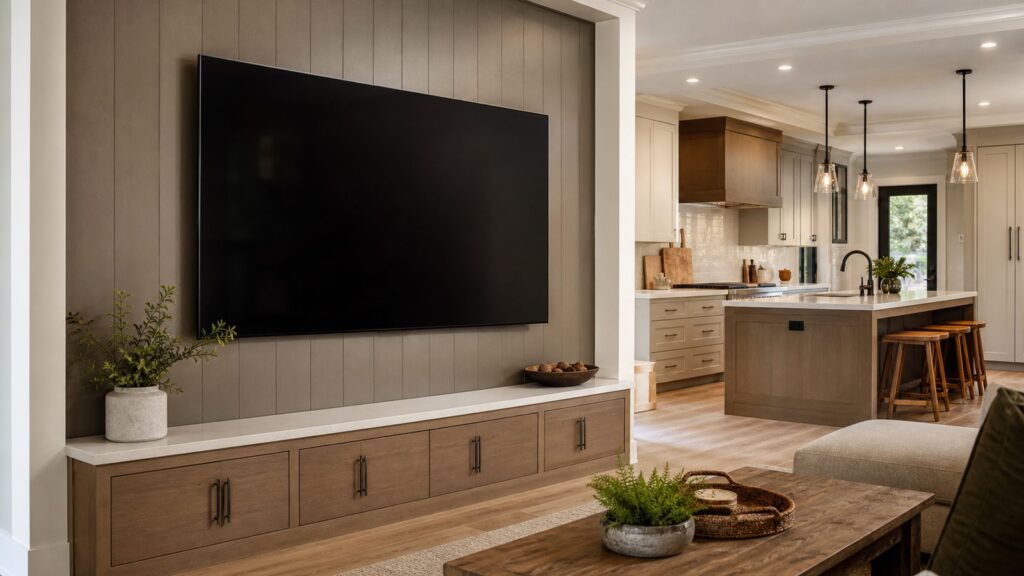
On our job sites, we treat a 77-inch OLED mount as part of the room plan, not an accessory added at the end. The cleanest installations come from deciding the TV height, blocking, outlet location, cable path, soundbar position, and finish material before drywall or tile goes up.
Start With the Exact LG OLED Model Number
The first step is simple: find the full model number on the box, invoice, rear label, or LG product page. A 77-inch LG OLED C-series and a 77-inch LG OLED G-series are not interchangeable from an installation standpoint.
Popular on Amazon

- [TV Wall Mount and Suitability] This tilting TV mount is suitable for 37-90 inch TVs, holding a weight of 132lbs with Max VESA 600x400mm, supporting up to 24 inches wood stud spacing. For better feel, you can check the weight of TV, VESA, wood studs spacing and blocked input. Kindly note that TV is just for reference. Patent no. 29/639, 502
- [Space Saving] Low profile design allows TV to be closer to the wall than the standard TV bracket, with a distance of only 1.5 inches, this wall mount provides an ideal space-saving option with an attractive appearance.
- [Tilt TV to Reduce Glare] You can tilt your TV forward up to 8 degrees with the Mounting Dream wall mount to enjoy an optimal viewing angle and lessen glare.
- [Easy to Install] With clear instructions and level, the wall mount is simple to install in just 3 steps. Please be aware that this TV mount is NOT suitable for drywall only. Additional concrete anchors in the size of 10x50mm may be needed that are available through Mounting Dream team.
- [Customer Service] To improve your experience and resolve your queries, we have active US based customer services every day of the week to ensure your problems are taken care of. Let us know if any question.
For example, a 77-inch C-series OLED may use a 300 x 200 mm VESA pattern and weigh a little over 50 lb without the stand. A 77-inch G-series Gallery OLED may use a 300 x 300 mm VESA pattern and include a dedicated flush wall mount. Prior Gallery models can be substantially heavier, sometimes around 81 lb without the stand. That is still manageable for properly installed hardware, but it changes how conservative we want to be with fastening, backing, and handling.
Before ordering a bracket, confirm these details:
- VESA pattern, such as 300 x 200 mm or 300 x 300 mm.
- TV weight without the stand.
- Mount weight rating, preferably with generous margin.
- Whether the rear panel is flat or has a thicker electronics section.
- Power and HDMI port locations.
- Whether the mount allows lateral shift after hanging.
- Whether the wall has studs, blocking, masonry, tile, stone, or a fireplace cavity behind it.
A mount that says it fits 42-90 inch TVs may still be wrong if the bracket arms interfere with the OLED’s cable ports or if the VESA plate cannot adjust to the model’s hole pattern. For a large, thin OLED panel, the bracket fit needs to be boringly exact.
The Tool Desk
Outbyte PC Repair FREERepair Windows errors before they cause bigger problemsFix Now →Outbyte Driver Updater FREEFix the driver behind crashes, sound loss and screen glitchesFind Drivers →Best Mount Types for a 77-Inch LG OLED
There are four practical mount categories for a 77-inch LG OLED: fixed, tilting, full-motion, and model-specific flush mounts. Each one solves a different problem. The right choice depends less on the TV and more on the room.
| Mount type | Best use | Typical hardware cost | Pros | Tradeoffs |
|---|---|---|---|---|
| Fixed low-profile | Dedicated media wall at seated eye level | $40-$150 | Clean look, stable, low cost, minimal movement | Harder cable access, no glare adjustment |
| Tilting | TV mounted above ideal eye level or near windows | $60-$200 | Helps reduce glare and neck strain, still slim | Less sleek than fixed, limited side viewing |
| Full-motion | Open-plan kitchen, living, dining, or multipurpose rooms | $100-$300+ | Angles toward different seating zones, easier service access | More wall stress when extended, deeper profile, higher installation precision |
| LG Gallery / flush | LG G-series Gallery OLED feature walls | Often model-specific; premium options can exceed $300 | Closest-to-wall appearance, designed for Gallery models | Requires precise outlet and cable recess planning, harder future service |
Fixed Low-Profile Mounts
A fixed mount is often the best-looking answer for a 77-inch OLED on a straight media wall. If the seating is centered, the TV height is correct, and glare is under control, fixed is clean and dependable. We use this approach when the goal is a thin, built-in look over a console, custom cabinet, or paneled wall.
The drawback is access. A low-profile bracket may leave only an inch or two behind the TV. If the outlet, HDMI cables, or streaming device need attention, the TV may have to be lifted off the bracket. That is not something most homeowners want to do casually with a 77-inch OLED.
Tilting Mounts
A tilting mount is the practical choice when the TV must sit higher than ideal. Fireplaces, tall cabinets, wainscot layouts, and window alignments often push the screen up. A small downward tilt can improve viewing comfort and reduce reflections from windows or recessed lights.
PC Slower Than It Used to Be?
A free scan shows the junk files, broken settings and background clutter dragging Windows down - then fixes them in one click.Free scan · Windows 10 & 11Crashes, No Sound, or Screen Glitches?
Random freezes, missing sound and display glitches usually trace back to one bad driver. Find and replace yours safely.Free scan · under a minuteFor a 77-inch OLED, look for a tilting mount with a strong locking mechanism and enough clearance for the HDMI and power connections. A tilt range around 5 to 15 degrees is common. More is not always better; the installation should still look intentional from the side.
Full-Motion Mounts
Full-motion mounts are useful in open-plan rooms where people watch from a sectional, kitchen island, breakfast table, or adjacent dining area. They also make cable access easier. For a 77-inch TV, we do not treat full-motion arms casually. When the arm extends 15 to 28 inches from the wall, the load changes from simple hanging weight to leverage.
A 52 lb TV on an extended arm creates more stress than the weight number suggests. Add the weight of the mount itself, movement over time, and a homeowner pulling the screen to angle it, and the wall framing matters. For full-motion installations, we prefer fastening into studs or pre-installed blocking, not drywall anchors. On masonry, we use rated anchors matched to the wall material.
LG Gallery and Flush Mounts
If you have a 77-inch LG G-series Gallery OLED, the flush mount is part of the design. The appeal is the near-picture-frame look. The catch is precision. The wall needs to be flat, the outlet needs to land in the correct recessed zone, and the cable path needs to be coordinated before the TV arrives.
Flush installs are less forgiving than tilt mounts. A plug that sticks out too far, an HDMI head that bends sharply, or a wall that bows can keep the TV from sitting properly. During remodels, we plan the electrical box, low-voltage opening, conduit, and backing before drywall. On finished walls, we verify everything with the mount template before making holes.
Also popular on Amazon

- Wide Compatibility for XXL TVs: Engineered for large screens,our heavy duty TV wall mount supports TVs 55"-130" with a robust 220 lbs weight capacity and VESA support from 200x200mm to 900x600mm. Designed for flexibility, it accommodates stud spacing up to 32"—wider than most competitors—ensuring seamless installation in diverse home layouts. Perfect for premium OLED/4K TVs, it’s your future-proof solution for a cinematic setup.
- Ultra-Sturdy & Built to Last: Engineered for ultimate safety, this extra large TV wall mount features 2x thicker steel plates with reinforced bolts and robotic-welded construction for maximum stability. 220lbs maximum load (with 550lbs safety stress-testing), its 37" steel plate evenly distributes weight to prevent sagging. Anti-drop edges and steel locking mechanisms eliminate wobbling risks, keeping your TV - and family - completely secure.
- Tool-Free Tilt for Glare-Free Viewing: Easily tilt your TV 10° down/5° up, reduce glare or improve viewing from higher positions—perfect for fireplaces or elevated mounts. The tool-free adjustment lets you find the ideal angle effortlessly! Our minimalist low-profile design of the tilt TV mount keeps the TV just 2.56" from the wall, blending seamlessly into your decor. No bulky arms or protrusions; just sleek, space-saving elegance.
- Effortless Installation in 3 Steps: Installation is a breeze! The one-piece wall plate eliminates multi-part assembly and alignment frustrations, while pre-labeled hardware and a clear guide simplify mounting on wood studs (up to 32"), concrete, or brick walls. Three options, three steps: Done like 1-2-3!
- Thoughtful Design for Hassle-Free Use: Every detail of the tilting wall mount TV bracket is engineered for convenience and safety—secure dual hooks and a pull cord lock ensure quick, while ±1° post-installation leveling lets you fine-tune for a perfectly aligned screen. The ultra-smooth wall plate surface allows effortless sliding to center your TV, and anti-drop edges provide added protection against accidental slips. Open-back design allows mounting over electrical outlets for a clean setup. No guesswork, no frustration—just a flawless, secure fit every time.
Wall Structure Matters More Than the Bracket Label
A 77-inch OLED may be thin and relatively light, but it is still a large glass panel. The bracket has to be attached to real structure. In typical wood framing, that means studs or added blocking. In steel framing, masonry, tile, stone, or fireplace walls, the fastening plan needs more care.
The best remodel-stage solution is horizontal blocking centered at the planned TV location. We commonly install 2x lumber or plywood backing between studs before drywall. This lets the mount land exactly where the room design calls for it instead of wherever the studs happen to be. It also gives future installers flexibility if the TV changes.
For a 77-inch TV, the screen is wide enough that even a small centerline mistake is obvious over a fireplace, vanity wall, cabinet run, or feature panel. Blocking helps avoid awkward compromises where the mount is secure but the TV is two inches off center.
Recommended Free Tools
For stone, slab, tile, brick, or concrete, the risk goes up. A wrong hole in drywall is patchwork. A wrong hole in porcelain slab, marble, quartzite, or handmade tile is a finish repair. We use templates, confirm all dimensions, and plan penetrations before drilling. Dust control, bit selection, anchor type, and hidden conditions all affect the final result.
Electrical and Cable Planning for a Clean Install
The professional way to hide power is a recessed receptacle behind the TV or a code-compliant in-wall power relocation system. Running the TV’s factory power cord or an extension cord inside the wall is generally prohibited under NEC flexible-cord rules. Low-voltage HDMI and data cables are different, but they still need to be in-wall rated if they are concealed.
For a 77-inch LG OLED, we normally plan three things behind the screen:
- A recessed electrical outlet placed where the mount and TV rear panel allow clearance.
- A separate low-voltage pass-through or media box for HDMI, Ethernet, optical, or speaker wiring.
- A conduit path when future cable replacement is likely.
Conduit is cheap insurance during a remodel. HDMI standards change, streaming boxes move, gaming systems get upgraded, and a cable that worked for one setup may not work for the next. For 4K/120Hz gaming, use in-wall rated Ultra High Speed HDMI cables. If the cable cannot be replaced, you are building a maintenance problem into the wall.
Outlet work is often priced separately from TV mounting. Depending on your jurisdiction, adding or relocating a receptacle may require a licensed electrician and an electrical permit. Some cities require permits for new electrical work even when the change looks minor. A homeowner can often mount a bracket, but electrical changes are a different category.
Room Layout: Kitchens, Baths, Fireplaces, and Media Walls
The best wall mount is also the one that fits the room. A 77-inch OLED is not a small screen tucked into a corner. It will dominate the wall, reflect light, and affect cabinet, mantel, and furniture decisions.
Kitchen and Open-Plan Rooms
In kitchens and open-plan spaces, a full-motion mount can be worth the extra cost. If someone watches from the island while cooking, from the sofa after dinner, and from a dining area during a game, a fixed mount may look cleaner but work worse. A premium full-motion mount lets the screen turn toward the active zone.
Plan for grease, steam, and cleaning. Do not place an OLED where it will be exposed to range heat, sink splashes, or direct steam from a cooktop. Keep the screen away from high-moisture zones and use layout, ventilation, and cabinetry to protect the equipment.
Free tools Windows power users keep installed
One-click scans. No signup required.
Also popular on Amazon

- TV Wall Mount Compatibility: This TV wall mount constructed from high quality steel materials and fits for most of 42-84" TVs with VESA size 200 x 100mm, 200 x 200mm, 200 x 300mm, 200 x 400mm, 300 x 200mm, 300 x 300mm, 400 x 200mm, 400 x 300mm, 400 x 400mm, 600 x 400mm, Support 8" 12" 16" wood studs, and Concrete wall(need to use anchors), Weight Capacity up to 120lbs.
- Adjustable View Comfortable: How about get the more flexible viewing angel? Full motion tv mount includes +5° /-15° tilt to reduce glare, ±45°swivel, level adjusts ±4° for maximum viewing flexibility. All these will make you find the most comfortable and healthiest viewing position. (Note: max. swivel angle depends on screen size)
- Saving Space & Make it Simple : TV mounts with 6 articulating arms that retract 2.76 inch from the wall in home position to save space and also extends up to a maximum 15.18 inch from the wall. Manage TV cables save valuable space for you and make your house look neat. WARM TIPS: DO NOT install into drywall ALONE. If you need concrete anchors, please contact us to get it.
- Breezy Installation: 30 minutes fast and easy to finish installing. Use the included drilling template & necessary hardware pack, which helps you to install this full motion TV wall mount without any hassle.
- Customer Service: Buy with confidence, we provide 10 year after sales service. Not sure this mount will work? Please let us know the Complete TV models.
Bathroom and Spa Areas
A 77-inch OLED is uncommon in a bathroom, but it does show up in large primary suites, dressing rooms, and spa-style remodels. Moisture distance matters. So does glare from mirrors, glass, and polished stone. We would rather shift the TV to a dry adjacent wall than force a mount into a humid or splash-prone location.
Fireplaces
Mounting over a fireplace can be safe, but it is often overused. Heat, height, masonry drilling, mantel depth, and cable routing all need attention. The screen center should be near seated eye level when possible. If the fireplace forces the TV too high, a tilting mount helps, but it does not fully solve neck strain.
During renovation, consider lowering the mantel, changing the fireplace surround, or moving the TV to a side media wall. Those decisions are easier before stone, tile, or custom millwork is installed.
Dedicated Media Walls
For a dedicated media wall, fixed or tilt usually looks better than full-motion. Center the screen on the furniture plan, not just on the wall. Coordinate the soundbar height, speaker wiring, cabinet openings, ventilation for AV gear, and lighting control. A 77-inch OLED works best when the wall is built around it.
Quick wins for a faster PC:
Clear out junk files and repair common Windows errorsFree Scan →Fix the driver behind crashes, sound loss and screen glitchesFind Drivers →Repair Windows errors before they cause bigger problemsFix Now →Cost to Mount a 77-Inch LG OLED in 2026
Nationally, professional TV mounting labor commonly runs about $150-$400. Mount plus labor often lands around $165-$900, with installer rates around $75-$100 per hour. For a standard bracket on wood studs or drywall up to about 6 feet high, basic installation may be around $100-$200, but that does not include every real-world condition.
For a 77-inch LG OLED, a practical 2026 installed budget looks like this:
| Installation scenario | Typical 2026 budget | What changes the price |
|---|---|---|
| Simple fixed or tilt mount on drywall over wood studs | $200-$500 | Mount quality, stud layout, TV height, basic cable management |
| Full-motion mount on framed wall | $350-$800 | Mount rating, blocking, arm extension, alignment, added labor |
| Fireplace, stone, tile, brick, or difficult wall | $500-$1,200+ | Drilling, anchors, dust control, concealed wiring, finish protection |
| Recessed outlet or relocated power | Usually separate | Electrician, permit requirements, wall access, circuit routing |
| Remodel-stage blocking and conduit | Usually lower than retrofit | Open-wall access, framing plan, conduit length, finish schedule |
Hardware alone ranges widely. Budget fixed or tilt mounts for large TVs may cost $40-$100. Stronger full-motion mounts commonly run $100-$300 or more. Premium slim mounts, designer mounts, and specialty Gallery solutions can exceed $300. Do not let a $60 savings on hardware decide the fate of a $2,000-$4,000 television and a finished wall.
When to DIY vs. When to Hire a Pro
A careful homeowner can DIY a 77-inch LG OLED mount when the wall is standard drywall over wood studs, the bracket matches the TV, the outlet is already in the right place, and the TV will mount at a comfortable working height. You still need at least two capable adults. The thin upper panel of an OLED should not be grabbed or flexed. Lift from the stronger lower body and frame areas according to the manufacturer’s handling guidance.
Do these 3 things before closing this tab:
1Scan for outdated or missing drivers - takes under a minute2Repair Windows errors before they cause bigger problems3Fix the driver behind crashes, sound loss and screen glitchesDIY can make sense if you have:
- A known stud layout with studs in the right location.
- A mount rated well above the TV weight.
- A level, drill, stud finder, socket set, and correct fasteners.
- No need to move electrical power.
- No tile, stone, brick, concrete, or fireplace complications.
- A second person available for lifting and hanging.
Hire a pro when the installation involves full-motion hardware, a fireplace, stone, tile, masonry, steel studs, unknown framing, outlet relocation, concealed wiring, or a flush Gallery-style mount. Also hire a pro if the TV must align precisely with custom cabinetry, a slab surround, a mantel, or panel molding. Those are finish-carpentry problems as much as TV-mounting problems.
On our projects, we photograph open walls before insulation and drywall. We mark blocking dimensions, outlet locations, conduit paths, and stud lines. That record is valuable years later when a homeowner upgrades equipment or needs service access.
Independent reader supportYour contribution helps us test, update, and keep practical guides available for everyone.Common Mistakes to Avoid
The most common mistake is buying a mount labeled for 77-inch TVs without checking the exact LG model’s VESA pattern. Screen size is only one filter. VESA pattern, weight, rear clearance, cable ports, and wall structure decide whether the mount will actually work.
Also popular on Amazon
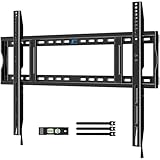
- Wide Compatibility: This fixed TV wall mount is compatible with 55″ to 150″ flat or curved TVs up to 330 lbs with VESA patterns from 200x200mm to 900x600mm. Please verify the size, weight, and VESA pattern of your TV before purchase. Also, the low profile TV mount is widely compatible with Samsung, Sony, Panasonic, Thomson, Toshiba, Sharp, LG, Philips, JVC, LCD, LED, OLED, 4K etc.
- Flexible Mounting: For this large TV wall mount, stud spacing is no problem. The extra-wide wall plate fits 16"/24"/32" spaced wood studs and solid concrete or brick walls, but not drywall alone. Create the perfect view by sliding the universal TV mount left or right to center after installation.
- Built to Endure: HOME VISION heavy duty TV wall mount is crafted from heavy-duty steel for enhanced durability. Its one-piece construction can support up to 330lbs, providing a secure hold for large, heavy TVs. Its robust design ensures your TV stays firmly in place, with no wobbling or risk of slippage.
- Slim and Streamline: This low profile TV wall mount keeps your TV just 1.45" from the wall, saving space and enhancing the aesthetic of any room. The pull strap design allows you to lock and release the TV effortlessly.
- Hassle-Free Installation: The wall mount TV bracket simplifies mounting with its one-piece design, requiring minimal assembly. It includes step-by-step instructions and all necessary hardware for a seamless setup.
The second mistake is relying on drywall anchors for a large television. Drywall is a finish surface, not structure. A 77-inch OLED should be fastened to studs, blocking, or properly rated masonry anchors. This is especially important for full-motion mounts because the extended arm multiplies force at the wall.
What’s actually slowing this PC down?
Pick the symptom - the matching free tool is one click away.
Other mistakes we see often:
- Running the factory power cord or an extension cord inside the wall.
- Mounting the TV too high because the fireplace or cabinet layout was not reconsidered.
- Forgetting cable access on ultra-slim installs.
- Using non-in-wall-rated HDMI cables behind drywall.
- Failing to plan soundbar height and outlet placement together.
- Drilling tile or stone before confirming the exact bracket template.
- Skipping blocking during a remodel, then fighting stud locations after finishes are complete.
The mount is only one part of the system. A good installation is structure, electrical, low-voltage, finish layout, glare control, and service access working together.
Our Practical Recommendation
For a 77-inch LG OLED C-series on a standard media wall, choose a high-quality fixed or tilting VESA-compatible mount with lateral adjustment, a weight rating comfortably above the TV’s actual weight, and enough clearance for HDMI and power connections. For an open kitchen, family room, or multipurpose space, choose a premium full-motion mount, but only if it can be fastened into studs, blocking, or rated masonry.
For a 77-inch LG G-series Gallery OLED, start with the model-specific LG flush mounting approach. Treat the wall like part of the television system. The flatter the wall, the better the backing, and the cleaner the recessed power and cable planning, the better the finished result.
If you are remodeling, the best time to solve the mounting problem is before drywall. Add horizontal blocking, install a recessed outlet, run a low-voltage path or conduit, confirm soundbar and cabinet clearances, and document the wall before it is closed. That small amount of planning is what separates a decent TV install from a finished feature wall that looks intentional and works for years.
Frequently Asked Questions
What VESA pattern does a 77-inch LG OLED use?
It depends on the exact model. Some 77-inch LG OLED C-series models use 300 x 200 mm, while some G-series Gallery models use 300 x 300 mm and may include a flush wall mount. Always confirm the full model number before buying a bracket.
Can I use any 77-inch TV wall mount for an LG OLED?
No. Screen size alone is not enough. Check the VESA pattern, TV weight without stand, rear-panel shape, port clearance, mount weight rating, stud spacing, and whether the mount allows lateral adjustment.
Is fixed, tilting, full-motion, or flush best for a 77-inch LG OLED?
Fixed is best for the cleanest media-wall look at eye level. Tilting is better for higher placements or glare control. Full-motion is best for open-plan rooms with multiple viewing angles. LG Gallery-style flush mounts are best for compatible G-series OLEDs.
How much does it cost to professionally mount a 77-inch TV in 2026?
A simple fixed or tilt install commonly runs about $200-$500 including a basic mount. Full-motion installs often run $350-$800. Fireplace, stone, tile, or concealed-wiring work can reach $500-$1,200 or more.
Can I run my LG OLED power cord inside the wall?
Generally, no. The professional approach is a recessed outlet or code-compliant in-wall power relocation. Factory TV power cords and extension cords should not be hidden inside walls under standard electrical rules.
Should I add blocking before drywall for a 77-inch TV mount?
Yes, if the wall is open during a remodel. Horizontal 2x blocking or plywood backing gives the installer strong fastening points and makes it much easier to center the TV exactly over cabinetry, a fireplace, or a feature wall.
Quick Recap
Product prices and availability are accurate as of the date/time indicated and are subject to change. Any price and availability information displayed on Amazon at the time of purchase will apply.

