Recommended Free Tools
A Samsung oven that shows “Test” is most often in Demo mode, a retail display setting in which the heating element does not operate. Demo mode is not the only explanation, though. Samsung uses a different code, “SAb,” for Sabbath mode, and the exact steps to clear either one depend on your model. Identify the model first, then use its manual or Samsung support page to turn the setting off.
What the message usually means
Samsung’s support material describes Demo mode as a setting meant for retail showroom displays. While it is active, the oven’s controls may respond, but the heating element will not operate. That combination is the clearest sign of Demo mode: the display works, the lights and menus respond, and the oven never warms up.
Samsung’s published instructions name the setting “Demo mode,” not “Test.” Owners and online forum posts often describe the display as “test,” and in practice that wording usually points to the same setting. It is still an inference from the display text, not a diagnosis, so confirm it against your model’s manual before changing anything else.
Demo mode and Sabbath mode compared
Two display messages are easy to confuse. The table below separates them so you can match what you see on the screen to the right fix.
#1 Best Overall

- Samsung DE92-02588G Range Oven Main Control Board + Clock monitors the oven temperature and controls the oven heating functions in the range, and includes the digital display for the time and temperature settings
- Samsung DE92-02588G is a genuine Original Equipment Manufacturer (Authorized OEM) part. Compatible Brands: Samsung
- Samsung DE92-02588G is a perfect fit within various supported Samsung brand models
- Samsung DE92-02588G is quality tested for excellent performance as per Samsung's standards
- It is recommended to either refer to your appliance service manual, contact your appliance manufacturer, or contact a service professional to validate the needed part number for your appliance prior to purchasing
| Feature | Demo mode (display reads “Test” in owner reports) | Sabbath mode (display reads “SAb”) |
|---|---|---|
| Purpose | Retail display use, per Samsung | A feature that changes how the oven behaves, per Samsung |
| Heating element | Does not operate while the mode is active | Not stated in Samsung’s Sabbath instructions reviewed for this article |
| Normal controls | Controls may respond, but the oven does not heat | The display does not respond normally while the mode is active |
| How to exit | Settings menu route, shown for the NE63*811*** control panel (see steps below) | Button combination that varies by model; Samsung lists examples such as Bake with an arrow or number key, Clock with Timer, or a touchscreen menu setting |
Step 1: Find your exact model number
Before following any button sequence, locate the full model number on the range or oven’s identification label, or in the paperwork that came with the appliance. Samsung’s instructions are written for specific control panels. A sequence that works on one range may not work on another, even within the same product line.
Step 2: Turn off Demo mode
Open the Samsung user manual that matches your model, or the Samsung US support page for your control panel, and search for “Demo mode.” For the NE63*811*** range family, Samsung’s instructions describe this sequence:
Rank #2

- Country of Origin: UNITED STATES
- The Package Length of the product is 15 inches
- The Package Width of the product is 4 inches
- The Package Height of the product is 3 inches
- Compatible Models: NE58F9500SS/AA, NE58F9500SS/AC, NE58K9500SG/AA, NE58F9710WS/AC, NE58F9710WS/AA
- Press and hold the Clock/Setting button for 3 seconds to enter the settings menu.
- Select 0 (the Demo mode setting) and press START/SET.
- Select OFF.
- Press START/SET to save the change.
A Samsung Community moderator answer about the NE63T8111 range describes the same general flow. Treat that as a guide to the sequence, not a guarantee, and check the wording against your own manual. If your oven uses a different panel, the menu labels and button names may differ, so do not assume the same steps apply.
Once the display returns to its normal time and controls, set a regular bake using the manual’s instructions and check whether the element heats. Samsung’s material does not provide a universal post-change test procedure, so use the manual’s steps for your model.
Do these 3 things before closing this tab:
1Clear out junk files and repair common Windows errors2Scan for outdated or missing drivers - takes under a minute3Repair Windows errors before they cause bigger problemsRank #3

- The DE92-03960A Oven Main Oven Control Board, PCB is a genuine Original Equipment Manufacturer (Authentic OEM) part from Samsung that fits various models from the following brands of ranges: Samsung
- OEM Part DE92-03960A Oven Main Oven Control Board, PCB is a brand new part; quality tested as per Samsung standards. The genuine replacement part is a new Samsung part that doesn't replace any other part
- The Samsung DE92-03960A Range Oven Main Oven Control Board, PCB controls the functions of the range including the temperature settings
- The Samsung Part DE92-03960A is also called a MCB, ECB, power control board, electronic control board, or a control module
- It is recommended to either refer to your appliance service manual, contact your appliance manufacturer, or contact a service professional to validate the needed part number for your appliance prior to purchasing
If the display says “SAb”
“SAb” indicates Sabbath mode, which is a different feature from Demo mode. Samsung says the button combination needed to exit varies by model. On models where it applies, the combination is held for 3 seconds until the indicator disappears. Examples Samsung lists include Bake with an arrow or number key, Clock with Timer, or a setting in the touchscreen menu. Use the manual for your exact model to confirm which combination applies.
Independent reader supportYour contribution helps us test, update, and keep practical guides available for everyone.If the oven still will not heat after Demo mode is off
If the setting is off, the display has returned to normal, and the oven still does not warm up, the official instructions do not point to a particular failed part, and a display message alone cannot establish a repair. Avoid replacing boards, sensors, or other components based only on the message.
Rank #4

- The DG94-04041B Oven Control Board is a genuine Original Equipment Manufacturer (Authentic OEM) part from Samsung that fits various models from the following brands of ranges: Samsung
- OEM Part DG94-04041B Oven Control Board is a brand new part; quality tested as per Samsung standards. The genuine replacement part is a new Samsung part that doesn't replace any other part
- The Samsung DG94-04041B Range Oven Control Board controls the functions of the range including the temperature settings
- The Samsung Part DG94-04041B is also called a MCB, PCB, ECB, main control board, power control board, and electronic control board
- It is recommended to either refer to your appliance service manual, contact your appliance manufacturer, or contact a service professional to validate the needed part number for your appliance prior to purchasing
Instead, contact Samsung support or a qualified appliance technician and have the following ready:
- The full model number from the identification label
- The exact wording on the display, including whether it reads “Test,” “SAb,” or something else
- Whether the controls respond normally and whether the display shows the time
- What you tried, including the Demo mode steps and whether the display changed afterward
Owner reports online describe a display that flashes “test” while the oven fails to warm. Those reports are anecdotal. They are useful for recognizing the symptom, but they do not show what is wrong with a specific oven.
Quick Recap
Best Value
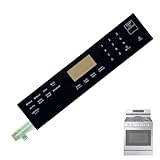
- 【OE Number】 This DG96-00850B range oven touch pad part fit for this part AP7032881,PS16634290,EAP16634290.
- 【Compatible with Samsung models】This DG96-00850B range oven touch pad compatible with various models of range ovens. NX60A6511SS/AA-01,NX60A6511SS/AA-00,NX60A6511SG/AA-00,NX60A6511SB/AA-00,NX60A6511SS/AA-02.Please check the buttons and words details same as your orignial one.
- 【Enhanced Touch Sensitivity】The DG96-00850B Touchpad Overlay Features Advanced Touch Technology That Offers Enhanced Sensitivity And Precise Touch Response.Whether You're Setting The Cooking Temperature,timer,or Other Settings,the Touchpad Responds Promptly And Accurately,enhancing Your Overall Cooking Experience.
- 【best performance】With This DG96-00850B Control Panel Dependable Replacement,Once Installed,it Seamlessly Integrates With Your Oven's Controls,restoring Full Functionality And Ensuring A Consistent Cooking Experience,you Can Rely On Your Samsung Stove Oven To Perform At Its Best.
- 【Ensure Compatibility】Please Carefully Check The Compatibility Between The Product Model And Your Oven Control Board Before Purchasing.
“
Product prices and availability are accurate as of the date/time indicated and are subject to change. Any price and availability information displayed on Amazon at the time of purchase will apply.