Recommended Free Tools
Look on the rear or side panel for a small, square port labeled DIGITAL AUDIO OUT (OPTICAL) or OPTICAL OUT. It may have a spring-loaded cover or protective cap, and it can emit a red light when the TV is on and the output is active. This port sends digital audio from the TV to a soundbar, AV receiver, or compatible speaker system.
Not every Samsung TV has an optical port. Samsung says it is generally found on models in the Series 6000 and higher, but your TV’s exact model specification is the final authority. See Samsung’s optical-connection guide if you cannot identify the port.
As an Amazon Associate I earn from qualifying purchases.
What the Samsung TV optical port looks like
The optical port is usually:
- Small and square rather than round
- Marked DIGITAL AUDIO OUT (OPTICAL) or OPTICAL OUT
- Located on the TV’s rear panel or, on some models, along the side
- Covered by a small flap, cap, or spring-loaded door
- Red-light emitting when the TV is powered on and sending an optical signal
The wording matters. On the TV, this connection is an audio output. It is not labeled OPTICAL IN. An OPTICAL IN socket belongs on the soundbar, receiver, or speaker system receiving the audio.
How to connect a soundbar or receiver with optical
- Turn off or mute the TV and external audio equipment.
- Remove any protective caps from both ends of the optical cable.
- Connect one end to the TV port labeled DIGITAL AUDIO OUT (OPTICAL) or OPTICAL OUT.
- Connect the other end to the soundbar or receiver port labeled DIGITAL AUDIO IN (OPTICAL) or OPTICAL IN.
- Power on the external audio device.
- Choose the external device as the TV’s sound output.
Do not force the plug. Optical connectors fit in only one orientation, and the protective door should move out of the way as the plug is inserted. Optical carries digital audio only; it does not carry video.
#1 Best Overall

- Optical digital audio cable: Perfect for equipment with a TOSLINK interface (OPT In / OPT Out or S/PDIF In / S/PDIF Out). TOSLINK connector to TOSLINK connector (F05 connector)
- Versatile: Ideal for transmitting crystal-clear digital audio from your TV, video game console (PS3/PS4/Xbox One), DVD/Blu-ray player, or TV streaming box to a soundbar, amplifier/amp, stereo/Hi-Fi system, D/A converter, and more
- High-End: This metal-free fiber optic audio cable, featuring a fully flexible PVC jacket, is entirely immune to electrical interference. Each cable undergoes multi-stage testing during manufacturing to ensure maximum product quality and durability
- 24K gold-plated connectors: Corrosion resistant gold plating keeps connectors clean. And because these cables are fiber optic, they provide 100 % signal transmission with 0 % loss
- No risk: 36 months manufacturer warranty
Select optical output on the Samsung TV
The labels and menu path vary by model year, region, and software version. On many current sets, start at Home or press the Settings button on the remote, then open Sound and Sound Output.
Samsung TVs from 2022 through 2026
Use:
Settings → All Settings → Sound → Sound Output → Receiver (Optical)
On some models or regional interfaces, the setting may simply be called Optical. Samsung’s current U.S. guidance also presents the general route as Home → Settings → Sound → Sound Output, with All Settings appearing on some newer interfaces. See Samsung’s Sound Output guidance if your menus differ.
Older Samsung TV menu paths
| Model year | Menu path | Likely optical option |
|---|---|---|
| 2019–2021 | Settings → Sound → Sound Output | Optical |
| 2017–2018 | Settings → Sound → Sound Output | Audio Out/Optical |
| 2016 | Settings → Sound → Select Speaker | Audio Out/Optical |
| 2015 | Menu → Sound → Speaker Settings → Select Speaker | Optical output option |
| 2014 | Menu → Sound → Speaker Settings → TV Sound Output | Optical output option |
These paths are a practical guide, not a universal menu map. Samsung notes that exact wording can change with the model, region, and software version. The relevant setting is under the TV’s Sound Output, Select Speaker, or similar speaker-selection menu—not a normal TV input/source menu.
Set a Samsung soundbar to the optical input
If you are connecting a Samsung soundbar, press its source or input button until the display shows D.IN. This means Digital Input and selects the soundbar’s digital input. It is not the name of the TV’s optical-output setting.
Rank #2

- Optical digital audio cable: Perfect for equipment with a TOSLINK interface (OPT In / OPT Out or S/PDIF In / S/PDIF Out). TOSLINK connector to TOSLINK connector (F05 connector)
- Versatile: Ideal for transmitting crystal-clear digital audio from your TV, video game console (PS3/PS4/Xbox One), DVD/Blu-ray player, or TV streaming box to a soundbar, amplifier/amp, stereo/Hi-Fi system, D/A converter, and more
- High-End: This metal-free fiber optic audio cable, featuring a fully flexible PVC jacket, is entirely immune to electrical interference. Each cable undergoes multi-stage testing during manufacturing to ensure maximum product quality and durability
- 24K gold-plated connectors: Corrosion resistant gold plating keeps connectors clean. And because these cables are fiber optic, they provide 100 % signal transmission with 0 % loss
- No risk: 36 months manufacturer warranty
Other brands may use labels such as Optical, Digital, TV, or SPDIF. Select the input corresponding to the soundbar or receiver’s optical socket.
Important setting for some 2022-and-newer TVs
On some Samsung TVs from 2022 onward, an optical-connected device may not produce sound unless Simultaneous Optical Output is enabled. If the cable is connected but the external system remains silent, check:
Settings → All Settings → Sound → Expert Settings → Simultaneous Optical Output
The option’s availability and behavior can depend on the model and software. Samsung also says that connecting a powered-on external audio device may automatically change Sound Output. If that does not happen, select Receiver (Optical) or Optical manually.
If the optical port is missing
If there is no socket labeled DIGITAL AUDIO OUT (OPTICAL) or OPTICAL OUT on the rear or side of the TV, the set does not support a direct optical connection. Do not use an HDMI port, USB port, headphone socket, or a port labeled OPTICAL IN as a substitute.
Rank #3

- Please REMOVE the end protective caps before using the cable.
- IN THE BOX: 6-foot digital optical audio Toslink cable.
- CLEAR AUDIO: Multi-channel, fiber-optic digital audio output; corrosion resistant gold-plated connectors and buffer tubing for optimal signal transfer.
- DURABLE: Lightweight, flexible cable with a rugged PVC exterior and removable rubber tips that protect the cable when not plugged in; remove before using.
- CONNECTS DEVICES: Quickly connects a sound bar, CD player, Blu-Ray player, game console, or other device to an audio system or TV.
Samsung identifies HDMI ARC or HDMI eARC as the alternative connection method. Look for an HDMI port on the TV labeled ARC or eARC, then connect it to the soundbar or receiver’s matching HDMI ARC/eARC port. The exact supported features still depend on both devices.
What’s actually slowing this PC down?
Pick the symptom - the matching free tool is one click away.
Optical versus HDMI ARC/eARC
| Feature | Optical | HDMI ARC/eARC |
|---|---|---|
| Audio direction | TV audio output to an external device | TV and compatible audio device communicate through ARC/eARC |
| Video | Does not carry video | Uses HDMI, which can carry video as well as return audio |
| Surround support | Compressed audio up to 5.1 channels, including Dolby Digital 5.1 and DTS, subject to device support | Broader format support; eARC is the appropriate choice for higher-bandwidth formats |
| Advanced formats | Does not support Dolby Atmos, Dolby TrueHD, Dolby Digital Plus, DTS-HD Master Audio, or DTS:X according to Samsung’s guidance | Use ARC/eARC where supported for formats such as Dolby Atmos; the exact format depends on the TV, source, and sound system |
Optical is still useful for a straightforward TV-to-soundbar connection, especially with older equipment. HDMI ARC/eARC is the better route when you need newer surround formats or want a single HDMI connection with compatible control features.
Choose the optical digital audio format
Samsung TVs may provide a digital output format setting at:
Settings → All Settings → Sound → Expert Settings → Digital Output Audio Format
Depending on the model and connection, available choices can include:
Quick wins for a faster PC:
Clear out junk files and repair common Windows errorsFree Scan →Scan for outdated or missing drivers - takes under a minuteDriver Scan →Repair Windows errors before they cause bigger problemsFix Now →Rank #4

- This optical audio cable delivers crystal-clear digital audio with zero distortion. Japanese Toray fiber optic cores transmit uncompressed PCM, Dolby Digital Plus, DTS-HD, and 5.1/7.1 surround sound for immersive home theater.
- 24K gold-plated connectors slip into standard Toslink (S/PDIF, optical) ports with a snug, wobble-free fit — just remove the protective caps and push in. No tools, no drivers, no setup steps.
- Nylon-braided jacket withstands 10,000+ bends while staying flexible and tangle-free. CL3-rated for safe in-wall installation, this fiber optic audio cable features a slim aluminum housing that fits tight TV mounts and entertainment consoles.
- Pairs with Samsung, Sony, LG, Vizio soundbars, AV receivers, Blu-ray players, PS4, Xbox One, Apple TV — any device with a standard Toslink (S/PDIF, optical) port. Whether you're replacing a dead cable or upgrading from thin HDMI TV sound, the difference shows up in the first scene you watch or game you play.
- Ideal 6ft optical audio cord for TV-to-soundbar setups in living rooms and bedrooms. Note: transmits audio only — video still needs an HDMI connection. Includes protective caps and Velcro strap.
- PCM—a useful compatibility choice when the receiver or soundbar does not decode the selected bitstream format.
- Dolby Digital—for compatible Dolby Digital equipment.
- Auto—lets the TV select a format based on the signal and connected equipment.
- Pass-through—available only on some models and connection types.
If you get silence, try PCM first. It often resolves a format mismatch, although it may limit surround output compared with a compatible Dolby Digital setting. Menu choices differ by model; Samsung documents the setting in its digital audio output format guide.
Troubleshooting: optical connected but no sound
- Confirm the cable is in the correct TV socket. It must be in DIGITAL AUDIO OUT (OPTICAL) or OPTICAL OUT, not an optical input on another device.
- Check for the red optical light. With the cable removed from the receiving device end, a red light may be visible at the TV connector when the output is active. Do not stare directly into the port.
- Select the TV’s output. Open Sound Output and choose Receiver (Optical), Optical, or the older equivalent.
- Select the soundbar’s input. For Samsung soundbars, choose D.IN. A cable can be connected correctly while the soundbar is still listening to HDMI, Bluetooth, or another source.
- Check Simultaneous Optical Output. On supported 2022-and-newer models, go to Settings → All Settings → Sound → Expert Settings → Simultaneous Optical Output.
- Try PCM. Set Digital Output Audio Format to PCM to test for an audio-format incompatibility.
- Inspect the cable and connectors. Remove all caps, check that the plugs are fully seated, and avoid sharply bending the cable.
- Restart both devices. Power off the TV and sound system, disconnect power briefly, reconnect them, and select the optical output and input again.
If the soundbar works with another source but not the TV, the TV output selection or digital format is the likely place to investigate. If the TV has no optical port at all, use HDMI ARC/eARC instead.
Independent reader supportYour contribution helps us test, update, and keep practical guides available for everyone.What changes when external speakers are selected?
When Sound Output is set to an external speaker, Samsung says the TV remote’s Volume and Mute buttons—and some other sound functions—may be disabled. This is expected on some setups because the external soundbar or receiver controls its own volume.
Some Expert Settings may also be greyed out after external speakers are selected. Samsung states that many Expert Settings are unavailable in this state; a greyed-out option does not necessarily indicate a fault.
Outdated Drivers Are Slowing You Down
One free scan finds every outdated or missing driver and matches the right update for your exact hardware.Free scan · exact hardware matchPC Slower Than It Used to Be?
A free scan shows the junk files, broken settings and background clutter dragging Windows down - then fixes them in one click.Free scan · Windows 10 & 11Common optical-port mistakes
- Assuming every Samsung TV has optical. Samsung does not include the port on every model.
- Searching for “OPTICAL IN” on the TV. The TV normally uses DIGITAL AUDIO OUT (OPTICAL) or OPTICAL OUT.
- Expecting video through optical. Optical is an audio-only connection.
- Expecting Dolby Atmos through optical. Samsung lists optical support for compressed audio up to 5.1 channels, not Atmos or the other newer formats listed above.
- Looking for a TV source named Optical. Select optical under Sound Output; it may be called Optical, Audio Out/Optical, or Receiver (Optical).
- Choosing D.IN on the TV. D.IN is commonly the Samsung soundbar’s digital-input source.
Frequently Asked Questions
Does every Samsung TV have an optical audio port?
No. Samsung says not every model includes one. The port is generally found on some Series 6000-and-higher models, but the exact model specification is authoritative.
Best Value
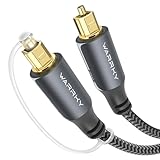
- This optical audio cable delivers crystal-clear digital audio with zero distortion. Japanese Toray fiber optic cores transmit uncompressed PCM, Dolby Digital Plus, DTS-HD, and 5.1/7.1 surround sound for immersive home theater.
- 24K gold-plated connectors ensure a secure, static-free fit in standard Toslink (S/PDIF, optical) ports. This optical cable maintains flawless signal integrity with corrosion-resistant plating for years of reliable digital audio.
- Nylon-braided jacket withstands 10,000+ bends while staying flexible and tangle-free. CL3-rated for safe in-wall installation, this fiber optic audio cable features a slim aluminum housing that fits tight TV mounts and entertainment consoles.
- Universal compatibility with Samsung, Sony, LG, Vizio soundbars, AV receivers, PS5, Xbox, and Apple TV. This optical cable for soundbar supports digital optical audio output — plug-and-play, no drivers or configuration needed.
- Ideal 3.3ft optical audio cord for gaming consoles, desktop DACs, and close-range media setups. Includes protective caps and Velcro strap for organized, tangle-free storage and dust-free connections.
Where is optical audio in the Samsung TV menu?
On many 2022–2026 TVs, go to Settings → All Settings → Sound → Sound Output → Receiver (Optical). Older models may use Optical, Audio Out/Optical, Select Speaker, or TV Sound Output.
Why does my Samsung soundbar show D.IN?
D.IN means Digital Input and is the Samsung soundbar’s optical/digital source. It is the soundbar input selection, not the Samsung TV’s menu setting.
Can an optical cable carry Dolby Atmos?
No. Samsung lists optical as supporting compressed audio up to 5.1 channels, including Dolby Digital 5.1 and DTS. For Dolby Atmos and other higher-bandwidth formats, use HDMI ARC/eARC where the TV and audio system support them.
Do these 3 things before closing this tab:
1Clear out junk files and repair common Windows errors2Fix the driver behind crashes, sound loss and screen glitches3Repair Windows errors before they cause bigger problemsWhat should I use if my Samsung TV has no optical port?
Use HDMI ARC or HDMI eARC if the TV has an HDMI port labeled ARC or eARC and the soundbar or receiver has a matching port.
The Bottom Line
Find the square port labeled DIGITAL AUDIO OUT (OPTICAL) or OPTICAL OUT on the Samsung TV’s rear or side panel, connect it to the sound system’s OPTICAL IN, choose Receiver (Optical) under Sound Output, and select D.IN on a Samsung soundbar. If the port is absent, use HDMI ARC/eARC instead.
Quick Recap
Product prices and availability are accurate as of the date/time indicated and are subject to change. Any price and availability information displayed on Amazon at the time of purchase will apply.




