The Tool Desk
Outbyte PC Repair FREERepair Windows errors before they cause bigger problemsFix Now →Outbyte Driver Updater FREEFix the driver behind crashes, sound loss and screen glitchesFind Drivers →A construction plan review checklist is a completeness and communication tool. Before submission, use it to verify that the permit application, project data, drawings, calculations, reports and professional seals required for your project are present, coordinated and readable. It does not prove that a project complies with every provision of an adopted code or guarantee approval.
Start with the authority having jurisdiction (AHJ), because requirements change with location, project type, scope, adopted code edition, local amendments and submission method. Local examples from the District of Columbia, New York City, Palm Desert, Long Beach, Guilford County and Burlington show the right questions to ask, but none is a national checklist.
As an Amazon Associate I earn from qualifying purchases.
What a plan review checklist is—and is not
A checklist gives the applicant and designer a structured way to test whether a submission contains the information a reviewer needs. It is most useful before uploading or delivering the package, when a missing sheet or inconsistent description can be corrected without restarting the review cycle.
Official guidance commonly describes these lists as minimum, non-exhaustive or project-specific. Guilford County, for example, states that the permit holder remains responsible for compliance even when an item is not listed. Palm Desert likewise notes that additional information may be required. Treat every checklist as an intake aid, then verify the governing code, local amendments and project-specific instructions with the AHJ.
#1 Best Overall

- 12" triangular architect scale designed to facilitate the drafting and measuring of architectural drawings, such as floor plans, blue Prints, and orthographic projections
- Triangular ruler features 3 sides with 6 different scales, and made from high Impact aluminum, build to last
- Laser etched scales never fading. Architect ruler with enduring laser cut imperial prints for accuracy. They will not wipe or scratch off ever
- Professional grade for accuracy color coded triangular scale for easy and quick selection of the desired scale
- Standard imperial measurements: 1-1/2, 1, 3/4, 3/8, 3/16, 3/32, 1/2, 1/4, 1/8, 3, 16
- It checks completeness: whether the application, drawings and supporting documents required for your scope are included.
- It checks communication: whether a reviewer can locate the work, understand what is changing and follow references between sheets and details.
- It does not replace design judgment: a complete set can still contain a code violation, coordination error or engineering problem.
- It does not guarantee approval: plan examiners may identify substantive corrections after accepting the package for review.
1. Confirm the intake information first
Review the administrative information before studying individual details. A reviewer should be able to identify the project, match it to the permit application and understand the proposed scope from the first sheet.
Permit type and application
- Select the permit type that actually covers the work: building, trade, alteration, addition, change of use, site work or another locally defined category.
- Check that the application is complete and that the applicant, owner and contact information are entered as the AHJ requires.
- Make sure the scope written on the application matches the scope shown on every drawing. Do not describe a limited interior alteration if the plans also show exterior, structural or site work.
- Confirm whether separate planning, zoning, fire, grading, environmental or public-works approvals must accompany the building permit.
Project identification and cover sheet
District of Columbia and Palm Desert guidance both emphasize project and cover-sheet data. Typical items include the street address, owner or applicant, project description, occupancy information, construction type where required, applicable codes and a sheet index. The exact fields vary by jurisdiction.
| Item to verify | What “complete” looks like | Why it matters |
|---|---|---|
| Project address and parcel information | The address and any locally required parcel or legal description are consistent throughout the application and sheets. | It prevents the reviewer from associating the drawings with the wrong property. |
| Scope description | The written description states what is being built, altered, removed or changed in use. | It establishes the review path and lets the reviewer test whether the drawings cover the entire proposal. |
| Applicable codes and editions | The cover sheet identifies the codes and editions required by the AHJ, including local amendments when requested. | It tells the reviewer which standards the design team used. A historical code reference should not be assumed current. |
| Occupancy and project data | Required occupancy, area, stories, construction classification and other project statistics are filled in and agree with the plans. | These values influence many downstream reviews. |
| Sheet index | Every submitted sheet has a unique number or identifier and appears in the index; sheets not submitted are not represented as if they were included. | It gives the examiner a map of the package and exposes missing sheets. |
Professional responsibility and authentication
Determine at intake whether the work must be prepared, signed or sealed by a licensed architect, engineer or other design professional. Burlington’s commercial guidance says architectural and structural plans should be signed and sealed as required by applicable law. That is a jurisdiction- and project-dependent rule, not a universal requirement for every small project. Check who may prepare each discipline, where the seal must appear and whether electronic seals are accepted.
Free tools Windows power users keep installed
One-click scans. No signup required.
2. Prove that the drawings cover the entire scope
Long Beach summarizes the reviewer’s basic need: plans should clearly indicate the location, nature and extent of the proposed work. Apply that test to the whole set, not only the floor plan.
Rank #2

- Precision and Accuracy: 12" Triangular Architect's ruler features 3 sides with 6 different scales, You will calculate dimension and perspective for plans and other blueprints without struggling with the guesswork.
- Mterial: Made from high grade anodized aluminum, reliable and skillfully crafted for your most project needs, it’s a workhorse on the drafting table.
- Laser Etched: Architect ruler for laser etched, They will not wipe or scratch off ever.
- Widely Application: Good for technical artist, architect, engineer, plan drawer, hobbyist, modeller, draughtsman, graphic designer, student.
- Portability: Compact and lightweight, ideal for on-the-go use.
Location
- Show where the property, building, floor, room or equipment is located.
- Identify the relationship of proposed work to property lines, existing structures, rights-of-way and adjacent conditions when relevant.
- Use key plans, enlarged plans or detail callouts when the work cannot be located unambiguously on a general sheet.
Nature
- Distinguish existing, demolition, temporary and proposed conditions with a consistent graphic convention.
- Identify materials, assemblies, equipment and intended uses where those facts affect review.
- Describe changes in occupancy, egress, accessibility, fire protection or building systems rather than relying on a generic label such as “renovation.”
Extent
- Show the limits of demolition and new work, including affected ceilings, partitions, finishes, foundations, roofs and site improvements.
- Include work outside the main building when it is part of the permit scope, such as utility connections, grading, drainage, retaining elements or detached structures.
- Check that schedules, notes and calculations address every area shown as new or modified.
A useful internal test is to read only the application description and sheet index, then ask whether a new reviewer could predict what each sheet should contain. If a major element appears in a detail, schedule or calculation but nowhere in the scope description, reconcile it before submission.
3. Check site and existing/proposed conditions
When the project affects the site or depends on site relationships, include a site or plot plan in the form the AHJ requires. Palm Desert and Guilford County materials illustrate why site information is a recurring review item, while the exact content remains local.
- Identify the property and orient the drawing with a north arrow or other required orientation.
- Locate existing and proposed buildings, additions, accessory structures and relevant site features.
- Show dimensions to property lines and between structures when setbacks, access, fire separation or zoning review depends on them.
- Identify grades, drainage, retaining conditions, easements, utilities, parking, accessible routes or other elements required for the project type.
- Clearly distinguish what remains, what is removed and what is proposed.
- Coordinate site dimensions and elevations with architectural, structural, civil and grading information.
Do not add site elements merely to make a drawing look complete. Include the information the local checklist calls for and explain conditions that affect the proposed work. If a separate grading, drainage or civil package is required, list it in the submission index and confirm whether it is reviewed with the building permit or through another process.
Quick wins for a faster PC:
Clear out junk files and repair common Windows errorsFree Scan →Fix the driver behind crashes, sound loss and screen glitchesFind Drivers →Repair Windows errors before they cause bigger problemsFix Now →4. Assemble the architectural and structural set
The core building drawings should let an examiner move from overall arrangement to construction detail without guessing. Palm Desert’s residential guidance identifies site, floor, roof, elevation, section, architectural, electrical, mechanical, plumbing and structural plans as possible components; it also warns that additional information may be required. Use that list as a prompt, not a universal prescription.
Rank #3

- [PREMIUM QUALITY] This architect scale ruler for blueprints is made of anodized aluminum alloy, very solid and sturdy. Designed for maximum durability, this 3 sided metal architect ruler is perfect for lasting use
- [PRECISE IMPERIAL SCALE] The aluminum triangle ruler is professional grade with supreme accuracy. With reliable construction and accurate performance, the black construction ruler is ideal for architects, engineers, draftsmen and students
- [TRIPLE SIDED DESIGN] The classic architect's triple-sided scale included: 1-1/2", 1, 3/4", 3/8", 3/16", 3/32", 1/2", 1/4", 1/8", 3, 16, very convenient and useful for professional use
- [LASER ETCHED TECHNOLOGY] All numbers and measurement markings on drafting scale rulers are laser etched for maximum clarity and readability. Laser etched technology effectively prevents scale numbers and markings from wearing off or fading away
- [GREAT GIFT FOR ENGINEERS] The architectural scale ruler is great as a gift for engineers that will help them a lot in their work
Plans
- Provide existing, demolition and proposed floor plans where the scope changes the interior or layout.
- Dimension rooms, openings, corridors, stairs, guards, accessible clearances and other features relevant to the review.
- Identify wall, floor and ceiling assemblies with keyed notes or schedules.
- Show doors, windows, hardware or other components where their ratings, sizes or locations affect compliance.
- Coordinate reflected ceiling, equipment and finish information with architectural and trade plans.
Elevations and sections
- Show exterior elevations for affected façades and identify materials, heights, openings and changes in grade.
- Use building sections to explain floor-to-floor relationships, wall and roof assemblies, fire-resistance conditions, insulation and critical transitions.
- Reference enlarged sections and details from the plans so each callout leads to a submitted drawing.
Structural information
- Include foundation, framing, connection and lateral-resisting information appropriate to the work.
- Provide structural calculations or other reports when the local checklist or design professional determines they are required.
- Coordinate structural openings, beams, posts, equipment supports and load-bearing changes with architectural and mechanical layouts.
- Verify that any engineer’s seal, signature, date and discipline identification meet local law and electronic-submission rules.
Schedules, details and references
Schedules are part of the drawings, not optional decoration. Door, window, room, finish, equipment and assembly schedules must agree with plan tags. A detail number that points to a missing sheet is a completeness defect even if the detail exists in the designer’s working file. Run a cross-reference check: every callout should resolve to a submitted sheet, and every major detail should be called out from the plan or section where it applies.
5. Add building-system and project-specific reviews
Electrical, mechanical, plumbing, fire, accessibility, energy, grading, drainage and other materials may be required depending on the scope and local review pathway. A residential alteration may need only a subset; a commercial project or change of use may need several disciplines and reports.
| Discipline or review | Questions for the checklist | Typical coordination check |
|---|---|---|
| Electrical | Are power, lighting, equipment connections, panels and required schedules shown for the affected work? | Panel loads, equipment locations and rated assemblies agree with architectural and mechanical plans. |
| Mechanical | Are equipment, ducts, ventilation, exhaust, controls and clearances documented where applicable? | Penetrations, outdoor-air paths, access clearances and structural supports are coordinated. |
| Plumbing | Are fixtures, piping, water heating, drainage and required riser or isometric information included? | Fixture counts, pipe routes and slab or wall penetrations match the architectural layout. |
| Fire and life safety | Does the scope require fire-resistance, alarms, sprinklers, egress, occupant-load or emergency-lighting information? | Rated walls, doors, exits and system coverage are shown consistently across disciplines. |
| Accessibility | Are accessible routes, clearances, fixtures, parking or site paths affected by the work? | Dimensions and elevations are consistent between plans, details and site drawings. |
| Energy or sustainability | Does the AHJ require energy forms, compliance reports, envelope details or equipment data? | Insulation, glazing, air sealing and equipment efficiencies match the submitted forms. |
| Grading and drainage | Does site disturbance, stormwater, retaining work or drainage trigger a separate review? | Spot elevations, drainage paths and retaining elements agree with civil and structural information. |
Portland’s commercial intake example demonstrates that several plan disciplines and reports may be requested together. The lesson is not to copy Portland’s package for another city; it is to ask the local AHJ which disciplines are triggered by your scope and whether each is uploaded as a separate file or combined set.
Windows Errors? Fix Them Before They Spread
Repair common Windows errors and clear accumulated junk for a smoother, more stable PC - no reinstall needed.Free scan · no reinstallOutdated Drivers Are Slowing You Down
One free scan finds every outdated or missing driver and matches the right update for your exact hardware.Free scan · exact hardware match6. Test scale, legibility and sheet consistency
A technically complete drawing is not useful if the reviewer cannot read it or determine its scale. Long Beach’s guidance specifies a minimum plan scale of 1/4 inch per foot for its process; the page does not establish that scale as a national rule. Confirm the required scale, paper size, title-block fields, orientation and digital-resolution settings locally.
Rank #4
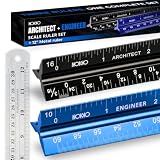
- Complete Drafting Ruler Set for Professionals and Students — Includes architect scale ruler, engineer scale ruler and twelve inch stainless steel metal ruler; essential architecture tools for blueprints, floor plans and technical drawings
- Architectural Scale and Engineering Scale in One Set — Architecture scale ruler supports building layouts and construction plans; engineering scale ruler handles civil engineering blueprints, technical measurements and precise scaled work.
- Laser-Etched Aluminum Rulers with High Contrast Markings — Black anodized aluminum architectural scale ruler and blue engineer ruler feature white graduations that resist fading; clear scaling ruler markings ensure accuracy for drafting supplies
- Durable Metal Construction Built for Daily Studio Use — Solid aluminum architect and engineer scales are made for repeated use, while the included stainless steel ruler adds everyday straight-edge precision for architects, engineers and students.
- Versatile Drafting Scale Set for Multiple Applications — One set covers architectural drawings, engineering projects, construction layouts, CAD plans, interior design measurements and technical drawing work without switching between purchases.
- Use the required sheet size and a title block that identifies the project, sheet title, number, date, revision and designer or firm.
- Set a stated scale for each view and mark details as not-to-scale when appropriate.
- Check line weights, text size, dimensions, symbols, hatches and contrast at the size the AHJ will print or display.
- Make sure scans are complete, upright and free of clipped margins, blank pages and illegible stamps.
- Verify that revision clouds, dates and descriptions identify what changed after a correction.
- Confirm that the PDF page order matches the sheet index and that no hidden layers or password restrictions prevent review.
An architect’s scale ruler can help inspect a printed plan only when the print was produced at the stated scale. A resized or “fit to page” print cannot be measured reliably with that scale, so use written dimensions and the original PDF settings as the controlling information.
7. Verify seals, signatures and supporting documents
Make a separate authentication pass. Do not assume that a seal on one sheet covers every discipline or that a scanned signature satisfies the local rule.
- Identify which sheets require an architect, engineer, surveyor or other licensed professional.
- Check that the correct professional’s seal, signature, date and registration information appear where required.
- Confirm whether calculations, energy forms, geotechnical reports, product evaluations, truss information, special inspections or other supporting documents are required.
- Match each report to the project address, revision and design shown on the drawings.
- Include the complete report, not only a cover page, unless the AHJ expressly asks for an excerpt.
- Keep the calculation assumptions and drawing dimensions synchronized after every revision.
8. Use a step-by-step pre-submission workflow
- Find the current AHJ instructions. Obtain the building department’s checklist, application guide, adopted-code information, local amendments, file-format rules and fee or routing instructions. Confirm the document’s issue date and whether a newer version applies.
- Classify the project. Record the permit type, occupancy or use, new construction versus alteration, residential or commercial status, number of disciplines and any planning, fire, grading or public-works triggers.
- Build the sheet index. Assign final sheet numbers and titles, then list every drawing, calculation and report that will be submitted.
- Run the scope audit. Compare the application narrative, cover sheet, site plan, plans, elevations, sections, schedules, specifications and reports. Resolve any mismatch in area, stories, occupancy, work limits or construction description.
- Run the discipline audit. For each applicable system, mark the required drawing, schedule, form, calculation or report as present, coordinated and authenticated.
- Run the constructability and reference audit. Follow every callout, detail reference, schedule tag and revision cloud. Remove references to sheets or options that are not being submitted.
- Run the readability audit. Open the final PDFs, inspect every page at normal viewing size and print a representative sheet using the intended paper settings. Check scale, orientation, text, seals and page order.
- Run the submission audit. Confirm naming conventions, file-size limits, signatures, portal categories, required forms and any separate uploads. Save a locked copy of the exact package submitted.
- Record open questions. Ask the AHJ in writing about ambiguous requirements before filing, and retain the response with the project record.
9. Understand what happens when plans are incomplete
New York City Department of Buildings states: “The Department only accepts complete drawings with each application.” Its plan-examination guidance explains that an incomplete-submission notice identifies missing information and that review begins after the drawings are complete. This illustrates a general intake principle, not a promise that every authority uses the same notice or timeline.
Recommended Free Tools
Phoenix’s process description likewise explains that corrections may be required and plans resubmitted. When comments arrive, treat them as a controlled revision cycle:
Best Value
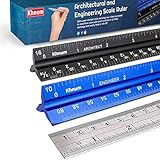
- ✎ 3 RULER COMBO SET - Architect ruler engineering scale professional or educational drafting tools metal ruler 12 inch
- ✎ LASER ETCHED - Architect scale drafting ruler tat will last permanent grooves that will never fade
- ✎ SOLID CORE ALUMINUM - Architect scale ruler engineer scale durable, anodized corrosion resistance
- ✎HIGH VISIBILITY - scale drafting kit ruler contractor quick easy to read architecture scale graduations precise
- ✎Professional grade - engineers scale scale ruler for blueprints supreme accuracy Color-coded groove
- Read the complete comment set before changing a sheet; one correction may affect several disciplines.
- Create a comment log with the reviewer’s reference, responsible person, affected sheets and response.
- Revise the drawings, calculations and forms together so the response does not create a new inconsistency.
- Cloud or otherwise identify revisions in the manner required by the AHJ, and update dates and revision descriptions.
- Write a concise response that identifies the exact sheet, detail or calculation addressing each comment.
- Upload the revised package through the local process, preserving the approved naming and page order.
- Recheck the entire set, not only the marked sheets, before resubmission.
Do not promise a particular delay or additional cost from an incomplete package. The effect depends on the authority, workload, permit type and whether the missing information prevents substantive review.
10. Common failure modes and corrections
| Failure | What the reviewer experiences | Better practice |
|---|---|---|
| Generic scope such as “interior remodel” | The examiner cannot tell whether structural, fire, accessibility or system work is included. | Describe the affected areas, uses, demolition, new construction and building systems. |
| Sheet index does not match the upload | A listed detail or discipline appears to be missing. | Generate the index from the final submitted set and check page numbers after export. |
| Existing and proposed work are indistinguishable | The extent of demolition and new work is unclear. | Use a consistent legend, line type, hatch or color convention and explain it. |
| Unresolved callouts | A plan points to a detail that is absent, misnumbered or on an old revision. | Follow every reference in the final PDF and correct or remove stale callouts. |
| Trade drawings are omitted | The architectural set shows equipment or fixtures without the system information needed to review them. | Use the project-specific checklist to identify electrical, mechanical, plumbing and fire materials that the scope triggers. |
| Unreadable scan or resized print | Dimensions, notes or seals cannot be reliably interpreted. | Export searchable, legible PDFs at the required sheet size and inspect a representative print. |
| Seal or signature is missing or invalid | The submission cannot be authenticated for a discipline that requires professional responsibility. | Verify the applicable law and electronic-seal procedure before filing. |
| Historical code edition copied forward | The cover sheet cites an edition or amendment no longer used by the AHJ. | Confirm the currently adopted code and local amendments for this application date. |
11. Adapt the checklist to the project type
Small residential alteration
Prioritize the application, scope, site relationship, existing and proposed floor plans, affected elevations or sections, structural information, and the trade plans required for the actual work. A minor project may not need every discipline listed in a residential example, but an addition, change of use or system alteration can expand the package quickly.
New single-family construction or major addition
Expect a coordinated site plan, complete architectural set, structural design, foundation and framing information, energy documentation and applicable electrical, mechanical, plumbing, grading, drainage or fire materials. Verify how the AHJ wants civil or utility information routed.
Commercial alteration or change of use
Plan for broader coordination among architecture, structure, life safety, accessibility and building systems. Burlington and Portland guidance show why commercial intake may request multiple disciplines and reports. Confirm occupancy, construction classification, occupant load, egress, rated assemblies and professional seals early because they influence the entire set.
Trade-only permit
Do not assume a trade permit needs no architectural context. Provide the location, equipment, connection, access and affected assemblies necessary for that trade review, along with any forms or calculations the local checklist identifies.
12. Questions to ask the authority before filing
- Which checklist and application version governs the submission date?
- Which code edition and local amendments apply to this project?
- Is the work reviewed as residential, commercial, trade-only, phased or deferred submittal?
- Which disciplines, calculations, reports and professional seals are required for this scope?
- Must planning, zoning, fire, grading, drainage, accessibility or energy approvals be obtained separately?
- What sheet size, scale, file format, page order, naming convention and maximum file size does the portal accept?
- Are electronic signatures and seals accepted, and where must they appear?
- How should revisions, responses to comments and resubmissions be identified?
- Does the authority require one combined PDF, separate discipline files or both?
- What happens if a required item is not applicable, and how should that determination be documented?
Final pre-submission checklist
- Permit type, application and project contacts are correct.
- Address, owner, scope, occupancy, code references and sheet index agree across the package.
- Every proposed element is located, described and shown to its full extent.
- Existing, demolition and proposed conditions are clearly distinguished.
- Applicable site, architectural, structural, electrical, mechanical, plumbing, fire, accessibility, energy, grading and drainage materials are included.
- Schedules, details, calculations and reports are complete and cross-referenced.
- Required licensed-professional seals and signatures are valid for the jurisdiction and discipline.
- Sheets are legible, correctly scaled, correctly sized, indexed and in the required digital format.
- The final PDF has been checked for missing pages, clipped content, stale references and inconsistent revisions.
- The package follows the current AHJ submission and resubmission procedure.
A checklist earns its value when it exposes an omission before the reviewer does. Use the local authority’s current instructions as the controlling list, then apply the broader checks above to make the drawings understandable, coordinated and ready for a substantive review.
Quick Recap
Product prices and availability are accurate as of the date/time indicated and are subject to change. Any price and availability information displayed on Amazon at the time of purchase will apply.

