Energy Saver, Econ, and Eco are names for a room air conditioner setting that reduces how much the indoor fan runs once the room reaches its set temperature. The general idea is consistent across brands, but the exact fan schedule is set by each manufacturer and model, so the same label can mean different things on different units.
What the setting changes
A room air conditioner cools through two linked parts: the compressor, which moves heat out of the room, and the indoor fan, which pushes air across the cold coil and back into the room. In Energy Saver mode, the unit keeps the fan running less often after the room reaches the set point. Because the fan is one of the components that draws power, running it less is the mechanism behind the energy-saving claim.
What differs is the pattern. Some units stop the fan along with the compressor. Others switch the fan on for short periods to check the room temperature, then restart cooling only if the room has warmed above the set point. The sections below show how several manufacturers describe their versions.
How manufacturers describe the cycle
Frigidaire
Frigidaire’s room air conditioner guidance describes its Econ or Energy Saver function as switching the compressor off at the set temperature, then running the fan for 20 seconds every 10 minutes to sample room temperature. If the room is above the set point at a sample, the compressor starts again.
Do these 3 things before closing this tab:
1Fix the driver behind crashes, sound loss and screen glitches2Repair Windows errors before they cause bigger problems3Scan for outdated or missing drivers - takes under a minute#1 Best Overall
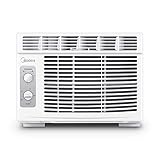
- PERFECT FOR SMALLER ROOMS - Midea's Affordable Window AC unit is perfect to help your room be as comfortable as possible. It can cool 150 sq. ft. with 7 temperature settings, 2 cooling/2 fan-only speeds, and 2-way air direction to give you the perfect amount of cooling every time.
- ENERGY EFFICIENT- Midea's 5,000 BTU window air conditioner has a Combined Energy Efficiency Rate (CEER) of 11.0 which helps reduce the energy costs to save you money throughout the year.
- QUIET & EASY TO USE - This window AC unit is quieter than a household refrigerator. It also features easy-to-use mechanical controls to quickly set the time, temperature, and mode and has a removable & reusable air filter.
- EASY INSTALLATION - Easily install in your home or apartment's existing window frame. Suitable for windows 23''-36'' wide and minimum 13'' high. All mounting accessories are included. A screwdriver is required (but not included) for installation. For some window frames, pilot holes are recommended before installing screws. Please see included instruction manual for further detail.
- WARRANTY: 1 Year Parts & Labor Warranty comes with each Midea product to ensure the quality of our brand to our customers. Our team is happy to help if any questions or issues arise and make sure to register your product on our website for even faster support in the future.
GE
GE’s support page describes a different general control. Its Energy Saver switch makes the fan cycle on and off with the compressor, while the Normal setting keeps the fan running continuously. In Energy Saver, the fan runs at the selected speed while the compressor runs and stops when the compressor stops.
Haier
Haier’s description includes a three-minute fan run after the compressor shuts off, followed by a two-minute fan run every ten minutes while the unit waits for cooling to be needed again. These timings belong to the products Haier describes and should not be treated as a standard for all units.
TCL
TCL describes its ECO mode as turning off both the compressor and the fan once the desired temperature is reached, then switching the fan on for about 20 seconds every ten minutes to sample the room.
These examples share one principle, fewer fan runs, but they do not share a schedule. The Frigidaire and TCL figures are close, while Haier’s sequence is longer and includes a post-shutdown fan run. Those differences are why the label alone is not a reliable guide to behavior.
Rank #2

- BEST FOR SMALL ROOMS: Cools up to 150 sq ft efficiently with 5,000 BTU cooling power. Ideal for bedrooms, home offices, dorm rooms, workshops, and studio apartments. Compact 16.4" W x 13.4" D x 12.6" H design fits tight spaces.
- QUIET OPERATION - Quieter than many older window AC units, with 2 cooling modes (low 52 dBA for nighttime, high 56 dBA for rapid cooling) and 2 fan speeds for personalized comfort. Simple mechanical controls mean no annoying digital beeps.
- SIMPLE, RELIABLE MECHANICAL CONTROLS: Easy-to-use dials for temperature and fan speed—no Wi-Fi, apps or complex setup required. 10 temperature settings let you dial in your perfect comfort level. Auto restart after power outages.
- LOW MAINTENANCE & ENERGY SMART: No manual draining under normal conditions. Washable, reusable filter for easy care. Low 440W power draw helps reduce energy costs compared to older, inefficient units.
- EASY DIY INSTALLATION: Fixed chassis installs easily and fits double-hung windows 27.125"–36" wide and 13.375" high minimum. EZ Mount kit with foam insulation included. Backed by 1-year GE limited warranty for peace of mind.
Why the label does not settle the question
Energy Saver, Eco, and Econ are marketing names that manufacturers apply to different control logic. Jordan Clark, an HVAC-systems expert at Ohio State, was quoted by The Atlantic on the issue: “There’s not a standardized definition of this eco mode or energy-saver mode.” A setting called Eco on one brand may be a fan-cycling mode, while on another it may change only how the compressor is controlled.
Comfort and cooling trade-offs
Fan cycling means cool air is not moving through the room during the off periods. GE states this directly in its support material: “When in Energy Saver mode, there will be a larger variance in the temperature since there is no circulation of cool air in the room with the fan off.” In practice, the room may feel slightly warmer or cooler between checks, and the thermostat reading may swing more than it does with continuous fan operation.
Clark also suspects that some Eco modes slow cooling, which could limit how quickly the unit removes heat. This is expert context rather than a property of every unit. If a room takes noticeably longer to reach the set point after you turn on the mode, that is a sign the mode is limiting output on your model.
Energy Saver compared with other modes
Mode names overlap, and the behavior of each depends on the model. The table below uses the manufacturer descriptions cited in this article. Where a manufacturer did not describe a behavior, the cell says so.
Rank #3

- Customizable Cooling: Achieve optimal comfort with custom temperature settings, 6-way directional airflow, and three different fan speeds
- Easy Maintenance: Effortlessly adjust settings with the remote control and keep your AC unit working efficiently with Clean Filter alerts that notify you when it's time to clean the washable dust filter
- Energy-Efficient Performance: Save energy with Eco Mode while maintaining a comfortable temperature and reduce energy consumption with Sleep Mode, which gradually increases the temperature overnight
- Consistent Comfort: This window air conditioner operates at just 52 dBA, providing quiet cooling that makes it ideal for bedrooms or small spaces up to 250 sq. ft.
- Effortless Convenience: Set the 24-hour on/off timer to match your schedule and enable Dry Mode to remove excess moisture from the air, creating a more comfortable environment
| Mode | Fan behavior | Comfort notes | Source of description |
|---|---|---|---|
| Energy Saver, Econ, or Eco | Fan runs less often after set point; cycles with the compressor on some units and samples the room on others | Larger temperature variance; cooling may slow on some units | Frigidaire, GE, Haier, TCL; expert comment from Jordan Clark as reported by The Atlantic |
| Normal (GE) | Fan runs continuously | Closest temperature control, according to GE | GE support page |
| Auto | Fan speed changes according to the difference between set and room temperature | Typically keeps temperature closer to the set point, according to GE | GE support page |
| Dry or Dehumidify (Haier) | Separate mode intended to remove moisture; compressor and fan behavior differ from Energy Save | Not stated | Haier description |
| Cool | Not stated for the mode in the cited sources | Not stated | Not stated |
Whether Dry or Auto can be combined with Energy Saver, and whether a given model offers Eco at all, varies by unit. Check the control panel or remote on your own model before assuming a combination works.
Independent reader supportYour contribution helps us test, update, and keep practical guides available for everyone.How to confirm what your unit does
- Find the model number on the rating label, usually on a side or back panel of the unit.
- Open the owner’s manual for that exact model and search for “Energy Saver,” “Econ,” or “Eco.” Read the description of fan operation, not just the name.
- Note whether the manual says the fan stops with the compressor or runs at intervals, and record the interval and run time if the manual gives them.
- Set the unit to cool, enable the mode, and observe the indoor fan once the room reaches the set point. Listen for the fan stopping, or for short fan runs that repeat.
- Switch to the continuous or Normal fan setting for comparison. If the room is noticeably slower to cool in Energy Saver, the trade-off described above applies to your unit.
What the savings claim does and does not establish
The manufacturer descriptions link energy use to reduced fan operation. None of the cited sources provides a measured percentage or dollar figure that applies to all air conditioners or households. Any saving depends on the unit’s size and efficiency, the outdoor climate, how many hours it runs, and how often the room reaches the set point. Treat Energy Saver as a mode that reduces fan run time, not as a promise of a specific bill reduction.
If you want to set the mode aside, the Normal or continuous-fan setting gives the most even temperature in the room. If you keep Energy Saver on, expect a wider temperature swing and check the model’s manual for how the unit behaves when it needs to restart cooling.
Other trade-offs to weigh include whether the room is used for sleeping, whether occupants are sensitive to temperature swings, and whether the unit is already struggling to reach the set point during hot periods.
Outdated Drivers Are Slowing You Down
One free scan finds every outdated or missing driver and matches the right update for your exact hardware.Free scan · exact hardware matchPC Slower Than It Used to Be?
A free scan shows the junk files, broken settings and background clutter dragging Windows down - then fixes them in one click.Free scan · Windows 10 & 11Quick Recap
Product prices and availability are accurate as of the date/time indicated and are subject to change. Any price and availability information displayed on Amazon at the time of purchase will apply.




