Recommended Free Tools
Gaggiuino can give a compatible Gaggia Classic far more advanced temperature, pressure, and shot control—but it is not a plug-and-play upgrade or a conversion into a commercial dual-boiler machine. It is an open-source microcontroller project that requires model-specific electrical work, plumbing, firmware configuration, calibration, and careful commissioning.
For a technically confident owner who enjoys experimentation, it can transform the way the machine behaves. For someone seeking simplicity, warranty support, or stronger steam performance, a conventional PID kit, a packaged alternative such as GaggiMate, or a newer machine may be the better choice.
What is Gaggiuino?
Gaggiuino is a community-developed, open-source control system for selected Gaggia Classic-family machines. It combines a microcontroller, sensors, switching hardware, firmware, and—depending on the build—pressure and scale integration.
The project is broader than a conventional PID. A PID primarily improves temperature regulation. Gaggiuino may also provide pressure sensing, pump control, programmable pressure behavior, shot timing, telemetry, and optional scale integration. Exact capabilities depend on the machine, hardware configuration, firmware version, and installation.
#1 Best Overall
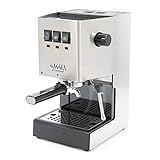
- Solid Steel Housing, Made in Italy
- 9 Bar Espresso Extractions
- Stainless Steel 58mm Commercial Portafilter
- Commercial Three Way Solenoid Valve
- Commercial Steam Wand
Start with the official documentation and project repository. Gaggiuino is not the same product as GaggiMate, which is a separate open-source controller project with its own kits and documentation.
What does the stock Gaggia lack?
Many older Gaggia Classic variants rely on thermostats rather than highly precise, user-visible brew-temperature control. Factory machines generally do not provide programmable pressure profiles, shot graphs, or detailed extraction telemetry. Pump behavior and brew temperature are also difficult to control precisely without modification.
However, “Gaggia Classic” is not one electrically identical machine. Model year, voltage, region, ECO circuitry, thermostat arrangement, connectors, pump, and boiler hardware can differ. Use the appropriate factory manual and electrical diagram from Gaggia’s Classic documentation before opening the case.
What Gaggiuino can add
| Capability | Stock Classic | Basic PID | Gaggiuino |
|---|---|---|---|
| Temperature regulation | Limited and model-dependent | Yes | Yes |
| Displayed temperature | Usually no | Usually yes | Yes |
| Shot timer | Usually no | Sometimes | Build/firmware dependent |
| Pressure display | Usually no | Usually no | With pressure hardware |
| Pressure profiling | No | Usually no | With compatible pump control |
| Scale integration | No | Usually no | Optional and build-dependent |
| Installation complexity | Low | Medium | High |
Temperature control
Gaggiuino can make brew-temperature management more repeatable and can expose temperature data while you brew. This is useful when comparing coffees or creating repeatable recipes.
Free tools Windows power users keep installed
One-click scans. No signup required.
Do not assume that a displayed number is the exact water temperature at the coffee puck. Sensor location, calibration, thermal lag, firmware configuration, and the measured point all affect what the reading means.
Pressure control and profiling
There is an important difference between displaying pressure, changing pump power, and controlling pressure with feedback:
- Pressure display: reports what the system is doing.
- Open-loop pump modulation: changes pump power according to a setting or profile.
- Closed-loop pressure control: uses pressure feedback to help maintain a target.
- Pressure profiling: changes the target or pump behavior over the shot.
These functions require appropriate pump-control and pressure-sensing hardware. Pressure profiling is not automatically better for every coffee; a fixed, repeatable recipe may be simpler.
Rank #2

- Solid Steel Housing, Made in Italy
- 9 Bar Espresso Extractions
- Stainless Steel 58mm Commercial Portafilter
- Commercial Three Way Solenoid Valve
- Uncoated Aluminum Boiler
Flow-related control, shot data, and scale integration
Some builds can manipulate pump behavior in ways that affect flow, but that is not the same as measuring flow directly. Call a system flow profiling only when the installed hardware and firmware genuinely measure or control flow.
Outdated Drivers Are Slowing You Down
One free scan finds every outdated or missing driver and matches the right update for your exact hardware.Free scan · exact hardware matchWindows Errors? Fix Them Before They Spread
Repair common Windows errors and clear accumulated junk for a smoother, more stable PC - no reinstall needed.Free scan · no reinstallDepending on the build, you may also gain shot timing, pressure and temperature visualization, profile-based brewing, shot recording, or load-cell/scale integration. These are not guaranteed features of every installation.
Steam control
Control software may improve steam-temperature management and workflow, but it cannot remove the physical limits of a small single-boiler machine. You should still expect a brew-to-steam transition, limited steam recovery, and less capacity than a heat-exchanger or dual-boiler machine.
Is your Gaggia compatible?
Check the exact machine before buying parts. At minimum, distinguish the original Classic generations, Classic Pro, Evo, E24, ECO and non-ECO versions, 120-volt North American machines, 220–240-volt machines, and substantially revised models such as the Classic GT.
The Gaggiuino repository and documentation are the authority for current support. Do not order a kit simply because the label says “Gaggia Classic.”
Record:
- Exact model name and approximate purchase year.
- Voltage and frequency from the rating label.
- Region of sale.
- ECO PCB presence, if applicable.
- Boiler, thermostat, pump, connector, and valve arrangement.
- Existing modifications.
- The hardware and firmware revision supported by your chosen build.
The model-specific approach used in GaggiMate’s installation documentation illustrates why connector, ECO PCB, voltage, and wiring differences matter even within the Classic family.
Parts and tools
A complete installation may require some or all of the following:
Rank #3

- Brass boiler with increased capacity & power
- Made in Italy from machine-grade components
- Solid steel housing, brass group head w/stainless steel surround
- 9-bar extractions with 3-way solenoid valve
- Commercial Steam Wand
- Microcontroller board, controller PCB, display, and low-voltage wiring.
- Temperature sensor or thermocouple.
- Relay or other approved heater-switching hardware.
- Pump-control hardware.
- Pressure transducer, fittings, tubing, clamps, and seals.
- Optional load cell or compatible scale interface.
- Enclosure or printed mounting parts.
- Insulation, strain relief, and suitable high-voltage wiring.
Likely tools include a multimeter, insulated screwdrivers, wire labels, wire strippers, crimping tools, heat-shrink tubing, cutters, small pliers, and possibly soldering equipment. A computer may be needed for firmware flashing.
There is no safe universal bill of materials or wiring diagram. Components and pinouts can change between project versions and machine revisions. Use the current documentation rather than copying a diagram intended for another model.
Installation: treat it as an engineering project
1. Establish a healthy starting machine
- Confirm normal brewing, steaming, hot-water, pump, and three-way-valve operation.
- Check for leaks, corrosion, damaged insulation, and loose earth/ground connections.
- Clean and descale where appropriate.
- Photograph the original wiring from several angles.
- Download the correct factory manual, parts diagram, and electrical diagram.
Do not use a control modification to hide a failing pump, boiler, thermostat, valve, hose, or wiring harness.
2. Read the project documentation completely
Before removing a wire, verify the supported machine revision, board and firmware, voltage-specific wiring, sensor type and location, pressure-transducer requirements, display compatibility, printed parts, flashing process, calibration procedure, and warnings.
3. Make the machine electrically safe
Unplug it from the wall, allow it to cool, and drain or depressurize water paths where appropriate. The front power switch is not a substitute for isolation. Internal mains voltage remains hazardous, and the metal chassis must retain correct protective earth/grounding.
Keep mains and low-voltage wiring separated. Protect wires from boiler heat, steam, water, sharp edges, vibration, and abrasion. Preserve suitable fusing, insulation, strain relief, and enclosure protection. If you cannot read wiring diagrams, identify line and neutral, verify continuity, and test earth integrity, use a qualified technician.
Quick wins for a faster PC:
Repair Windows errors before they cause bigger problemsFix Now →Fix the driver behind crashes, sound loss and screen glitchesFind Drivers →Clear out junk files and repair common Windows errorsFree Scan →4. Label before disconnecting
- Photograph every connector.
- Label both ends of each wire.
- Record heater, pump, valve, thermostat, switch, and earth connections.
- Mark ECO-specific or voltage-specific wiring.
- Compare the machine to the official diagram.
- Keep removed parts in a labeled bag.
5. Install temperature and switching hardware
Install the approved sensor in the documented location and connect the specified heater-control device. Retain factory safety devices unless the project documentation explicitly describes a safe and compliant change.
Rank #4

- Solid Steel Housing, Made in Italy
- 9 Bar Espresso Extractions
- Stainless Steel 58mm Commercial Portafilter
- Commercial Three Way Solenoid Valve
- Commercial Steam Wand
A sensor that is loose, incorrectly positioned, damaged, or connected to the wrong terminal can create false readings or an error state. Route and secure wiring so it cannot touch the boiler, rub on metal, or enter a water path.
6. Add pressure sensing and pump control
Pressure plumbing is model-specific. It may require a correctly rated transducer, a compatible adapter or T-fitting, temperature- and pressure-suitable tubing, appropriate seals, leak testing, and removal or management of trapped air.
As an example of the specificity involved, GaggiMate documentation lists a pressure transducer rated at 0–1.6 MPa with a 5 V supply and 0.5–4.5 V output, alongside different plumbing components for different Classic variants. That is not a universal Gaggiuino parts specification; it demonstrates why you must follow the documentation for your exact build.
Do not put PTFE tape into the water path, over-tighten small fittings, use unsuitable tubing, run the pump against an untested leak, or mount a sensor against hot or moving components.
7. Flash and configure firmware
- Confirm the controller and board revision.
- Download the firmware recommended by the current project documentation.
- Flash it using the documented method.
- Verify that the controller and display boot correctly.
- Configure voltage, sensors, pressure, and machine parameters.
- Calibrate and save the configuration.
The public repository listed release v.64b1813 dated April 20, 2026 at the time of the supplied research. Check the current releases page immediately before installation because firmware and interfaces can change.
8. Commission in stages
- Inspect wiring with power disconnected.
- Check continuity and earth/ground integrity.
- Power on only after the wiring has been checked.
- Confirm the controller starts without unintended heating.
- Verify a plausible sensor reading.
- Run the pump briefly and inspect for leaks.
- Test the three-way valve, brew heating, and steam heating.
- Compare pressure readings with a known reference.
- Run water through the machine without coffee.
- Pull a shot only after these checks pass.
Common installation faults
| Symptom | Safe first response |
|---|---|
| Blank display | Unplug and check supply, ground, fuse, relay, and connector placement. |
| Temperature-sensor error | Power down; check sensor type, seating, polarity, continuity, and terminal assignment. |
| Unexpected heating | Disconnect power immediately and recheck heater-control wiring and switch logic. |
| Pump runs unexpectedly | Disconnect power and inspect pump-control wiring and input logic. |
| Implausible pressure | Check sensor range, pinout, calibration, trapped air, leaks, and firmware settings. |
| Water leak | Unplug, cool, depressurize, dry the machine, and repair the fitting before retesting. |
| Unstable temperature | Check sensor mounting, calibration, relay behavior, thermal lag, and configuration. |
What “professional level” really means
Gaggiuino can provide professional-style control: repeatable temperature targets, pressure feedback, programmable pressure behavior, shot timing, telemetry, and recipe experimentation.
It does not give the Gaggia a dual boiler, commercial steam capacity, a larger water system, or guaranteed professional-machine performance. It also cannot guarantee better espresso. Grinder quality, fresh coffee, water, basket selection, distribution, dose, puck preparation, cleanliness, and recipe decisions remain decisive.
What’s actually slowing this PC down?
Pick the symptom - the matching free tool is one click away.
Best Value

- Solid Steel Housing, Made in Italy
- 9 Bar Espresso Extractions
- Stainless Steel 58mm Commercial Portafilter
- Commercial Three Way Solenoid Valve
- Commercial Steam Wand
Measurement quality also depends on calibration. A pressure graph or temperature number is useful only when the sensor, installation, firmware, and reference are correct.
Gaggiuino versus the alternatives
Choose Gaggiuino if:
- You enjoy DIY electronics, firmware, plumbing, and troubleshooting.
- You want maximum control and experimentation.
- You can identify your exact machine revision.
- You are comfortable working around mains-powered equipment—or will use a qualified technician.
- You want pressure profiling, telemetry, or optional scale integration.
Choose a conventional PID if:
- Your main goal is steadier temperature.
- You do not need pressure profiling or extensive shot data.
- You prefer a smaller, simpler modification.
- You want to minimize changes to the pump and water circuit.
A commercial PID supplier such as Gaggia Upgrade provides model-specific installation and troubleshooting material, but verify the exact kit, voltage, support, and current price before buying.
Choose GaggiMate if:
- You want an alternative open-source controller.
- A more packaged, machine-specific kit is attractive.
- You prefer documented hardware bundles over sourcing every component.
- Your exact model is supported by the GaggiMate documentation.
GaggiMate is a separate project, not an official Gaggiuino product. Its official store is at shop.gaggimate.eu.
Buy a newer machine if:
- You want factory support and warranty coverage.
- You do not want to modify mains-powered equipment.
- You need faster or stronger steaming.
- You want a larger boiler, heat exchanger, or dual-boiler workflow.
- Your existing machine has serious corrosion, electrical damage, or a failing boiler.
- The modification cost and value of your time approach the price of a better machine.
For example, the Gaggia Classic UP offers factory-integrated features such as adjustable brew PID, separate steam PID, a display, pre-infusion, and a 58 mm portafilter. Availability and specifications vary by market.
Do not overlook the grinder
If your grinder produces inconsistent grounds, upgrading the machine’s electronics may deliver less improvement than upgrading the grinder, basket, water, or puck-preparation routine. Gaggiuino improves control and repeatability; it cannot compensate for poor coffee preparation.
Final verdict
Gaggiuino is a powerful upgrade for a compatible Gaggia Classic owner who wants to understand and control extraction at a much deeper level. It can add precise, configurable temperature management, pressure feedback, profiling, and useful shot data.
It is also a serious project involving mains electricity, heat, water pressure, firmware, and model-specific wiring. Choose it for control and experimentation—not because it makes a small single-boiler Gaggia identical to a commercial machine. If you want simpler temperature control, choose a conventional PID. If you want a more packaged advanced-control route, consider GaggiMate. If you want warranty support, stronger steam, and no internal modification, buy a factory-equipped or higher-class machine instead.
Quick Recap
Product prices and availability are accurate as of the date/time indicated and are subject to change. Any price and availability information displayed on Amazon at the time of purchase will apply.
The Tool Desk
Outbyte Driver Updater FREEFix the driver behind crashes, sound loss and screen glitchesFind Drivers →Outbyte PC Repair FREEClear out junk files and repair common Windows errorsFree Scan →



