The Tool Desk
Outbyte PC Repair FREERepair Windows errors before they cause bigger problemsFix Now →Outbyte Driver Updater FREEScan for outdated or missing drivers - takes under a minuteDriver Scan →The Wood Database is a practical reference for narrowing down wood species and comparing their properties—not a definitive way to identify an unknown board from a photo. It brings together species profiles, identification guidance, filters, comparisons and woodworking articles, with around 600 species represented on its home page. Use it to develop and check candidates, then treat its figures as clues whose value depends on moisture, units and source.
What The Wood Database offers
Creator Eric Meier says the project began in 2007 as a personal reference list and launched online in December 2008. He wanted “a way to organize all of the most helpful data into a single reference file on my computer.” The site has grown into an online resource with profiles, filters, identification guidance and woodworking articles. Meier identifies the USDA Forest Products Laboratory’s Wood Handbook: Wood as an Engineering Material and Tropical Timbers of the World as foundational sources, alongside other publications and his own observations. About the Project · The Wood Database home page
| # | Preview | Product | Price | |
|---|---|---|---|---|
| 1 |

|
Wood Identification & Use | $25.20 | Buy on Amazon |
| 2 |

|
Identifying Wood: Accurate Results with Simple Tools | $26.11 | Buy on Amazon |
| 3 |

|
WOOD! Identifying and Using Hundreds of Woods Worldwide | $37.99 | Buy on Amazon |
| 4 |

|
What Wood Is That?: A Manual of Wood Identification | $35.20 | Buy on Amazon |
| 5 |
|
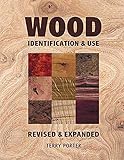
Wood Identification & Use: Identification & Use | $11.99 | Buy on Amazon |
That makes the site useful both when you have an unidentified piece of wood and when you are comparing known species for a project. It is an index and comparison aid, however, not the original publisher of every measurement in its profiles.
How to use it to narrow down an unknown wood
Identification is more reliable when several clues point in the same direction. Begin with what you know about the piece, then compare its visible and measurable features with candidate species. The site’s wood identification guide and filters can help organize that process.
Do these 3 things before closing this tab:
1Clear out junk files and repair common Windows errors2Scan for outdated or missing drivers - takes under a minute3Repair Windows errors before they cause bigger problems#1 Best Overall
- Record its history and origin. Note where the piece came from, how it was used, and any known age or location. Context can narrow the possibilities before you compare appearance or measurements.
- Look at color and figure. Compare the board’s color and grain figure with profile descriptions and images, while allowing for variation among individual boards and changes from age or finish.
- Examine the end grain. End-grain anatomy can offer useful distinguishing features. Compare what you see with the site’s end-grain guidance and filter options rather than relying on a face-grain photograph alone.
- Check moisture before comparing weight. Ask, as the guide does, whether the wood is dry. A damp or unusually dry sample can distort a weight comparison, so a figure for dried wood is not directly comparable to a specimen in a different moisture condition.
- Use weight and hardness as supporting clues. Compare the sample with familiar woods, but do not treat density or a scratch test as proof of species. Several species can share similar values, and condition affects what you observe.
- Filter to candidates, then check individual profiles. Use relevant end-grain features and property fields to narrow the list. Read profile notes and references before relying on an unusually specific or consequential claim.
If a mysterious sample needs reliable professional identification, The Wood Database’s About page recommends contacting the USDA Forest Products Laboratory’s Center for Wood Anatomy Research. That recommendation is most relevant when certainty matters; it does not mean every informal identification question requires laboratory confirmation. About the Project
How to interpret Janka hardness
Janka hardness is an indentation test: it measures the force required to embed a 0.444-inch (11.28 mm) steel ball halfway into wood. The Wood Database says its listed results are generally for wood dried to 12% moisture content unless a profile specifies otherwise. The measure can help you assess resistance to dents and wear and can serve as an indirect clue to machining difficulty; it is not a complete measure of strength or project suitability. Janka hardness
Rank #2
As examples from the site, white oak is listed at 1,350 lbf (5,990 N), lignum vitae at 4,390 lbf (19,510 N), and basswood at about 410 lbf (1,820 N). These are illustrative figures presented by The Wood Database, not new independent measurements or guarantees that every board of a species has the same result.
Some listed Janka figures are estimates derived from basic specific gravity using equations described in a cited research paper. When a value matters to your decision, check the individual profile’s notes and reference trail to see whether it is measured or estimated and what source supports it. Keep units and moisture basis consistent when comparing values.
Rank #3
- Brand New in box. The product ships with all relevant accessories
Compare species against the project, not just one number
The site’s filter supports comparisons across several kinds of property data. Which ones matter depends on the job: a floor or work surface may call for attention to dent resistance, while a structural or cabinet application may place greater weight on stiffness, strength data or dimensional stability.
| Comparison factor | Why it may matter |
|---|---|
| Janka hardness | A clue to resistance to dents and wear; interpret it using the listed moisture basis and whether the figure is measured or estimated. |
| Modulus of rupture, modulus of elasticity and crushing strength | Different strength and stiffness measures; select the one relevant to the loads and performance you need rather than treating any one figure as a universal ranking. |
| Shrinkage | Useful when considering dimensional change as wood dries or conditions change. |
| Average dried weight | Helps compare weight, provided the specimens and reported values are on comparable moisture bases. |
| End-grain features | Useful for narrowing species candidates during identification. |
| Workability, appearance and availability | Practical project considerations to weigh alongside numerical properties; the right balance depends on the intended use. |
The Wood Database’s filter lists average dried weight, Janka hardness, modulus of rupture, modulus of elasticity, crushing strength, shrinkage and end-grain features. Wood filters
Independent reader supportYour contribution helps us test, update, and keep practical guides available for everyone.“Hardwood” does not mean hard wood
Hardwood and softwood are botanical categories, not direct ratings of physical hardness. Hardwood generally refers to wood from flowering trees (angiosperms); softwood generally refers to cone-bearing plants. Balsa is a hardwood botanically, despite being physically soft. For resistance to dents or wear, consult a relevant property such as Janka hardness instead of inferring performance from the category name. Hardwood versus softwood
Check the source trail for important decisions
The site’s references include the USDA Forest Products Laboratory’s Wood Handbook—Wood as an Engineering Material (2021), among other publications, and the reference list is described as continuously updated. For a consequential or unusually specific claim, follow the reference number given on the individual species profile; the database compiles information from multiple sources rather than originating every underlying measurement. References
For a print reference, the site also describes its companion book, WOOD! Identifying and Using Hundreds of Woods Worldwide, as a 272-page, full-color volume covering more than 350 woods. Its book page notes a March 2025 print run and identifies Amazon as an ordering route; check the live page for current availability. WOOD! book page
Quick Recap
Product prices and availability are accurate as of the date/time indicated and are subject to change. Any price and availability information displayed on Amazon at the time of purchase will apply.