There is no single best smart-home device for every house. The right choice depends on your ecosystem, the room where it will be installed, available wiring and power, privacy preferences, and whether you are building, renovating, or simply adding one device to an existing home.
For the 2025 buying cycle, the strongest shortlist is the best smart home devices by job: the Amazon Echo Show 21 as a large Alexa control center, ecobee Smart Thermostat Premium for multi-room comfort, Google Nest Cam (battery) for flexible indoor/outdoor monitoring, Yale Assure Lock 2 for configurable keypad access, Philips Hue for whole-home lighting, TP-Link Kasa KP125M for Matter-based energy monitoring, and First Alert SC5 for connected smoke and carbon-monoxide alerts.
This guide covers products associated with the 2025 generation and buying cycle. Availability, pricing, app support, and exact model names can change, so verify the current version before publication or purchase—particularly for locks, cameras, alarms, and Matter-compatible products.
As an Amazon Associate I earn from qualifying purchases.
Quick verdict
| Category | Best choice | Why it stands out | Important limitation |
|---|---|---|---|
| Smart-home control center | Echo Show 21 | Large dashboard for Alexa routines, timers, calendars, cameras, controls, and entertainment | Large, camera-equipped, and closely tied to the Alexa ecosystem |
| Smart thermostat | ecobee Smart Thermostat Premium | Includes a room sensor, occupancy sensing, air-quality monitoring, and broad ecosystem compatibility | HVAC wiring must be compatible; some security features require a subscription |
| Google Home camera | Nest Cam battery | Rechargeable, weather-resistant, indoor/outdoor design with on-device machine learning | Battery life varies, and cloud-history features may require a current storage plan |
| Smart lock | Yale Assure Lock 2 | Keypad access and multiple connectivity options across different configurations | Assure Lock 2 is a product family; the exact module determines compatibility |
| Smart lighting | Philips Hue White and Color Ambiance | Mature scenes, schedules, sensors, white tuning, color, and bridge-based expansion | More expensive than basic Wi-Fi bulbs, with the best whole-home features requiring a Bridge |
| Smart plug with energy monitoring | Kasa KP125M | Matter-certified plug with schedules, remote control, away mode, and Kasa energy data | Manufacturer-specific energy features may remain in the Kasa app |
| Connected smoke and CO alarm | First Alert SC5 | App alerts, voice identification of danger type and location, and a Nest Protect replacement path | Must still meet local code and manufacturer installation, testing, and replacement requirements |
| Robot vacuum | Roborock Saros 10R | Tom’s Guide named it its best robot vacuum cleaner in its 2025 awards coverage | The award is third-party evidence, not a substitute for checking current availability or your floor-plan needs |
Best smart-home control center: Amazon Echo Show 21
The Amazon Echo Show 21 is the best fit for an Alexa household that wants a prominent, shared dashboard rather than a small voice-only speaker. Tom’s Guide named it the best smart-home device in its 2025 awards coverage, while Amazon’s specifications identify it as the 2024 model.
Its 21-inch 1080p display is large enough for a kitchen, family room, or wall-mounted home command center. Alexa can bring together compatible routines, timers, calendars, cameras, and smart-home controls, while Fire TV adds integrated streaming. The device also includes a 13-megapixel camera, video calling, Wi-Fi 6E, customizable widgets, and a physical camera cover. Amazon’s official device specifications are the best place to confirm the current hardware details.
#1 Best Overall

- Powered by SmartThings: Connect, monitor, and automate your home through the SmartThings app. Build a reliable, unified smart home using Samsung's proven ecosystem
- Matter + Zigbee Smart Home Hub: Supports the newest Matter standard plus Zigbee for lighting, sensors, plugs, switches, thermostats, and more - thousands of compatible devices. PLEASE NOTE: Z-Wave not supported
- Easy Setup with Wi-Fi or Ethernet: Get started in minutes using Wi-Fi or a wired Ethernet connection for apartments, houses, and expanding smart home systems - Z-Wave not supported
- Automations That Work for You: Create custom routines for security, lighting, comfort, and energy savings. Many local automations continue working even if your internet goes offline
- Wide Device Compatibility: Connect compatible smart devices from Aeotec and many other brands to build a unified system for lighting, voice control, energy management, and climate settings
Who should buy it
- Alexa users who want a large, always-available household dashboard.
- Families who will use calendars, timers, video calls, cameras, routines, and entertainment in one location.
- Homeowners planning a counter installation or a properly supported wall mount.
What to check first
- Mounting and power: Decide whether the device will sit on a counter or be mounted before finishing the wall or cabinetry around it.
- Privacy: It has both a microphone and camera. Use the physical camera cover when video is not needed, and place it where household members are comfortable with an always-connected display.
- Native support: Confirm that the lights, cameras, locks, and routines you want are supported directly by Alexa. A third-party skill may not expose every control or status.
Best smart thermostat: ecobee Smart Thermostat Premium
The ecobee Smart Thermostat Premium is the strongest choice for homes with hot or cold spots, multiple occupants, or more than one smart-home platform. It includes an ecobee SmartSensor, so you do not have to purchase a separate room sensor to begin prioritizing comfort where people actually are.
The thermostat combines temperature and humidity readings with radar occupancy and proximity sensing. It also offers indoor-air-quality monitoring, remote control, and compatibility with Apple Home, Amazon Alexa, Google Assistant, Samsung SmartThings, and IFTTT. ecobee documents many 24VAC HVAC configurations and includes a Power Extender Kit for installations without a conventional fifth wire. Review the manufacturer’s compatibility information before ordering.
Recommended Free Tools
Why the room sensor matters
A thermostat mounted near a hallway, entryway, or drafty exterior wall may not represent the temperature in a bedroom or living area. The included SmartSensor can help the system prioritize an occupied room instead of relying only on the temperature at the wall thermostat. That does not guarantee uniform comfort: insulation, duct design, air balancing, solar gain, and HVAC capacity still matter.
Installation and operating cautions
- Confirm the HVAC equipment, wiring, voltage, and control scheme before purchase. Do not assume that a fifth-wire workaround makes every system compatible.
- If wiring or equipment is uncertain, arrange a smart thermostat installation or HVAC compatibility check rather than guessing at the terminals.
- Installation may require electrical or HVAC expertise, especially during a renovation where the existing control wiring is damaged, inaccessible, or nonstandard.
- ecobee advertises potential energy savings, but actual savings depend on climate, equipment, rates, schedules, occupancy, and user behavior. Treat those figures as manufacturer claims, not guaranteed results.
- Advanced security functions and some integrations may depend on a subscription or on the capabilities of the smart-home platform you choose.
Best flexible Google Home camera: Google Nest Cam (battery)
The Google Nest Cam battery is a sensible choice for Google Home users who need flexibility between indoor and outdoor locations. It is rechargeable, weather-resistant, and uses a magnetic mounting system, making it useful when permanent wiring is inconvenient or when the camera’s position may change.
Google’s technical specifications list on-device machine learning, secure boot, automatic security updates, 128-bit AES encryption with TLS/SSL, and optional two-step verification. Those are meaningful security provisions, but they do not eliminate the need for a protected account, careful placement, and timely updates.
Before installing one
- Plan for charging: Battery life varies with activity, temperature, settings, and connectivity. A busy entrance or cold outdoor location can create a different charging schedule from a quiet indoor room.
- Decide what history you need: Live viewing and alerts are not the same as cloud video history. Check Google’s current storage and detection-plan requirements before buying.
- Plan the mounting surface: A magnetic mount is convenient, but the surface must support the camera and keep it out of avoidable weather exposure or tampering.
- Protect privacy: Avoid aiming cameras into neighboring properties, private areas, or spaces where people reasonably expect not to be recorded.
Best configurable smart lock: Yale Assure Lock 2
The Yale Assure Lock 2 is best understood as a configurable lock family, not one universal product. Depending on the exact model and module, buyers can select options intended for Alexa, Google Home, Apple Home, Matter, or other connectivity arrangements.
PC Slower Than It Used to Be?
A free scan shows the junk files, broken settings and background clutter dragging Windows down - then fixes them in one click.Free scan · Windows 10 & 11Crashes, No Sound, or Screen Glitches?
Random freezes, missing sound and display glitches usually trace back to one bad driver. Find and replace yours safely.Free scan · under a minuteIts core appeal is straightforward: keypad entry, temporary access codes, and the ability to choose a connectivity configuration that fits the home. But the module matters. Yale’s documentation distinguishes ecosystem support and Matter behavior, while the Yale Access app listing identifies supported Assure Lock 2 products in the United States and Canada. Confirm the exact SKU, module, door type, and remote-access method before purchasing.
Lock compatibility checklist
- Measure and identify the existing deadbolt, door thickness, backset, strike, and clearance.
- Choose the ecosystem you will actually use—not merely the one printed on a broad product-family page.
- Determine whether you need local keypad operation only, remote access, Matter, or a manufacturer bridge/module.
- Check whether the selected model exposes the features you need in Apple Home, Google Home, Alexa, or SmartThings. Matter does not guarantee identical controls in every app.
- Test the lock and confirm the door closes and latches smoothly before relying on remote access or automated locking.
If the door, deadbolt, or frame is unusual, or you are replacing several locks during a renovation, a smart-lock installation service can be useful. Professional installation is not automatically necessary, but a poorly aligned door can cause problems that no app or connectivity module can solve.
Rank #2

- 2 MODES IN 1 GATEWAY: This Smart home hub support Bluetooth mesh (SIG) + Zigbee3.0 multi-protocol communication. Only one gateway is needed to connect devices of different protocols to the 2.4Ghz network.
- APP REMOTE CONTROL: Smart Bluetooth Zigbee hub works with smart life/Tuya App, Support Adding devices, device reset, third-party control and group control. You can manage and remotely control the device through the Smart Life App. You can manage and remotely control your lights, fingerbot and other smart devices via the app, even when you're not home.
- VOICE CONTROL: The smart hub Support voice control, Simply give a voice command to Alexa or Google home to control devices(such as turn on/off the smart plug, turn on/off the Finger Bot).
- SMART HOME AUTOMATION: Sub-devices of the gateway act as trigger conditions for Interacting with devices such as ZigBee, Bluetooth, Wi-Fi, for device linkage. Featured as one powerful network bridge for whole house linkage in a real sense for all smart home devices.
- SUPPORT 128 DEVICES: Support up to 128 Tuya smart home devices, such as ZigBee Motion Sensor, Leak Detector, BLE Finger Bot, Zigbee Door Sensor, BLE Thermometer, ZigBee Window Gate Sensor, etc. NOTE: Supports Tuya/SmartLife devices only.
Best whole-home lighting ecosystem: Philips Hue White and Color Ambiance
Philips Hue White and Color Ambiance is the best choice for homeowners who want a lighting system that can grow beyond a few individual bulbs. It supports adjustable white light, color, scenes, schedules, sensors, timers, home-and-away control, and music or film synchronization.
The important buying decision is whether to use Bluetooth-only operation or add a Philips Hue Bridge. Bluetooth can suit a small installation, but the Bridge is the more appropriate foundation for whole-home expansion and coordinated accessories. Philips Hue describes the system’s current bulb and accessory range in its official product documentation; Signify has also stated that the Hue range can be made Matter-compatible through the Hue Bridge.
Why Hue remains a strong renovation choice
A bridge-based lighting system gives you a planned control layer instead of making every bulb depend on a separate Wi-Fi connection. It is particularly useful when adding scenes, motion sensors, schedules, and multiple rooms over time. During a renovation, decide where the Bridge will live, how it will connect to the home network, and which switches, fixtures, and lamps should remain usable when the smart system is unavailable.
The trade-off is cost. Hue bulbs and accessories generally cost more than basic Wi-Fi bulbs, and the Bridge adds another piece of hardware. That expense makes more sense when you intend to build coordinated scenes or a larger installation—not when you only need one remotely controlled lamp.
Best Matter smart plug with energy monitoring: TP-Link Kasa KP125M
The Kasa KP125M is a practical first smart-home device for renters, beginners, and homeowners who want automation without changing wiring. It is a compact Matter-certified plug with remote control, schedules, away mode, and voice control through Alexa, Siri, and Google Assistant. In the Kasa ecosystem, it also provides real-time and historical energy monitoring.
Use it for suitable lamps, fans, and appliances where the plug and appliance ratings are appropriate. The plug’s energy data is the more important qualification: TP-Link documents that experience in the Kasa app, and it may not appear identically in every Matter controller. Matter improves commissioning and interoperability, but it does not automatically transport every manufacturer-specific feature into every platform.
Free tools Windows power users keep installed
One-click scans. No signup required.
Energy monitoring can show patterns—such as a device drawing power overnight—but it cannot by itself guarantee savings. Use the data to make a decision, then account for appliance behavior, electricity rates, and whether changing the schedule is practical.
Best connected smoke-and-CO alarm for Nest Protect replacement: First Alert SC5
The First Alert SC5 is a two-in-one smart smoke and carbon-monoxide alarm aimed particularly at households replacing aging Google Nest Protect units. First Alert says it works with the First Alert app, sends mobile alerts, supports compatible alarm interconnection, provides voice alerts that identify the type and location of danger, and works with Google Home. First Alert also says SC5 units can coexist with Nest Protect devices in the Google Home app, subject to compatibility limits. See the manufacturer’s product information for the current compatibility details.
Rank #3

- Ultimate Connectivity: Seamless integration with various YoLink smart home devices, ensuring reliable and fast communication. Experience robust connections across a wide area, making your home smarter and more efficient. The X3 Hub provides exceptional coverage and performance, allowing you to control and monitor your devices effortlessly, enhancing your overall smart home experience.
- EXTREME LONG RANGE: Powered by LoRa technology, the long-range yet low-power system offers the industry’s longest receiving range in the market (up to 2034 feet). Our long-range coverage enables its use in areas challenging for most residential Wi-Fi systems, such as basements, outdoor porch/patio areas, sheds, free-standing garages, and even remote outbuildings on your property.
- Backup Battery Feature: Equipped with a reliable backup battery that automatically maintains itself, ensuring uninterrupted operation during power outages. The battery provides up to 8 hours of backup power, allowing your smart home devices to remain connected and secure even during prolonged power failures. Enjoy peace of mind knowing your home automation system is always operational.
- Power Outage and Offline Alerts: Receive instant notifications when your hub switches to battery power, serving as a power outage alert. Additionally, get alerted if your hub goes offline for more than five minutes, ensuring you stay informed about the status of your smart home system at all times.
- Effortless Setup with Plug & Play: Get your smart home running in minutes with our user-friendly app and easy-to-follow setup guide. Simply connect your Hub to your internet router for a hassle-free "plug & play" setup, avoiding complex WiFi settings and credential updates.
This is a life-safety purchase, not simply another smart-home accessory. Follow local building and fire-code requirements, the manufacturer’s installation instructions, replacement dates, interconnection limits, and testing schedule. Smart-phone alerts are helpful when you are away, but they must never be treated as a replacement for code-compliant alarm coverage, audible alarms, or emergency response.
Questions to answer before replacing alarms
- Is the existing alarm battery-powered or hardwired?
- Does the new alarm support the existing interconnection arrangement?
- Are all alarm locations required by local code covered?
- Are the replacement dates and test procedures recorded for every unit?
- Will the alarm’s app and Google Home behavior match what your household expects?
Notable 2025 robot-vacuum choice: Roborock Saros 10R
Tom’s Guide named the Roborock Saros 10R its best robot vacuum cleaner in its 2025 awards coverage. That makes it a notable 2025 option for readers who want floor-cleaning automation, although the award alone does not establish that it is best for every home, flooring type, threshold, pet situation, or furniture layout.
What’s actually slowing this PC down?
Pick the symptom - the matching free tool is one click away.
For a more unusual CES 2025 concept, Tom’s Guide highlighted the SwitchBot K20+ Pro. Its modular accessory platform was described as supporting a vacuum base that could also carry an air purifier, security camera, tablet holder, or fan. Because that coverage describes a show-floor product rather than a complete long-term review, treat it as an innovation to watch—not an automatic recommendation over a shipping, supported product.
For either robot-vacuum category, check the current model, replacement consumables, floor-plan constraints, and app/platform support before purchase. Those details can change faster than the headline product name.
Independent reader supportYour contribution helps us test, update, and keep practical guides available for everyone.How to choose smart-home devices for a new build or renovation
1. Choose the ecosystem before choosing individual gadgets
Start with the phone, voice assistant, and home-control app your household will actually use. Apple Home, Google Home, Alexa, Samsung SmartThings, and Home Assistant do not expose identical features, even when a device carries the Matter logo.
Matter is an interoperability and commissioning standard—not a promise that every device will behave identically everywhere. A lock may expose different controls in Apple Home and Google Home. A plug’s basic on/off function may work across platforms while its energy history remains available only in the manufacturer’s app. A camera’s cloud recording and detection features may remain tied to its vendor.
The Tool Desk
Outbyte Driver Updater FREEFix the driver behind crashes, sound loss and screen glitchesFind Drivers →Outbyte PC Repair FREEClear out junk files and repair common Windows errorsFree Scan →2. Understand Wi-Fi, Thread, Zigbee, and Matter
- Wi-Fi: Common for cameras, displays, plugs, and other devices that need a conventional home network connection.
- Thread: A low-power mesh networking technology used by some smart-home accessories.
- Zigbee: A separate low-power mesh technology used by some established lighting and automation products.
- Matter: An application and commissioning standard that can run over technologies such as Wi-Fi, Ethernet, or Thread. It is not itself a replacement for the network underneath.
A Matter-over-Thread device needs suitable Thread infrastructure. Apple’s Matter documentation describes Matter as an interoperability standard, while its Thread documentation identifies HomePod mini and certain Apple TV 4K models as Thread-enabled home hubs or border-router-capable devices. The same principle applies in other ecosystems: verify what hub or border router your chosen platform requires.
3. Solve installation constraints while the walls are open
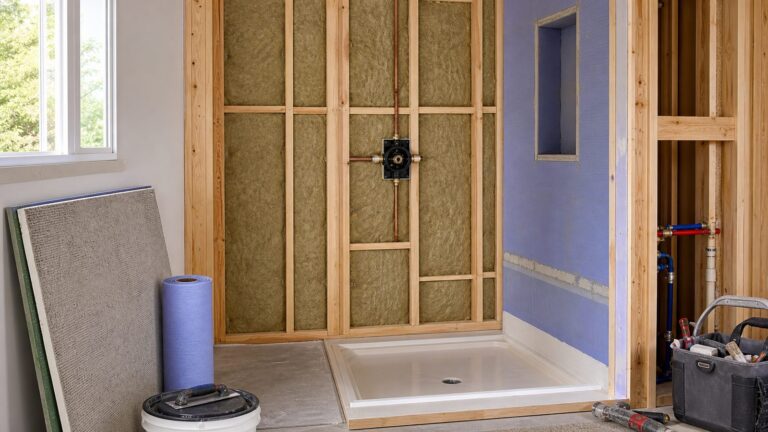
Smart-home equipment still depends on ordinary construction details. Before drywall, cabinetry, trim, or finish flooring is installed, decide where devices will be powered, mounted, serviced, and replaced.
Rank #4

- Stability Upgrade Quick Connection:Supports Bluetooth or WiFi connection.The improved WiFi technology let you quick connection and stay stable,no disconnection worries. Please keep the smart plug connected to your stable 2.4GHz network.(Note: Only 2.4Ghz WiFi)
- Hand-Free Voice Control:Smart plugs that work with Alexa and Googel Assistant. Just give a simple voice command to Alexa or Google Assistant to control your connected home devices. Enjoy the joy of smart home devices.
- APP Remote Control From Anywhere:You also can control your outlet timers anywhere anytime via the APP directly when you are away. Monitor and control connected electrical equipment in your home.The smart outlet plug compatible with GHome APP, Smart Life App and Tuya App.
- Schedules and Timer Function:Easy to set timers and add schedules to connected smart home devices circularly or randomly, making them work as scheduled like auto-off and auto-on to save energy and money. Such as lamps, fan, humidifier, Christmas light timers etc.
- Group Control and Sharing:You can set a group for some wifi smart plugs and control connected appliances with one tap. Also you can share your wifi outlet plug by App with your families and enjoy the smart life together.
- Thermostats: Confirm HVAC compatibility and control wiring. Label existing thermostat wires before disconnecting them, and do not assume the visible wire count tells the whole story.
- Locks: Confirm door and deadbolt dimensions, frame alignment, clearance, and the location of the strike. A smart lock cannot compensate for a door that does not latch reliably.
- Cameras: Plan power, mounting height, weather exposure, viewing angles, Wi-Fi coverage, and future access for charging or replacement.
- Displays and hubs: Provide a practical location with power and network reach. Avoid burying a hub where it cannot be reset, updated, or replaced.
- Lighting: Decide whether the installation will use smart bulbs, smart switches, a bridge, sensors, or a combination. The control method should remain understandable to guests and usable if the app is unavailable.
- Smoke and CO alarms: Treat alarm placement, interconnection, wiring, testing, and replacement dates as code and life-safety decisions—not design accessories.
4. Separate hardware cost from subscription cost
A low purchase price can become expensive if the features you actually want require a monthly plan. Camera history, advanced detection, security monitoring, and certain automation functions may carry recurring fees. Compare the initial device, required hub or module, installation, replacement batteries or consumables, and subscription together.
5. Make privacy part of the specification
Cameras, microphones, cloud recordings, and voice assistants create different privacy profiles. Prefer physical camera shutters where available, enable two-step verification, use strong unique account credentials, install firmware updates, and avoid placing cameras or microphones where they collect more information than necessary.
Do these 3 things before closing this tab:
1Clear out junk files and repair common Windows errors2Scan for outdated or missing drivers - takes under a minute3Repair Windows errors before they cause bigger problems6. Do not buy on energy claims alone
A connected thermostat can make scheduling easier, and an energy-monitoring plug can reveal consumption. Neither guarantees lower bills. Results depend on the equipment, climate, insulation, occupancy, electricity rates, schedules, and whether the household changes its behavior after seeing the data.
A sensible order for outfitting a home
- Begin with the network and ecosystem: Select the primary control platform and verify Wi-Fi, Thread, Zigbee, or Matter requirements.
- Install the infrastructure-dependent devices: Handle thermostat wiring, alarm wiring, lock fit, camera power, and hub locations before finishes are complete.
- Add one control center: A display such as the Echo Show 21 can be useful, but only if Alexa is the ecosystem you intend to use.
- Add lighting and plugs: These are relatively low-commitment ways to test routines and learn which controls your household actually uses.
- Add security and access devices: Cameras and locks deserve separate privacy, subscription, battery, and failure plans.
- Document the installation: Keep model numbers, module details, account ownership, reset instructions, battery types, alarm replacement dates, and warranty information with the home records.
Common buying mistakes
- Buying by product family instead of exact SKU: This is especially risky with Yale Assure Lock 2, Nest Cam configurations, and Matter devices.
- Assuming Matter means complete feature parity: Basic controls may transfer while energy data, camera history, or advanced lock functions remain platform-specific.
- Ignoring the power plan: A battery camera still needs a charging strategy, and a display or hub still needs an accessible outlet and network connection.
- Installing a thermostat without checking HVAC compatibility: Wiring, voltage, equipment type, and the need for a Power Extender Kit all matter.
- Treating a smart alarm like a normal gadget: Local code, interconnection, testing, replacement dates, and audible coverage come first.
- Assuming a smart device will fix a construction problem: Uneven temperatures, a misaligned door, poor Wi-Fi coverage, and inadequate lighting design may require building or mechanical corrections.
Frequently Asked Questions
What is the single best smart-home device of 2025?
For a large Alexa-centered control station, the Amazon Echo Show 21 is the strongest single pick in this guide. It is not the best choice for every home: an Apple, Google, SmartThings, or Home Assistant household may value a different hub, and some buyers need a thermostat, lock, camera, or lighting system rather than a display.
Do Matter devices work with every smart-home platform?
Matter is intended to improve interoperability, but it does not guarantee identical features in Apple Home, Google Home, Alexa, SmartThings, or Home Assistant. Check the exact device, controller, required hub or Thread border router, and which manufacturer-specific features remain in the vendor’s app.
Should I install a smart thermostat myself?
Only if the HVAC equipment and wiring are clearly compatible and you are comfortable working safely with the installation. The ecobee Smart Thermostat Premium supports many 24VAC systems and includes a Power Extender Kit for some installations without a conventional fifth wire, but that does not make every HVAC system compatible. When uncertain, obtain an HVAC compatibility check or professional installation.
Can a smart smoke alarm replace required alarms?
No. A smart alarm must still be installed according to local code and the manufacturer’s instructions, with required coverage, testing, interconnection, and replacement intervals. App alerts supplement audible alarms; they do not replace them or emergency response.
What is the easiest smart-home device to start with?
A Matter smart plug such as the TP-Link Kasa KP125M is a low-commitment starting point for a suitable lamp, fan, or appliance. Before buying, confirm that the energy-monitoring features you want are available in your chosen controller; detailed Kasa energy data may remain in the Kasa app.
The Bottom Line
The best smart-home setup is the one that fits the home’s construction, wiring, network, ecosystem, and daily routines. Choose the platform first, verify the exact model second, and plan power, mounting, privacy, subscriptions, and maintenance before installation. For most 2025 buying decisions, the Echo Show 21, ecobee Smart Thermostat Premium, Nest Cam (battery), Yale Assure Lock 2, Philips Hue, Kasa KP125M, and First Alert SC5 are strong category choices—but each is best only in the situation it was designed to serve.
Quick Recap
Product prices and availability are accurate as of the date/time indicated and are subject to change. Any price and availability information displayed on Amazon at the time of purchase will apply.
Quick wins for a faster PC:
Repair Windows errors before they cause bigger problemsFix Now →Scan for outdated or missing drivers - takes under a minuteDriver Scan →Clear out junk files and repair common Windows errorsFree Scan →