Recommended Free Tools
Before troubleshooting, find the exact model number on your Robertshaw thermostat and use its matching manual. Battery instructions, display meanings, settings, wiring, and reset-button locations vary by model. Start with visual checks and ordinary controls; do not guess at wiring or use another model’s reset steps.
Find the model number and matching manual first
Look for the model number on the thermostat itself, then search Robertshaw’s Document Library for the matching manual. Confirm that the document applies to your model before following instructions. If you cannot identify the thermostat or find its manual, contact Robertshaw through its support routes or ask an HVAC professional to identify it.
Keep troubleshooting to checks you can make safely: the display, batteries if the manual specifies them, the displayed settings, and ordinary thermostat controls. Wiring depends on the thermostat, heating and cooling equipment, and system type. If the next step involves wiring and you are uncertain, stop and call a qualified HVAC technician.
Robertshaw thermostat blank screen, flashing display, or LO BAT
For the 8600
The Robertshaw 8600 Thermostat Manual lists a blank display, a flashing display, and constant “LO BAT” as reasons to replace the batteries. It also recommends replacing them once a year to reduce the risk of leakage and loss of thermostat or system operation from low battery power. Check that manual for the required battery type and count; do not assume they are the same across Robertshaw models.
#1 Best Overall

- BASIC SINGLE STAGE CONTROL: The non-programmable single stage heat/cool Pro-Series RS8110 wall thermostat offers basic control that meets many homeowners’ heating and cooling needs.
- SIMPLE TO USE: Featuring a quick-access menu button and a large, easy-to-read 4.6-square-inch blue backlit display, the RS8110 is simple to operate.
- POWERFUL CONTROL: Equipped with adjustable temperature differential (swing), adjustable room temperature calibration and setpoint limits and five-minute selectable on/off compressor delay protection for short-cycling prevention, the RS8110 offers powerful system control.
- 6 YEAR LIMITED WARRANTY: Robertshaw backs the quality of Pro-Series wall thermostats, including the RS8110, with an industry-best warranty.
For other models
A blank display on another Robertshaw thermostat may have a different cause or remedy. Check its matching manual rather than transferring the 8600 battery instructions. If the prescribed battery replacement does not restore an 8600 display, arrange professional diagnosis.
Robertshaw thermostat not turning on the heating or cooling
First check the displayed mode and setpoint using the thermostat’s ordinary controls: a heating or cooling call may not occur if the selected mode or target temperature does not call for it. If the system still does not respond, consult the troubleshooting section of the exact model’s manual.
Rank #2

- 6 YEAR LIMITED WARRANTY: Robertshaw backs the quality of the non-programmable/5-1-1/7-Day programmable, single-stage heat/cool Pro-Series RS9110 wall thermostat with an industry-best 6 year limited warranty.
- INSTALLS EASILY: The RS9110’s large terminal blocks and universal sub-base enable easy installation so homeowners can get this thermostat up and running quickly.
- SIMPLE TO USE: The RS9110, equipped with a quick-access menu button and a large, easy-to-read 4.6-square-inch blue backlit display, is simple to operate.
- POWERFUL CONTROL: The RS9110 offers robust system control with features such as five-minute selectable on/off compressor delay protection for short-cycling prevention, adjustable temperature differential (swing), adjustable room temperature calibration and setpoint limits, a filter change reminder and other in-demand features.
For the 8600, Robertshaw lists wiring as a possible issue when the system does not turn on. That is a diagnostic direction, not a reason to move wires yourself. The RS8110 Non-Programmable Wall Thermostat Installation Manual distinguishes conventional systems from heat pumps and provides different wiring guidance; it also directs installers to alternate diagrams when wire labels do not match. If wiring is uncertain, or the system remains inoperative, contact an HVAC professional.
System turns on and off too frequently
On the 8600, the manual’s suggested adjustment is to increase the temperature differential. Differential affects how far room temperature moves around the setpoint before the thermostat cycles the system. The precise setting and adjustment method depend on the model. The RS8110 manual also explains that smaller differential settings produce more frequent cycles and larger settings fewer cycles; those RS8110 instructions are not a universal procedure for Robertshaw thermostats.
Rank #3
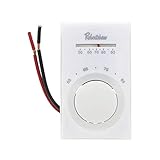
- Application: Cool Only
- Programmability: Non-Programmable
- Voltage: 120v 240v 277v
- Temperature Range (F): 50-90F
- User Interface: Mechanical
Check the exact manual before changing a differential or entering installer setup. If you do not understand the setting or the cycling continues, ask an HVAC technician to assess both the thermostat configuration and the equipment.
Fan does not operate properly
The 8600 manual says to check that its Electric/Gas switch matches the system. This is specific to that model and is not a switch found on every Robertshaw thermostat. Confirm the correct setting in your own manual; if the fan still behaves incorrectly, have the system professionally diagnosed.
Rank #4

- 【Notice】Buyers should thoroughly examine the installation and wiring instructions depicted in the images before buying. It is recommended to exercise caution if you lack experience in installation to avoid potential problems like product malfunction or incompatibility due to incorrect purchases. Note that the base can only be attached with a maximum of 2 to 5 wires, and connections with 6 to 8 wires are not suitable.
- 【Incompatible Systems】Multistage Heat & Cooling, 3-wire Hydronic (Hot Water), Heat Pump with Auxiliary Heating, Heat Pump w/o Auxiliary Heating, Dual Fuel/Hybrid Multistage Heating, Mini Split Systems, RV Thermostat, Convectors/Radiant Ceiling Heat and Electric Baseboard Heat ( 120-240 Volts)
- 【Compatible Systems】Single-Stage Heating & Cooling, Gas/Oil/Electric Furnace (Heat only) , Boiler Radiant (Heat only), Furnace Forced-Air (Heat Only), Gas Fireplace (24 Volts), Cooling Only
- S3001-White Non-programmable thermostat for house conventional single-stage systems up to 1 heat/1 cool, to control the temperature in a room.
- Easy to Install and Use: Large terminal blocks with universal sub-base, can be installed within 30 minutes, clear, easy-to-read backlight LCD display and easy controls make for a user-friendly experience.
Robertshaw thermostat not following its program or showing the wrong time
For the 8600, the manual recommends checking that the thermostat was programmed in the appropriate HEAT or COOL mode, that the AM/PM indicator is correct, and that the program and day of week are set as intended. If the displayed time is wrong, use the manual’s time-of-day instructions. Consult the programming guide for your exact model rather than guessing at button sequences.
Robertshaw thermostat showing CHECK
On the 9420, “CHECK” indicates system status monitoring. The Robertshaw 9420 Thermostat Manual says: “Monitors system status. Call your local HVAC service provider.” Follow that model-specific direction. Do not assume that CHECK or another display message has the same meaning across Robertshaw models.
How to reset a Robertshaw thermostat
Reset-button locations and effects differ, so identify the model and read its manual before pressing reset. The 9420 manual places its RESET button just below the lower-left corner of the display. The 8600 manual places its RESET button above the upper-left corner and cautions that reset should be used only if the thermostat is malfunctioning. Follow the instructions for your exact model; a reset may affect settings or programming on some thermostats.
Quick Recap
When to call an HVAC professional
- You are unsure which model or system type you have, or the correct manual does not resolve the issue.
- The next step would involve checking, moving, or reconnecting wires.
- A 9420 displays CHECK, as directed by its manual.
- The system still fails after the model’s documented user checks, or the fan or cycling problem persists.
Product prices and availability are accurate as of the date/time indicated and are subject to change. Any price and availability information displayed on Amazon at the time of purchase will apply.