Yes, an RTL-SDR can decode some home utility-meter transmissions—but it cannot read every smart meter. The method works best with supported Itron ERT and selected Neptune R900 radio endpoints, commonly operating in the U.S. 902–928 MHz region. It listens to the meter’s wireless transmission; it does not measure current directly or connect to your electrical wiring.
Before buying extra hardware, identify your meter and check whether its manufacturer, model, FCC ID, frequency, and protocol are likely to match rtlamr’s compatibility information.
As an Amazon Associate I earn from qualifying purchases.
What an RTL-SDR can actually read
rtlamr is an open-source decoder for selected utility-meter protocols, including Itron ERT and Neptune R900 message types. Supported transmissions may contain an endpoint ID, commodity type, cumulative consumption, interval data, tamper flags, outage information, and—in some net-meter formats—production data. See the project documentation at GitHub.
This is not the same as obtaining an instantaneous watt reading. A meter may transmit a cumulative energy register or periodic interval data. Comparing successive readings can estimate energy used during a period, but the utility’s billing register remains authoritative.
#1 Best Overall

- Included: Nooelec USB dongle & antenna
- RTL2832U interface IC & R820T tuner IC on USB dongle
- These are custom USB devices tuned for SDR and include much better components than generics
- Full 1-year warranty & installation support available!
Check compatibility first
Find the following information on the meter, its label, utility paperwork, or your utility account:
- Utility and geographic region
- Manufacturer and model
- FCC ID
- Endpoint or serial number
- Whether it is an electric, gas, or water meter
A digital meter is not automatically compatible. Utilities may use different systems in neighboring areas, and a radio that operates within the RTL-SDR’s tuning range may still use an unsupported, proprietary, or encrypted protocol. Meter assemblies can also be mixed, matched, or rebranded, so a model-list match is evidence—not a guarantee.
The supported ERT material is generally associated with the 902–928 MHz region. The project recommends trying frequencies in that range when the correct frequency is unknown: compatible-meter guidance.
Hardware and software
Minimum equipment
- An RTL-SDR USB receiver, such as an RTL-SDR Blog V4 or Nooelec NESDR SMArt
- An antenna suitable for approximately 900 MHz
- A Windows, macOS, or Linux computer
rtl-sdrutilities andrtl_tcp- The
rtlamrdecoder
For continuous logging, a Raspberry Pi or another always-on computer is useful, but it is unnecessary for the initial test. A better antenna and placement often matter more than buying a more expensive SDR.
Rank #2

- Turn your computer, phone or tablet into a radio scanner/ham radio receiver that can receive nearly all RF signals! Compatible with Windows, Mac OS, Linux, and Android
- NESDR SMArt RTL-SDR v5 can be used for the reception of broadcast AM radio, broadcast FM radio, shortwave radio, CB radio, public security radio, trunked radio, air traffic control, ACARS (plane-ground communications), ADS-B (plane tracking), AIS (ship tracking), POCSAG (pagers), NOAA and GOES weather satellites (weather images), weather balloons, radiosondes, DAB radio, DVB-T video, Inmarsat, Iridium, and so much more!
- The best-performing low-cost RTL-SDR available anywhere! Compared with RTL-SDR v3, HF SNR is improved by up to 15dB, VHF & UHF SNR is improved by up to 6dB, tuning accuracy is improved by an average of 4x, and the frequency range is expanded all the way down to 100kHz
- v5 has a frequency capability of 100kHz to 1.75GHz and up to 3.2MHz of instantaneous bandwidth. HF reception below 25MHz is accomplished with direct sampling and requires a suitable antenna. We recommend using a Balun One Nine to make a DIY long wire or dipole antenna (sold separately, product ID B08HGSYB7R or B00R09WHT6)
- Though the direct sampling implementation of NESDR SMArt v5 is much better than any other RTL-SDR, we still recommend using an upconverter like the Ham It Up for a more fulfilling HF experience (sold separately, product ID B076CYK8XZ)
Place the antenna near a window or exterior wall facing the meter. Keep the dongle away from Wi-Fi routers, switching power supplies, and noisy display cables; a short shielded USB extension can help. Do not place an antenna where it could contact energized equipment.
Install and start the receiver
Install the rtl-sdr package for your operating system and confirm that the dongle is visible. On Linux, the DVB-T kernel driver may claim the device; it may need to be detached or blacklisted according to your distribution’s instructions. Close other SDR programs before testing.
The current rtlamr project documents Go 1.21 or newer and this installation command:
Free tools Windows power users keep installed
One-click scans. No signup required.
go install github.com/bemasher/rtlamr@latestThe binary normally appears in $HOME/go/bin, unless your Go configuration uses a different path. Test it with:
Rank #3

- Turn your computer, phone or tablet into a radio scanner/ham radio receiver that can receive nearly all RF signals! Compatible with Windows, Mac OS, Linux, and Android
- NESDR SMArt RTL-SDR v5 can be used for the reception of broadcast AM radio, broadcast FM radio, shortwave radio, CB radio, public security radio, trunked radio, air traffic control, ACARS (plane-ground communications), ADS-B (plane tracking), AIS (ship tracking), POCSAG (pagers), NOAA and GOES weather satellites (weather images), weather balloons, radiosondes, DAB radio, DVB-T video, Inmarsat, Iridium, and so much more!
- The best-performing low-cost RTL-SDR available anywhere! Compared with RTL-SDR v3, HF SNR is improved by up to 15dB, VHF & UHF SNR is improved by up to 6dB, tuning accuracy is improved by an average of 4x, and the frequency range is expanded all the way down to 100kHz
- v5 has a frequency capability of 100kHz to 1.75GHz and up to 3.2MHz of instantaneous bandwidth. HF reception below 25MHz is accomplished with direct sampling and requires a suitable antenna. We recommend using a Balun One Nine to make a DIY long wire or dipole antenna (sold separately, product ID B08HGSYB7R or B00R09WHT6)
- Though the direct sampling implementation of NESDR SMArt v5 is much better than any other RTL-SDR, we still recommend using an upconverter like the Ham It Up for a more fulfilling HF experience (sold separately, product ID B076CYK8XZ)
"$HOME/go/bin/rtlamr" -helpIf the command is not found, add that directory to your PATH or use the full path.
Start the SDR network server in one terminal:
rtl_tcpThen run the decoder in a second terminal. For initial discovery, use the current multi-protocol syntax:
rtlamr -msgtype=all -format=jsonYou can restrict the search to common ERT families:
rtlamr -msgtype=scm,scm+,idm,netidm -format=jsonThe project also supports comma-separated message types. Command-line options can change, so check the output of rtlamr -help when using a newer release. The project’s current installation and protocol information is available at github.com/bemasher/rtlamr.
Rank #4
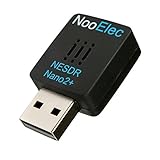
- Best available SDR for portable Android and IOS applications, remote installations, embedded applications, and anytime a tiny SDR is ideal--less than 1" square!
- Contains RTL2832U interface IC and the new, improved R820T2 tuner! This tuner has improved sensitivity and SNR compared to devices using the R820T. Unmatched price-performance.
- Contains an ultra-low phase noise, 0.5PPM TCXO. Specifications in description below. Bundle includes a free telescopic antenna
- 1-year warranty direct from NooElec! With locations in both the US and Canada, and full technical support services, your investment is a safe and wise one
- Frequency capability is approximately 25MHz-1750MHz, with no gaps within that range. Expansion to HF, all the way down to 100kHz, is available with the Ham It Up upconverter (sold separately)
Understand the message types
| Type | General meaning |
|---|---|
scm |
Standard Consumption Message |
scm+ |
Extended standard consumption message |
idm |
Interval Data Message |
netidm |
Net-meter interval data, potentially including production |
r900 |
Neptune R900 consumption message |
r900bcd |
Neptune R900 binary-coded-decimal variant |
According to the protocol documentation, SCM packets are 12 bytes and carry total consumption, while SCM+ packets are 16 bytes with a longer endpoint ID and consumption field. IDM packets are larger and can contain a last-consumption value plus differential intervals.
JSON output may include message type, endpoint ID, endpoint or commodity type, consumption, timestamp, tamper indicators, and checksum information. The exact fields depend on the protocol and decoder version.
Find your meter among the neighbors
A successful decode does not prove that the message came from your meter. The antenna may receive several homes’ meters, and identifying the correct endpoint can be harder than receiving the packets—a difficulty also noted in the original 2017 Hackaday demonstration.
Windows Errors? Fix Them Before They Spread
Repair common Windows errors and clear accumulated junk for a smoother, more stable PC - no reinstall needed.Free scan · no reinstallCrashes, No Sound, or Screen Glitches?
Random freezes, missing sound and display glitches usually trace back to one bad driver. Find and replace yours safely.Free scan · under a minute- Match the endpoint ID. Compare the ID in the output with the meter label, utility documentation, or other reliable identifier. Preserve leading zeroes if the output uses them.
- Use a controlled load. Turn on a substantial known load, such as an electric heater or dryer, and watch for the meter whose cumulative reading changes. This requires patience and must not involve opening a panel.
- Improve location. Move the antenna toward a window or exterior wall near your meter. Signal strength and message frequency can support your conclusion, but radio propagation is not definitive.
- Check endpoint type. Commodity information can help distinguish electric, gas, and water devices, but it is not a complete identity check.
Once you have verified the ID, filter the stream. For example:
Best Value
- Included RTL2832U and R820T tuner ICs on the USB device
- Nooelec guarantees a protection diode on the input to protect from ESD damage
- Compatible with most SDR software, including SDR#. Provides an approximate tuning range of 27MHz-1700MHz for software defined radio (SDR)
- Includes Nooelec USB SDR and antenna
- Full 1-year warranty against manufacturer's defects!
rtlamr -msgtype=scm+,idm -filterid=YOUR_METER_ID -format=jsonConfirm the accepted ID format with the current help output and the values produced by your installation.
Independent reader supportYour contribution helps us test, update, and keep practical guides available for everyone.Log readings for home automation
For a simple JSON Lines file:
rtlamr -msgtype=scm+,idm -filterid=YOUR_METER_ID -format=json >> meter.jsonlFor a long-running setup, add log rotation and timestamps, and consider storing parsed readings in SQLite, InfluxDB, or another time-series database. A script or MQTT bridge can pass selected fields to Home Assistant. rtlamr is a decoder, not a complete dashboard, and the output may require protocol-specific scaling before it represents kWh or another billing unit.
Do not treat cumulative readings as watts. To estimate energy used between two samples, subtract the earlier register from the later one, account for the meter’s units and any rollover, and divide by elapsed time only if you need an average power estimate. Interval messages may already contain differential data, but their interpretation depends on the protocol.
Troubleshoot no messages
- Confirm that the operating system detects the RTL-SDR.
- Stop any other program using the dongle.
- Test
rtl_tcpindependently before troubleshootingrtlamr. - Start with the supplied antenna and place it near a window.
- Try several frequencies between 902 and 928 MHz.
- Run the decoder long enough to catch periodic transmissions.
- Use
-msgtype=allwhile discovering the protocol. - Try a suitable 900-MHz antenna and reduce nearby electrical noise.
- Confirm that the meter is radio-enabled.
- Consider unsupported modulation, protocol, or encryption.
No output does not prove that the meter never transmits. The cause may be frequency, antenna placement, an infrequent transmission schedule, driver trouble, or an unsupported protocol. Increasing SDR cost will not solve a protocol-compatibility problem.
Safety, privacy, and responsible use
The non-invasive advantage of this project is that it listens over the air. It does not require access to the service panel. Never remove the meter cover, open the electrical service panel, attach anything to utility conductors, or place equipment where it could contact energized parts. Use a licensed electrician for panel-mounted monitoring.
A receiver may capture transmissions from multiple properties. Consumption patterns can reveal occupancy and behavior. Keep endpoint IDs and readings private, restrict dashboards to your own data, and do not publish neighbors’ information. Do not inject, replay, alter, or transmit meter traffic. The rtlamr project includes its own ethics warning. Legal treatment of reception and data use varies by jurisdiction, radio service, privacy law, utility rules, and your conduct; limit testing to your own meter and check applicable local requirements.
When another method is better
| Need | Better option |
|---|---|
| Low-cost experimentation with a likely supported ERT/R900 meter | RTL-SDR plus rtlamr |
| Guaranteed utility-specific access | Utility-approved HAN or customer data device |
| Reliable monitoring regardless of meter protocol | Clamp-based whole-home monitor |
| Circuit-level measurements | Panel-mounted monitor installed appropriately, often by an electrician |
| Historical billing or interval data only | Utility portal or API |
| Direct local meter data | Optical or other meter interface, where permitted and available |
Clamp-based products such as Sense, Emporia Vue, or IoTaWatt measure the home’s conductors rather than decoding the utility’s radio. They can avoid protocol problems and may provide circuit-level data, but require panel access and may need professional installation. Utility devices and portals can be easier, though availability, enrollment, delays, and local interfaces vary.
What’s actually slowing this PC down?
Pick the symptom - the matching free tool is one click away.
Quick Recap
Decision guide
- Supported ERT or R900 meter and you enjoy troubleshooting: try an RTL-SDR, stock antenna, and
rtlamrbefore buying accessories. - You need dependable compatibility: investigate a utility-approved device or a clamp-based monitor.
- You need circuit-level or instantaneous measurements: use an appropriate electrical monitoring system rather than relying on meter broadcasts.
- You receive nothing after proper testing: stop assuming the meter is compatible. Investigate its protocol or choose another measurement method.
Product prices and availability are accurate as of the date/time indicated and are subject to change. Any price and availability information displayed on Amazon at the time of purchase will apply.