Oleg Tarasov built a local smart thermostat for an OpenTherm-compatible gas boiler using an ESP32, an OpenTherm interface, ESPHome, Home Assistant, DS18B20 temperature sensors, and PID control. Instead of simply switching the boiler on and off, the system can request a central-heating flow-temperature setpoint and expose boiler information such as modulation, flame status, temperatures, and faults.
Important current update: Tarasov’s original 2024 configuration relied on an external ESPHome component. New installations should start with ESPHome’s native OpenTherm component, which is now documented and integrated into ESPHome.
As an Amazon Associate I earn from qualifying purchases.
What problem did the project solve?
Basic boiler thermostats generally provide on/off demand. They may start the boiler when a room is cold, but they do not necessarily provide local visibility into the boiler’s flow temperature, modulation level, flame state, or diagnostic information. Vendor smart thermostats can add remote access, but may introduce cloud dependency and proprietary hardware.
Tarasov’s goal was a more open, locally controlled system for critical home infrastructure. His thermostat connected the boiler to Home Assistant through an ESP32 running ESPHome, while keeping the core temperature-control logic close to the heating equipment.
#1 Best Overall

- An Alexa thermostat - Amazon Smart Thermostat is an easy way to switch from a traditional thermostats for homes and help reduce energy usage.
- Create comfort zones throughout your home by connecting to select Alexa devices to automatically adjust heating and cooling based on temperature readings or presence detection.
- Save money and energy - After purchase, Amazon will send you an email with details about home thermostat rebates that may be available from energy providers in your area.
- Save energy - According to EPA estimates, ENERGY STAR certified thermostats save an average of $90 on yearly energy bills.
- Programmable thermostat and automatic control - Create your own home, away and sleep schedules, or have Alexa automatically control the temperature with Alexa+ advanced features.
The project was built around a Buderus Logamax U072, according to the project coverage and original material. That model should be treated as the example installation—not proof that every boiler or heating system will behave identically.
Read the Hackster project coverage.
OpenTherm versus an on/off thermostat
OpenTherm is a low-voltage communications standard used between a compatible boiler and a controller. A simple thermostat usually provides a demand contact. An OpenTherm controller can exchange structured commands and status data with the boiler, including a requested heating-water temperature and, where supported, operating information.
| Capability | On/off thermostat | OpenTherm controller |
|---|---|---|
| Heat demand | Yes | Yes |
| Boiler flow-temperature setpoint | Usually no | Yes |
| Modulation telemetry | No | Often, boiler-dependent |
| Flame status | No | Often, boiler-dependent |
| Fault and diagnostic data | Limited | Varies by boiler |
| Home Assistant integration | Requires additional hardware or integration | Directly achievable with ESPHome |
Compatibility is not all-or-nothing. A boiler may support OpenTherm but expose only some of the protocol’s possible data items. Pressure, domestic-hot-water temperature, modulation, fault details, and other registers depend on the boiler’s implementation. Consult the service documentation before designing the dashboard.
Quick wins for a faster PC:
Scan for outdated or missing drivers - takes under a minuteDriver Scan →Repair Windows errors before they cause bigger problemsFix Now →Fix the driver behind crashes, sound loss and screen glitchesFind Drivers →In OpenTherm terminology, CH means central heating and DHW means domestic hot water. The flow or supply temperature is the temperature of water leaving the boiler for the heating circuit. Modulation describes adjustment of burner output rather than a simple full-power/off state.
System architecture
The main signal path is:
Room sensor → ESP32 running ESPHome → OpenTherm adapter → boiler
Home Assistant communicates with the ESP32 over the ESPHome API:
ESP32/ESPHome ↔ Wi-Fi and API ↔ Home Assistant
The ESP32 can read a local room sensor, calculate a heating demand, send the appropriate OpenTherm request, and publish controls and telemetry to Home Assistant. The boiler remains responsible for its own burner, pump, flame-supervision, pressure, and overheat safety systems.
ESPHome’s current OpenTherm implementation acts as an OpenTherm master. It is not a passive gateway. An existing thermostat generally cannot simply remain connected in parallel. If preserving another thermostat or monitoring an existing controller is essential, use a separate gateway architecture designed for that purpose.
Hardware used in Tarasov’s build
- An ESP32 development board, identified in the configuration as
mhetesp32minikit. - A custom carrier or interface board.
- An electrical OpenTherm adapter.
- DS18B20 temperature sensors.
- A suitable power supply, enclosure, and wiring.
- Home Assistant with ESPHome.
- An OpenTherm-compatible boiler and heating installation.
Tarasov also made several screw-in temperature probes by adapting inexpensive gauge-thermometer housings and installing DS18B20 sensors inside them. That is a project-specific fabrication technique, not a requirement. Preassembled waterproof DS18B20 probes are simpler for many installations.
Rank #2

- ENERGY STAR certified smart thermostat for home that helps you save energy and stay comfortable.Connectivity : Wi-Fi - 802.11b/g/n 2.4 GHz, 802.11a/n 5 GHz Wi-Fi., Wireless interconnect : Bluetooth Low Energy Please refer to the product description section below for all applicable legal disclaimers.Product note: You can also check your system’s compatibility before purchasing a Nest thermostat with our online Nest Compatibility Checker on the Google Nest support page
- The Nest Thermostat is designed to work without a C wire in most homes, but for some systems, including heating only, cooling only, zone controlled, and heat pump systems, you’ll need a C wire or other compatible power accessory
- Nest Thermostat turns itself down when you leave, so you don’t waste energy heating or cooling an empty home. Lock feature: No
- Programmable thermostat that lets you create an energy efficient schedule in the Google Home app on your Android or iPhone
- Remote control lets family members change the thermostat temperature from anywhere on a phone, laptop, or tablet[1]
The heating system included wall-mounted radiators, heated-floor loops, an indirect domestic-hot-water tank, and separate heating and hot-water branches. The boiler handled much of the low-level burner logic and gave hot-water heating priority. Other installations may have direct DHW, no DHW circuit, multiple zones, weather compensation, or proprietary extensions.
Choosing the OpenTherm interface
Do not connect the boiler bus directly to ESP32 GPIO pins. The boiler interface requires a suitable electrical bridge or isolated adapter. ESPHome lists several compatible options, including the DIYLESS Master OpenTherm Shield, Ihor Melnyk’s OpenTherm Adapter, and the Jiří Praus OpenTherm Gateway Arduino Shield.
Free tools Windows power users keep installed
One-click scans. No signup required.
Check the adapter’s voltage requirements, isolation, power supply, signal direction, and wiring before connecting it to a boiler. Ihor Melnyk’s documentation describes compatibility with 3.3 V and 5 V controllers and provides the relevant controller-to-adapter wiring relationship.
Original project configuration
Tarasov’s original base configuration looked like this:
esphome:
  name: boilotron
  friendly_name: Boilotron

esp32:
  board: mhetesp32minikit
  framework:
    type: arduino

logger:
  level: INFO
  logs:
    component: ERROR
    sensor: WARN
    opentherm.output: INFO

api:
  encryption:
    key: "<your key>"

ota:
  password: "<your password>"

wifi:
  ssid: !secret wifi_ssid
  password: !secret wifi_password
The original configuration also included:
external_components:
  - source: github://olegtarasov/esphome-opentherm
This declaration explains how the 2024 build obtained OpenTherm support at the time. It should not be copied automatically into a new installation. ESPHome now documents a built-in component, and the older arthurrump/esphome-opentherm repository is archived and points readers toward the improved native implementation.
Current ESPHome starting point
A current configuration should begin with the native component:
The Tool Desk
Outbyte Driver Updater FREEScan for outdated or missing drivers - takes under a minuteDriver Scan →Outbyte PC Repair FREEClear out junk files and repair common Windows errorsFree Scan →opentherm:
in_pin: GPIOXX
out_pin: GPIOYYReplace the placeholder GPIOs with pins appropriate to the chosen board and adapter. The labels can be confusing: they are defined from the microcontroller’s perspective. In many adapter designs, the adapter’s out connects to the ESPHome hub’s in_pin, while the adapter’s in connects to the hub’s out_pin. Verify this against the adapter documentation rather than relying on the names alone.
Current implementation details worth checking during setup include:
sync_modedefaults tofalse.sync_mode: truemay help when frames are intermittently invalid, particularly with Dallas/1-Wire sensors.- Some boilers need initialization parameters.
- Multiple OpenTherm buses require explicit IDs.
- Unsupported boiler registers may remain unavailable even when the YAML is valid.
Controls and telemetry
Tarasov’s system exposed central-heating and hot-water controls in Home Assistant. The original configuration included:
Rank #3
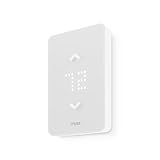
- 🛡️ 5-YEAR LIMITED WARRANTY: Applies only to products sold by "Mysa – Smart Thermostats." North America based support team, 7 days a week.
- ✅ NO SUBSCRIPTION: Scheduling, remote control, voice control, geofencing, and the monthly runtime email are included. The Mysa app stays free.
- ⚡ 120V OR 240V LINE VOLTAGE: For electric baseboard, fan-forced, wall, and convector heaters, plus radiant ceiling heat. Up to 1,900W at 120V or 3,800W at 240V. A single-pole thermostat that replaces many single-pole and double-pole thermostats. Local codes vary.
- 🔌 CHECK THE WIRES FIRST: Needs 4 wires, including a neutral or a second live wire. It will not work on a two-wire switch loop, or on 24V furnaces and central heat pumps. Use Mysa's compatibility checker before you order.
- 🛠️ GUIDED DIY INSTALL: The app walks through each wire. Turn power off at the breaker. Hire an electrician where code requires it, or if you are not comfortable with high-voltage wiring.
- Central-heating setpoint,
t_set. - Domestic-hot-water target,
t_dhw_set. - Central-heating enable,
ch_enable. - Domestic-hot-water enable,
dhw_enable. - Relative modulation level,
rel_mod_level. - Boiler feed temperature,
t_boiler. - Central-heating active, DHW active, flame-on, fault, and diagnostic binary sensors.
The exact values available depend on the boiler. Treat missing telemetry as a compatibility limitation until the boiler documentation and logs show otherwise.
Recommended Free Tools
Tarasov used these project-specific setpoint ranges:
output:
  - platform: opentherm
    t_set:
      id: boilotron_ch_setpoint
      min_value: 40
      max_value: 60
      zero_means_zero: true

number:
  - platform: opentherm
    t_dhw_set:
      id: boilotron_dhw_setpoint
      name: "Hot Water target temperature"
      min_value: 20
      max_value: 60
      restore_value: true
      initial_value: 60
The 40–60 °C central-heating range was chosen for Tarasov’s boiler and radiator system. It is not a universal setting. Underfloor heating may require substantially lower water temperatures and separate mixing, manifold, pump, and high-limit controls.
How the PID controller works
Instead of switching the boiler between no demand and one fixed flow-temperature request, the PID climate controller adjusts the requested heating-water setpoint in response to room temperature.
- When the room is below target, the controller raises the requested boiler temperature.
- As the room approaches target, it reduces the request.
- Near the target, the deadband and output limits reduce unnecessary demand.
- When demand is removed, the configuration should explicitly send an appropriate zero or disabled state.
Tarasov’s example used:
climate:
  - platform: pid
    id: boilotron_boiler_pid
    name: "Central heating"
    heat_output: boilotron_ch_setpoint
    default_target_temperature: 23
    sensor: boilotron_temp_room
    visual:
      min_temperature: 15
      max_temperature: 30
      temperature_step:
        target_temperature: 0.5
        current_temperature: 0.1
    control_parameters:
      kp: 0.76394
      ki: 0.00050
      kd: 0
      output_averaging_samples: 10
    deadband_parameters:
      threshold_high: 0.5
      threshold_low: -0.5
      kp_multiplier: 0
      ki_multiplier: 0.15
      kd_multiplier: 0.0
      deadband_output_averaging_samples: 15
Those coefficients were tuned empirically for his installation. They are a starting point, not manufacturer-approved values. Tarasov disabled derivative control because small room-temperature changes made the derivative term react too strongly and reduce boiler demand prematurely. Another building, sensor, or heating circuit may need different settings.
Sensor filtering and OpenTherm timing
The project updated temperature sensors every 30 seconds, calculated a sliding-window moving average across five readings, and used a heartbeat filter to provide the last known value to the PID controller once per second.
This separates measurement smoothing from control-loop responsiveness: the sensor value is not allowed to jump around with every reading, while the PID component can still receive a regular input.
There is a practical trade-off. Dallas/1-Wire activity can interfere with OpenTherm timing on some installations. If communication becomes unreliable:
- Temporarily disconnect the 1-Wire sensors.
- Increase sensor update intervals.
- Enable
sync_mode: true. - Reduce unnecessary logging and polling.
- Reintroduce sensors one at a time.
Build procedure
1. Confirm the boiler protocol
Find the boiler’s installation or service manual and verify that the terminals are genuine OpenTherm terminals. A two-wire connection is not automatically OpenTherm; some boilers use proprietary buses or simple dry contacts.
What’s actually slowing this PC down?
Pick the symptom - the matching free tool is one click away.
Rank #4

- PRIVACY PROTECTION*: Sensi won’t sell your personal information to third parties
- EASY DIY INSTALLATION: Use the built-in level and step-by-step app instructions for a quick installation. Works with HVAC equipment found in most homes. Common wire (c-wire) is not required in most applications
- SAVE ABOUT 23% ON HVAC ENERGY*: The ENERGY STAR-certified Sensi smart thermostat can help you save energy with features like flexible scheduling, remote access and usage reports
- SIMPLE CONFIGURATION: Looks and feels like a thermostat. Has buttons and fits the same space as a traditional thermostat so you don’t have to patch and paint your walls
- SMART MAINTENANCE: Sensi can help monitor the performance and efficiency of your HVAC system by delivering valuable usage reports, alerts about your equipment, and maintenance reminders like filter replacement
Confirm whether the boiler supports master control, which DHW functions are available, whether the existing thermostat must be removed, and which registers the boiler implements.
2. Choose and inspect the adapter
Use a purpose-built OpenTherm adapter or a correctly designed isolated interface. Confirm the ESP32’s 3.3 V logic compatibility, power requirements, input/output direction, and any interrupt or GPIO requirements.
3. Establish a minimal ESPHome device
Install ESPHome using the current official procedure for your Home Assistant installation type. Tarasov used the Home Assistant add-on route, but menu labels and availability differ between Home Assistant OS and other installation methods.
First flash only Wi-Fi, logging, encrypted API access, and OTA. Confirm that the ESP32 builds, boots, joins the network, appears in Home Assistant, and can be updated before adding OpenTherm.
4. Add OpenTherm
Add the native opentherm: hub with verified GPIO mapping. On startup, the logs should show communication rather than repeated invalid-frame or no-response errors.
5. Add supported boiler entities
Add only controls and sensors that the boiler is known to support. A valid configuration does not guarantee that every OpenTherm value will be returned.
6. Add a local room sensor
A room sensor connected to the ESP32 is preferable when basic heating must continue during a Wi-Fi or Home Assistant outage. Place it away from radiators, direct sunlight, doors, and other local heat sources.
7. Add filtering and PID gradually
Begin with manual setpoint control. Once communication, room sensing, and enable states work independently, add smoothing and then PID. Tune for the room’s thermal mass, radiator size, boiler minimum modulation, sensor position, flow-temperature limits, TRV behavior, and DHW priority.
Do these 3 things before closing this tab:
1Clear out junk files and repair common Windows errors2Fix the driver behind crashes, sound loss and screen glitches3Repair Windows errors before they cause bigger problems8. Test recovery
Deliberately test Wi-Fi loss, Home Assistant shutdown, ESP32 reboot, OTA failure, sensor disconnection, OpenTherm cable disconnection, boiler faults, power restoration, and restored switch states. The system should fail predictably, and invalid temperature readings must not become uncontrolled heating demand.
Best Value

- EASY DIY INSTALLATION: Do it yourself fast with a built-in level and simple step-by-step instructions. Works with the HVAC equipment found in most homes
- COMMON WIRE REQUIREMENTS: Common wire(C-Wire) required for heat pump and heat/cool only systems. C-wire not required on most systems
- SAVE ABOUT 23% ON HVAC ENERGY: ENERGY STAR-certified and packed with features that help you save money, including flexible scheduling, geofencing, remote access and usage reports
- PRIVACY PROTECTION: Sensi won’t sell your personal information to third parties or leverage your thermostat activity data for targeting or advertising purposes
- CONTROL FROM ANYWHERE: The top-rated mobile app for Android and iOS devices makes it easy to control your comfort from a smartphone or tablet
Compatibility and safety checklist
- Verify OpenTherm support in the boiler documentation.
- Do not assume all OpenTherm registers are implemented.
- Use a suitable electrical bridge; never connect the boiler bus directly to GPIO.
- Confirm whether the original thermostat must be disconnected.
- Use a local temperature sensor if local fallback matters.
- Define behavior for invalid, missing, or stale sensor data.
- Use conservative initial temperature limits.
- Do not treat radiator and underfloor-heating circuits as interchangeable.
- Preserve mixing valves, manifold controls, pumps, high-limit protection, and boiler safety systems.
- Do not bypass flame supervision, pressure controls, overheat protection, or certified service procedures.
- Follow local rules and use a qualified heating professional where required.
Troubleshooting
No OpenTherm response
Check adapter input/output direction, GPIO numbering, power, grounds, boiler terminals, and whether the boiler actually uses OpenTherm. Disconnect any existing thermostat if the installation requires a single master. Test with the smallest possible ESPHome configuration before adding sensors and automation. Power down before rewiring.
Intermittent invalid frames
Suspect 1-Wire timing conflicts, electrical noise, marginal power, incorrect pins, or excessive polling. Disconnect Dallas sensors temporarily, increase update intervals, reduce logging, verify wiring, and try sync_mode: true.
The boiler heats continuously
Check whether a nonzero t_set is being sent continuously, whether a heating-enable state was restored after reboot, whether PID output can reach zero, and whether the deadband is configured correctly. Verify zero_means_zero behavior and test manual control before re-enabling PID.
Windows Errors? Fix Them Before They Spread
Repair common Windows errors and clear accumulated junk for a smoother, more stable PC - no reinstall needed.Free scan · no reinstallCrashes, No Sound, or Screen Glitches?
Random freezes, missing sound and display glitches usually trace back to one bad driver. Find and replace yours safely.Free scan · under a minuteRoom temperature oscillates
Possible causes include excessive PID gains, poor sensor placement, a slow thermal response, an overly broad water-temperature range, noisy readings, or TRVs closing unexpectedly. Start by reducing proportional and integral gains, keeping derivative control disabled, increasing averaging, and retuning after the system reaches steady state.
Heating stops when Home Assistant is offline
Move essential room sensing and fallback control into the ESPHome device rather than depending entirely on Home Assistant automations. The precise level of offline operation depends on how the configuration is written; ESPHome connectivity alone does not automatically reproduce every Home Assistant automation locally.
Build, buy, or use a gateway?
| Approach | Best for | Main trade-off |
|---|---|---|
| DIY ESPHome controller | Home Assistant users wanting local telemetry and customization | Requires wiring, tuning, maintenance, and recovery planning |
| OpenTherm adapter plus ESP32 | Low-cost builders who already have development hardware | Not a complete thermostat and may require soldering |
| OpenTherm gateway | Installations that need a separate gateway architecture or existing-controller coexistence | Different firmware and integration model; capabilities vary |
| Prebuilt OpenTherm thermostat | Users wanting less fabrication | Less control over firmware and fallback behavior |
| Manufacturer or installer-supplied control | Warranty, certification, support, or rental-property priorities | May be less open or locally customizable |
Commercial hardware can reduce fabrication without removing compatibility work. The DIYLESS Master OpenTherm Shield is a low-cost bridge for an existing ESP8266 or ESP32. Ihor Melnyk’s adapter provides published wiring and schematic information. The Jiří Praus shield is another option listed by ESPHome, particularly for gateway-oriented designs. Product stock, pricing, and compatibility change, so check the manufacturer or vendor page before ordering.
DIYLESS also lists prebuilt OpenTherm thermostats, but a prebuilt product will not necessarily reproduce Tarasov’s exact ESPHome, Home Assistant, PID, and local-fallback architecture.
Free tools Windows power users keep installed
One-click scans. No signup required.
Why this project remains useful
Tarasov’s build demonstrates what OpenTherm adds to a local smart-home system: not just a remote switch, but a communications path into the boiler’s supported controls and status data. It also illustrates the parts that are harder than the wiring diagram suggests—boiler-specific compatibility, sensor placement, timing conflicts, PID tuning, fallback behavior, and safe installation.
For a new build in 2026, use the native ESPHome OpenTherm component, verify the boiler and adapter independently, keep essential control logic local, and treat the original PID values and temperature limits as installation-specific examples. The result can be a powerful local thermostat, but it is not a universal drop-in replacement or a substitute for the boiler’s certified safety systems.
Quick Recap
Product prices and availability are accurate as of the date/time indicated and are subject to change. Any price and availability information displayed on Amazon at the time of purchase will apply.

