You can restore a Kwikset SmartKey lock to a previous key if you have the key that currently operates the lock. Use the current key to enter re-key mode, then use the previous key as the key you want the lock to accept. Keep the door open throughout the procedure so you are not locked out.
Before you start
- Current working key: You need the key that currently operates the lock to activate SmartKey re-key mode. If the previous key still operates the lock, it can serve as both the current and intended key.
- Previous key: This is the key you want the lock to accept after re-keying.
- SmartKey tool: Use the tool made for SmartKey locks; it is inserted into the small SmartKey hole in the cylinder face.
- Compatible, correctly cut key: Kwikset identifies the KW1 keyway as compatible with SmartKey Security. A similar-looking key or blank is not enough to establish compatibility.
- Safe access: Open the door, set the lock to the locked position, and make sure the door cannot close on its own or that you have another way to get back inside.
Kwikset’s general SmartKey instructions require a working current key. They do not explain how to restore a previous key when neither it nor another current key operates the lock.
Re-key the lock to the previous key
- With the door open and the lock in the locked position, insert the key that currently operates the lock.
- Turn that key 90 degrees clockwise.
- Insert the SmartKey tool fully and firmly into the SmartKey hole. Remove the tool, then remove the current key.
- Insert the previous key fully, with its edge against the indent on the cylinder face.
- Without pushing or pulling the key, turn it 180 degrees counter-clockwise, then 180 degrees clockwise.
- Gently pull the key to confirm it stays in the cylinder in this test position. Do not force it.
- Turn the key 90 degrees counter-clockwise to return it to the starting position, then remove it.
Leave the door open until you have tested that the previous key operates the lock. Do not skip the retention check or force the key through a rotation.
Test the result before closing the door
With the door still open, use the previous key to operate the lock. Confirm that it turns the cylinder and moves the bolt as expected. If it does not work, do not close the door or assume that trying a different blank will correct the problem.
#1 Best Overall

- Universal Compatibility for Kwikset Smart Locks – This smartkey rekey kit works with all Kwikset Smart Key locks, providing a versatile rekey solution. Perfect for every DIY or pro user.
- DIY Rekeying with Smart Key Tool – Set your Kwikset smartkey lock to learn mode and insert the included KW1 cut key to rekey instantly. Ideal for those who want a quick and cost-effective Kwikset rekey tool.
- User-Friendly Design with Clear Instructions – The Kwikset smart key reset tool comes with easy-to-follow directions, making rekeying a breeze even for beginners. Perfect for those new to rekeying.
- Durable Construction – Crafted from premium materials, this smart key tool is made to endure repeated use, making it a dependable part of your key smart accessories tools collection.
- Complete Kwikset Rekey Kit with Replacement Key – Includes a pre-cut KW1 Kwikset replacement key, so you're equipped to rekey right out of the box.
If the key will not turn or the re-keying did not work
The key will not turn after re-keying
Kwikset says a cylinder that will not rotate with the key used during re-keying may be misprogrammed. Its SmartKey troubleshooting guidance identifies incomplete key insertion, pulling the key, or pushing it up or down while rotating it back as possible causes. Review the model-specific recovery instructions before trying again; some cylinder conditions may require a reset cradle.
The key comes out during the test
The intended key should remain retained when gently checked in the test position. If it comes out, do not force the next rotation or treat the procedure as complete. Check that the key was fully inserted and positioned against the cylinder-face indent, and consult Kwikset’s instructions for the lock model.
Rank #2

- For Kwikset SmartKey Locks: Perfectly works with SmartKey enabled locks/deadbolts, including models 83282-003 and 83283—ensures a snug fit for rekeying tasks
- Easy to Use: Simplifies rekeying in minutes; no professional skills needed. Just follow basic steps to put locks into learn mode effortlessly
- Durable Steel Build: Made of sturdy steel, designed for repeated use. Stands up to frequent rekeying jobs without wear, lasting long-term
- Reusable Tool: Can be used multiple times for rekeying the same or different compatible locks, offering ongoing value for home or professional use
- Essential for SmartKey Systems: A must-have tool to reprogram For Kwikset SmartKey locks, keeping your security setup flexible and easy to manage
The key is hard to operate or may be inaccurately cut
Kwikset’s manual notes that worn cuts or inaccurate copies can cause operating problems in specified situations, and recommends a factory-cut or code-cut key in the situation it describes. That advice does not make a replacement blank a substitute for diagnosing or resetting a misprogrammed cylinder. Confirm that the key is appropriate for the KW1 keyway and correctly cut.
The lock is electronic
Follow instructions for the exact electronic lock model. For example, Kwikset’s Halo Touch instructions say to remove the battery pack before re-keying if Auto-Lock is enabled. Do not apply that model-specific step to every electronic SmartKey lock.
Free tools Windows power users keep installed
One-click scans. No signup required.
Rank #3

- Used to reset an improperly keyed SmartKey cylinder
When to stop and get help
If the cylinder remains misprogrammed, the previous key cannot be made to work with the standard procedure, or you are unsure whether the keyway and key are compatible, contact Kwikset support or a qualified locksmith. Keep the door open until the lock has been successfully tested.
Quick Recap
Best Value
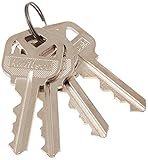
- Genuine Kwikset Part
- For use with Kwikset Smart Key locks
- 4 Keys included
- Re-key tool included
Rank #4

- RE-KEY LOCK KIT: Replacement kit allows you to re-key compatible Kwikset SmartKey door locks
- SMARTKEY SECURITY: Kwikset’s SmartKey Security technology protects against advanced break-in techniques and allows you to re-key your lock yourself in seconds
- REQUIRES ORIGINAL KEY: For safety, original door key is required to use the re-keying kit
- FOR KWIKSET SMARTKEY LOCKS ONLY: Works with Kwikset locks featuring SmartKey Security, not compatible with other brands or lock types
- BOX INCLUDES: SmartKey re-key tool, 4 identical everyday keys for family members and 2 identical alternate keys for temporary access
Product prices and availability are accurate as of the date/time indicated and are subject to change. Any price and availability information displayed on Amazon at the time of purchase will apply.