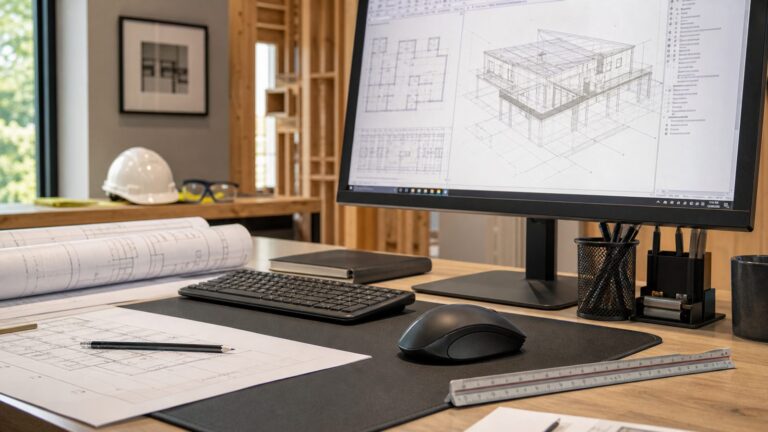
Adapt to a new construction tool by connecting it to work you already understand, learning the project process around it, and practicing on a limited, supervised task before relying on it in production. Trade judgment, sequencing, material knowledge, safe work habits, and coordination remain valuable; the new skill is learning how a tool or method changes the way information moves and work gets done. Building Information Modeling (BIM) is a practical example because construction-industry training and field guidance address both its software and its project workflows.
Start with the work you already know
A new tool does not erase trade experience. Knowing how work is sequenced, where dimensions matter, what can create a safety hazard, and how one crew’s work affects another gives you a way to judge whether a digital instruction or proposed method makes sense on site. That experience is a practical foundation for learning; it should not be mistaken for proof that every worker will adopt every tool at the same pace.
As an Amazon Associate I earn from qualifying purchases.
Begin by identifying what you are responsible for on the project, then connect the new tool to that responsibility. A field worker may need to find and interpret a model view or check a current drawing. A foreperson may need to use project information to coordinate a sequence or explain a change. A contractor or manager may need to understand how a digital process affects cost, roles, and coordination across teams. The required depth differs: being able to use information correctly is not the same as authoring or managing the model.
What’s actually slowing this PC down?
Pick the symptom - the matching free tool is one click away.
The case for developing digital skills is visible in industry survey results, but the figures describe firms and respondents, not every individual worker. In a 2023 survey release with Autodesk, the Associated General Contractors of America (AGC) reported that 91% of firms agreed employees need digital technology skills to be successful as firms adopt labor-saving technologies. AGC’s September 2026 release of AGC/NCCER survey findings said 36% of firms initiated or increased training and professional-development spending during the preceding year. The same 2026 release reported that 74% of respondents had experienced at least one significant project delay in the prior year; that figure is workforce context, not evidence that training by itself prevents delays. AGC’s 2023 survey release and AGC’s September 2026 workforce release provide the organizations’ findings and context.
#1 Best Overall

- Valued Carpenter Pencil Set: You will get 2 pcs solid carpenter pencils with 26 piece 2.8 mm refills, 1 replaceable sharpener, 1 plastic storage box.The complete carpenter pencils combination allows you to finish your work faster and more easily
- Deep Hole Marker Pencil: The deep-hole construction pencils adopts 45mm elongated tip design, which is more convenient to mark in the small hole or in other tight areas that other carpenter markers cannot reach
- Carpenter Pencils with Sharpener: The sharpener is screwed into the top of the work pencil, which won't get lost either. Built-in pencil sharpener that keep the lead with pointed and smooth to Improves line of sight in fine work
- Stronger Solid Lead: This work pencil is matched with a 2.8 mm thick lead , which is much thicker and stronger during the drawing process of construction work, it will not break or damage easily
- Marks on Various Surfaces: 3 colors solid construction pencil can marks on various surfaces,such as metal, plastic, wood, paper etc. Ideals for woodworkers, contractors, craftsmen, builders, merchants and masons
Choose one tool or method tied to upcoming work
“Learn new technology” is too broad to guide practice. Pick one tool or method you expect to encounter soon, and define the job it should help you do. BIM is a useful starting example, but learning BIM does not automatically teach someone to use robotics, prefabrication, advanced machinery, or another building method. The tasks, training, workflow, and safety questions vary.
Make the task specific
Write down the actual work question before opening an app or taking a course. Examples include: “I need to locate the relevant model view for my area,” “I need to understand which version of the information the team is using,” or “I need to communicate a coordination issue through the agreed project process.” These are examples of learning goals, not claims that every project uses the same model, interface, or procedure.
Ask a supervisor, project manager, or designated BIM lead which tasks fit your role and which process is approved for the job. Confirm whether the project expects you to view information, mark up or report an issue, coordinate with another trade, or change model content. Do not assume that access to a model gives permission to revise it, or that a digital view replaces the project’s approved instructions.
Do these 3 things before closing this tab:
1Repair Windows errors before they cause bigger problems2Scan for outdated or missing drivers - takes under a minute3Clear out junk files and repair common Windows errorsLearn the boundaries as well as the features
For any new tool, find out what it is meant to support, what information it depends on, and who is responsible for keeping that information current. Ask how the team handles an unclear, missing, or apparently conflicting instruction. Establish the correct route for questions before you need it under schedule pressure.
For BIM in particular, software familiarity is only one part of adoption. AGC’s BIM adoption course covers establishing and executing a BIM process and reviewing case studies to analyze costs, benefits, and impacts. That focus matters because a model has to fit the project’s process and people’s responsibilities to be useful; operating a screen alone does not establish how a team should coordinate its work. AGC’s Unit 4: BIM Adoption, Implementation, and ROI describes that process-oriented training.
Rank #2

- Ergonomically Designed: Work in tight areas with a compact design that gets into tough spots
- Compact and Lightweight: Both tools are designed to fit into difficult to reach spaces. The 1/4" impact driver has a length of 5.55 in. and weighs just 2.8 lbs, while the 1/2" drill/driver measures only 7.5 in. and weighs 3.6 lbs
- Both the DEWALT impact driver and electric drill driver feature integrated LED work lights with a convenient 20-second delay, ensuring enhanced visibility in dimly lit or challenging work areas
- One-Handed Loading - Keep one hand free with a 1/4 in. hex chuck that accepts 1 in. bit tips
- Power drill cordless with 1/2" single sleeve ratcheting chuck provides tight bit gripping strength, making bit changes faster and more secure
Build skill in three layers
A useful learning plan separates basic operation from trade interpretation and project coordination. Progress through the layers that your role actually requires rather than trying to master every feature at once.
1. Learn the basic operation
With the project’s approved device or software, learn the specific actions needed for your task. Depending on the setup, that may mean opening the correct project information, finding a relevant view, navigating it, or reading the information displayed. Practice in a training environment or with a knowledgeable teammate before treating an unfamiliar interface as part of live work.
Make sure you understand the project’s way of identifying current information. If you cannot tell whether a view or instruction is the one the team expects you to use, stop and ask rather than guessing. Record the procedure or terms your team uses, but follow its document-control and communication rules rather than creating a personal workaround.
2. Apply trade judgment to what you see
Digital information still needs interpretation. Compare what you are viewing with the task, location, sequence, and conditions you know from the field. If something appears inconsistent with the work area or with information provided through the approved process, do not quietly resolve the discrepancy on your own. Capture the question in the method the project uses and seek confirmation from the responsible person.
Practice explaining what you found in concrete terms: identify the area or work item, describe what is unclear, and state what confirmation you need. That helps turn experience into a useful coordination signal instead of a vague “the model looks wrong.” The exact fields or reporting method depend on the project.
Rank #3

- 【Great Compatibility】This Katerk 1/4 inch hex shank bit holder is specifically designed for 1/4 inch hex shank drill bits. It's compatible with most 1/4 fast hex handles, hex sockets, various electric screwdrivers, and handheld screwdrivers. The bit holder makes it a valuable addition for any handyman.
- 【Secure and Safe】Built with a secure backup nut design, each drill bit holder securely locks onto your bits, ensuring they stay firmly in place. Additionally, our bit holder incorporates a high-quality steel ball rolling design that holds up to several kilograms of weight, ensuring your various drill bits don't fall off.
- 【Easy One-Handed Operation】The bit holder for impact driver allows you to change bits single-handedly, simplifying your workflow. Its multi-color design further allows for quick identification of the drill bit you need.
- 【Compact and Convenient】Thanks to its compact size, this 1/4 inch bit holder is easy to carry around. The bit holder allows for easy attachment to various tools, making this a convenient addition to your construction accessories. The Katerk bit holder is cast from high-quality alloy material, promising a long product lifespan. Despite its rugged strength, the bit holder remains lightweight, making it portable.
- 【Cool Christmas Gift For Men Stocking Stuffers】 This screwdriver bit holder, driver bit holder, impact bit holder, can be given as a gift to your loved one, especially for anyone involved in construction or electrical work. It's a must-have for stocking stuffers for men and women, tools gifts for dad, tech gadgets for men, gifts for dad, gifts for him, gifts for husband, gifts for boyfriend, cool gadgets for men, and cool gifts for dad.
3. Learn how the team acts on information
Ask what happens after you view or report something. Who reviews it? How will you know whether it has been answered? Which instruction governs the work while a question is open? A new tool can change who sees information and how quickly it travels, but the team still needs clear responsibility for decisions and communication.
This process layer is central to adoption. AGC’s course description emphasizes establishing and executing a BIM process, not just learning software functions. Use the same principle with other methods: find out how the new practice connects to planning, handoffs, approvals, and the work of other trades.
Use structured training, then practice on a bounded task
Structured instruction can give you a safer starting point than learning a complex workflow by trial and error on live work. AGC describes a 32-hour BIM Education Program for construction professionals at different experience levels, with courses offered through AGC chapters in person and virtually. Course availability and delivery can change, so check the AGC BIM Education Program page and the relevant chapter for current options before making plans.
Training is one route, not a guarantee of project readiness or an individual outcome. Match the course to your intended task: a person who needs to interpret information in the field may not need the same depth as someone responsible for leading a BIM process. Ask the instructor or employer what the course covers, what experience it assumes, and how its examples map to your project’s tools and procedures.
After instruction, use a controlled practice cycle. Treat it as a practical learning approach, not an official industry standard:
Quick wins for a faster PC:
Repair Windows errors before they cause bigger problemsFix Now →Scan for outdated or missing drivers - takes under a minuteDriver Scan →Rank #4

- Long Nib and Deep Hole Marker: Our mechanical carpenter pencil with 45mm nib is designed for easy marking of deep holes or narrow areas. These construction pencils are the great choice for woodworking tools, construction tools, carpenter tools, contractor tools, wood carpentry tools and architect tools
- Extra Refills in 2 Colors for Versatile Marking: The construction mechanical pencil comes with 12 extra 2.8mm refills, including 6 red and 6 black refills. The black refill is suitable for light surfaces, while the red wax is perfect for dark surfaces. Our carpenter mechanical pencil makes sure that you'll have an ample supply for extended use
- Built-in Sharpener: Our construction pencil comes with a built-in sharpener to ensure the mechanical pencil tip is always sharp and ready for use. Never buy an extra pencil sharpener again. A great tool for any woodworker pencil, contractor pencils. The refill can easily be extended or retracted with a simple click of the pencils mechanical, allowing you to work more efficiently and accurately
- Portable Clip Design: Our deep hole construction pencil features a portable clip design, easy to carry and attach to your pocket or tool box, so that you can keep the carpenter pencils mechanical close at hand, making it a convenient tool to have on the go. Great gifts choice for carpenters
- Stronger Pencil Lead: The black refills are made of lead, sturdy and smooth. The red refills are made of wax, clear and light. These marking pencils are much thicker and stronger than normal pencils during the marking process of construction work, suitable for various surfaces, such as glasses, metal, boards, floors, walls, furniture, etc. The written marks can be easily wiped with a wet paper towel when needed
- Learn: Review the instruction for one defined task, including the project’s approved process and the safety expectations that apply.
- Try: Rehearse the task in a training setting or on a limited, supervised piece of work. Avoid making unapproved changes or using unverified information to direct live work.
- Ask: Have a supervisor, experienced operator, or designated project lead observe the result. Ask what was correct, what you missed, and what to do when the information is incomplete.
- Correct: Repeat the task using the feedback. Note any step that remains uncertain and get an answer before expanding your use.
- Expand: Take on a wider task only when the responsible person agrees that your use fits the project process and your role.
For a field BIM task, that could mean practicing how to find and interpret a relevant view with a teammate before using the same process independently for a broader area. Autodesk describes mobile devices and integrations as ways that can make BIM tools easier to implement in the field. A suitable tablet can be one way to access models or construction documents, but the device is an access option—not the skill itself, and not a purchase every worker needs to make. Autodesk’s field BIM guidance discusses mobile devices and integrations in this context.
Independent reader supportYour contribution helps us test, update, and keep practical guides available for everyone.Assess a new method against the project, not the hype
There is no universal ranking that makes BIM, robotics, prefabrication, advanced machinery, or another approach “best” for every job. A method should be judged against the work it needs to support, the people and processes it depends on, and the effect the project can actually observe. AGC’s BIM adoption course specifically treats costs, benefits, and impacts as questions for case-study analysis; it does not establish a universal return on investment for every project.
Before committing time or changing a work routine, use these questions with the project team:
- Task: What specific work problem or handoff is this intended to address?
- Role: Who needs to operate it, interpret its output, make decisions, and support other users?
- Training: What instruction and supervised practice are needed for each role?
- Workflow: Does the method fit the project’s information, approvals, sequence, and coordination process?
- Safety: What hazards, access needs, or changes to established safe-work practices must be considered? Who has authority to approve the procedure?
- Cost: What training, equipment, setup, support, or process changes are required, and who is responsible for them?
- Evidence of value: What observable result would show that the method helped this task—such as clearer coordination or improved quality—and how will the team assess it?
Keep the first assessment narrow. Identify the intended result before a trial, ask the people doing and receiving the work what changed, and distinguish what you observed from what you assume. A good trial can reveal that a method is useful for one task but not another, or that the main obstacle is a missing process or training rather than the technology. Do not infer that a tool will improve productivity, eliminate errors, or pay for itself without evidence from the project.
Free tools Windows power users keep installed
One-click scans. No signup required.
Handle common learning problems without improvising
You can open the tool but cannot tell what to trust
Pause and ask the project lead or designated information manager how to confirm that you have the intended project information. Do not choose between conflicting views based on guesswork or convenience. Follow the project’s established route for resolving discrepancies and wait for direction where the work depends on an unresolved answer.
Best Value

- Milwaukee Ink all Fine Point Marker, Black, 4 Per Pack
- 4 per pack Features Clog Resistant Marker Tip Writes through Dusty, Wet and Oily Surfaces Durable Marker Tip for Writing on Concrete, OSB and Rough Surfaces
- Clog resistant tip writes on dusty, wet and oily surfaces and is optimized for rough surfaces such as OSB, cinderblock and concrete
- Hard hat clip- attaches for easy access
- Quick dry time with reduced smearing and marking
The digital instruction appears to conflict with field conditions
Use your trade knowledge to identify the mismatch, not to silently override the instruction. Describe the location and issue clearly, report it through the designated channel, and ask what governs the work until it is resolved. This protects both the quality of the information trail and the crew from acting on an assumption.
The tool adds steps but the benefit is unclear
Return to the task the method was meant to support. Ask whether the team has trained the relevant people, agreed on responsibilities, and integrated the tool into the actual workflow. If those pieces are absent, one person’s software practice may not resolve a process problem. Keep the feedback specific: name the task, the extra step, and the effect you observed.
You are being asked to use a method beyond your training
State which part you have learned and which part you have not practiced. Request supervision or instruction before taking responsibility for work that depends on unfamiliar operation, interpretation, or safety procedures. A bounded request for support is more useful than concealing uncertainty or pretending that a short introduction equals competence.
The Tool Desk
Outbyte PC Repair FREEClear out junk files and repair common Windows errorsFree Scan →Outbyte Driver Updater FREEScan for outdated or missing drivers - takes under a minuteDriver Scan →Turn one successful task into a durable skill
Once you can complete a task with the project’s expected process, capture what made it work: the purpose, the steps you were authorized to perform, the people involved, the questions that came up, and the right escalation route. Share that information with a supervisor or teammate so the method is easier for the next person to learn. Keep notes aligned with company and project rules; do not store sensitive project information in an unapproved place.
Then decide what to learn next based on upcoming work, not novelty. You might deepen your use of a model, learn a related coordination step, or ask for training in a different method entirely. BIM field access is not a proxy for learning every digital or physical innovation in construction. Each new method deserves its own task definition, training plan, workflow check, safety review, and assessment.
The most reliable adaptation combines what workers already know about building with deliberate practice in the new process. Start with a real task, learn the tool and the team’s rules around it, practice under supervision, and expand only when the work and responsible people support that next step.
Quick Recap
Product prices and availability are accurate as of the date/time indicated and are subject to change. Any price and availability information displayed on Amazon at the time of purchase will apply.