The safest ways to view a construction-site or home IP camera remotely are the manufacturer’s cloud app or a VPN into the camera network. Use the official app when convenience, alerts, and remote playback matter. Use WireGuard or an overlay VPN such as Tailscale when you want private access to a local camera, NVR, or VMS. Treat direct port forwarding as an advanced exception—not the default setup.
Do not expose a camera’s HTTP, RTSP, or ONVIF service to the public internet simply because a tutorial says to “forward port 80.” That can expose administrative controls, credentials, or video streams to scanning and attack.
As an Amazon Associate I earn from qualifying purchases.
First, identify what you actually need to reach
Remote access is different for a standalone Wi-Fi camera, a PoE construction-site system, and an NVR-based installation.
Free tools Windows power users keep installed
One-click scans. No signup required.
- Standalone Wi-Fi camera: The manufacturer’s app may be the intended remote-access method.
- PoE cameras: The NVR or VMS is often the correct remote endpoint. You normally should not expose every camera individually.
- Vendor hub: Cameras may be reached through the hub’s account and app rather than through their individual IP addresses.
- Local browser interface: A camera or NVR may support access through HTTPS on the local network.
- RTSP or ONVIF camera: These can support local viewing by compatible software, but their presence does not make public internet exposure safe.
- Cloud-only camera: If it has no usable local interface or stream, the vendor’s cloud service may be the only practical option.
For a job site with several cameras, remote access should usually terminate at the NVR, VMS, or secure gateway. This centralizes user accounts, recordings, permissions, and logging.
#1 Best Overall

- 【2K Ultra HD & Full Color Night Vision - 4 Cam Kit】Upgrade your home security with this 4 pack security cameras wireless outdoor system. Delivering 2K 3MP ultra-clear live video, these cameras for home security feature advanced color night vision and infrared modes, ensuring vivid details even in pitch black. Equipped with a 3.3mm focal length lens, this porch camera set provides a wide-angle view for your front door, backyard, garage, or driveway. See every detail in full color and protect your property with the ultimate outdoor camera wireless solution. (*Not support 5GHz WiFi)
- 【Wire-Free Battery Powered & Easy 3-Minute Setup】Experience a truly wireless security system with no messy cables. This rechargeable battery operated camera features an exceptional battery life, providing 1-6 months of standby time for home security system. and supporting up to 3,000+ motion triggers on a single charge. With a quick charging time of 6-8 hours, it ensures long-term performance for indoor pet/baby monitoring or outdoor garden farm security. Portable and easy to install, this WiFi camera can be moved anywhere, from your apartment hallway to a remote warehouse, providing wireless monitoring.(*Only work with 2.4GHz WiFi)
- 【Smart AI PIR Motion Detection & Instant Mobile Alerts】 Never miss a moment with smart PIR motion detection and AI cloud analysis. This IP camera accurately triggers instant alerts to your cell phone when movement is sensed, acting as a reliable motion sensor camera. Customize your motion alerts to monitor specific zones like your patio, office, or store. As a top-rated surveillance camera, it ensures real-time notifications are pushed via the remote smartphone app, keeping you connected to your home security no matter where you are.
- 【Two-Way Talk & Intelligent Siren Alarm System】This WiFi camera features a high-fidelity built-in microphone and speaker for seamless two-way audio. Use the remote access app to speak with delivery drivers or warn off intruders directly from your phone. For active deterrence, the intelligent alarm triggers flashing white lights and a siren to drive away unwanted visitors. Whether it's a house camera for greeting guests or a security camera outdoor for catching package thieves, the real-time intercom and live view provide peace of mind.
- 【IP65 Weatherproof & Flexible Dual Storage Modes】Secure your footage with dual storage options: insert memory card for free local storage, or opt for our encrypted cloud service. New users receive a 7-day free trial of advanced AI features and cloud storage. This IP65 waterproof wireless camera is a rugged weatherproof camera designed to withstand rain, snow, and extreme heat, making it the perfect outside camera for house security. Protect your yard, deck, or pool area even chicken coop with this durable battery camera that keeps your home security intact year-round.(*Only 2.4GHz WiFi supported)
Understand the addresses involved
A camera’s address explains why remote viewing often fails:
192.168.1.50is a private LAN address. It is reachable inside the home, office, or site network, not directly from cellular data.- Your router has a public or WAN address assigned by the ISP. This is the address an internet connection may use to reach your site.
- A vendor cloud identity is an account or device ID that can work without exposing the camera’s private address.
- A VPN address is reachable after the phone or laptop joins the encrypted VPN.
- A DDNS hostname follows a changing public IP address. DDNS solves naming, not security or CGNAT.
Typing the camera’s private IP into a phone on cellular data will not work unless the phone first joins the site network through a VPN or the camera connects through a cloud relay.
Choose the remote-access method
| Method | Ease | Security and control | CGNAT support | Typical cost |
|---|---|---|---|---|
| Manufacturer cloud app | Highest | Convenient, but vendor- and account-dependent | Usually yes | May require a subscription |
| Router WireGuard VPN | Medium | High control when correctly configured | Usually no by itself | Usually included with existing hardware |
| Tailscale or similar overlay VPN | High | Encrypted, identity-based access | Often, including relay fallback | Free and paid tiers vary |
| Cloud VMS | Medium to high | Centralized management and recording | Yes, when using outbound connections | Usually subscription-based |
| Port forwarding | Medium | Largest default attack surface | No | Usually no separate fee |
Option 1: Use the manufacturer’s cloud app
This is generally the easiest method for homeowners, small businesses, and crews that need live viewing, push notifications, remote playback, or simple sharing. The camera or NVR makes an outbound connection to the vendor’s service, so port forwarding is normally unnecessary.
Quick wins for a faster PC:
Repair Windows errors before they cause bigger problemsFix Now →Scan for outdated or missing drivers - takes under a minuteDriver Scan →Clear out junk files and repair common Windows errorsFree Scan →- Update the camera, NVR, hub, and mobile app.
- Change every default administrator username and password.
- Create or confirm the vendor account.
- Enable multifactor authentication if available.
- Bind or add the camera, hub, or NVR to the account.
- Enable remote viewing or cloud access in the app.
- Create individual viewer or staff accounts instead of sharing the administrator login.
- Turn off Wi-Fi on the phone and test using cellular data.
- Review sharing permissions, account activity, and access logs.
Cloud access does not necessarily mean every recording is permanently stored online. Live view, push notifications, thumbnail previews, cloud recording, and remote playback may be separate features. Check the exact camera model, plan, country, retention period, and current vendor terms.
Cloud access also creates dependence on the vendor’s servers, account security, privacy policies, and subscription model. The FTC recommends unique passwords, multifactor authentication, current firmware and apps, encryption, network separation, and access-log review for internet-connected cameras: FTC camera security guidance.
Rank #2

- Outdoor 4 is our most affordable wireless smart security camera yet, offering up to two-year battery life for around-the-clock peace of mind. Local storage not included with Sync Module Core.
- See and speak from the Blink app — Experience 1080p HD live view, infrared night vision, and crisp two-way audio.
- Two-year battery life — Set up in minutes and get up to two years of power with the included AA Energizer lithium batteries and a Blink Sync Module Core.
- Enhanced motion detection — Be alerted to motion faster from your smartphone with dual-zone, enhanced motion detection.
- Person detection — Get alerts when a person is detected with embedded computer vision (CV) as part of an optional Blink Subscription Plan (sold separately).
Option 2: Connect through a VPN
A VPN lets a remote phone or computer join the camera network first. You then open the camera or NVR using its private LAN address, as though you were on site. A VPN is not an absolute guarantee of safety: poor routing or excessive permissions can expose more of the network than intended. Configure it narrowly.
Router-based WireGuard
This is usually the cleanest self-hosted arrangement when the router or firewall supports WireGuard.
Outdated Drivers Are Slowing You Down
One free scan finds every outdated or missing driver and matches the right update for your exact hardware.Free scan · exact hardware matchPC Slower Than It Used to Be?
A free scan shows the junk files, broken settings and background clutter dragging Windows down - then fixes them in one click.Free scan · Windows 10 & 11Remote phone or laptop
│
WireGuard tunnel
│
Home router or VPN server
│
Home/site LAN
│
NVR or camera at 192.168.1.50- Enable the router’s WireGuard server.
- Create a separate VPN profile for each authorized device or user.
- Use a VPN subnet that does not overlap the LAN—for example,
10.6.0.0/24for the VPN and192.168.1.0/24for the camera network. - Configure the client’s allowed routes to include only the required camera or NVR subnet.
- If necessary, forward only the WireGuard UDP listening port from the ISP router to the VPN router.
- Use DDNS if the public IP changes.
- Install the WireGuard client and import the profile or scan its QR code.
- Enable the tunnel while using cellular data.
- Open the camera app, browser, or VMS using the device’s private LAN address.
WireGuard’s official quick-start documentation uses UDP port 51820 as an example; it is not a mandatory port. For a peer behind NAT that must remain reachable after idle periods, the documentation gives PersistentKeepalive = 25 seconds as a sensible example: WireGuard quick start.
A VPN does not automatically make an incompatible camera app work. Some apps depend on LAN broadcast or multicast discovery, proprietary cloud IDs, or separate media ports. Add the NVR or camera manually by IP address when possible.
Tailscale or another overlay VPN
An overlay VPN is useful when the ISP uses CGNAT, the router cannot host WireGuard, or an always-on Raspberry Pi, NAS, mini-PC, or desktop is available on the camera LAN.
Rank #3
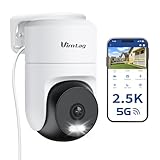
- 𝟑𝟔𝟎° 𝐕𝐢𝐬𝐮𝐚𝐥 𝐂𝐨𝐯𝐞𝐫𝐚𝐠𝐞, 𝐒𝐦𝐚𝐫𝐭 𝐌𝐨𝐭𝐢𝐨𝐧 𝐓𝐫𝐚𝐜𝐤𝐢𝐧𝐠 & 𝐂𝐫𝐢𝐬𝐩 𝟐.𝟓𝐊 𝐐𝐇𝐃: Remotely control pan/tilt for 360° horizontal and 90° vertical coverage. This outdoor camera for home security features smart motion tracking that auto-tracks moving people in real time. 2560×1440 QHD resolution exceeds standard 1080p, while 8x digital zoom lets you inspect faces and license plates. A security camera outdoor for monitoring your house
- 𝐒𝐦𝐚𝐫𝐭 𝐀𝐈 𝐃𝐞𝐭𝐞𝐜𝐭𝐢𝐨𝐧, 𝐂𝐮𝐬𝐭𝐨𝐦 𝐀𝐜𝐭𝐢𝐯𝐢𝐭𝐲 𝐙𝐨𝐧𝐞𝐬, 𝟐-𝐖𝐚𝐲 𝐀𝐮𝐝𝐢𝐨 & 𝐒𝐢𝐫𝐞𝐧: AI accurately distinguishes people, pets, and vehicles—ignoring false alarms from leaves or bugs. Set up to 4 custom activity zones. These house cameras outdoor let you talk to visitors via built-in mic and speaker, while bright LED spotlights plus a loud siren actively deter intruders. A reliable outside camera for home security
- 𝐏𝐥𝐮𝐠-𝐈𝐧 𝐏𝐨𝐰𝐞𝐫, 𝐃𝐮𝐚𝐥-𝐁𝐚𝐧𝐝 𝐖𝐢𝐅𝐢, 𝐅𝐮𝐥𝐥-𝐂𝐨𝐥𝐨𝐫 𝐍𝐢𝐠𝐡𝐭 𝐕𝐢𝐬𝐢𝐨𝐧 & 𝐈𝐏𝟔𝟔 𝐖𝐚𝐭𝐞𝐫𝐩𝐫𝐨𝐨𝐟: Reliable 5GHz/2.4GHz Wi-Fi with a 9.8ft power cable ensures 24/7 recording and non-stop monitoring. This outdoor security camera features full-color night vision (65ft range) via IR and white LEDs. IP66 waterproof for rain and dust. A versatile outdoor wifi camera for driveway, front door, porch, backyard, patio, garage, apartment, or chicken coop
- 𝐓𝐰𝐨 𝐒𝐭𝐨𝐫𝐚𝐠𝐞 𝐎𝐩𝐭𝐢𝐨𝐧𝐬, 𝐍𝐨 𝐌𝐨𝐧𝐭𝐡𝐥𝐲 𝐅𝐞𝐞 & 𝐄𝐚𝐬𝐲 𝐒𝐞𝐭𝐮𝐩: Save footage to a microSD card (up to 512GB) or use cloud storage with a 30-day free trial. This no subscription security camera's AI detection and alarm features work with NO monthly subscription required. Setup takes minutes—download Canny Cam app, scan the QR code, and mount on desk, ceiling, or wall. A practical choice among cameras for home security
- 𝐀𝐥𝐥-𝐢𝐧-𝐎𝐧𝐞 𝐀𝐩𝐩, 𝐖𝐨𝐫𝐤𝐬 𝐰𝐢𝐭𝐡 𝐀𝐥𝐞𝐱𝐚 & 𝐔𝐒-𝐁𝐚𝐬𝐞𝐝 𝐂𝐮𝐬𝐭𝐨𝐦𝐞𝐫 𝐒𝐮𝐩𝐩𝐨𝐫𝐭: Manage up to 32 home security cameras from the Canny Cam app on iOS/Android. Share access with family, use smart playback tagging. This in home camera works with Alexa for hands-free voice control. Need help? Call our US-based support team at +1 (978) 437-5767, Mon–Fri 9am–6pm ET
Remote phone
    │
 Overlay VPN
    │
Raspberry Pi, NAS, or desktop
 acting as subnet router
    │
Camera or NVR LAN- Install the overlay VPN client on the remote phone or computer.
- Install it on an always-on device at the site.
- Authenticate both devices to the same private network.
- Configure the site device as a subnet router for the camera subnet.
- Approve the advertised route in the administration console.
- Use access policies to permit only the necessary users and devices.
- Connect remotely and open the NVR or camera by its private LAN address.
- Test with a browser, camera app, or RTSP-capable client.
Tailscale documents subnet routers for reaching devices that cannot run Tailscale themselves, along with access-control policies: subnet routers and connecting to devices. Its connections use WireGuard encryption and may be direct, peer-relayed, or DERP-relayed when direct peer-to-peer connectivity is unavailable: connection types.
The camera still needs a service to connect to. Tailscale does not install a web interface, RTSP server, NVR service, or vendor protocol on the destination.
Common subnet-router problems include disabled IP forwarding, an advertised route that was never approved, overlapping subnets, VLAN rules blocking the VPN host, an incorrect camera gateway, multicast discovery failure, or a sleeping VPN host.
Option 3: Use a cloud VMS
Cloud video-management systems can be suitable for several sites, many cameras, remote administration, alerts, recording, and user management. ONVIF Profile V is designed for cameras and video-management systems that establish secure outbound connections to cloud services, reducing the need for traditional port forwarding or complex VPN configuration: ONVIF Profile V FAQ.
Check the implementation rather than assuming that “ONVIF-compatible” means secure public exposure. ONVIF primarily improves interoperability; security depends on the profile, device implementation, authentication, transport, patching, and deployment.
Recommended Free Tools
Rank #4
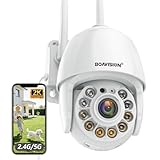
- Motion Tracking allows camera to automatically track moving objects and begin recording
- Built-in floodlight and alarm siren activates with motion detection to scare away intruders
- 1080P video with 4x digital zoom, night vision and 350° pan, 120° tilt
- Works with iOS, Android, Mac OS, Windows via WiFi connectivity
- Integrates with third party software like Blue Iris, iSpy, Synology, TinyCam
Option 4: Port forwarding—advanced and least preferred
Port forwarding creates a router rule that maps an external port to a service on a camera or NVR inside the LAN. It can work, but it places an internet-facing service in reach of automated scanning and attack. TP-Link recommends VPN access instead of long-term public exposure of RTSP and ONVIF services: TP-Link camera guidance.
Consider it only when VPN or cloud access is unavailable or incompatible, the device is supported and patched, and you understand firewall and account hardening.
- Give the NVR or camera a DHCP reservation or static LAN address.
- Identify the exact service required: HTTPS, an NVR service, RTSP, ONVIF, or a vendor-specific service.
- Enable HTTPS and disable plain HTTP where supported.
- Change default credentials and disable unused accounts.
- Update firmware.
- Create one narrow rule: one external port to one internal host and one service.
- Do not forward broad port ranges or expose every camera individually.
- Restrict source IP addresses when fixed remote locations make that practical.
- Use DDNS only for a changing public IP—not as a security measure.
- Test from cellular data, inspect logs, and remove the rule when it is no longer needed.
Changing an external port may reduce casual noise, but it is not a security control. RTSP, ONVIF, Telnet, plain HTTP, and weak media services should not be casually exposed. Some devices protect administration with HTTPS while still using a separate weakly protected stream.
Independent reader supportYour contribution helps us test, update, and keep practical guides available for everyone.CGNAT, double NAT, and changing IP addresses
Dynamic public IP
If the ISP changes your public IP, a saved numeric address eventually stops working. DDNS provides a stable hostname that updates to the current address. It does not encrypt the connection and does not bypass CGNAT.
What’s actually slowing this PC down?
Pick the symptom - the matching free tool is one click away.
Double NAT
Double NAT commonly occurs when an ISP gateway sits in front of a personal router or mesh system. Possible fixes include bridge mode, a suitable passthrough or DMZ configuration, forwarding the VPN port through both routers, or using a cloud or overlay VPN instead.
Best Value

- Pan/Tilt - The 360° horizontal range and 114° vertical range allow you to keep an eye on a wider field of view.
- High-Definition Video - The C200 captures every detail in crystal-clear 1080p. See what’s happening 24/7 and make sure your kids and house are safe. Connects via 2.4GHz Wi-Fi Band
- Advanced Night Vision - Sleep with peace of mind knowing that Tapo is keeping watch over your home and your little ones even at night. Advanced infrared night vision lets Tapo see in low light conditions up to 40 ft. away.
- Motion Detection and Notifications - Protect your family and home by stationing a camera near the entrance of your home, garage, or basement. Get notifications on your phone when your camera detects motion and trigger light and sound alarms to scare away unwanted visistors.
- Local Storage - Your recordings are stored locally on a Micro SD card to cut down on expenses like monthly fees for cloud storage. C200 supports up to 512 GB Micro SD cards. (Micro SD card not included)
CGNAT
With CGNAT, the ISP shares public IPv4 addresses among customers. If the router’s WAN address does not match the public address reported by an internet service, ordinary inbound port forwarding generally cannot reach the site.
Options include requesting a public IPv4 address, using IPv6 if every device and firewall is securely configured for it, using the manufacturer’s cloud service, using an overlay VPN, or using a relay or VPS-based VPN design. WireGuard alone does not solve CGNAT when the VPN server itself is behind CGNAT; it needs a reachable endpoint or relay path.
Secure the system before enabling remote access
- Change default camera, NVR, router, and cloud-account credentials.
- Use a unique password for every account.
- Enable MFA on vendor, VPN, router, and identity-provider accounts.
- Install firmware and app updates; replace unsupported devices or isolate them.
- Disable UPnP unless you understand and genuinely need it.
- Disable router remote administration unless it is protected by a VPN or equivalent control.
- Prefer HTTPS and encrypted VPN connections.
- Do not expose RTSP, ONVIF, Telnet, or plain HTTP directly to the internet.
- Place cameras on a separate IoT network or VLAN where practical.
- Block cameras from sensitive business or home devices where practical.
- Create separate viewer accounts for owners, staff, installers, and monitoring providers.
- Grant only the required permissions, especially for PTZ, configuration, downloads, and deletion.
- Review camera, NVR, router, and cloud-account logs.
- Disable remote access when the project or service no longer requires it.
- Review privacy zones, audio settings, and camera placement.
These controls align with FTC recommendations for encryption, MFA, updates, network separation, strong credentials, and log monitoring. CISA also advises minimizing exposed ports, applying patches, changing default passwords, and protecting internet-facing services with access controls: CISA hardening guidance.
Test from a genuinely external connection
1. Confirm local access
While connected to site Wi-Fi, verify live view and playback. Record the NVR or camera’s LAN IP, service port, gateway, and DNS settings.
2. Change networks
Turn off Wi-Fi on the phone and use cellular data, or test from another unrelated internet connection. Testing a second device still connected to the site LAN does not prove remote access works.
3. Diagnose the failure by method
Cloud app fails
- Confirm the device works locally and shows online.
- Recheck account authentication, MFA, and device binding.
- Check vendor service status.
- Confirm the plan includes the required live view, playback, alerts, or storage feature.
- Update the app and firmware.
VPN connects but the camera does not
- Confirm the VPN handshake.
- Try the camera or NVR LAN IP in a browser.
- Check routes, firewall rules, VLAN isolation, and overlapping subnets.
- Confirm the VPN host can reach the camera locally.
- Add the device manually instead of relying on discovery.
- Verify that the app supports local-IP connections.
Port forwarding fails
- Confirm the WAN address is genuinely public.
- Check for double NAT and CGNAT.
- Confirm the internal address has not changed.
- Verify external and internal ports and whether the service is listening locally.
- Check ISP inbound filtering and test from another external network.
- Remember that an open port does not prove the correct service is working.
Live video works but playback or audio does not
The NVR may require a different service for playback, audio may use another port or protocol, or the app may require the vendor cloud service. A route that carries TCP traffic may not support the camera’s UDP media path. If possible, connect to the NVR rather than the individual camera.
Which method fits your situation?
- Choose the manufacturer app for simplicity, notifications, remote playback, and easy sharing—provided its MFA, privacy, subscription, and update model are acceptable.
- Choose router WireGuard for private local access and maximum control when the router has a reachable endpoint and supports correct routing.
- Choose Tailscale or a similar overlay VPN for CGNAT, routers without VPN servers, or sites with an always-on NAS, Raspberry Pi, mini-PC, or server.
- Choose cloud VMS for multiple sites, centralized recording, alerts, and user administration where recurring fees are acceptable.
- Consider port forwarding only as an advanced exception for a supported, patched device and one narrowly protected service.
For most construction-site installations, secure remote access should be designed around the NVR or VMS, separated from sensitive business systems, and assigned to named users. The objective is not merely to make video load; it is to provide remote visibility without turning the camera network into an unnecessary entry point.
The Tool Desk
Outbyte PC Repair FREEClear out junk files and repair common Windows errorsFree Scan →Outbyte Driver Updater FREEScan for outdated or missing drivers - takes under a minuteDriver Scan →Quick Recap
Product prices and availability are accurate as of the date/time indicated and are subject to change. Any price and availability information displayed on Amazon at the time of purchase will apply.




