Genia announced a $3 million pre-seed round in February 2025 to develop AI-assisted structural design software. Its product, first introduced as Genia Structural CoPilot and now branded Genia Structural AI Agent, is designed to turn architectural drawings into structural options and engineering outputs. Genia says it can do this in minutes, but its speed and material-savings figures are company claims—not independently established results—and generated plans still require qualified engineering review.
What Genia announced
Genia said it closed a $3 million pre-seed round in February 2025, led by Pi Labs. The named participants were Amplify.LA, Boost VC, Dorm Room Fund, Suffolk Technologies, Y Startup Index, Joe Chen and Scale AI executives. Genia said it would use the funding to develop the product, expand its customer base geographically and broaden support for concrete and steel-frame structures. The round was described as pre-seed in the company’s funding announcement; some investor posts used “seed” more loosely.
As an Amazon Associate I earn from qualifying purchases.
The company identifies Zhihao Zhao as co-founder and CEO, Robin Li as co-founder and COO, Houtao Wang as co-founder and CTO, and Peter Dai as co-founder and chief scientist. Genia’s announcement describes Zhao as a former Amazon product executive and Li as a former Arup structural engineer. These are company-provided biographies, not independently audited credentials.
What the structural AI agent is intended to do
Structural design translates architectural intent into a system that can safely carry loads: engineers select a structural scheme, establish load paths, size members, assess alternatives and prepare drawings and calculations. Early design involves iteration, while later work includes project-specific analysis, coordination, documentation and review. Genia’s pitch is to automate parts of that early translation and option-generation work, giving engineers alternatives to assess rather than replacing their judgment.
#1 Best Overall

- Construction Calculator with Writing Tablet:Equipped with a flip-page writing pad for quick note-taking, it requires no paper or pen, making it both eco-friendly and convenient. The thick, phone-like material provides strong, phone-level protection, keeping your calculator safe from drops and harsh construction environments
- 200+ Engineer Functions: For Mixed Dimension Calculations and Conversions,Area & Volume,Brick and Block,Concrete, Boards, Flooring, and Wall Stud,Drywall Sheet Count,Circle Area, Circumference, and Arc Properties,Compound Miter,Polygon Tiling,Roofing Material,Foundation Correction,Right Angle and Rafter,Roof Pitch and Angle Conversions,Common Rafter Length,Common/Hip/Jack Rafter and Spacing,Stair Layout,Rake Wall Calculations
- Precision for Every Construction Mind: More than 200 functions, designed specifically for engineering professionals, has 45 fast rebound hard PC buttons are reasonably distributed, more than other engineering calculator.It supports custom parameters.and has 3 storage registers for more convenient and smooth use
- Big Screen & Energy-Saving:With a 3" 12 digits large screen,Higher clarity and lager than other calculators.Clearer reading, fewer errors,8-12 minutes of no operation automatically shut down without worrying about energy consumption
- All-in-One Fit: Suitable for most people including builders, carpenters, concrete workers, contractors and DIY home renovators, roofers, architects, interior decorators, construction estimators, engineering students, etc
The product was announced as Genia Structural CoPilot and is now presented publicly as the Genia Structural AI Agent. The company describes a workflow that starts with architectural drawings and can produce structural alternatives, drawings and calculation reports. Its original funding announcement described up to five options; current public messaging differs, including a reference to three designs. Treat option counts as product- and version-dependent rather than a guaranteed current limit.
How the workflow works
- Upload and parse the architectural plan. Genia says its software identifies features such as walls, windows, doors, openings and stairs, then lets users review and correct the parsed model. Its homepage refers broadly to CAD or BIM inputs, while its onboarding documentation says the editor exclusively supports DWG uploads. Confirm supported formats for the intended account and workflow in the product documentation before relying on a particular file type.
- Generate and compare structural options. Genia says users can compare alternatives using factors including material quantities, cost, constructability, stability and sustainability considerations. The value of this step depends on project scope, code coverage and the assumptions supplied to the software; an attractive option is not necessarily a complete design.
- Edit and export. The company says users can modify a design and download structural drawings and calculation reports. Those exports need review in the context of the full project, including loads, site conditions, coordination and local submission requirements.
What “physics-validated” does—and does not—establish
Genia presents its product as more constrained than a general-purpose text or image generator: the company says its system applies structural rules, engineering calculations, material data and code-related checks while generating options. That is a meaningful product distinction, but “physics-validated” is not a single, universal level of approval.
- Calculation checks assess a model against defined engineering assumptions and constraints.
- Code checks are relevant only to the codes, editions, materials and jurisdictions the product supports and the project inputs actually specify.
- Professional review requires an engineer to assess assumptions, results, detailing and suitability for the specific building.
- Permit acceptance and construction performance are separate outcomes. Software checks do not themselves secure authority approval or prove that a built structure matches the design.
Genia’s descriptions of outputs as permit- or construction-ready should therefore be read as product claims about workflow outputs, not as a guarantee that an authority will accept them or that they can be used without a licensed engineer’s review and, where required, professional seal. The public information cited here does not establish universal code compliance or independent approval of generated designs.
Do these 3 things before closing this tab:
1Scan for outdated or missing drivers - takes under a minute2Clear out junk files and repair common Windows errors3Fix the driver behind crashes, sound loss and screen glitchesRank #2

- Ideal for curricula in which graphing technology may not be permitted.
- MultiView display shows multiple calculations at the same time on screen.
- MathPrint shows math expressions, symbols and stacked fractions as they appear in textbooks
- Ideal for high school through college: Algebra 1 & 2, Geometry, Trigonometry, Statistics, Calculus, Biology, etc.
- Convert fractions, decimals and terms including Pi into alternate representations.
How strong is the performance evidence?
Genia’s current website claims design generation in minutes, workflows up to 10 times faster and potential material savings of up to 20%. These are company-reported claims, not independently demonstrated performance results. The public claims do not specify enough about the project types, baseline workflows, test conditions or whether the speed figure covers only initial option generation or the full design-to-submission process to treat them as universal outcomes.
| Claim or signal | What the public information establishes | What it does not establish |
|---|---|---|
| $3 million funding | Genia announced a $3 million pre-seed round closed in February 2025, led by Pi Labs. | Funding is not evidence of design accuracy or project performance. |
| “Up to 10× faster” and designs in minutes | These appear as claims on Genia’s website. | No independent benchmark or broadly applicable measure of total project delivery time is established by that claim. |
| Up to 20% material savings | Genia’s website presents this as potential savings. | It is not a guaranteed saving for a particular building or independently verified result. |
| More than 200 engineering firms | Genia’s website claims use or engagement across 200-plus structural-engineering firms. | The public wording does not establish how many are paying customers, active users, pilots or other forms of engagement. |
| Industry partnerships and support | Genia has announced a relationship with Suffolk Construction around adaptive-reuse projects and an NCSEA partnership connected to the product launch. | These announcements alone do not establish independent product validation, permitting acceptance or replacement of conventional analysis. |
Training data, material information and customer signals
Genia’s funding coverage says the system was trained using open-source designs, client designs and simulated designs created by its engineering team. It also describes a materials database developed through supplier relationships, including Weyerhaeuser’s ForteWEB and Simpson Strong-Tie. Those are company-reported descriptions of data and partnerships; they do not amount to universal certification of materials or approval of every design the product generates.
The company has cited Suffolk Construction in connection with adaptive-reuse work and the National Council of Structural Engineers Associations (NCSEA) in connection with its official launch. Genia’s current site also claims more than 200 structural-engineering firms. Partnership, pilot, user and paying customer are different categories, and the published figures do not resolve how many firms fall into each.
Rank #3

- Professional Feet-Inch-Fraction Conversions for Construction: Master complex field measurements instantly. Precision-engineered for high-precision Feet-Inch-Fraction conversions, this is the essential Contractor Calculator validated by architects, builders, and woodworkers
- Integrated LCD Writing Tablet for Instant Notes: Never lose a measurement or formula again. Solve memory limits and mode-switch data loss with this Construction Calculator with Writing Tablet, a dedicated Engineering Tool for field derived steps. Whether you are jotting down field dimensions or calculating complex loading requirements, the scratch-pad allows you to bypass data loss and mode-switching pain
- Multi-Trade Versatility for Carpenters, Electricians & Pipefitters: Built for the diverse demands of the field. Instantly adapt to any job site with one-click multi-unit conversion between different trades. From Pipefitter Calculator slope calculations to Electrician Calculator and Machinist Calculator scientific functions
- Heavy-Duty Protective Cover & High-Contrast Engineering Display: Optimized visibility under any condition. Say goodbye to screen glare. Our Engineering Calculator features a High-Contrast Display for superior readability from bright outdoor job sites to dim study desks. Encased in a Heavy-Duty Protective Cover, the unit is built to withstand the rigors of your backpack and backpack, preventing input errors and ensuring precise, bug-free Basic Math Accuracy
- Perfect Professional Gift with Unmatched Cost-Efficiency: The ultimate choice for value and utility. Premium professional performance at an accessible price point. Whether looking for Engineer Gifts, Carpenter Gifts, or Graduation Gifts for Engineers, it is the most trusted tool for students, apprentices, and seasoned pros alike
Where human review remains essential
Fast generation can shorten early option exploration, but it does not make the full engineering process instantaneous. The plan may need correction; loads, geotechnical assumptions and existing conditions need to be established; lateral systems, connections and foundations may require separate work; and the design still needs coordination, constructability review and appropriate permit documentation.
Free tools Windows power users keep installed
One-click scans. No signup required.
Drawing interpretation is another practical limit. Ambiguous linework, missing dimensions, inconsistent layers, unclear openings and mismatches between plans and elevations can lead to an incorrect parsed model. Genia’s own workflow asks users to review and correct that model. For a serious evaluation, engineers should be able to inspect assumptions, load cases and combinations, governing checks, member specifications, warnings, revisions and the path from source geometry to exported result. Buyers should also ask how the system handles unsupported conditions, whether changes are logged, what project data it retains and how client intellectual property is protected. Those details are not fully established in the public funding and product descriptions.
Pricing and availability: public pages do not agree
Genia’s public pricing information is inconsistent, so no single price should be treated as a definitive current quote without checking the purchase flow. The main pricing page describes pay-as-you-go credits and annual plans: it lists one credit as $1, annual options at $9,000 and $14,400, and custom enterprise pricing. Its credit formulas vary by project type: single-family is 150 times the number of floors plus 0.25 times total roofed area; townhouse is 200 times floors plus 0.3 times area; multifamily is 300 times floors plus 0.5 times area. Confirm the applicable area units and calculation in the live pricing workflow rather than estimating a project budget from the formula alone.
Rank #4

- Fundamental, two-line calculator that combines statistics and advanced scientific functions for high school math and science
- Two-line display shows the entry and calculated result at the same time for easy understanding of the calculation
- Fraction features, conversions, and basic scientific and trigonometric functions
- Solar and battery powered
- Approved for use on SAT, ACT and AP exams
Other company pages show different models. Genia’s June 2026 pricing-model explanation says it moved from subscriptions and free trials toward sample projects and pay-per-project pricing, while the homepage lists $99- and $299-per-month options and an older knowledge page lists $99.99-per-month Professional and $4,999-per-month Team plans. The pages may reflect different dates, account types or product configurations; the public information does not reconcile them. Confirm the current plan, included credits, supported materials and codes, file formats, exports and any enterprise terms directly before purchase.
Independent reader supportYour contribution helps us test, update, and keep practical guides available for everyone.How Genia compares with established structural software
Genia’s central proposition is generating structural options from architectural inputs. Established analysis and design packages are generally organized around engineer-directed modeling, analysis, design and documentation. They are not interchangeable categories, and a generative first-pass workflow does not by itself replace a production engineering toolchain.
PC Slower Than It Used to Be?
A free scan shows the junk files, broken settings and background clutter dragging Windows down - then fixes them in one click.Free scan · Windows 10 & 11Outdated Drivers Are Slowing You Down
One free scan finds every outdated or missing driver and matches the right update for your exact hardware.Free scan · exact hardware match| Product | Best-fit workflow | Public price signal and qualification |
|---|---|---|
| Genia Structural AI Agent | AI-assisted parsing of architectural plans and rapid generation and comparison of structural options. | Pricing pages conflict; current signals include credits, annual plans, and monthly plan listings. Verify current terms at Genia pricing. |
| Tekla Structural Designer | Integrated structural analysis, design and BIM-oriented workflow, from concept through design development. | Tekla’s regional product page lists $2,700 plus VAT annually for Structural Designer and $3,400 plus VAT for a broader suite; confirm region and current terms at Tekla. |
| Autodesk Robot Structural Analysis Professional | Conventional structural analysis within an Autodesk-centered AEC environment. | Autodesk presents it through the Architecture, Engineering & Construction Collection; the cited product page does not establish a stable standalone price. See Autodesk Robot Structural Analysis. |
| RISA | Engineer-controlled analysis and design through a family of tools for 3D analysis, floors, concrete, foundations and steel connections. | No reliable public price is established here. See RISA. |
| SkyCiv | Cloud-based structural analysis, design and CAD tools for teams prioritizing browser access and modular cloud workflows. | SkyCiv lists CloudCAD at $29 per month or $290 per year; that is a CAD product price, not necessarily the price of its full analysis suite. See SkyCiv CloudCAD. |
For a buyer, the useful comparison is not simply which tool produces a drawing fastest. It is whether the tool fits the firm’s building types, materials, supported code editions, CAD/BIM environment and review process. Test a representative project and verify that exported files and reports can be audited and incorporated into existing workflows.
Best Value
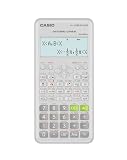
- Advanced scientific calculator with Natural Textbook Display showing expressions exactly as in textbooks.
Who should consider Genia?
Genia is most plausible as a supplement for firms that want faster first-pass option generation, especially on repetitive residential or small-building work, feasibility studies or early adaptive-reuse exploration. It is less suitable as a stand-alone answer for highly irregular buildings, specialized structures outside its supported scope, unusual materials, jurisdictions without relevant code coverage or teams that need mature integrations and established long-term production workflows.
Before adopting it, confirm the project and account support the required materials, gravity and lateral systems, foundations, building heights, environmental loads, jurisdiction and code edition. Check whether the workflow supports the formats your team uses, whether Revit or other required exports are available, and whether reports expose enough detail for engineering review. A firm already standardized on Autodesk, Tekla or RISA may gain more from improving its existing analysis workflow than adding a separate generative tool; a cloud-first team may find SkyCiv’s browser-based products worth comparing for different needs.
Quick Recap
Product prices and availability are accurate as of the date/time indicated and are subject to change. Any price and availability information displayed on Amazon at the time of purchase will apply.
What’s actually slowing this PC down?
Pick the symptom - the matching free tool is one click away.

