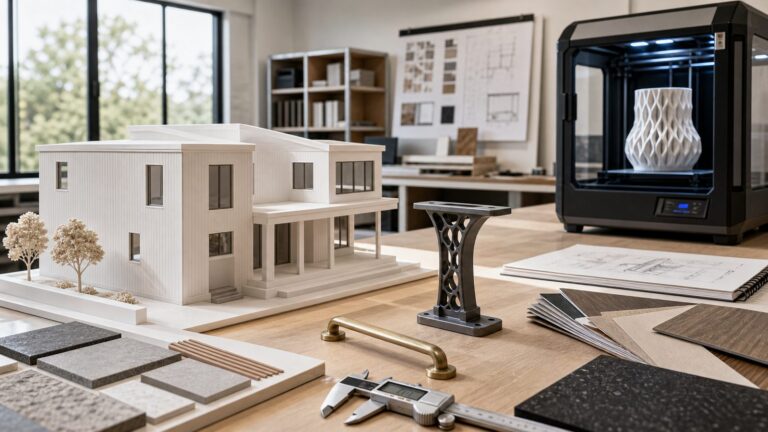
Shapr3D is the better choice for fast, intuitive, touch-first modeling—especially on an iPad with an Apple Pencil. Fusion 360 is the stronger all-in-one platform for engineering, CNC machining, simulation, electronics, drawings, and manufacturing.
They overlap as 3D CAD applications, but they are not identical substitutes. Shapr3D is primarily a design and modeling experience; Fusion combines CAD with CAM, CAE, PCB design, data management, and broader product-development tools. The right choice depends on what happens after you create the model.
As an Amazon Associate I earn from qualifying purchases.
Fusion 360 vs Shapr3D at a glance
| Category | Shapr3D | Fusion 360 |
|---|---|---|
| Best for | Fast concept modeling, furniture, woodworking, product design, 3D-printable parts, and tablet workflows | Engineering, CNC, manufacturing, simulation, electronics, drawings, and product development |
| Platforms | Windows, macOS, iPadOS, and visionOS | Windows, macOS, and browser access; Autodesk’s current supported-platform documentation does not list a native iPadOS modeling application |
| Interaction | Direct manipulation, push-pull editing, touch, and Apple Pencil | Primarily desktop-oriented keyboard, mouse, and browser workflows |
| Parametric modeling | Supported alongside direct modeling | Core workflow, alongside direct, surface, freeform, mesh, and sheet-metal tools |
| CAM | Usually export-oriented; use another CAM application for manufacturing | Integrated CAD/CAM with setups, stock, toolpaths, simulation, and post-processing |
| Simulation and PCB | Not equivalent to Fusion’s broader engineering and electronics offering | Integrated simulation and electronics capabilities, subject to product and plan requirements |
| Offline work | Basic modeling can work offline; syncing and cloud features require connectivity | Cloud-connected workflows require account and network access for many functions |
| Free entry | Basic plan with project, import, and export limitations | Free Personal use for qualifying non-commercial users, with significant feature and usage limits |
Feature availability can depend on subscription, extension, operating system, and region. Check the Shapr3D pricing page and Autodesk’s Fusion subscription FAQ before purchasing.
Outdated Drivers Are Slowing You Down
One free scan finds every outdated or missing driver and matches the right update for your exact hardware.Free scan · exact hardware matchWindows Errors? Fix Them Before They Spread
Repair common Windows errors and clear accumulated junk for a smoother, more stable PC - no reinstall needed.Free scan · no reinstallThe fundamental difference: design tool or product-development platform?
Shapr3D focuses on making 3D modeling feel immediate. You sketch, select faces, drag geometry, and refine a part with comparatively little interface overhead. That makes it particularly attractive when the main job is developing a shape, checking proportions, presenting an idea, or preparing a solid for export.
#1 Best Overall

- Wacom Intuos Small Graphics Drawing Tablet: Enjoy industry leading tablet performance in superior control and precision with Wacom's EMR, battery free technology that feels like pen on paper
- Works With All Software: Wacom Intuos tablet can be used in any software program to explore new facets of digital creativity; draw, paint, edit photos/videos, create designs, and mark up documents
- What the Professionals Use: Wacom's industry leading pen technology and pen to paper feeling makes it the preferred drawing tablet of professional graphic designers
- Software and Training Included: Only Wacom gives you software with every purchase. Register your Intuos tablet and gain access to some of the best creative software and Wacom's online training
- Wacom is the Global Leader in Drawing Tablet and Displays: For over 40 years in pen display and tablet market, you can trust that Wacom to help you bring your vision, ideas and creativity to life
Fusion 360 starts with CAD but extends much further. A single Autodesk environment can connect a design to manufacturing setups and toolpaths, engineering validation, electronics and PCB work, drawings, bills of materials, revision history, and cloud-based collaboration. Fusion is therefore more powerful in specific dimensions—not universally better—when the workflow includes machining, engineering documentation, or downstream production.
That distinction matters in construction and fabrication work. A designer laying out a custom bracket, cabinet component, stair detail, or product concept may value Shapr3D’s speed. A shop that must turn the same model into CNC operations, verify stock removal, produce documentation, and manage revisions will usually benefit more from Fusion.
Which is easier to learn?
Shapr3D generally has the lower initial learning barrier. Its direct-manipulation workflow, touch controls, and push-pull editing make it possible to create useful geometry quickly. On an iPad, the Apple Pencil can feel closer to sketching and sculpting than to operating a traditional desktop CAD package.
Fusion requires more orientation. Users must understand sketches, constraints, bodies, components, the timeline, workspaces, construction geometry, assemblies, manufacturing setups, and—in many cases—tool libraries and post-processors. That can feel excessive if all you want is a simple printable part.
However, “easy to start” is not the same as “easy to master.” Fusion’s additional concepts are justified when you need controlled design changes, manufacturing associations, drawings, simulation, or a repeatable engineering process. Shapr3D can be faster for the first model; Fusion can provide a broader long-term skill set.
Choose according to the work you intend to learn:
- 3D printing or simple parts: Shapr3D is often the quicker introduction.
- Furniture and woodworking: Shapr3D is attractive for visual, tactile layout and proportion work.
- CNC: Learning Fusion’s manufacturing concepts is worthwhile because the design and CAM workflow are connected.
- Engineering: Fusion’s constraints, components, documentation, and validation tools become more important.
- Electronics: Fusion is the relevant choice because of its PCB and electronics integration.
How their modeling approaches differ
Both applications support history-based parametric modeling, but “parametric” does not mean their workflows are interchangeable. Feature histories, constraints, references, assemblies, and editing conventions differ.
Shapr3D makes direct modeling a major part of the experience. That is useful when you want to alter imported geometry or make a rapid design change without navigating a dense desktop interface. It also supports parametric workflows for dimensions and features, so it is not limited to unconstrained shape pushing.
Fusion offers a broader modeling toolkit: parametric and direct modeling, surface modeling, freeform/T-spline tools, mesh workflows, and sheet-metal capabilities. Its component structure and timeline are designed to support more elaborate engineering and manufacturing processes. Autodesk documents these categories in its Fusion product-design comparison material; exact names and plan inclusion should be confirmed because that document is older than this article.
For a single bracket, enclosure, furniture component, or other standalone part, either system may be suitable. For a product architecture with reusable parts, external references, configurations, drawings, and a bill of materials, Fusion is generally the stronger fit. This conclusion reflects product positioning and workflow scope rather than a controlled component-count benchmark.
Which is better for 3D printing?
For quickly creating and exporting a printable part, Shapr3D is often the more convenient choice. For a printable part that may later require CAM, simulation, or more formal engineering control, Fusion is usually more flexible.
Rank #2

- Wacom Intuos Medium Bluetooth Graphics Drawing Tablet: Enjoy industry leading tablet performance in superior control and precision with Wacom's EMR battery free technology that feels like pen on paper
- Works With All Software: Wacom Intuos tablet can be used in any software program to explore new facets of digital creativity; draw, paint, edit photos/videos, create designs, and mark up documents
- Wireless Superior Connectivity: Connect wirelessly via Bluetooth or directly using USB-A cable which enables you to work, draw or create whether it's at a desk, on the sofa, in classrom or even outside
- Software and Training Included: Only Wacom gives you software with every purchase. Register your Intuos tablet and gain access to some of the best creative software and Wacom's online training
- Wacom is the Global Leader in Drawing Tablet and Displays: For over 40 years in pen display and tablet market, you can trust that Wacom to help you bring your vision, ideas and creativity to life
Both can handle the core tasks: sketching, solid modeling, dimensions, holes, fillets, fit adjustments, and iterative changes. Shapr3D supports formats including STL, 3MF, OBJ, STEP, IGES, Parasolid, DWG, and DXF, subject to plan and workflow restrictions. Its export documentation and supported-file list explain current availability.
What’s actually slowing this PC down?
Pick the symptom - the matching free tool is one click away.
Shapr3D Basic includes limited-resolution STL and 3MF export. If you need unrestricted or more professional CAD exports such as STEP or Parasolid, check whether the required format is included in your plan before building a workflow around it.
Fusion Personal can be an excellent starting point for a hobbyist, but it is not simply the commercial version at no cost. Autodesk limits personal use and restricts aspects of export, documentation, CAM, and other functionality. Neither application should automatically be treated as a complete replacement for a dedicated slicer. You will still need a suitable slicer to orient the model, generate printer-specific G-code, and manage supports, layer settings, and materials.
For accurate printed parts, the software choice is only part of the process. Define clearances, account for printer accuracy and material shrinkage, inspect the exported mesh, and test critical fits. A model that looks correct can still have unsuitable tolerances or topology for the intended print.
Which is better for CNC and manufacturing?
Fusion is usually the better single-application choice for CNC. Its paid product integrates CAD and CAM, allowing you to define stock and workholding, create setups, select tools, generate 2D and 3D toolpaths, simulate material removal, and post-process code for a machine.
That integration is more than convenience. When the design and manufacturing data remain associated, a design change can prompt you to review and regenerate affected toolpaths. You still must verify tools, feeds, speeds, workholding, stock, post-processors, machine limits, and the final code. Software simulation is not a substitute for machine-specific verification.
Shapr3D can still be valuable in a CNC workflow if you prefer its modeling interface and already use another CAM system. Exporting a STEP or other neutral file to CAM may be entirely reasonable for a small shop or independent maker. The trade-off is that the handoff can lose native feature history and manufacturing intent, and design changes may require a new export, import, repair, and toolpath review.
For sheet-metal and fabrication workflows, Fusion’s broader manufacturing and engineering feature set is again the more natural fit. For onsite design review, quick geometry changes, or a concept that will be handed to an established CAM department, Shapr3D may be the better front end.
Engineering, simulation, PCB, and documentation
Fusion is positioned as a combined CAD, CAM, CAE, PCB, and product-data platform. Depending on the subscription and included capabilities, it can connect mechanical design with simulation, electronics, drawings, bills of materials, and manufacturing handoff.
Do these 3 things before closing this tab:
1Scan for outdated or missing drivers - takes under a minute2Repair Windows errors before they cause bigger problems3Fix the driver behind crashes, sound loss and screen glitchesThat makes Fusion preferable when the question is not merely “Can I model this?” but also:
Rank #3

- WACOM’S BEST PEN TECHNOLOGY: Pro Pen 3 offers amazing precision, 8192 pressure levels, tilt support & lag-free tracking for smooth, precise strokes; choose slim, straight or flared grip, adjust balance & button layout for precision and comfort
- DIAL INTO PRODUCTIVITY: Speed up and stay in the creative flow with 10 customizable tablet ExpressKeys & 2 mechanical dials conveniently located at the top of the tablet and close to your keyboard for efficiency
- DESIGNED FOR MODERN MONITORS: With a versatile 16:9 format perfect for multiple monitors and wide displays; medium size has a large active area with a small footprint 11.4 x 8.1” / 291 x 206 mm
- SLEEK AND STURDY: Measuring 4mm at its thinnest this professional-grade drawing tablet feels like pen-on-paper on your desk, combined with the robust durability of magnesium making it equally suited for your office or life on the go
- WIRELESS FREEDOM: use Intuos Pro with USB or connect wirelessly via Bluetooth to multiple computers with a simple switch
- Will the design meet a basic strength or load requirement?
- Can mechanical and electronic parts be developed together?
- Can the team produce drawings and a bill of materials?
- Can revisions remain connected to manufacturing data?
- Can a product move from concept to a documented production process?
Shapr3D is better understood as a modeling, visualization, and design-review tool rather than an equivalent replacement for Fusion’s complete engineering stack. It can be the right tool for developing geometry and communicating an idea, while a specialist application handles simulation or manufacturing.
Fusion’s integrated CAE capabilities also do not mean it replaces every specialized finite-element, computational-fluid-dynamics, or enterprise engineering system. Highly regulated, multiphysics, or advanced analysis work may still require specialist software and engineering review.
iPad, touch, Mac, Windows, and browser support
Shapr3D has the decisive advantage for native tablet-centered modeling. It supports Windows, macOS, iPadOS, and visionOS, and its iPad workflow is designed around touch and Apple Pencil interaction. This is useful for working away from a desk, reviewing a model onsite, or moving between a tablet and a desktop.
The Tool Desk
Outbyte Driver Updater FREEFix the driver behind crashes, sound loss and screen glitchesFind Drivers →Outbyte PC Repair FREEClear out junk files and repair common Windows errorsFree Scan →Shapr3D’s requirements documentation says basic modeling does not require an internet connection, although downloading, updating, syncing, and cloud-linked functions do. Offline work therefore should not be confused with offline collaboration or a fully independent backup strategy.
Autodesk’s current official Fusion system-requirements information lists Windows, macOS, and browser access rather than a native iPadOS Fusion modeling platform. Fusion is consequently better suited to a desktop-centered workflow, with browser access useful for supported remote and collaborative tasks.
Mobile access is not the same as feature parity. A tablet is excellent for sketching, presenting, and manipulating geometry, but a large assembly, dense drawing set, complex simulation, or keyboard-heavy manufacturing task may still be more efficient on a properly equipped desktop. Autodesk also warns that basic hardware may struggle with large assemblies, long parametric histories, mission-critical toolpaths, and high-resolution graphics.
File formats and interoperability
Shapr3D and Fusion can exchange common CAD and manufacturing formats, but a file transfer is not necessarily a complete project transfer.
Free tools Windows power users keep installed
One-click scans. No signup required.
- Native files: Preserve the originating application’s own editable structure most completely.
- STEP and IGES: Useful neutral CAD formats, but they generally transfer geometry rather than the original feature tree and design history.
- Parasolid: A valuable solid-model exchange format when supported by both applications and the relevant plan.
- STL, 3MF, and OBJ: Mesh-oriented formats commonly used for printing, visualization, or downstream processing; they do not preserve normal parametric CAD history.
- DWG and DXF: Useful for 2D exchange and selected fabrication workflows, with compatibility depending on the contents and units.
Expect possible loss of feature history, constraints, assembly relationships, appearances, materials, metadata, and references. Assemblies may arrive as separate bodies or components. Imported geometry may need repair before machining, and mismatched units or tolerances can create errors that are not obvious from a viewport.
For Shapr3D-to-Fusion workflows, follow Shapr3D’s documentation for working with Fusion 360. Before adopting either application as a source of truth, test a representative project—not just a simple cube or single solid.
Collaboration and data management
Both products use cloud-connected workflows, but cloud storage is not automatically enterprise PDM or PLM.
Rank #4

- Wacom Intuos Small Bluetooth Graphics Drawing Tablet: Enjoy industry leading tablet performance in superior control and precision with Wacom's EMR, battery free technology that feels like pen on paper
- Works With All Software: Wacom Intuos tablet can be used in any software program to explore new facets of digital creativity; draw, paint, edit photos/videos, create designs, and mark up documents
- Wireless Superior Connectivity: Connect wirelessly via Bluetooth or directly using USB-A cable which enables you to work, draw or create whether it's at a desk, on the sofa, in classroom or even outside
- Software and Training Included: Only Wacom gives you software with every purchase. Register your Intuos tablet and gain access to some of the best creative software and Wacom's online training
- Wacom is the Global Leader in Drawing Tablet and Displays: For over 40 years in pen display and tablet market, you can trust that Wacom to help you bring your vision, ideas and creativity to life
Shapr3D’s paid plans describe cloud storage, synchronization, team projects, contributors, review features, and enterprise options. This can work well for a small design team that needs to share models, review designs, and move between devices.
Fusion’s professional workflow includes cloud-based collaboration, multi-user access, versioning, and data-management features aimed at product development. It is better suited when revisions, components, drawings, manufacturing data, and design ownership need to remain connected.
Before selecting either platform for business-critical work, establish:
- Who owns the account and source files
- Which users can edit, review, export, or delete data
- How revisions are named and approved
- How data is exported if a subscription ends
- How a departing employee’s projects are transferred
- What constitutes a backup rather than merely a synchronized copy
Offline access may let you continue modeling, but it does not guarantee that review links, permissions, or synchronized changes will be available until you reconnect.
Rendering and visualization
Shapr3D emphasizes real-time visualization, presentation, and high-quality exports, making it attractive for quickly showing a product, fixture, furniture concept, or construction detail to a client or team.
Quick wins for a faster PC:
Scan for outdated or missing drivers - takes under a minuteDriver Scan →Repair Windows errors before they cause bigger problemsFix Now →Fix the driver behind crashes, sound loss and screen glitchesFind Drivers →Fusion also includes integrated rendering and cloud-based rendering in its broader product environment. It is a sensible choice when visualization is part of an engineering-to-manufacturing workflow rather than a separate presentation task.
Neither should be declared the universally better renderer without a controlled comparison using the same model, materials, lighting, output resolution, and hardware. Choose Shapr3D for a low-friction design-presentation workflow; choose Fusion when rendering is one stage in a larger technical process. For highly polished marketing imagery, a dedicated visualization tool may still be preferable.
Independent reader supportYour contribution helps us test, update, and keep practical guides available for everyone.Pricing and free-plan restrictions
These are United States price signals found in the supplied current research. Prices, taxes, VAT, promotions, renewal terms, eligibility, and included extensions can vary. Recheck the official pages at the time of purchase.
| Option | Price signal | Key restriction or qualification |
|---|---|---|
| Shapr3D Basic | Free | Limited projects, imports, and export capabilities; check current format and resolution limits |
| Shapr3D Pro | $299 per editor seat annually, excluding VAT; monthly billing is also offered | Professional modeling, exporting, visualization, and related features |
| Fusion commercial | Autodesk FAQ lists $85/month or $680/year; the product page also displayed a $510/year promotional figure | Commercial use requires the paid product; promotions and extensions can change total cost |
| Fusion Personal | Free for qualifying users | Non-commercial use only, limited functionality, and Autodesk’s stated $1,000 annual-revenue threshold and three-year subscription term |
Do not compare “free” tiers as though they provide equivalent software. A free plan may restrict commercial use, project count, export quality, supported formats, CAM, documentation, collaboration, or support.
Recommended Free Tools
Autodesk states that Fusion Personal is for qualifying non-commercial personal projects and home-based non-commercial manufacturing. If you generate more than $1,000 in annual revenue or use Fusion for commercial projects, review Autodesk’s licensing requirements and move to the appropriate paid plan. It is not the correct free substitute for a commercial Etsy shop, client work, company work, or revenue-generating product.
Best Value

- IMMERSIVE CREATIVE CANVAS: 16" IPS display with 2.5K WQXGA resolution (2560 x 1600) delivers sharp, crisp, detailed visuals for digital art and design
- WACOM’S BEST PEN TECHNOLOGY: Pro Pen 3 with 8192 pressure levels responds to your lightest touch; includes tilt support, 3 shortcut keys for tool access, and a holder that mounts to either side of the display with adjustable angle for quick access
- CINEMATIC COLOR DISPLAY: 99% DCI-P3 and 100% sRGB coverage with 8-bit color depth delivers the wide color gamut used in modern displays and digital media - see your artwork as it's meant to be viewed
- READY TO CREATE: Built-in fold-out legs provide a 20-degree working angle or purchase adjustable stand for personalized comfort
- CONNECTION: includes USB-C cable to connect to Windows/Mac computers with DisplayPort Alt Mode or Thunderbolt 3 or 4 input (computers without DP Alt or TB 3 or 4 input require additional cables)
Shapr3D Basic may be enough to learn the interface, but it can become restrictive when a workflow requires unrestricted STEP, Parasolid, high-quality STL/3MF, or professional visualization exports. Review the subscription-plan details before committing project data.
Hardware and performance considerations
Shapr3D currently lists support for Windows 10 version 2004 or later, macOS Sonoma 14.0 or later, and iPadOS 17 or later, alongside visionOS support. The exact iPad model, Apple Pencil compatibility, RAM, GPU, and available storage still affect the experience.
Fusion supports Windows, macOS, and browser access. Hardware suitability depends heavily on assembly size, history length, simulation, rendering, and toolpath complexity. CPU performance, graphics support, memory, screen resolution, and network quality all matter in different tasks. There is no universal “best CAD laptop” for both applications.
Do not infer performance from whether an application launches. A computer that handles a simple part may struggle with a large assembly, long feature history, complex graphics, high-resolution rendering, or demanding toolpath simulation. No controlled, current benchmark establishes a universal speed or component-count winner between these products.
Common failure points
Exporting a model is not the same as exporting manufacturing intent
A STEP export can transfer a solid while losing the feature tree, constraints, named references, and design decisions behind it. The receiving application may need repair and rework.
A solid is not automatically ready for CNC
CAM still requires stock, workholding, tools, feeds, speeds, setups, post-processing, and verification. Regenerate and inspect toolpaths after every meaningful geometry change.
Cloud sync is not a backup
Maintain a documented export and archival policy. Test recovery, ownership transfer, and account cancellation before relying on either platform as the only copy of business-critical designs.
Free does not mean commercially safe
Confirm the license before using a personal or basic plan for client work, construction-company projects, product sales, or paid fabrication.
Which should you choose?
Choose Shapr3D if you:
- Want to model on an iPad with an Apple Pencil.
- Prioritize intuitive direct manipulation and rapid concept iteration.
- Mostly design parts, furniture, woodworking projects, fixtures, or 3D-printable objects.
- Need mobile review, presentation, AR, or onsite design access.
- Already have separate CAM, simulation, or engineering software.
- Prefer local modeling with cloud synchronization rather than a permanently desk-bound workflow.
Choose Fusion if you:
- Need CAD and CAM associated in one application.
- Program CNC machines or manage manufacturing setups and toolpaths.
- Need integrated simulation, PCB, electronics, drawings, BOMs, or broader product-development tools.
- Work with complex assemblies or long parametric histories.
- Prefer a desktop-centered engineering environment.
- Qualify for non-commercial Fusion Personal and want a broad hobbyist platform.
- Expect a design to proceed into manufacturing without repeated neutral-format handoffs.
Choose neither automatically if you:
- Need enterprise-grade PLM or highly specialized mechanical engineering workflows.
- Need advanced organic sculpting rather than dimension-driven solid CAD.
- Require a perpetual-license product with no subscription.
- Need specialist high-end simulation or manufacturing software.
- Work in an organization standardized on SolidWorks, Creo, CATIA, Siemens NX, or another native ecosystem.
When using both makes sense
Using both can be sensible when Shapr3D is the preferred modeling interface but Fusion is required for CAM, simulation, electronics, or manufacturing documentation. A typical workflow is to develop and review the geometry in Shapr3D, export a suitable neutral CAD format, then import it into Fusion for engineering or manufacturing.
That arrangement adds a handoff. Establish units and tolerances, retain the original native file, document the export version, inspect the imported topology, and define which application owns the authoritative geometry. After any design revision, repeat the import and regenerate affected toolpaths rather than assuming the previous manufacturing data remains valid.
Quick Recap
Alternatives worth considering
- Onshape: Browser-first parametric CAD with strong collaboration, but not a native iPad-and-Apple-Pencil equivalent to Shapr3D or a direct replacement for Fusion’s full integrated scope.
- FreeCAD: Open-source, no-subscription parametric CAD for users willing to accept a more technical interface and more setup responsibility.
- SOLIDWORKS for Makers: A traditional mechanical-CAD option for eligible personal maker projects, not a direct substitute for Shapr3D’s tablet-first workflow.
- Plasticity: A direct-modeling tool for fast solid and surface concepts, without Fusion’s integrated CAM, CAE, PCB, and product-data breadth.
- Blender: Excellent for organic modeling, rendering, and animation, but generally the wrong tool for conventional dimension-driven mechanical CAD and CNC documentation.
Product prices and availability are accurate as of the date/time indicated and are subject to change. Any price and availability information displayed on Amazon at the time of purchase will apply.
The Tool Desk
Outbyte Driver Updater FREEScan for outdated or missing drivers - takes under a minuteDriver Scan →Outbyte PC Repair FREEClear out junk files and repair common Windows errorsFree Scan →