A broken TV does not automatically belong in the trash. First check coverage and try a few safe external fixes. If the screen is intact, repair or reuse may make sense; if the panel is cracked, selling it for parts or using a qualified recycling program is usually more practical. Your TV’s type, size, condition, and local rules determine the best next step.
Identify what is actually broken
“Broken TV” can describe anything from a dead remote to a shattered display. That distinction matters before you spend money on a repair or arrange disposal.
As an Amazon Associate I earn from qualifying purchases.
| Symptom | What it may mean | Best first path |
|---|---|---|
| No power or standby light | Outlet, cord, power supply, or internal fault | Try external power checks, then review warranty or request a diagnosis |
| Turns on, then shuts off | Power, thermal, software, or board problem | Disconnect external devices and contact support if the problem continues |
| Sound but no picture | Input, backlight, board, or display fault | Check inputs and cables; an intact screen may justify a repair quote |
| Lines, flickering, or half a picture | Cable, board, backlight, or panel problem | Document the symptom; persistent lines can indicate panel damage |
| Cracked or shattered screen | Physical panel damage | Treat it as a parts or recycling candidate unless the set has unusual value |
| Missing remote or accessory | The TV may not be broken at all | Test the physical controls or obtain a compatible remote |
| Damaged cord, liquid intrusion, smoke, or sparking | Potentially unsafe electrical damage | Stop using it and arrange qualified service or appropriate recycling |
Do not diagnose a specific board or component from symptoms alone. The model number, symptom history, and professional testing may all be needed.
Try these safe checks before paying for repair
- Unplug the TV from the wall.
- Disconnect HDMI, USB, antenna, soundbar, and streaming-device cables.
- Wait several minutes, reconnect power only, and use the TV’s physical power button.
- Test a different known-good outlet.
- Replace or recharge the remote batteries.
- Select the correct input. If the TV menu appears, test another HDMI cable and source device.
- Note whether the standby light changes when you press the power button.
- Photograph the fault and record the complete model number before contacting support.
Stop immediately if there is smoke, a burning smell, liquid damage, sparking, a damaged power cord, or a cracked panel. Do not open a TV as a routine DIY repair. CRT sets contain high-voltage components and lead-containing glass, while modern sets may contain stored electrical energy and sharp broken glass.
#1 Best Overall

- Compatibile with TV Stick ( 3rd Gen), TV Stick 4K (1st / 2nd Gen / Select / Plus), TV Stick 4K Max (1st / 2nd Gen), TV Cube(2nd/3rd Gen), TV Stick Lite( 1st / 2nd Gen)
- Compatible with Omni, Ember, Insignia, Toshiba, Pioneer Smart TVs that support voice commands
- This remote is compatible with streaming devices and smart TVs, and the pairing methods differ. Please refer to the instructions for pairing
- Voice Function: Use voice commands to find your favorite content faster than ever before
- Package Contents: 1 Replacement Voice Remote, 1 User Manual (Batteries not included: requires 2 AAA)
When is repairing a TV worth considering?
Repair is most worth investigating when the television is fairly new, expensive, unusually large, or has an intact panel. A problem with a remote, cable, stand, power cord, external device, or possibly a power board or backlight may be more sensible to address than replacing the whole set. A premium TV with features you cannot easily replace may also justify a diagnosis.
Before authorizing work, ask the technician for:
- A diagnostic fee and whether it is credited toward the repair;
- A written diagnosis and fixed quote;
- Parts availability and expected delivery time;
- Labor, transportation, and pickup charges;
- A meaningful parts-and-labor warranty; and
- What happens if the repair does not solve the problem.
Repair becomes less attractive when the panel is cracked, the TV is old or obsolete, several faults exist, parts are unavailable, or shipping and transport are expensive. Panel replacement may be technically possible, but it can approach or exceed the value of the entire set. That is a practical economic warning, not a universal rule.
There is no reliable repair-price percentage that applies to every TV. Model, size, display technology, local labor rates, and replacement prices all change the calculation.
What’s actually slowing this PC down?
Pick the symptom - the matching free tool is one click away.
Check warranty and protection coverage first
Look for the manufacturer warranty, retailer protection plan, credit-card benefit, or separate service contract. Confirm:
- Whether the defect is covered;
- Whether accidental damage, impact, liquid, misuse, or unauthorized modification is excluded;
- Whether parts, labor, shipping, pickup, or a deductible are covered;
- Whether proof of purchase is required;
- Whether coverage belongs only to the original purchaser; and
- How to start the claim and whether you must use an approved service provider.
The FTC’s warranty guidance explains why you should read the written terms and retain receipts. An extended warranty or service contract is separate from a manufacturer warranty and may have its own fees, limits, and exclusions; see the FTC’s service-contract guidance.
Rank #2

- Compatible with Streaming Devices (2018-2026): TV stick 4K Max (1st, 2nd Gen), TV stick 4K (1st, 2nd Gen, Plus, Select), TV stick (HD, 3rd Gen), TV cube (3rd Gen), TV stick lite (1st, 2nd Gen)
- Compatible with Smart TVs: works seamlessly with Insignia, Toshiba, Omni, 2-Series and 4-Series smart TVs with voice control
- Incompatible Devices: Not compatible with TV stick (1st, 2nd Gen), soundbar or other receiver
- Voice Control Features: Quickly search content, launch apps, and adjust volume using voice commands for hands-free convenience
- Instant Access Shortcuts: 4 pre-programmed buttons provide one-tap access to popular streaming apps and channels
If repair is not worthwhile, sell or give it away for parts
An intact-but-faulty TV may still interest a repair technician, hobbyist, parts reseller, maker, or someone seeking a stand, remote, speakers, power supply, board, or donor panel. List it locally when possible, especially if it is large and difficult to ship.
Put “for parts or repair” in the title and disclose:
- Brand, complete model number, and screen size;
- Approximate age;
- Whether it powers on;
- Whether sound works;
- The exact failure symptoms;
- Any cracked screen, unsafe wiring, or other damage;
- Missing stand, remote, or cables;
- Clear photos of the front, back label, ports, and damage; and
- Whether pickup is required.
Do not call it “easy to fix” without a confirmed diagnosis, and never conceal a cracked panel or hazardous wiring. A local recipient may take it for free, but make sure they understand its condition and can safely transport it.
Can you donate a broken TV?
Donation is generally appropriate only when the TV works normally, is clean and complete, and the organization has confirmed that it accepts televisions. Many charities accept usable goods but do not want nonworking electronics or the cost of disposal. Never leave a broken TV at a donation center without permission.
For a working TV, include the remote, stand, and power cord when available. Sign out of streaming services, remove saved Wi-Fi information where possible, and perform a factory reset. A reset removes normal accounts and settings from the TV, but if the set cannot be reset, change passwords and remove the device from account-management pages. The EPA’s electronics guidance recommends deleting personal information before donation or recycling.
Rank #3

- Advanced 4K streaming - Elevate your entertainment with the next generation of our best-selling 4K stick, with improved streaming performance optimized for 4K TVs.
- The newest Fire TV experience (2026) – Our biggest update to Fire TV has a new, modern design that gets you to your entertainment fast. Browse dedicated content categories, pin more of your favorite apps, and get personalized recommendations from Alexa+. Spend less time scrolling, and more time watching.
- Cloud gaming, no console required – Stream Call of Duty: Black Ops 7, Hogwarts Legacy, Outer Worlds 2, Ninja Gaiden 4, and hundreds of games on your Fire TV Stick 4K Select with Xbox Game Pass and Luna via cloud gaming. Xbox Game Pass subscription and compatible controller required. Each sold separately.
- Smarter picks with Alexa+ – Getting to what you love has never been easier. Press the voice remote button and talk naturally to find what to watch across your apps, manage your smart home, or dive into virtually any topic.
- Wi-Fi 6 support - Enjoy smooth 4K streaming, even when other devices are connected to your router.
How to recycle or dispose of a broken TV
Televisions may contain regulated or hazardous substances, and older CRT televisions contain substantial lead in the glass. Local law determines whether a TV may go in household trash, so do not assume that ordinary curbside recycling or a dumpster is permitted.
Free tools Windows power users keep installed
One-click scans. No signup required.
Use this search order:
- City, county, or state solid-waste agency: Search its website for “electronics recycling,” “e-waste,” “household hazardous waste,” or “TV recycling.”
- Manufacturer: Search the exact brand and model plus “recycling,” “take-back,” or “support.”
- Retailer: Ask whether it accepts your screen type and size, what it charges, and whether pickup is available.
- Certified electronics recycler: Prefer an R2- or e-Stewards-certified recycler where available.
- Collection event: Scheduled e-waste events can be useful for large TVs and CRTs.
The EPA says state and local governments determine many electronics-management options and points consumers to local agencies, manufacturers, retailers, and certified recyclers. Its electronics recycling page also lists Earth911, Call2Recycle, and Greener Gadgets as location-finding resources; EPA does not endorse those services.
If using Earth911’s locator, call before traveling. A listing is not a guarantee that the site currently accepts your TV’s technology, size, or condition. Call2Recycle is primarily relevant to removable batteries and battery-containing devices, not automatically to complete televisions.
Do not assume curbside disposal is allowed
Some communities prohibit televisions in household trash; others require advance scheduling, a fee, a designated drop-off site, or a collection event. Flat-panel TVs and CRTs may be handled differently, and apartment rules may differ from municipal or private-hauler rules. The EPA reports that 25 states plus the District of Columbia have electronics-recycling laws, but the requirements vary.
Do not leave a TV beside a dumpster or at a recycler’s entrance after being refused. Ask whether the program accepts your exact screen technology, whether a fee applies, whether a county facility accepts it, and when the next collection event or pickup is available.
Do these 3 things before closing this tab:
1Scan for outdated or missing drivers - takes under a minute2Repair Windows errors before they cause bigger problems3Fix the driver behind crashes, sound loss and screen glitchesRank #4
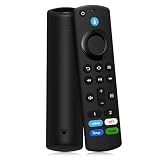
- Compatible With: This stick remote control compatible with Smart TV (3rd gen), TV stick (2nd gen/3rd gen), TV Stick 4K (1st / 2nd Gen), TV stick lite, TV stick 4K max (1st / 2nd Gen), Smart TVs cube (1st gen/2nd gen/3rd gen), Compatible With Smart TV
- Not Compatible With: This replacement remote not compatible with Smart TVs (1st and 2nd gen), not compatible with Smart TV stick (1st gen), not compatible with Smart TVs edition smart TVs
- Voice Function Supported: Navigate content easily via voice. You can search, run apps, control playback and switch cable TV with simple voice prompts. Shortcut buttons allow quick access to your commonly used apps
- Easy Pairing: This replacement voice remote requires pairing prior to use. Press and hold the HOME button for 10 to 15 seconds until the LED flashes rapidly. Then wait 30 to 60 seconds while the remote enters pairing mode
- Package Contents: 1 Replacement Remote (Batteries Excluded) & 1 User Manual. Our customer service team is always here to help with any problems
Retailer recycling and haul-away: one current example
Best Buy’s published U.S. recycling information illustrates why you must verify details locally rather than treat one retailer’s policy as national law. Its main recycling page currently lists:
- Up to three qualifying items per household per day at most stores;
- A limit of two TVs per household per day;
- Many qualifying LCD, plasma, and LED TVs 50 inches and smaller at $29.99 per item in many locations;
- Best Buy-branded Insignia and Dynex TVs 50 inches and smaller as free under the displayed policy;
- A $49.99 haul-away fee when a replacement TV is delivered by Geek Squad or Best Buy Home Delivery; and
- A $199.99 standalone haul-away option for up to two large products, including TVs, according to the main page.
However, Best Buy’s recycling FAQ separately displays a $59.99 replacement-product haul-away fee. State exceptions and store-specific restrictions also apply. Check the exact price, accepted size and technology, limits, and availability at checkout or with the specific store before loading the TV into a vehicle.
Special warning: CRT televisions
CRT means cathode-ray tube. CRT glass contains lead, particularly in the funnel portion. Use a program that explicitly accepts CRT televisions, and do not break, crush, dismantle, or place one in a general appliance bin without confirmation.
Properly operated CRT televisions are not generally a household X-ray hazard. The FDA says televisions and video display monitors are subject to federal radiation-emission standards; the main disposal concerns are safe physical handling and appropriate hazardous-material management. See the FDA’s guidance on televisions and video display monitors and television radiation.
Crashes, No Sound, or Screen Glitches?
Random freezes, missing sound and display glitches usually trace back to one bad driver. Find and replace yours safely.Free scan · under a minutePC Slower Than It Used to Be?
A free scan shows the junk files, broken settings and background clutter dragging Windows down - then fixes them in one click.Free scan · Windows 10 & 11Prepare the TV for handoff
- Sign out of accounts and perform a factory reset if the TV works.
- Remove USB drives, external storage, and detachable remote batteries.
- If a battery is present, follow the appropriate battery-recycling instructions; EPA says lithium-ion batteries and devices containing them should not go in household garbage or recycling bins.
- Photograph the condition and retain the model and serial number.
- Do not dismantle the TV. Keep loose parts contained without handling exposed wiring or broken glass unnecessarily.
- Use two people or suitable moving equipment for a large set.
- Confirm whether pickup is from inside the home, a garage, curb, or doorway.
- For a paid or certified recycler, request a receipt or confirmation.
Quick decision tree
- Cracked screen? Sell it with full disclosure for parts or arrange a program that accepts damaged TVs.
- Screen intact and covered? Contact the seller, manufacturer, or protection-plan provider before paying for repair.
- Screen intact but older? Get a quote only if the TV has meaningful value, unusual size, or premium features.
- Works normally? Sell, donate, or trade it in after removing personal data.
- CRT? Confirm CRT acceptance before transporting it.
- No vehicle or local drop-off? Ask about municipal pickup, a collection event, manufacturer take-back, retailer haul-away, or a certified recycler offering pickup.
What to tell a recycler
Use a direct description: “I have a [brand] [model], [screen size], [flat-panel or CRT] television. It [works/does not power on/has sound but no picture]. The screen is [intact/cracked], and I need [drop-off or pickup]. Do you accept this type and size, what is the fee, and where must it be placed for collection?”
Confirm acceptance and cost before you travel. That one call can prevent a rejected load, an unexpected fee, or an unsafe curbside abandonment.
Quick Recap
Product prices and availability are accurate as of the date/time indicated and are subject to change. Any price and availability information displayed on Amazon at the time of purchase will apply.

