Recommended Free Tools
Sometimes—but there is no safe universal wire-to-wire diagram for a four-wire CBB61 capacitor. Three separate AC motor-run capacitors can replace its sections only when their capacitance and voltage ratings are appropriate, every original circuit connection is identified, and the parts can be mounted securely. If the fan’s wiring has already been disturbed and you lack its model-specific schematic, do not guess.
What the four wires do—and why they do not identify a universal wiring pattern
A multi-section capacitor combines separate capacitances in one housing. The example behind this question is marked 2.4 µF + 1 µF + 1 µF; those are the reported values for that particular fan, not standard values for every CBB61. A four-lead design may have one common lead and three leads for the individual sections, but that does not establish which wire belongs to which point in another fan’s circuit.
The speed switch and motor wiring determine how those sections connect. A model-specific example of a three-speed fan circuit illustrates why a generic switch diagram is not a reliable substitute for the fan’s own schematic (Home Improvement Stack Exchange example). Wire colors also vary; NTE advises using the capacitor diagram, owner’s manual, or manufacturer’s documentation to identify multi-value capacitors (NTE Electronics’ replacement guide).
Choose between a multi-section replacement and separate capacitors
| Option | What must match | Main consideration |
|---|---|---|
| One replacement multi-section capacitor | The original capacitance sections and appropriate voltage rating | Use the fan’s markings or documentation to confirm the correct part and connections. |
| Three individual capacitors | Each original section’s capacitance and an appropriate AC voltage rating | Reproduce the documented circuit connections and confirm the units fit and can be secured. |
A technical-forum reply supports using individual AC capacitors with matching or suitable ratings when there is room, but it is not a manufacturer’s wiring diagram for every fan (All About Circuits discussion, opened June 12, 2021). The available sources do not establish a universal voltage rating. Check the original part and the fan documentation rather than assuming one.
#1 Best Overall

- Model : CBB61
- Capacitor Capacity: 4.5uF+5uF+6uF ±5%
- Rated Voltage : 250V AC
- Rated Frequency : 50/60Hz
- Capacitor size:50x23x32 mm/1.97x0.90x1.25 inch(L*W*H)
How to wire separate capacitors without guessing
- Isolate the fan’s power. Turn off the fan circuit at the breaker or remove its fuse. Use a voltage tester to confirm the circuit is de-energized before opening the fan. Follow the safety preparation in NTE’s replacement guide.
- Record the existing wiring before disconnecting anything. Photograph the capacitor and its connections clearly, then label each wire and the point it connects to. Do not identify a lead by color alone.
- Confirm the capacitor sections and ratings. Read the original label and consult the fan schematic or manufacturer’s documentation. If the marking is unreadable, NTE advises consulting the manufacturer or schematic to determine the original value. The example values 2.4 µF, 1 µF, and 1 µF apply only to the fan described in the cited forum thread.
- Match each section to its documented circuit connection. Use the original wiring record and model-specific diagram to connect each individual capacitor section to the same circuit points as the original section. Do not infer a common lead, wire color, or speed connection from the number of wires or capacitance alone.
- Check fit and mounting before closing the fan. Separate units may take more room than the combined capacitor. Secure them so they cannot shift, be pinched, or contact moving parts when the housing is reassembled.
When to stop and get the fan schematic
- The original connections were removed without a clear photo or labels.
- The capacitor marking or wiring diagram is unreadable, and the fan model’s documentation is unavailable.
- You cannot confirm the capacitance sections or suitable voltage ratings of the replacements.
- The separate units cannot be mounted securely in the available enclosure.
In those cases, obtain the model-specific schematic or have a qualified repair professional identify the connections. Do not try candidate wiring arrangements on a mains-connected fan.
Independent reader supportYour contribution helps us test, update, and keep practical guides available for everyone.Check whether the capacitor is actually the fault
Slow or absent operation and missing speeds can be capacitor symptoms, but they do not prove the capacitor is the only failed part. NTE notes that other defective circuit components can damage a replacement capacitor. If a correctly specified replacement does not resolve the problem, or another capacitor fails, stop replacing parts and have the fan circuit diagnosed.
Quick Recap
Rank #4
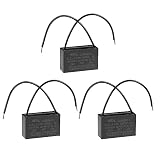
- [Material] - The ceiling fan capacitor is made of metallized polypropylene film sheet with plastic shell. which has small volume, lightweight, low loss, great self-healing, excellent electrical performance and long service life
- [Specification] -Rated Capacity: 4.5uF; Tolerance: ±5%; Rated Voltage: 350V AC; Cover Size: 47x29x18mm / 1.9x1.1x0.7inch; Rated Frequency: 50/60Hz; Climatic Category: 40/85/21
- [Working Environment] - This c61 capacitor is applied to starting and working of single-phase motor in 50Hz/60Hz AC electric power system
- [Application] - The CBB61 capacitor is widely used for ceiling fan, wall fan, stand fan, industrial fan, range hood fan, air exchange fan, water pump, motor, generator, etc
- [Note] - If the ceiling fan works slowing down or cannot work or cannot work at different speeds as it used to, please check the CBB61 ceiling fan capacitor first. The capacitor may be burnt out or weak, you need to replace it with a new one
Rank #3

- MAKE CEILING FAN RUN FASTER: The CBB61 4.5uF 450V 2-Wire Ceiling Fan Capacitor starts and operates single-phase motors in 50Hz/60Hz AC electric power systems. If your ceiling fan is running slower than usual, not working at all, or unable to adjust speeds as it did before, please check the CBB61 ceiling fan capacitor first. The capacitor may be burnt out or weak, and you'll need to replace it with a new one.
- PERFECT FIT: The CBB61 4.5uF 450V 2-Wire Ceiling Fan Capacitor (47x29x18mm) is widely used for ceiling fan, wall fan, stand fan, industrial fan, range hood fan, air exchange fan, water pump, motor, generator, etc.
- DURABLE & SUPERIOR QUALITY: CBB61 4.5uF 450V 2-Wire Ceiling Fan Capacitor is made of metalized polypropylene film sheet with plastic shell, which is durable, small loss, strong moisture resistance & excellent electrical performance. It has been well-tested by the manufacturer to ensure quality and lifetime.
- EASY TO INSTALL: Installing a new ceiling fan capacitor is simple enough for any DIY handyman. Remember to switch off the electric supply from the distribution board. Then, lose the ceiling fan and the upper and lower cup of it. Take note of the value of the capacitor disconnected from the fan. Finally, replace the faulty capacitor with a new one.
- 100% LIFETIME PROTECTION: Enjoy reliable performance with our lifetime protection, ensuring that your product will always be covered for any defects or issues that may arise.
Rank #2
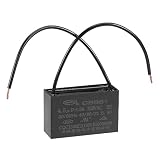
- [Material] - Made of metallized polypropylene film sheet with plastic shell
- [Specification] -Rated Capacity: 4.5uF; Tolerance: ±5%; Rated Voltage: 350V AC; Cover Size: 47x29x18mm / 1.9x1.1x0.7inch; Rated Frequency: 50/60Hz; Climatic Category: 40/85/21
- [Working Environment] - This CBB61 capacitor is applied to starting and working of single-phase motor in 50Hz/60Hz AC electric power system
- [Application] - The CBB61 capacitor is widely used for ceiling fan, wall fan, stand fan, industrial fan, range hood fan, air exchange fan, water pump, motor, generator, etc
- [Note] - If the ceiling fan works slowing down or cannot work or cannot work at different speeds as it used to, please check the CBB61 ceiling fan capacitor first. The capacitor may be burnt out or weak, you need to replace it with a new one
Product prices and availability are accurate as of the date/time indicated and are subject to change. Any price and availability information displayed on Amazon at the time of purchase will apply.




