Recommended Free Tools
The best thermostat for a geothermal heat pump is one that matches the installed system—not simply one labeled “geothermal compatible.” Check the heat pump’s stages, backup-heat setup, wiring and power needs, and whether it distributes heat through forced air or radiant flooring. Resideo’s VisionPRO 8000 family has documented geothermal control modes; some Google Nest generations also list geothermal support, with compatibility varying by model. Confirm the exact thermostat and equipment pairing before buying.
Why geothermal thermostat compatibility takes more than a label
A geothermal heat pump uses heat from the ground or groundwater for space conditioning and, in some systems, domestic water heating. ENERGY STAR describes it as a system involving ground thermal energy—not as a thermostat category. The thermostat is one control in a larger installation that includes the heat pump, ground heat exchanger, distribution system and equipment controls. ENERGY STAR’s geothermal heat pump criteria provide the official definition.
Two systems that are both geothermal may use different numbers of heating or cooling stages, different backup heat, and different distribution methods. A thermostat must communicate with the equipment it controls. A mismatch can mean unsupported stages or backup heat, incorrect operation, or wiring and power problems.
Documented thermostat options for geothermal systems
| Candidate | What the manufacturer documents | What to verify |
|---|---|---|
| Resideo / Honeywell Home VisionPRO 8000 family | Resideo technical literature describes control of geothermal radiant heat, geothermal forced-air heat and backup heat. VisionPRO 8000 technical document. | Exact SKU, supported stages, terminals and backup-heat configuration. Family-level documentation does not establish that every model supports every system setup. |
| Google Nest Thermostat E and certain older Nest Learning Thermostat generations | Google’s technical specifications list geothermal compatibility for these model generations; supported heat-pump stages and auxiliary heat vary by model. Nest thermostat technical specifications. | Exact generation, current availability, stage count, wiring requirements and the result from Google’s compatibility checker. |
| Lutron L-HWLV2-WIFI control interface | Lutron’s comparison table marks the interface compatible with geothermal heat pumps. Lutron compatibility table. | Whether this product-specific interface suits the installed equipment and the controls you want; it is not evidence of universal thermostat compatibility. |
These are candidates supported by specific manufacturer materials, not a tested ranking. The available documentation does not establish which option saves the most energy, nor does it provide a thermostat-to-thermostat comparison in geothermal homes.
#1 Best Overall

- · High Compatibility: Single-stage or Multi-stage systems, Forced air (gas, oil or electric), Electric furnace, Hot water steam or gravity radiant heat, Heat only systems, Heat pump w/o auxiliary or emergency heat, Millivolt, Gas fireplaces (24V), Floor or wall furnaces, Cool only systems.(TIP: Before purchasing, check to see if this thermostat is compatible with your system.)
- · Not Compatible: Heat pump with auxiliary or emergency heat, Dual fuel/hybrid heating, Electric baseboard heat (110-240 volts), Line voltage, Convectors, Radiant-ceiling heat, Mini split systems and 12V RV systems.
- · Easy to Install and Use: Large terminal blocks with universal sub-base, can be installed within 30 minutes, Large, clear, easy-to-read backlight LCD display and easy controls make for a user-friendly experience.
- Factory Pre-set Energy-efficiency Program: 7-day, 5/1/1 easy-to-understand programming menus, flexible programming lets you sync your comfort with your schedule.
- · Reliability: Made by professional manufacturer and backed by over 20 years of experience, the customer service is 7*24 hrs available.
How to choose the right thermostat for your system
1. Identify the heat pump and its stages
Find the geothermal unit’s make and model, then consult its manual or ask the installer how many compressor, heating and cooling stages the system uses. Compare that information with the exact thermostat model’s supported stages. Support can differ between generations in the same product family.
2. Check backup or auxiliary heat
Determine whether the system has backup heat, what type it is, and how the equipment expects it to be controlled. Confirm that the thermostat supports the arrangement and that its setup instructions match the heat pump’s control requirements.
Rank #2

- PRIVACY PROTECTION*: Sensi won’t sell your personal information to third parties
- EASY DIY INSTALLATION: Use the built-in level and step-by-step app instructions for a quick installation. Works with HVAC equipment found in most homes. Common wire (c-wire) is not required in most applications
- SAVE ABOUT 23% ON HVAC ENERGY*: The ENERGY STAR-certified Sensi smart thermostat can help you save energy with features like flexible scheduling, remote access and usage reports
- SIMPLE CONFIGURATION: Looks and feels like a thermostat. Has buttons and fits the same space as a traditional thermostat so you don’t have to patch and paint your walls
- SMART MAINTENANCE: Sensi can help monitor the performance and efficiency of your HVAC system by delivering valuable usage reports, alerts about your equipment, and maintenance reminders like filter replacement
3. Confirm the distribution system
Establish whether the heat pump serves forced-air ducts, geothermal radiant heating, or another configuration. Resideo’s VisionPRO 8000 literature specifically describes both geothermal radiant and forced-air modes alongside backup heat, but the exact product and installation still need to match.
4. Verify wiring and power
Photograph the existing thermostat wiring before disconnecting anything, and record the terminal labels as well as the equipment control-board terminals if accessible. Google notes that some installations need a C wire or a Nest Power Connector; the requirement depends on the thermostat model and system wiring. Check the manufacturer’s instructions for the exact model rather than assuming the existing wires will be sufficient. Google’s thermostat compatibility and wiring guidance.
Quick wins for a faster PC:
Fix the driver behind crashes, sound loss and screen glitchesFind Drivers →Clear out junk files and repair common Windows errorsFree Scan →Rank #3

- Energy Savings - Advanced algorithms optimize heating and cooling cycles, reducing energy consumption and lowering utility bills.
- Global Control - Control from anywhere, anytime, using the free iOS and Android app.
- Smart Scheduling - Set custom or Preset schedules for when you’re Home, Away, or Asleep for a personalized home environment.
- Energy Usage Patterns: Get deeper insights into your heating/cooling usage and make informed decisions to reduce energy consumption.
- Vacation Mode - Safeguards your home against extreme temperatures when you are on holiday while consuming minimal energy.
5. Use the manufacturer’s compatibility guidance
Run the thermostat maker’s compatibility check using the actual system wiring and equipment information, then compare its result with the geothermal unit’s manual. If the system has proprietary controls, the wiring is unclear, or the compatibility results conflict, get confirmation from the equipment manufacturer or a qualified geothermal HVAC installer before purchase.
Independent reader supportYour contribution helps us test, update, and keep practical guides available for everyone.What geothermal savings figures do—and do not—say
ENERGY STAR’s geothermal consumer page reports that geothermal heat pumps use “61% less energy” than a standard model, with estimated savings of “nearly $830 annually” and “more than $9,500 over the 15-year life of the product.” The page does not state a publication year for these figures. They describe geothermal heat-pump equipment, not savings from installing a particular thermostat. ENERGY STAR geothermal heat pump information.
Rank #4
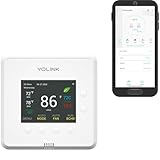
- Precise Dual-Stage Comfort: Enjoy finer temperature control with dual-stage heating and cooling, ensuring ideal comfort for homes and commercial spaces year-round.
- Heat Pump & Sensor Integration: Works seamlessly with heat pumps and supports up to two YS8007-UC sensors for real-time climate monitoring in any room or building area.
- Industry-Leading LoRa Range: Powered by YoLink’s LoRa technology, offering the longest wireless range (up to 1/4 mile) for large homes, commercial buildings, and challenging spaces.
- Smart Remote Access: Control temperature, modes, and schedules from anywhere via the YoLink app, perfect for managing home or business climates on the go.
- Energy-Saving ECO Mode: Automatically optimizes settings to reduce power bills while maintaining comfort, ideal for eco-conscious homes and businesses.
Thermostat selection should therefore be based on documented system compatibility and correct setup, not on applying those equipment-level figures to a thermostat. ENERGY STAR also recommends maintenance and directs consumers to contractor-selection and quality-installation guidance for geothermal heat pumps. ENERGY STAR geothermal heat pump information.
Quick Recap
Best Value
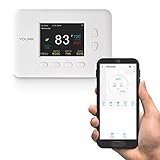
- YoLink Hub with an internet connection (wired Ethernet or 2.4GHz Wi-Fi). Refer to the Hub user guide for additional information
- Use the convenient YoLink app to check and change your thermostat’s temperature and mode, anytime from anywhere
- Enable the ECO feature to automatically adjust set temperatures for savings on your power bill – ideal for when you are away
Product prices and availability are accurate as of the date/time indicated and are subject to change. Any price and availability information displayed on Amazon at the time of purchase will apply.