What’s actually slowing this PC down?
Pick the symptom - the matching free tool is one click away.
Short answer: SimpliSafe is the best overall starting point for most people who want a conventional DIY alarm without a mandatory long-term contract. ADT is the stronger choice when professional installation and a service-led monitoring relationship matter most. Ring Alarm makes the most sense for Amazon, Alexa, and Ring-camera households, while Abode is the best fit for flexible smart-home integration, especially Apple Home users.
There is no universal winner. A camera can show you what happened, but it is not automatically a monitored intrusion alarm; a low monthly fee may exclude video storage or cellular backup; and a professionally installed ADT arrangement can have very different cancellation terms from an ADT self-setup product. This comparison is U.S.-focused and based on current manufacturer information and 2026 independent coverage. Prices, promotions, plan names, availability, and equipment generations should be rechecked before ordering.
As an Amazon Associate I earn from qualifying purchases.
Quick picks
- Best overall DIY system: SimpliSafe. It combines straightforward no-tools installation, optional professional monitoring, self-monitoring choices, and no-long-term-contract residential plans according to the company.
- Best for professional installation and monitoring: ADT. ADT is the most service-oriented option here, with professional installation, 24/7 professional monitoring, the ADT+ app, and Google Nest camera integration. Read the contract carefully because self-setup and professionally installed arrangements are not interchangeable.
- Best for Ring and Amazon households: Ring Alarm. It works naturally with Ring cameras, doorbells, and Alexa, and it offers DIY setup with optional professional monitoring. Some monitoring and backup functions require an eligible subscription or configuration.
- Best for smart-home integration: Abode. Abode is a flexible hub-and-sensor system with advertised support for Apple HomeKit, Amazon Alexa, Google Assistant, and other platforms. It is especially appealing when security and automation need to share one ecosystem.
These are needs-based editorial recommendations, not results from a single laboratory test. Independent 2026 comparison outlets use different scoring methods, so a different publication may reasonably name a different winner.
Home security systems compared
| System | Equipment and expansion | Monitoring and contract considerations | Installation | Backup and smart-home strengths | Best fit |
|---|---|---|---|---|---|
| SimpliSafe | Packages range from small configurations such as Foundation and Starter to larger packages such as Hearth, Knox, Haven, Lighthouse, and Beacon. Options can include smoke/CO, water, temperature, extra sirens, and outdoor cameras. | Unmonitored access, self-monitoring with camera recordings, and several professional-monitoring tiers. The company says residential plans are monthly with no long-term contracts. | No-tools DIY setup is the central experience, with optional professional installation. | Network backup on qualifying plans and up to 24-hour battery backup in published product material. Compatible equipment and plans determine the actual protection. | Most buyers who want a conventional alarm with flexible commitment. |
| ADT | Traditional alarm equipment with professional installation options, the ADT+ app, and Google Nest camera integration. Exact equipment depends on the quote. | 24/7 ADT Pro Monitoring. Self-setup may involve a minimum monitoring term; professionally installed arrangements can involve a 36-month monitoring plan and early-cancellation fees. | Professional installation is the main differentiator, although ADT also sells self-setup products. | ADT documentation describes cellular connectivity and professional monitoring infrastructure. Confirm the specific equipment and outage provisions in the quote. | Homeowners who want installation and monitoring handled by a security provider. |
| Ring Alarm | Second-generation 5-, 8-, 10-, and 14-piece kits, plus Alarm Pro configurations with a built-in eero Wi-Fi 6 router. Ring cameras and doorbells expand the system. | Self-monitoring and app alerts are available. Professional monitoring requires an eligible Ring subscription; the research snapshot lists Alarm Professional Monitoring as included with Ring Pro at $19.99 per month. | App-guided DIY setup; professional installation is separately available in supported locations. | Battery backup and optional cellular backup on eligible configurations. Strong Alexa, Ring, and Amazon ecosystem fit. | Existing Ring-camera, Alexa, or Amazon households that want value-oriented self-monitoring. |
| Abode | Smart Security Kit includes a hub, mini door/window sensor, and key fob. The manufacturer advertises support for up to 160 devices, including compatible sensors and automation products. | Self-monitoring and optional professional monitoring through a contract-free model, subject to the current plan terms. | Abode says most users can install the kit in under 30 minutes; professional installation is also available. | Advertised 4G cellular and battery backup, a 93 dB siren, and compatibility with Apple HomeKit, Alexa, Google Assistant, and other platforms. | Apple Home users and buyers who want security tied closely to broader home automation. |
Pricing and feature availability are variable. The figures retained in the research record include SimpliSafe Standard at $22.99 per month and Pro Plus at $79.99 per month as of June 24, 2026, and Ring’s cited $19.99-per-month Ring Pro monitoring reference. Verify current prices, plan names, promotions, taxes, installation charges, and equipment requirements at checkout.
#1 Best Overall

- WIDE RANGE OF APPLICATIONS : The wireless weather resistant driveway alarm motion sensor can be used to monitor&protect your outdoor/indoor property. Such as driveway, front porch, gate,pool,garage,shed and etc. Great for home, business,and office.The sensor will work properly at all the seasons. Working temperature range from -30 to 150 degree Fahrenheit.
- 1/2 MILE LONG WIRELESS TRANSMISSION RANGE : Both the motion sensor and plug-in receiver pick up alarm signals up to 1/2 mile away(actual range will vary depending on the local terrain), it is a great solution even you have a large perimeter or property to monitor. The system adopts improved wireless transmission technology(FSK+FHSS) to avoid the wireless signal interference from other devices.
- 50-FT WIDE MOTION DETECTION RANGE : The motion sensor will detect moving people or vehicles from 35 feet to 50 feet in front of it. Improved motion detection chip and detection angle to reduce the false alarms from dead leaves/small animals/sunlight/wind/temperature changes and etc. It has 2 adjustable sensitivities( Low=35ft; High=50ft), ideal for driveways, walking paths,yard,garage,gate,pool and anywhere of your outdoor/indoor property you want to be alerted.
- PLUG&PLAY,SUPER EASY TO INSTALL : Power on the motion sensor by 3pcs AA 1.5V Alkaline batteries(the package does not include the batteries) and plug the receiver into the outlet,here we go. The unit has been programmed before shipped, place the sensors to walls, fence posts, trees, or any other surface,the installation time can be as little as a few minutes.
- FULLY EXPANDBLE SYSTEM - The unit includes one plug-in receiver and two motion sensors. Expandable up to 32 sensors and unlimited receivers for complete coverage of your outdoor/indoor property. 4 volume levels adjustment and 35 optional melodies. Match different melody with different sensors around your property to differentiate where motion is being detected.
What a complete home security system actually does
A complete system normally combines several layers:
- Entry detection: Contact sensors report when a protected door, window, or other opening is opened.
- Motion detection: Motion sensors detect activity in selected rooms, although placement and pet settings affect usefulness.
- Local alarm: A siren or keypad warning can alert occupants and deter some unwanted activity.
- App alerts: The system can notify you or other authorized users about alarms, sensor activity, low batteries, and system status.
- Video: Cameras and doorbells add visual awareness, live viewing, recordings, and sometimes video verification or agent intervention.
- Professional monitoring: A monitoring center receives qualifying alarm signals and may contact emergency contacts or request police, fire, or medical assistance under its procedures.
A camera-only setup is not automatically equivalent to a monitored alarm. Video may provide evidence or deterrence, but it may not produce a siren, monitor every opening, or place a dispatch request when nobody is watching. Conversely, an alarm system without cameras can detect an event without showing who or what triggered it. Decide whether you need detection, visual confirmation, deterrence, professional response, or all four.
SimpliSafe review: best overall DIY starting point
Our call: SimpliSafe is the most balanced choice for buyers who want a recognizable alarm system, simple installation, optional professional monitoring, and the ability to avoid a long-term contract.
Its current package range covers more than a single apartment starter kit. Foundation and Starter are aimed at smaller configurations, while Hearth, Knox, Haven, Lighthouse, and Beacon can add equipment such as smoke/CO detection, water and temperature sensors, extra sirens, and outdoor cameras. Choose by the openings and hazards you need to cover rather than by package name. A larger package is not automatically better if it leaves important doors uncovered or includes equipment you will never use.
SimpliSafe advertises no-tools setup and also offers optional professional installation. That combination is useful for renters and homeowners who want the choice to install equipment themselves but do not want to rule out installation help. Wireless does not mean every home will be equally easy: thick walls, detached structures, sensor placement, Wi-Fi coverage, and access to power can all affect the finished system.
The company publishes several service levels, including unmonitored access, self-monitoring with camera recordings, and Standard, Core, Pro, and Pro Plus professional-monitoring tiers. The research record lists Standard at $22.99 per month and Pro Plus at $79.99 per month as of June 24, 2026. Those figures are a dated snapshot, not a permanent rate card. Check which plan supplies camera recording, cellular or network backup, live-agent functions, and any artificial-intelligence features before comparing it with a competitor’s cheaper headline price.
SimpliSafe’s differentiator is the combination of DIY hardware, optional monitoring, a stated no-long-term-contract residential model, and a 60-day money-back period. Its Active Guard Outdoor Protection feature is more specialized: it uses compatible outdoor cameras, AI detection, and live-agent intervention on qualifying plans. Do not assume that every SimpliSafe camera or package includes that capability.
Recommended Free Tools
Choose SimpliSafe if: you want a conventional alarm without a mandatory long commitment, expect to install it yourself, or want the option to move equipment to another home.
Look elsewhere if: your top priority is deep cross-platform automation, a fully provider-managed installation experience, or a very specific camera feature that is available only on a higher plan.
ADT review: best for professional installation and monitoring
Our call: ADT is the strongest option for homeowners who value professional installation, a traditional monitoring relationship, and a provider that can configure the system rather than leaving every decision to the customer.
ADT’s current consumer offering emphasizes professional installation, 24/7 ADT Pro Monitoring, the ADT+ app, and Google Nest camera integration. That may be a better fit for a larger home, an older adult who does not want to manage installation, or a homeowner who wants someone else to handle setup and configuration. It is a service-model advantage, not proof that ADT detects every event better than every DIY competitor.
Quick wins for a faster PC:
Scan for outdated or missing drivers - takes under a minuteDriver Scan →Repair Windows errors before they cause bigger problemsFix Now →Fix the driver behind crashes, sound loss and screen glitchesFind Drivers →The contract distinction is essential. ADT sells self-setup products as well as professionally installed arrangements, and the financial obligations can differ materially. Official product material indicates that self-setup can involve a minimum monitoring term, while professionally installed systems can involve a 36-month monitoring plan and early-cancellation fees. Exact terms depend on equipment, location, promotion, and installation method. Ask for the full written quote before agreeing, including the monitoring term, cancellation formula, installation cost, equipment ownership, return rules, and what happens if you move.
ADT’s service-heavy model can justify a higher commitment for someone who does not want to install sensors or monitor alarms personally. It is less attractive for a renter who expects to move soon or for a technically comfortable buyer who mainly wants inexpensive self-monitoring. A professional monitor also does not guarantee a particular police, fire, or medical response time. Local permits, verification rules, false-alarm policies, and dispatch practices still apply.
Choose ADT if: installation assistance and 24/7 professional monitoring are worth a potentially longer commitment.
Rank #2
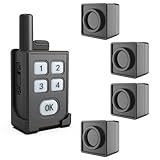
- [Instant Perimeter Protection for Your Outdoor activities] Get alerted immediately when motion is detected within range, safeguarding your campsite, tent, RV spot, fishing hole, or hunting blind from unexpected visitors - be it curious strangers or large wildlife (like bears, deer, coyotes)
- [Portable & Functional] Compact, lightweight design for easy carry(the package includes the customized storage bag for the kit). The motion detector is weather-resistant (IP65) construction to withstand rain, dust, and the rigors of the trail. Working temperature range from -30 to 150 degree Fahrenheit. The portable receiver has 3 optional alarm modes (Light/Sound/Vibration) are for choice if the motion detector is activated
- [1/4 Mile Long Wireless Range] The wireless connection range between the detectors and the portable alarm receiver is up to 1/4 mile(actual range will vary depending on the local terrain). Perfect for sprawling campsites or securing approaches. The detection range of the motion sensors is up to 35 feet. Advanced PIR motion sensing optimized to detect larger moving objects (people, big animals) while minimizing false alarms from small critters or swaying vegetation
- [Long-Lasting Battery Life] [DIY Outdoor Security] Both the motion sensor and the portable receiver are powered by the built-in rechargeable batteries offering extended operation (portable receiver: working 48 hours once fully charged/ motion sensor: working 14 days once fully charged), ensuring reliable protection throughout your trip without constant recharging worries
- [Designed for the Wild, Not Just the Home] No complex wiring, no WiFi dependency, no monthly fees! Simply place the infrared detector where needed, keep the portable receiver with you, and experience peace of mind in minutes. Ideal for remote locations. Your Essential Companion for peaceful camping trips, solo hiking adventures, focused fishing sessions, successful hunts, RV travels, and securing off-grid cabins or work sites. Know what's approaching before it's too close
Look elsewhere if: contract flexibility, low commitment, or moving the system between properties is more important than provider-led service.
Ring Alarm review: best for Ring, Alexa, and Amazon households
Our call: Ring Alarm is the natural choice when a home already uses Ring doorbells, Ring cameras, Alexa, or related Amazon services and the owner wants one app-centered ecosystem.
Ring Alarm is a physical alarm system, not merely a camera subscription. The system uses a base station, keypad, contact sensors, motion detectors, and range extenders, with cameras and doorbells as optional additions. Ring’s current U.S. product page lists second-generation 5-, 8-, 10-, and 14-piece kits, along with Alarm Pro configurations that include a built-in eero Wi-Fi 6 router. Kit contents, generation, price, and promotions change, so verify the exact package before purchase. A Ring Alarm Security Kit should be evaluated by the number and type of sensors included, not just its piece count.
DIY setup is guided through the app, and self-monitoring with app alerts is available. Professional monitoring requires an eligible Ring subscription. The research snapshot describes Alarm Professional Monitoring as included with Ring Pro at $19.99 per month, but Ring plan names and terms are sufficiently volatile that this should be checked immediately before publication or purchase. Also check whether camera recording, cellular backup, and other premium services are included or billed separately.
Ring lists battery backup and optional cellular backup on eligible configurations. That does not mean every Ring Alarm package has the same outage protection. Confirm which base station, subscription, and network arrangement are required if continued alarm communication during an internet outage is important to you.
The Tool Desk
Outbyte Driver Updater FREEScan for outdated or missing drivers - takes under a minuteDriver Scan →Outbyte PC Repair FREERepair Windows errors before they cause bigger problemsFix Now →Ring’s biggest advantage is ecosystem convenience. A Ring camera can sit alongside contact and motion sensors, while Alexa can provide compatible voice and automation controls. The trade-off is account and cloud-service concentration: your alarm, cameras, recordings, and smart-home controls may depend on the same vendor account and permissions. Use a unique password, multifactor authentication where available, and carefully review shared-user access.
Choose Ring if: you already own Ring or Alexa equipment, want DIY installation, or prefer self-monitoring with an optional upgrade to professional monitoring.
Look elsewhere if: you want a platform-neutral system, dislike cloud-service dependence, or need a feature that is locked to a higher Ring subscription.
Abode review: best for smart-home integration
Our call: Abode is the most compelling choice for a buyer who wants an alarm hub to work alongside existing smart-home products rather than function as an isolated security system.
Abode’s Smart Security Kit includes a hub, mini door/window sensor, and key fob. The hub is designed for expansion, and the manufacturer advertises support for up to 160 devices. It also advertises a 93 dB siren, battery backup, and 4G cellular backup. Confirm the exact backup behavior, device compatibility, and subscription requirements for the particular hub and plan you select.
Abode explicitly supports Apple HomeKit, Amazon Alexa, Google Assistant, and additional smart-home platforms. That makes it a strong candidate for Apple Home users and for households that want security events to work with lights, locks, routines, or other automation. The same flexibility can make setup more complex. Every integration introduces another account, permission set, cloud service, or device that should be maintained.
Abode offers self-monitoring and optional professional monitoring without a long-term commitment according to its current positioning. Most users can install the kit in under 30 minutes, and professional installation is also available. Treat the time estimate as a manufacturer guideline rather than a guarantee for a large or complicated property.
Abode is less compelling if you only want the simplest possible alarm and have no interest in automation. In that situation, its integration capability may be extra complexity rather than extra value.
Crashes, No Sound, or Screen Glitches?
Random freezes, missing sound and display glitches usually trace back to one bad driver. Find and replace yours safely.Free scan · under a minuteWindows Errors? Fix Them Before They Spread
Repair common Windows errors and clear accumulated junk for a smoother, more stable PC - no reinstall needed.Free scan · no reinstallChoose Abode if: you use Apple HomeKit, Alexa, or Google Assistant and want security devices to participate in broader home routines.
Look elsewhere if: you want the least complicated alarm-only setup or prefer a provider-led installation and service relationship.
Rank #3

- Wireless Motion Sensor Alarm: A Motion detector is essential in a home security system; It can detect movement in the surrounding areas: driveway, front porch, gate, home, shed, office, walkway, swimming pool, etc, and trigger alerts to the linked receiver; It provides an added level of security and safety to your property and loved ones
- Long Distance Wireless: Communication ranges up to 1000ft/300m from each sensor to the receiver; Cars, people, and animals can be detected within 24ft/8m of each sensor’s angled eye; Think of this system as your long-range doorbell
- Two Work Modes & Three Alert Options to Choose: The receiver can work not only as a doorbell but an alarm; Select one of three ways of being alerted (Sound/LED Flash/Sound and LED Flash) to alert visitors, scare off unwanted intruders, or even know when your children have accessed restricted areas
- Easy to Install & DIY: This system is fully expandable, with plug-and-play sensors that can be set up within minutes; Pair each receiver with up to 5 sensors for full coverage of your property; The sensors can be mounted to walls, fence posts, trees, or any other surface, providing extra layers of security and home safety
- Fully Expandable System: Our wireless driveway alarm sensor is fully expandable; Simply place your motion sensor or multiple sensors (expandable up to five sensors) anywhere on your property and when a person, vehicle, or large animal moves within 24 feet of the sensor’s angled eye, a signal will be sent to the receiver that will chime in your home just like a long-range doorbell
DIY installation versus professional installation
DIY is usually cheaper and more portable. It also lets renters avoid drilling or permanent wiring in many installations, although landlord rules still control what you may mount. App-guided setup does not remove the need to plan sensor locations, test communication, configure users, and understand alarm behavior.
Professional installation costs more or may be bundled into a longer monitoring arrangement, but it can be worthwhile for a large property, multiple floors, detached buildings, difficult wall materials, older occupants, or anyone who does not want to troubleshoot placement. ADT is the clearest service-led option, while SimpliSafe, Ring, and Abode also offer installation help in relevant markets or configurations.
For any system, ask these questions before installation:
- Which doors and windows are covered by the quoted equipment?
- Are sensors adhesive, screw-mounted, wired, or dependent on a specific hub?
- Can the system cover a detached garage, basement, workshop, or outbuilding?
- What happens if the internet or household power fails?
- Is camera recording included, and for how long?
- Who owns the equipment if monitoring is canceled?
- Can the system be relocated if you move?
- Does the installer register or advise on a local alarm permit?
Monitoring: what you are paying for
Self-monitoring means the system sends alerts to you or other authorized users. It can avoid a monthly monitoring fee, but it depends on someone seeing the alert, having a working phone and internet connection, and deciding what to do next. It is not ideal if the home is frequently empty, the owner cannot reliably respond, or a family member needs assistance when nobody is available.
Professional monitoring means a monitoring center receives qualifying alarm signals and follows the provider’s procedures. Depending on the event and plan, the center may contact you, contact emergency contacts, or request emergency assistance. It does not guarantee dispatch, eliminate false alarms, or promise a response time. Verification requirements and local policies can influence whether and how a call is handled.
Video adds another layer. Some plans offer recordings, some offer live viewing, and some offer video verification or live-agent intervention. These are different services. Compare them explicitly instead of treating every camera plan as professional monitoring.
Free tools Windows power users keep installed
One-click scans. No signup required.
Total cost: compare the complete setup, not just the monthly fee
The real cost of a system can include:
- Starter equipment and additional sensors.
- Installation or activation charges.
- Monthly professional monitoring.
- Camera-cloud recording.
- Cellular backup or premium network features.
- Video verification, artificial-intelligence detection, or live-agent functions.
- Replacement batteries and damaged or missing equipment.
- Extra sirens, range extenders, keypads, smoke/CO detectors, water sensors, and temperature sensors.
- Early-cancellation fees or remaining monitoring charges.
SimpliSafe says its residential plans are paid monthly with no contracts or hidden fees, but its tiered features still need to be compared. ADT’s self-setup and professional-installation terms can create very different long-term costs. Ring’s professional monitoring depends on an eligible subscription, and Abode’s contract-free positioning does not mean every feature or device is free of recurring charges. Ask each provider for a 12-month and 36-month total rather than comparing only the advertised monthly monitoring rate.
Backup connectivity and power: the questions most buyers miss
Alarm communication can fail when a router loses power, broadband goes down, or the security hub is placed where wireless signals are weak. The four systems advertise different forms of resilience:
- SimpliSafe: built-in network backup on qualifying plans and up to 24-hour battery backup in its product material.
- Ring: battery backup and optional cellular backup on eligible configurations.
- Abode: advertised 4G cellular and battery backup.
- ADT: professional monitoring infrastructure and cellular connectivity are described in its product documentation, but the exact provision depends on the quoted system.
Do not assume that every package from one brand has identical protection. Ask whether the hub has a battery, how long it is rated to operate, whether cellular service is included, whether cameras continue recording, and whether a cellular outage changes the provider’s response process. A camera may go offline even while the alarm hub remains able to transmit, or vice versa.
Which sensors should you buy?
Start with the home’s risks and floor plan. A reasonable sensor plan may include:
Do these 3 things before closing this tab:
1Repair Windows errors before they cause bigger problems2Fix the driver behind crashes, sound loss and screen glitches3Clear out junk files and repair common Windows errors- Entry sensors on exterior doors and accessible ground-floor windows.
- Motion sensors in rooms that create a path through the home, positioned with pets and heating vents in mind.
- Glass-break sensors where large or vulnerable glass areas make them useful and the chosen system supports them.
- Smoke and carbon monoxide detectors where compatible equipment is available. These should supplement, not casually replace, required life-safety alarms.
- Water-leak sensors near water heaters, washing machines, sump pumps, bathrooms, and vulnerable supply lines.
- Temperature sensors for spaces at risk of freezing or overheating.
- Panic buttons or key fobs for residents who may need a simpler way to trigger an alarm.
- Outdoor cameras and doorbells for approach visibility and video evidence, while respecting neighbors’ privacy and local rules.
When expanding, use accessories that are explicitly compatible with the selected hub. Useful additions may include home security door sensors, a compatible wireless motion sensor, a smoke and carbon monoxide detector, a water leak sensor, or a system-compatible security camera. Do not assume that a sensor from Ring, SimpliSafe, or Abode will work with another brand merely because both use wireless communication.
Privacy and smart-home security
Connecting alarms, cameras, locks, voice assistants, and lighting can make a home easier to control, but it increases the number of accounts and permissions that matter. Review who can see live video, download recordings, disarm the alarm, unlock a door, or invite another user.
At minimum:
- Use a unique, long password for the security account.
- Enable multifactor authentication where available.
- Keep the app, hub, cameras, router, and connected devices updated.
- Remove former residents, contractors, guests, and unused integrations promptly.
- Use a separate guest or IoT network when your router supports it.
- Check camera placement and recording zones so you do not unnecessarily capture neighbors, public areas, or private rooms.
- Review the provider’s recording, retention, sharing, and deletion controls before buying cameras.
A VPN can protect network traffic from some forms of interception, but it does not secure a door, detect an intruder, or summon emergency responders. For the computer and accounts used to manage smart-home devices, a service such as VPN for smart-home account management may be a supplemental privacy measure; it should never be presented as a replacement for strong account security, current firmware, or a physical alarm system.
Independent reader supportYour contribution helps us test, update, and keep practical guides available for everyone.Advice for new construction and major remodeling
If you are building or remodeling, make security decisions before drywall closes. A wireless alarm may be ideal for a finished rental or existing home, but construction gives you options that are difficult to add later.
Rank #4
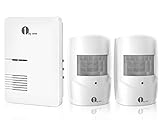
- Wide Range Of Uses: Motion detection is an essential part of any home security solution; The waterproof sensors in this system use Passive Infrared to detect heat and movement so you can quickly be alerted to movement on your driveway, front porch, gate, shed, walkway, or even swimming pool (for when kids get too close); Great for homes, businesses, and offices
- Long Distance Wireless: Communication ranges up to 1000ft/300m from each sensor to the receiver; Cars, people, and animals can be detected within 24ft/8m of each sensor’s angled eye; Think of this system as your long-range doorbell
- Three Alert Options & Thirty-six Chimes To Choose From - Select one of three ways of being alerted (Sound/LED Flash/Sound and LED Flash) and three volume levels from 25-80dB; Also, select from Thirty-six chimes and doorbell sounds; Be alerted to visitors, scare off unwanted intruders, or even know when your children have accessed restricted areas
- Easy To Install and DIY: This system is fully expandable, with plug-and-play sensors that can be set up within minutes; Pair each receiver with up to 5 sensors for full coverage of your property; The sensors can be mounted to walls, fence posts, trees, or any other surface, providing extra layers of security and home safety
- Customer Support: The package includes 2 x PIR Sensors, 1 x Doorbell Receiver, 2 x Wall Plugs, 2 x Screws, and 1 x Instruction Manual; We stand behind our products with a 24-month support window. Directly reach out at any time for assistance
- Plan sensor locations with the floor plan. Mark every exterior door, accessible window, garage entry, mechanical room, water-risk area, and likely camera view.
- Plan a network and equipment location. Provide suitable power and ventilation for the router, security hub, network equipment, and any backup power. Keep the location accessible but not obvious to visitors.
- Ask the low-voltage contractor about prewiring. Depending on the design, cable pathways can support cameras, doorbells, access points, and future equipment. Confirm the cable type, termination, conduit, weather exposure, and final equipment requirements with the installer.
- Separate life-safety planning from security marketing. Smoke and CO alarms must still comply with applicable building and fire requirements. A connected security sensor is not automatically a code-compliant replacement.
- Protect future flexibility. Conduit, spare pathways, accessible junction points, and a well-planned network can make future upgrades easier than committing every function to one generation of wireless hardware.
- Coordinate with doors, windows, and cabinetry. Sensor clearances, metal frames, moving gates, exterior lighting, and camera sightlines should be resolved before finishes are installed.
For new construction, a professional installer can be valuable even if the final system is DIY-managed. The installer can help with cable pathways, mounting, network coverage, and commissioning, while you retain more control over the equipment and monitoring choice. Obtain the scope in writing and distinguish low-voltage construction work from recurring monitoring.
If you are looking for professional home security installation, confirm geographic coverage, mounting and wiring scope, equipment ownership, warranty responsibility, and whether the installer is independent of the monitoring provider. Availability and terms vary by location.
How to choose by home and household
| Your situation | Best starting point | Why | Watch for |
|---|---|---|---|
| Apartment or renter | SimpliSafe or Ring Alarm | DIY hardware is generally easier to move and may reduce permanent installation. | Landlord rules, adhesive limits, Wi-Fi coverage, and whether monitoring can follow you to a new address. |
| Large home or complex property | SimpliSafe, Abode, or ADT | Compare expansion capacity, range, detached-building coverage, and professional installation. | Wireless dead zones, extra hubs or extenders, and the cost of covering every opening. |
| Existing Ring and Alexa household | Ring Alarm | Alarm, cameras, doorbells, and voice controls can share an ecosystem. | Subscription requirements, cloud dependence, and account permissions. |
| Apple Home user | Abode | Abode explicitly supports Apple HomeKit alongside other major platforms. | Compatibility can vary by device and integration; more flexibility can mean more setup. |
| Older adult or owner who dislikes DIY setup | ADT | Professional installation and a service-led monitoring relationship may reduce setup burden. | Longer contract terms, early-cancellation fees, and the total installed cost. |
| Owner who wants no long-term commitment | SimpliSafe or Abode | Both are positioned around flexible, contract-free monitoring options. | Confirm current plan terms and whether cameras or cellular backup require a higher tier. |
| Construction or major remodel | Compare a professionally planned installation with a DIY hub | Prewiring, network planning, camera locations, and future expansion can be addressed before finishes. | Do not let a monitoring contract obscure who is responsible for wiring, equipment, and service. |
A practical buying and installation checklist
- Draw the coverage map. Mark exterior doors, accessible windows, interior paths, smoke/CO locations, water risks, and camera views.
- Separate alarm needs from camera needs. Decide which openings need sensors and which areas merely need visual awareness.
- Choose self-monitoring or professional monitoring. If selecting professional monitoring, ask how signals are verified and how emergency contacts and local dispatch rules work.
- Get the complete price. Include equipment, installation, monthly plans, camera recording, cellular backup, optional sensors, taxes, and cancellation costs.
- Check outage protection. Confirm battery duration, cellular availability, router dependence, and what remains functional when power or broadband fails.
- Check compatibility. Verify that every sensor, camera, lock, voice assistant, and automation routine works with the exact hub and plan.
- Review privacy controls. Set unique credentials, multifactor authentication, user permissions, camera zones, and retention settings.
- Install and test every device. Open each protected door and window, walk-test motion sensors, trigger test notifications, check the siren, and verify that authorized users can arm and disarm.
- Ask about permits. Your city or county may require an alarm permit, and false-alarm rules can affect how events are handled.
- Re-test after changes. New Wi-Fi equipment, furniture, construction, doors, windows, and pets can change sensor or camera performance.
What we did not rank
Other recognizable brands and local dealer systems may be good choices, but they were not given a definitive ranking here because current pricing, equipment, compatibility, and monitoring terms require independent verification at publication time. A local Alarm.com dealer, for example, may provide a strong service experience, but the dealer—not just the platform name—determines the quote, installation, equipment, and contract details.
The same caution applies to any list that calls one system the most reliable without identifying the test conditions. Reliability depends on signal strength, installation, power and internet resilience, sensor placement, app operation, monitoring procedures, and local response policy. No system can promise to prevent burglary; the defensible claims are that it can detect selected events, alert people, create deterrence, provide evidence, and sometimes connect an alarm signal to professional monitoring.
Recommended Free Tools
Final recommendations
Start with SimpliSafe unless a specific requirement points elsewhere. It offers the most balanced DIY-to-professional-monitoring path for a buyer who wants flexibility. Choose ADT when professional installation and a provider-managed monitoring relationship outweigh contract concerns. Choose Ring Alarm when Ring cameras, Alexa, and Amazon integration are already central to the home. Choose Abode when Apple HomeKit or broader smart-home automation is the deciding factor.
Whichever system you select, buy coverage for the actual floor plan, read the monitoring and cancellation terms, verify backup connectivity, and treat cameras as one layer of security rather than a substitute for an alarm plan.
Frequently Asked Questions
Is a home security camera the same as a monitored alarm system?
No. A camera can provide live viewing, alerts, recordings, deterrence, and evidence, but it does not automatically monitor doors, trigger a siren, or connect to a professional monitoring center. A complete system normally combines entry sensors, motion detection, an alarm, app alerts, and optional professional monitoring.
Which home security system is best for renters?
SimpliSafe and Ring Alarm are the strongest starting points because their DIY equipment is generally easier to install and move than a permanently installed system. Check landlord rules, mounting restrictions, Wi-Fi coverage, and whether the monitoring arrangement can be transferred if you move.
Windows Errors? Fix Them Before They Spread
Repair common Windows errors and clear accumulated junk for a smoother, more stable PC - no reinstall needed.Free scan · no reinstallOutdated Drivers Are Slowing You Down
One free scan finds every outdated or missing driver and matches the right update for your exact hardware.Free scan · exact hardware matchDoes professional monitoring guarantee that police or firefighters will arrive?
No. A monitoring center may contact emergency contacts or request assistance under its procedures, but dispatch and response depend on the alarm signal, verification requirements, local permits, false-alarm policies, and emergency-service practices. No provider can promise a particular response time.
What happens to a security system during a power or internet outage?
It depends on the exact hub, plan, router, and equipment. SimpliSafe, Ring, Abode, and ADT all describe some combination of battery, cellular, or network backup, but the provisions are not identical across packages. Confirm battery duration, cellular inclusion, and which cameras or alarm functions remain active.
Do home security systems require a contract?
Not all of them. SimpliSafe says its residential monitoring plans have no long-term contracts, and Abode promotes contract-free monitoring options. Ring professional monitoring requires an eligible subscription. ADT terms differ between self-setup and professional installation, with professionally installed arrangements potentially involving a 36-month monitoring plan and early-cancellation fees.
What should I plan before installing security in a new home?
Map doors, windows, mechanical and water-risk areas, camera views, the network equipment location, and future expansion before drywall closes. Discuss low-voltage pathways, power, conduit, network coverage, and equipment mounting with the appropriate builder or installer, while keeping life-safety alarm requirements separate from connected security features.
Free tools Windows power users keep installed
One-click scans. No signup required.
The Bottom Line
Bottom line: SimpliSafe is the best general-purpose starting point, ADT is the best service-led choice, Ring Alarm is the best ecosystem match for Ring and Alexa homes, and Abode is the best integration-focused option. The right decision ultimately depends on coverage, monitoring, contract terms, outage protection, privacy, and whether the system is being installed in an existing home or planned during construction.
Quick Recap
Product prices and availability are accurate as of the date/time indicated and are subject to change. Any price and availability information displayed on Amazon at the time of purchase will apply.




