Recommended Free Tools
If a Beckett oil burner will not heat, start with the checks that do not require opening the equipment: confirm there is oil in the tank, oil-line shutoff valves are open, the thermostat is calling for heat, and the burner has power. Note the burner and primary-control model numbers and what the indicator light is doing. Do not keep resetting a burner that locks out, and leave pump bleeding, electrical testing, and combustion adjustments to a qualified oil-heat technician.
Before troubleshooting: check for immediate hazards
Leave the burner off and call a qualified technician if you see oil, smell strong fuel odor, notice smoke or soot, or hear an unusual bang or puff. Beckett warns that unburned oil must be addressed before firing and that improper pump priming can create heavy smoke or hot-gas puff-back. Do not reset or restart equipment when these signs are present.


Keep the burner’s access panels closed. Do not probe live terminals, jumper control wires, remove parts, bleed the pump, or change air, nozzle, or electrode settings as a homeowner quick fix.
Safe first checks for a no-heat call
- Check the oil supply. Confirm that the tank is not empty and that accessible oil-line shutoff valves appear open.
- Confirm the heat call. Check that the thermostat or other heating control is set to request heat.
- Look for an obvious power interruption. Check whether the burner’s service switch or circuit breaker appears off. Do not open the control or test voltage yourself.
- Record the control information. Note the burner and primary-control model numbers, whether the reset light is off, blinking, or solid, and what the burner does when heat is requested.
These observations help a technician distinguish a call-for-heat or power issue from a fuel, lockout, flame-sensing, or burner-setup problem. Beckett’s detailed no-heat procedure includes electrical measurements and inspection for unburned oil; those are service tasks, not additional homeowner checks. See Beckett’s manuals and support resources for the exact burner and control documentation.
Free tools Windows power users keep installed
One-click scans. No signup required.
#1 Best Overall

- Compatibility: The 51771U beckett oil burner parts is a universal replacement for most beckett oil furnace parts, including A, AF, AFG, and NX burners, as well as many Wayne, Carlin, and other oil-fired heating systems. Designed to fit standard transformer baseplates, this 120V ignition transformer installs quickly with no adapters needed. Perfect for both home HVAC systems and commercial waste oil furnaces, it delivers consistent high-voltage ignition across multiple oil burner applications.
- Easy Installation: The 51771U beckett igniter offers an easy, plug-and-play installation in just minutes. Simply unbolt your old ignition coil, align the PowerLight unit, and connect the existing leads — no special tools or calibration required. Lightweight and compact, it replaces bulky tar-filled transformers found in older Beckett oil burners. Ideal for quick DIY repairs or professional HVAC maintenance, saving over $270 in service costs while restoring reliable burner ignition.
- Specifications: The 51771U operates on 102-132 VAC (50/60 Hz, 0.2A RMS), delivering 20 kV peak voltage for rapid ignition. With 25 mA RMS output and a mid-point grounded secondary, it ensures a stable spark for cleaner combustion. Engineered for reliability, it performs perfectly in temperatures from -40°F to +150°F and 5%–95% humidity. This high-efficiency transformer provides consistent all-season starts for residential and commercial oil burner systems.
- Durability: Built to last, the 51771U beckett oil burner parts uses a high-temperature thermoplastic shell that’s impact-resistant, chemical-resistant, and impenetrable to oil and moisture. The internal components are vacuum-encapsulated in epoxy resin, ensuring maximum heat dissipation, electrical insulation, and long-term stability. This electronic oil furnace part resists cracking, shrinking, and corrosion, and its continuous-duty design suits both residential and industrial HVAC systems.
- Reliability & Safety: The 51771U oil burner igniter delivers unmatched reliability in the harshest operating conditions. It meets strict safety and performance standards trusted by HVAC professionals. Engineered to ignite cleanly in temperatures from –40 to 150°F, it resists moisture, vibration & electrical stress. Whether powering a beckett waste oil furnace, home heating system, or commercial burner, this high-voltage ignition module provides safe, efficient starts and reduces costly downtime.
What the symptom may indicate
Burner will not start
Possible causes include no heat call, a power interruption, an empty tank or closed fuel valve, or a control lockout. If a GeniSys control has no lights, Beckett’s troubleshooting guide directs technicians to check incoming voltage. Its bulletin discusses nominal 120-volt equipment and says voltage below 105 VAC may cause operating problems; these are technician diagnostic values, not instructions to test a live circuit at home. Have a technician check the exact appliance and control rather than jumpering wires or opening the control.
Burner starts, ignites, then stops
A burner that lights and then shuts down may have trouble maintaining a flame signal, a fuel-delivery problem, or a setup issue. Beckett’s troubleshooting material identifies fuel supply, flue or chamber draft, nozzle and air settings, electrode condition, and chamber condition as areas for service diagnosis. The correct settings depend on the burner and appliance combination, so generic online adjustment values are not a safe substitute for the model-specific instructions.
GeniSys reset light blinks or stays solid
Light meanings and reset directions are specific to the control. For the GeniSys models covered by Beckett’s guide, a blinking red reset button indicates soft lockout; the guide says to hold the button for at least one second. A solid red button indicates restricted or hard lockout after three lockouts; the guide specifies a 15-second hold until the light goes out. These instructions do not apply automatically to every Beckett burner or third-party control.
Use the manual for the exact primary-control model. If the burner locks out again or the cause is unclear, stop resetting it and arrange service. Beckett lists unacceptable flame signal, flame during purge, and excessive recycle attempts among conditions that can result in lockout.
Burner runs, but flame sensing is weak or intermittent
Beckett identifies the cad cell (flame sensor) and its wiring as checks when a flame is present but the signal is weak or intermittent. Its guide describes 1,600 ohms or less as an ideal flame signal for the cited control context. Measuring resistance or working inside the control requires service-level access and should be handled by a technician.
Nozzle afterdrip, smoke, or poor combustion
Beckett lists trapped air in the nozzle-line assembly or oil supply as one possible cause of nozzle afterdrip, along with heat expansion or a defective pump or solenoid valve. Smoke and abnormal combustion can have several causes, including incorrect setup or inadequate combustion air. A technician must diagnose the specific appliance and verify combustion with appropriate instruments rather than changing settings by guesswork.
Rank #4

- Replaces OEM # for Beckett: 51838U, 746001, 746004
- Dimensions: 4 1/8" x 4"
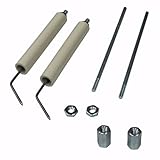
- Includes: Beckett Ignition Electrode Springs, Gasket and Instructions. Does not include base plate
- Compatible with Beckett: A, AF, AFG, AR, NX, SF and SR Oil Burners
- OEM part
Why pump bleeding and combustion adjustment are not quick fixes
Beckett’s AF/AFG manual states: “Do not allow oil to spray into a hot combustion chamber while bleeding air from the pump.” The manual also warns that improper priming can lead to unstable combustion, hot-gas puff-back, and heavy smoke. Pump bleeding involves fuel spray and the risk of oil accumulating in the chamber, so it is not a homeowner troubleshooting step.
Combustion setup likewise requires trained service and instruments. Beckett’s no-heat bulletin describes using tools such as a combustion analyzer, meter, transformer tester, and pressure/vacuum gauge. For high carbon monoxide readings, Beckett identifies possible contributors including excess air, incorrect appliance-recommended CO2, heat-exchanger leaks, and insufficient combustion air. Do not attempt to diagnose or correct these conditions by changing burner settings.
Do these 3 things before closing this tab:
1Clear out junk files and repair common Windows errors2Fix the driver behind crashes, sound loss and screen glitches3Repair Windows errors before they cause bigger problemsWhat to tell the technician
- Burner and primary-control model numbers, if visible without opening the equipment.
- Whether the tank has oil and accessible shutoff valves appear open.
- Whether the thermostat or other control is calling for heat.
- What the burner does on a call for heat and whether the reset light is off, blinking, or solid.
- Any fuel odor, visible oil, smoke, soot, or unusual bang or puff—and whether the burner has been reset.
Beckett maintains model-specific burner and control manuals and parts identification support; use the documentation for the installed equipment rather than applying oil-burner guidance to a gas burner or another control family.
Quick Recap
Product prices and availability are accurate as of the date/time indicated and are subject to change. Any price and availability information displayed on Amazon at the time of purchase will apply.




