If your AquaCal pool heat pump shows a fault or stops heating, first record the exact display message and identify the unit’s model. AquaCal manuals differ by model, configuration, and revision, so a code or reset procedure for one unit may not apply to another. Use the matching manual to guide owner-level checks, and leave electrical, refrigerant, and internal repairs to qualified service technicians.
AquaCal heat pump troubleshooting: start with the model and message
A fault code identifies a condition the heat pump detected; it does not, by itself, prove what caused it. Photograph the display or write down the exact code and wording, then find the model number on the unit and note its operating mode—heating, cooling, or reversing. Also note whether it is part of a multi-heat-pump setup.
Find the matching owner manual through AquaCal’s service and operation information resources. The official error-code page is a useful orientation, but do not assume its code list or a reset instruction covers every product generation. The cited owner manual is LTM0883 rev 2a; the cited installer manual is LTM1122 rev E, project release 9.00. They are not interchangeable. Owners outside the US, or with a different model, should use the current local manual or contact the appropriate service channel.
Safe checks to make before calling for service
- Capture the operating context. Record the display message, model, mode, and whether other heat pumps are connected. Consult the manual for that model before changing settings.
- Check circulation for a flow indication. Confirm the filter pump is running and look for valves that may be sending water around, rather than through, the heat pump. If you have a variable- or multi-speed pump, use only the flow or speed range specified for the model; do not exceed the manual’s maximum. If you are unsure how the valves should be set, do not guess.
- Check visible airflow for a pressure or airflow indication. From outside the unit, see whether the fan appears to run and whether plants, fences, or objects obstruct the air path. Look for a visibly blocked or dirty coil and heavy frost or ice. Do not dismantle the cabinet or coil. AquaCal recommends service if the fan is not operating.
- Investigate an over-temperature indication cautiously. Check whether another heat source may be sending unusually hot water directly to the heat pump. For the OtA guidance in AquaCal’s LTM0883 rev 2a owner manual, compare the water temperature with an accurate pool-water thermometer. A thermometer checks the water; it does not repair the heat pump or establish that its sensor has failed.
- Stop when the fault calls for qualified work. Arrange help from the installing dealer, an AquaCal service partner, or a qualified HVAC technician, as appropriate, for recurring faults, sensor or communication problems, compressor lockouts, a non-running fan, or suspected electrical or refrigerant trouble.
AquaCal heat pump error codes: what common messages indicate
The descriptions below summarize conditions in the cited AquaCal materials, not a universal code chart. Exact instructions depend on model, manual revision, and operating configuration. Follow the matching manual’s code-specific directions.
Do these 3 things before closing this tab:
1Repair Windows errors before they cause bigger problems2Fix the driver behind crashes, sound loss and screen glitches3Clear out junk files and repair common Windows errors#1 Best Overall
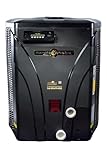
- EFFICIENT HEATING: HeatWave SuperQuiet SQ160R pool heat pump provides reliable temperature control for your swimming pool using R410A refrigerant
- POWER SPECIFICATIONS: Operates on 230V single-phase power with 60Hz frequency, perfect for residential pool installations
- DIGITAL CONTROLS: Features an easy-to-read digital control panel for precise temperature management and operational settings
- QUIET OPERATION: SuperQuiet technology ensures minimal noise disruption while maintaining optimal heating performance
- DURABLE CONSTRUCTION: Heavy-duty black cabinet with corrosion-resistant design and dual water connections for lasting performance
| Display or code family | What cited AquaCal documentation says | Owner-level next step |
|---|---|---|
| FLO | Low or no water detected in the cited owner manual. | Check that the filter pump is running, water is routed through the heat pump, and pump speed or flow is within the model’s permitted range. |
| HP / HIGH PRESSURE | High-pressure switch condition. First checks vary by unit type; some guidance points to water flow, while other configurations may call for checking air circulation. | Use the manual for the exact unit and mode. Check only visible, owner-accessible conditions. |
| HP5 | In the cited manuals, five high-pressure faults during one call for heating or cooling trigger this lockout condition. | A power reset may clear the display on the model covered by the manual, but it does not fix the cause of the repeated faults. Follow the manual and seek service if the fault recurs. |
| LP / LOW PRESSURE | Low-pressure switch condition. For some configurations, guidance includes fan operation, airflow, coil condition, and ice; other configurations direct attention to water flow. | Follow the directions for the unit’s heat-only, cool-only, or reversing configuration. Contact service for a non-running fan or a persistent fault. |
| LP5 | In the cited manuals, five low-pressure faults during one call for heating or cooling trigger this lockout condition. | Address the underlying LP condition; clearing the lockout is not a repair. |
| OtA / HIGH WATER TEMP | An over-temperature condition; the label and threshold vary by manual. | Check for another heat source and verify actual water temperature where the model’s manual directs. Seek service if the fault persists. |
| Sensor, communication, or compressor fault | The consulted manuals assign some sensor replacements, wiring checks, and compressor lockouts to qualified technicians. | Do not open the cabinet or attempt board, sensor, wiring, or refrigerant repairs. Arrange qualified service. |
What FLO means on an AquaCal heat pump
In the cited owner manual, FLO means the unit detects low or no water flow. Start with the filter pump and water routing: verify the pump is on and check whether a valve is diverting water away from the heater. If the pump has multiple speeds, consult the model manual for the required range and maximum flow. A FLO message does not identify which part of the circulation system is responsible.
Why an AquaCal shows HP or LP
HP and LP refer to high- and low-pressure switch conditions, but the right first check depends on the model and whether it is heating, cooling, or reversing. AquaCal’s cited guidance includes water-flow and routing checks for some high-pressure cases. For some low-pressure cases, it points to fan operation, clear airflow, coil condition, and visible ice; other configurations direct attention to water flow.
Rank #2

- Unmatched Heating & Cooling Power: Offers a massive 138,000 BTU output with a patented ThermoLink Titanium Heat Exchanger for superior energy efficiency and durability.
- Quiet Performance: Scroll compressor and advanced microprocessor controls ensure exceptionally quiet and reliable operation for your pool.
- Built for Harsh Conditions: Features a corrosion-proof, maintenance-free cabinet designed to withstand the toughest outdoor environments.
- Versatile Setup: Single phase 208-230V compatibility with off-set plumbing; accommodates water flow rates from 30 to 70 GPM.
- AquaCal Quality & Support: Manufactured in the USA by AquaCal, the leader in pool heating technology, with industry-leading warranty and factory support.
Use the exact model’s instructions rather than treating HP or LP as a diagnosis of a failed component. If the fan is not operating, the fault returns, or the manual calls for internal checks, contact service instead of opening the unit.
Why an AquaCal pool heater is not heating
If there is no fault code, first establish whether the unit is running in the intended mode and whether the circulation pump is operating. Check the pool-water routing and visible air path without dismantling the equipment. If the display does show a code, use that code and the model-specific manual to direct the next check. The available guidance does not establish one cause for every case of weak or absent heating; persistent trouble needs model-specific diagnosis.
Rank #3

- Old T115 is discontinued and upgraded to New 2025 AquaCal SQ140R Heat Pump, HeatWave SuperQuiet 114,000 BTU, Heat & Cool, w/ Wi-Fi
- Old T115 is discontinued and upgraded to New 2025 AquaCal SQ140R Heat Pump, HeatWave SuperQuiet 114,000 BTU, Heat & Cool, w/ Wi-Fi
Model-specific over-temperature thresholds
Do not apply a temperature threshold from one manual to every AquaCal heat pump. For example, AquaCal’s LTM0883 rev 2a owner manual describes OtA above 110°F incoming water temperature, with operation resuming at 100°F or lower. The LTM1122 rev E installer manual, project release 9.00, describes HIGH WATER TEMP above 108°F (42°C), with reset at 100°F (38°C) or lower. These are examples tied to those documents, whose publication dates are not stated—not universal AquaCal limits.
For the LTM0883 rev 2a OtA guidance, verify actual water temperature with an accurate thermometer. If the measured water temperature does not explain the indication, the manual notes that a sensor may need qualified replacement; do not attempt that repair yourself.
Rank #4
When to reset—and when to call an AquaCal professional
A lockout records repeated fault conditions, not a repaired heat pump. The cited manuals describe HP5 and LP5 as five corresponding pressure faults during one call for heating or cooling. Follow the exact manual’s reset directions only when appropriate, and investigate the cause rather than treating a cleared display as proof that the unit is safe or fixed.
AquaCal’s operation manual states, “Repairs must not be attempted by untrained or unqualified individuals,” and says refrigerant-circuit service must be performed only by qualified HVAC technicians. Unauthorized service may void warranty. Contact the installing dealer or an AquaCal service partner for recurring codes, sensor or communication faults, compressor lockouts, a fan that does not run, or suspected electrical or refrigerant work. AquaCal’s service and operation information page provides owner and service resources.
Quick wins for a faster PC:
Repair Windows errors before they cause bigger problemsFix Now →Scan for outdated or missing drivers - takes under a minuteDriver Scan →Quick Recap
Best Value
Product prices and availability are accurate as of the date/time indicated and are subject to change. Any price and availability information displayed on Amazon at the time of purchase will apply.




