Some links on this page are affiliate links: if you buy through them we may earn a commission, at no extra cost to you.
Most Ambient Weather WS-2902 problems come from one of five causes: outdoor-array batteries or radio communication, console power or sensor failure, Wi-Fi configuration, blocked or unstable rain and wind hardware, or incorrect calibration. Start by identifying the exact model suffix, then isolate the failed link before resetting or buying parts.
Important: the original WS-2902, WS-2902A, WS-2902B, WS-2902C, and WS-2902D are related but not identical. Their setup apps, manuals, firmware procedures, and compatible replacement parts can differ.
As an Amazon Associate I earn from qualifying purchases.
Recommended Free Tools
First, identify your WS-2902 model
| Model | What matters for troubleshooting |
|---|---|
| WS-2902 | Original generation. Wi-Fi setup uses AmbientTool through the router. |
| WS-2902A | Replaced the original WS-2902 in 2018. Uses the awnet direct-console setup method. |
| WS-2902B/C | Later variants with model-specific manuals and support instructions. |
| WS-2902D | Requires its own Wi-Fi connection instructions. |
Check the label on the console or outdoor array before following app, reset, firmware, or replacement instructions. Ambient Weather warns that upgrading an original WS-2902 console to WS-2902A is no longer recommended because the process can brick the console. See the official WS-2902 support hub.
60-second troubleshooting checklist
- Record the exact model suffix.
- Decide whether the problem affects the console, outdoor readings, Wi-Fi, or only one sensor.
- Install fresh, non-rechargeable lithium batteries in the outdoor array.
- Inspect the battery compartment and terminals for corrosion.
- Move the array within about 10 feet of the console.
- Power-cycle the console and resynchronize the array.
- Check the array LED after a reset.
- Clean the rain funnel and tipping mechanism if rainfall is wrong.
- Check whether the Wi-Fi icon is off, flashing, or steady.
- Use the model-specific manual before performing a factory reset.
The WS-2902 has three separate communication paths:
Popular on Amazon

- PLEASE VERIFY YOUR PRODUCT IS COMPATIBLE WITH THIS SENSOR PRIOR TO ORDERING. Review images and model # lists below.
- This looks almost identical to another sensor we sell. Compare compatibility of both units.
- [Replacement Compatibility] Review the back of your sensor being replaced. It should read "MODEL NO.: 00592TX", "MODEL NO.: 00592TXR", "MODEL NO.: 06002M", "MODEL NO.: 06002RM", or ""MODEL NO.: 11126-592TXR"
- [Compatibility Note] Unsure of which replacement sensor your need? Reach out to AcuRite consumer support for confirmation.
- Requires 2 AA alkaline or lithium batteries (not included)
- Outdoor array to console
- Console to home router
- Console to AmbientWeather.net or Weather Underground
A failure in one path does not prove that the other two have failed.
Outdoor readings are blank, dashed, or missing
If outdoor temperature, humidity, wind, UV, solar radiation, and rainfall all disappear while the console still operates, suspect the array batteries, array radio link, corrosion, or the array itself.
Resynchronize the outdoor array
- Replace the array batteries with fresh lithium batteries.
- Inspect for corrosion or loose battery contacts.
- Place the array within approximately 10 feet of the console.
- Remove the console’s AC power and batteries.
- Reconnect the console’s AC power.
- Press and hold LIGHT/SNOOZE for 30 seconds.
- Wait up to five minutes for outdoor readings to return.
This is the manufacturer’s documented resynchronization procedure. If readings remain dashed after fresh batteries, a close-range synchronization, and several minutes of waiting, Ambient Weather identifies the outdoor array or an individual array sensor as a likely replacement case.
Reset the outdoor array
- Cover the array’s solar collector.
- Remove its batteries.
- Press and hold the outdoor-array reset button for about one minute.
- Insert fresh batteries.
- Uncover the solar collector.
- Watch the LED.
- Power-cycle the console to force synchronization.
WS-2902-family instructions describe normal LED transmission at approximately once every 14 or 16 seconds, depending on the model documentation. Use the manual for your exact suffix rather than treating those figures as universal.
The outdoor-array LED flashes rapidly or does not flash
Rapid flashing
Ambient Weather groups rapid flashing with an outdoor-array fault condition in its support guidance. Replace the batteries, clean any corrosion, and hold the array reset button for approximately 30 seconds. If rapid flashing continues, the manufacturer’s documented remedy is array replacement. The exact interpretation can vary across WS-2902-family variants.
No LED after resetting
Cover the solar panel, remove the batteries, hold reset, reinstall fresh batteries, and uncover the panel. If the LED does not resume periodic activity, Ambient Weather says the array may need replacement.
Quick wins for a faster PC:
Scan for outdated or missing drivers - takes under a minuteDriver Scan →Clear out junk files and repair common Windows errorsFree Scan →Wi-Fi will not connect or the Wi-Fi icon is flashing
Do not confuse Wi-Fi failure with missing outdoor data. The array can communicate with the console even when the console cannot upload readings online.
What a flashing Wi-Fi icon means
According to Ambient Weather, a flashing Wi-Fi icon indicates that the console has connected to Wi-Fi but the router’s 2.4 GHz connection does not have Internet access. Confirm Internet service on the 2.4 GHz network, reboot the router, remove power and batteries from the console, reconnect it, and allow time for reconnection.
Use 2.4 GHz during setup
The WS-2902 family uses 2.4 GHz Wi-Fi for setup and communication. Temporarily connect your phone to the router’s 2.4 GHz band before configuring the station. If the router combines 2.4 GHz and 5 GHz under one network name, moving farther from the router and toggling the phone’s Wi-Fi may cause it to select 2.4 GHz, but this workaround is not guaranteed on every router.
Original WS-2902 setup
- Hold RAIN and ALARM together for five seconds until the Wi-Fi icon flashes.
- Connect the phone or tablet to the router’s 2.4 GHz network.
- Open AmbientTool.
- Select Add Device.
- Enter the Wi-Fi password.
- Confirm that the console’s Wi-Fi icon becomes steady.
Ambient Weather’s current support page says AmbientTool is no longer available for download and references an upgrade program for some connection problems. App availability can vary by operating system and region, so check the current official support page before assuming that the app is permanently unavailable to you.
Also popular on Amazon
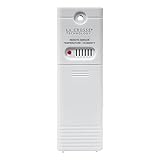
- PLEASE VERIFY compatibility ~ ONLY WORKS with model clock/weather stations (not limited to): 308-1414B, 308-1414W, 308-1414MB-INT, 308-1711BL, 308-1425B-INT, C85845, L78571, S75617, S77925, S84107, and S85814 (more models listed below)
- Temperature range: -40°F to 140°F (-40 °C to 60 °C); Outdoor humidity: 10% to 99% RH
- Transmission range: 330 ft. (100 meters) in open air (no obstructions)
- Powered by 2-AA batteries (not included)
- upgraded TX141TH-B (backwards compatibility with any weather station using TX141TH-B, v2, v3)
For the WS-2902A and later variants, use the instructions and app or setup method specified for that suffix. Do not apply the original WS-2902 procedure blindly.
Intermittent online updates
- Connect directly to the primary router rather than a repeater.
- Temporarily disable secondary mesh nodes.
- Move the console away from routers, computers, and other RF or EMI sources.
- Do not place the console directly beside the router.
- Do not place it so far away that the signal is weak.
- Try rotating the console 90 degrees.
Mesh steering, guest networks, client isolation, firewall rules, and router security settings can still prevent reliable reporting even when these changes help.
AmbientWeather.net or Weather Underground stopped updating
Use the console display to separate the problem:
- No outdoor readings on the console: investigate the array, batteries, corrosion, or radio synchronization.
- Console readings are normal but cloud data is stale: investigate Wi-Fi, Internet access, credentials, time settings, firewall rules, or the service.
- AmbientWeather.net works but Weather Underground does not: check the Weather Underground Station ID and Station Key.
Ambient Weather says a firmware upgrade can delete the Weather Underground Station ID and Station Key from original WS-2902 configuration. The WS-2902A manual also recommends checking the console date, time zone, router firewall, and port 80 access for console data transmission.
Rain gauge is not updating
Rain problems are often mechanical rather than electronic. Check these items before resetting the station or replacing the array.
- Confirm that the console is displaying the intended period. Rain rate can show
0.00even when daily, weekly, monthly, or yearly totals contain rain. - Confirm that the funnel is installed and intact.
- Remove leaves, dirt, insects, and other debris.
- Remove the funnel and inspect the tipping mechanism.
- Move the tipping mechanism back and forth manually.
- Clean it with a damp, soft cloth.
- Confirm that the array is level.
- Make sure the mounting pole is firm and does not sway.
A loose or moving pole can create false rain reports by tipping the bucket. Heavy rain and sideways wind can also cause drops to bounce out of the gauge and produce under-reporting. Ambient Weather recommends a suitable Teflon or PTFE spray to reduce water accumulation on funnel walls; use it sparingly, choose a product suitable for plastic and outdoor equipment, and keep it out of the tipping mechanism.
The original WS-2902 manual recommends cleaning the rain gauge, solar-radiation sensor, and solar panel every three months. It also recommends replacing array batteries every one to two years and inspecting them more often in harsh environments.
Clear incorrect rain totals
- Press RAIN to cycle through rain rate, event, day, week, month, and total.
- Select the period you want to clear.
- Hold RAIN for two seconds.
Warning: resetting weekly rain also resets daily rain. Resetting monthly or total rain also resets the subordinate periods. Record totals first if they matter.
Temperature and humidity readings are wrong
The display shows –40°F or 140°F
These extreme values are diagnostic symptoms, not actual weather readings. Replace the array batteries, inspect for corrosion, reset the array, resynchronize the console, and wait several minutes. If –40°F or 140°F persists, Ambient Weather identifies the outdoor array as a likely replacement case.
What’s actually slowing this PC down?
Pick the symptom - the matching free tool is one click away.
Indoor temperature is blank, dashed, or stuck near 14°F
If the indoor temperature remains blank, dashed, or approximately 14°F—particularly when the behavior differs between AC power and battery power—the indoor sensor inside the console may have failed. Ambient Weather’s documented remedy is console replacement. Replacing the outdoor array will not repair a failed console sensor.
Daytime temperature is too high
Check the installation before changing calibration. Buildings, pavement, walls, and air-conditioning outlets can radiate or discharge heat into the sensor area. Move the array farther from heat sources and improve exposure and ventilation. Calibrate only after correcting the mounting location and comparing the station with a reliable local reference.
Also popular on Amazon

- Includes 1 indoor/outdoor thermo-hygrometer
- Supports up to 8 channels for integration with your Ambient Weather Station
- Wireless 915 MHz sensor range up to 300 feet (100 feet in most conditions) with 71 second refresh rate
- Sensor measures 4.75 x 1.5 x 0.6 in
- Sensor powered by 2 x AA batteries (not included)
Humidity is fixed at 99%
A fixed extreme humidity value should be treated as a sensor or communication symptom after checking batteries, corrosion, array reset, and synchronization. If only the outdoor humidity remains abnormal while other array readings work, the thermo-hygrometer portion of the array may require replacement.
Pressure does not match weather websites
The console can display either absolute or relative barometric pressure. AmbientWeather.net and Weather Underground report relative pressure, so a difference may simply mean that the console is showing absolute pressure.
- Press PRESSURE to switch between ABS and REL.
- Confirm that both readings use the same units.
- Compare readings at approximately the same time.
- Ensure the station elevation and relative-pressure calibration are appropriate.
Do not compare absolute pressure from the console with relative pressure from a website and conclude that the barometer is defective.
Wind direction or speed is wrong
- Confirm that the wind vane is firmly attached.
- Tighten its set screw.
- Check that the wind cups rotate freely.
- Look for damage or obstructions.
- Confirm that the array is mounted in the correct orientation.
For Southern Hemisphere installations, Ambient Weather says to point the solar panel north and apply a 180-degree wind-direction offset during calibration. A loose vane, obstructed cups, or incorrect orientation cannot be fixed by replacing the console.
How to calibrate WS-2902 sensors
For the original WS-2902, record the current values before changing them and calibrate only against a trustworthy reference:
- Press and hold TEMP and MAX/MIN together for five seconds.
- Confirm that the CAL icon appears.
- Press SET briefly to move through calibration settings.
- Press LIGHT/SNOOZE to save and exit.
Calibration should compensate for a small, known bias. It should not conceal an array mounted beside pavement, a wall, an HVAC outlet, or another unsuitable location.
The Tool Desk
Outbyte PC Repair FREERepair Windows errors before they cause bigger problemsFix Now →Outbyte Driver Updater FREEScan for outdated or missing drivers - takes under a minuteDriver Scan →Console flashes, will not boot, or works only on batteries
Console flashes on AC power
Unplug the console and operate it on batteries only. If the flashing stops, Ambient Weather identifies the console as needing replacement. The AC adapter may also be involved, so check the adapter and connector before ordering parts.
Console will not power up without batteries
Check the wall outlet, both ends of the power connection, and the rear connector. If a voltmeter is available, test the adapter output. The likely causes are a failed adapter, loose connection, or failed console power circuitry.
Console flashes but never boots
After checking the outlet, adapter, and connector, persistent failure generally points to console replacement rather than repeated resets.
Independent reader supportYour contribution helps us test, update, and keep practical guides available for everyone.When to replace the array or console
| Symptom | More likely cause | Next step |
|---|---|---|
| All outdoor readings remain dashed after fresh batteries and reset | Outdoor sensor array or radio section | Check LED, then consider a compatible array. |
| Indoor temperature is blank or fixed near 14°F | Console sensor | Consider console replacement. |
| Console flashes only on AC | AC adapter or console | Test the adapter and connector; replace the failed component. |
| Only rainfall is wrong | Funnel, tipping mechanism, mounting, or rain assembly | Clean and stabilize before replacing electronics. |
| Console readings are normal but websites are stale | Wi-Fi, router, credentials, time, firewall, or cloud service | Troubleshoot the online path. |
| Wi-Fi hardware does not connect after correct 2.4 GHz setup | Console or network compatibility | Use model-specific support guidance and evaluate console replacement. |
Ambient Weather’s support guidance is a documented manufacturer remedy, not an independent laboratory diagnosis. Confirm the exact suffix, connector, firmware compatibility, and included sensors before buying parts.
Crashes, No Sound, or Screen Glitches?
Random freezes, missing sound and display glitches usually trace back to one bad driver. Find and replace yours safely.Free scan · under a minuteWindows Errors? Fix Them Before They Spread
Repair common Windows errors and clear accumulated junk for a smoother, more stable PC - no reinstall needed.Free scan · no reinstallAlso popular on Amazon

- [Color LCD Screen Weather Station] Newentor temperature & humidity monitor with a large color LCD display shows essential home weather information at a glance: indoor/outdoor temperature & humidity, daily high/low records, customizable alerts, time/date, alarm clock & snooze, weather forecast, moon phase, and barometric pressure.
- [Two Power Modes & Adjustable Backlight] To enjoy a 24/7 continuous always-on vibrant display, simply connect this home weather station to a wall outlet using the included DC power adapter. When operating on battery power only (batteries not included), the digital thermometer automatically enters an eco-energy-saving mode, where the screen lights up for a quick 15-second glance before dimming. It is the perfect bedside or living room clock designed to fit your power preference.
- [3-channel Home Weather Stations Wireless Indoor Outdoor] Wireless temperature forecast station supports up to 3 remote sensors to monitor inside outside temperature & humidity of multiple locations. Package contains one remote sensor.
- [Wireless Forecast Station] The weather forecast station calculates the weather forecast for the next 12-24 hours, 7 to 10 days calibration ensures an accurate personal forecast for your location.
- [Wireless Weather Station with Atomic Time&Date] Atomic alarm clock weather station can be used not only as a wireless indoor outdoor thermometer but also as an atomic clock with dual alarms.
Replacement parts and warranty
Use official listings whenever possible:
- WS-2902 replacement outdoor array
- WS-2902 console
- WS-2902A console
- WS-2902 rain assembly
- WS-2902 funnel
- WS-2902 wind cups
- Ambient Weather RMA page
Do not assume that a WS-2902A console works as a universal replacement for an original WS-2902 console, or that a generic marketplace listing is compatible. Match the suffix, connector, firmware generation, and included subassemblies.
Ambient Weather says a WS-2000 console can be added to a WS-2902-series array, but the WS-2000 does not include the same internal thermo-hygrometer-barometer sensor. A separate WH32B indoor sensor is required, making this a different repair configuration rather than a simple drop-in replacement.
If several components have failed, parts are unavailable, or repair costs approach the price of a current complete station, compare a complete replacement. Verify current prices, stock, and warranty terms on the official pages because they change.
Preventive maintenance
- Clean the rain gauge, solar panel, and solar-radiation sensor every three months.
- Inspect batteries more often in hot, wet, or otherwise harsh environments.
- Use manufacturer-recommended lithium batteries in the outdoor array, especially in cold conditions.
- Keep the array level and firmly mounted.
- Keep the array away from radiant heat sources and HVAC exhaust.
- Record calibration offsets and rain totals before resetting or updating firmware.
- Avoid factory resets until simpler power, mechanical, synchronization, and network checks are complete.
Frequently Asked Questions
Can I use a WS-2902A console with an original WS-2902 array?
Do not assume compatibility. The original WS-2902 and WS-2902A are different setup generations, so confirm compatibility with Ambient Weather and the exact replacement listing before purchasing.
Do these 3 things before closing this tab:
1Repair Windows errors before they cause bigger problems2Scan for outdated or missing drivers - takes under a minute3Clear out junk files and repair common Windows errorsDoes the WS-2902 use 5 GHz Wi-Fi?
Ambient Weather’s setup guidance uses the 2.4 GHz band. Connect the phone and console through the model-specific 2.4 GHz setup process.
Why does my rain gauge show zero?
Check the selected rain period, then inspect the funnel and tipping mechanism for debris or insects. Also verify that the array is level and the mounting pole is stable.
Why does the console show –40°F or 140°F?
These are diagnostic extreme values. Replace array batteries, check corrosion, reset and resynchronize the array, and consider array replacement if the value persists.
Why is indoor temperature stuck near 14°F?
Ambient Weather identifies a blank, dashed, or fixed approximately 14°F indoor reading as a possible failed console sensor. Outdoor-array replacement will not fix it.
Free tools Windows power users keep installed
One-click scans. No signup required.
Can I replace only the rain gauge?
Possibly. Confirm that the console, array communication, and other outdoor sensors work first, then match the exact suffix and rain-assembly compatibility.
What does a flashing Wi-Fi icon mean?
Ambient Weather says it generally means the console is connected to Wi-Fi but the router’s 2.4 GHz connection lacks Internet access. Check the router, reboot it, and power-cycle the console.
Quick Recap
Product prices and availability are accurate as of the date/time indicated and are subject to change. Any price and availability information displayed on Amazon at the time of purchase will apply.

