What’s actually slowing this PC down?
Pick the symptom - the matching free tool is one click away.
TheFlightWall is an ambient LED flight tracker that puts nearby aircraft on a physical display instead of a phone or computer. Created by AxisNimble, the project began as an open-source ESP32 and LED-matrix build and is now also sold as a finished product. It can show aircraft within a chosen area or follow an individual flight, but it is not a replacement for a detailed moving-map service such as Flightradar24 or FlightAware.
The current commercial range starts with the TheFlightWall Mini, listed at $175 when checked on August 18, 2026. The original open-source design is a much larger construction project requiring twenty LED panels, a high-current power supply, framing, firmware configuration, and API credentials.
As an Amazon Associate I earn from qualifying purchases.
What is TheFlightWall?
TheFlightWall is a wall-mounted LED matrix that displays aircraft operating near a location selected by the user. Rather than opening an app whenever you want to know what is overhead, the display provides a quiet, glanceable view in a room, office, flight school, museum, or aviation-themed space.
Free tools Windows power users keep installed
One-click scans. No signup required.
The official product supports two principal modes:
- Area Tracking: shows aircraft within a selected radius or custom geographic shape.
- Flight Tracking: follows an individual aircraft using a flight number, callsign, or tail number.
Depending on data coverage and filtering, the display may show commercial airliners, private jets, general aviation aircraft, and helicopters. It cannot guarantee that every aircraft in the sky will appear.
#1 Best Overall

- Track Your Flights Across the USA in Style! – Use your FAA VFR Planning Map canvas to track past and future flying adventures across the contiguous United States. More than just wall décor, this pilot travel map is a visual record of a lifetime of aviation memories and journeys in the sky.
- Personalized Just for You – Choose from four free personalization designs printed directly on your pilot push pin map canvas. Add names, aircraft tail numbers, favorite aviation quotes, or a custom pin legend to create a one-of-a-kind pilot gift or meaningful aviation keepsake.
- Premium Canvas, Handmade in the USA – Each aeronautical wall map is printed on high-quality canvas and professionally framed with care. Your aviation airport tracking map is handcrafted and arrives ready to hang — a timeless aviation décor piece and conversation starter for any home, office, or hangar.
- Includes 150 Travel Pins in 3 Colors – This aviation push pin map includes 150 red, white, and black pins to mark airports visited, future flight destinations, and bucket-list flying trips. Perfect for tracking flight routes, pilot log memories, and travel goals.
- Perfect Gift for Pilots & Aviation Enthusiasts – An ideal gift for commercial pilots, private pilots, student pilots, and general aviation lovers. This personalized VFR planning map enhances aviation décor while inspiring adventure, exploration, and a lifetime of flying memories.
What information does it show?
The display is designed to condense aircraft telemetry and identification into a small amount of readable information. Depending on what the data services know about a particular aircraft, it can show:
- Aircraft position
- Speed or velocity
- Altitude
- Track or heading
- Vertical rate, indicating climb or descent
- Airline, flight number, and destination information where available
Common abbreviations include:
- Alt: altitude
- Spd: speed
- Trk: track heading
- Vr: vertical rate
“Live” should be understood as live or near-real-time data, not a perfect continuous radar feed. Aircraft can be missing, delayed, anonymized, or displayed without complete route information. Visibility depends on the aircraft’s equipment and transmissions, geographic coverage, provider restrictions, and the quality of the available data.
How the flight-data pipeline works
The system combines hardware, aircraft-position data, and metadata enrichment:
Aircraft ADS-B broadcast → flight-data service → ESP32 → LED matrix
- The aircraft transmits position-related information, commonly through ADS-B.
- A service such as OpenSky provides aircraft-position data.
- A separate service, such as FlightAware AeroAPI, can add route, aircraft, and airline information.
- The ESP32 retrieves and parses the data, then renders a compact interface on the LED panels.
This distinction matters. Position data can tell the display where an aircraft is and how it is moving, but it does not automatically provide a reliable origin, destination, airline, or passenger-flight identity. Those details are a separate enrichment problem and may be unavailable for some aircraft.
The original open-source wall build
The open-source design documented in the TheFlightWall_OSS repository is substantially larger than the current Mini. Its stated full-size configuration uses twenty 16×16 LED panels arranged in a 10-by-2 layout. The completed wall is approximately 63 inches wide and 12.6 inches high.
Hardware required
- Twenty 16×16 LED panels
- An ESP32 development board
- A 5 V power supply rated above 20 A for the full 20-panel configuration
- A 3.3 V-to-5 V level shifter
- Panel brackets or another support system, such as 3D-printed parts, MDF, or cardboard
- Wooden trim or equivalent structural framing
The power requirement is one of the most important practical details. A long LED installation is not simply a collection of low-power decorative lights. An underpowered supply or poorly distributed power can cause brownouts, flicker, visible voltage drop, or ESP32 resets. Power injection, common grounding, connector quality, and cable routing deserve careful planning.
Rank #2
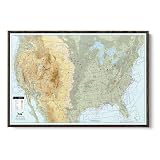
- Track Your Flights Across the USA in Style! – Use your FAA VFR Planning Map canvas to track past and future flying adventures across the contiguous United States. More than just wall décor, this pilot travel map is a visual record of a lifetime of aviation memories and journeys in the sky.
- Personalized Just for You – Choose from four free personalization designs printed directly on your pilot push pin map canvas. Add names, aircraft tail numbers, favorite aviation quotes, or a custom pin legend to create a one-of-a-kind pilot gift or meaningful aviation keepsake.
- Premium Canvas, Handmade in the USA – Each aeronautical wall map is printed on high-quality canvas and professionally framed with care. Your aviation airport tracking map is handcrafted and arrives ready to hang — a timeless aviation décor piece and conversation starter for any home, office, or hangar.
- Includes 150 Travel Pins in 3 Colors – This aviation push pin map includes 150 red, white, and black pins to mark airports visited, future flight destinations, and bucket-list flying trips. Perfect for tracking flight routes, pilot log memories, and travel goals.
- Perfect Gift for Pilots & Aviation Enthusiasts – An ideal gift for commercial pilots, private pilots, student pilots, and general aviation lovers. This personalized VFR planning map enhances aviation décor while inspiring adventure, exploration, and a lifetime of flying memories.
The frame also needs to support a long, shallow display without panel sag. For indoor use, reducing brightness is sensible: it limits glare, reduces power consumption, and can make the text easier to read in a living space.
Installing the software
The repository’s stated workflow uses Visual Studio Code and the PlatformIO IDE extension:
- Install Visual Studio Code.
- Install the PlatformIO IDE extension.
- Enter wireless credentials in
WiFiConfiguration.h. - Add required API credentials in
APIConfiguration.h. - Set the tracking location and radius in
UserConfiguration.h. - Adjust panel arrangement and wiring in
HardwareConfiguration.h. - Connect the ESP32 by USB.
- Build and upload the firmware through PlatformIO.
Configuration examples include CENTER_LAT, CENTER_LON, RADIUS_KM, DISPLAY_BRIGHTNESS, TEXT_COLOR_R, TEXT_COLOR_G, and TEXT_COLOR_B.
This is an open-source starting point, not a guaranteed plug-and-play kit. Similar ESP32 boards may work, but panel scan type, GPIO assignments, chaining order, level shifting, power distribution, and firmware assumptions may require adjustment. The repository’s Apache-2.0 license makes the project available to modify, but it does not mean the entire current commercial product and its software stack are open source.
The Tool Desk
Outbyte Driver Updater FREEFix the driver behind crashes, sound loss and screen glitchesFind Drivers →Outbyte PC Repair FREEClear out junk files and repair common Windows errorsFree Scan →The current commercial products
TheFlightWall Mini
The Mini is the practical entry point for most buyers. The official product page lists a 128×64-pixel LED matrix measuring approximately 320 × 160 × 40 mm. It uses 2.4 GHz Wi-Fi, 5 V USB power, adjustable brightness, and an iOS and Android setup/control app.
Setup is intended to be simple:
- Connect the display to power.
- Install the FlightWall app.
- Scan the QR code shown by the unit.
- Choose the location and configure tracking.
The Mini is listed at $175 at the time checked. The official site also showed multi-unit discounts and a 10-day money-back guarantee. Product terms, shipping availability, and promotions can change, so buyers should confirm the checkout page before ordering.
TheFlightWall Widescreen
The Widescreen is intended for a larger wall installation and provides more visual impact than the Mini. Current store surfaces have shown inconsistent pricing: approximately $399.20 on one listing and $499 on a Shop listing. Treat the exact price as something to verify for your region at checkout rather than as a fixed universal figure.
Rank #3

- Track Your Flights Across the USA in Style! – Use your FAA VFR Planning Map canvas to track past and future flying adventures across the contiguous United States. More than just wall décor, this pilot travel map is a visual record of a lifetime of aviation memories and journeys in the sky.
- Personalized Just for You – Choose from four free personalization designs printed directly on your pilot push pin map canvas. Add names, aircraft tail numbers, favorite aviation quotes, or a custom pin legend to create a one-of-a-kind pilot gift or meaningful aviation keepsake.
- Premium Canvas, Handmade in the USA – Each aeronautical wall map is printed on high-quality canvas and professionally framed with care. Your aviation airport tracking map is handcrafted and arrives ready to hang — a timeless aviation décor piece and conversation starter for any home, office, or hangar.
- Includes 150 Travel Pins in 3 Colors – This aviation push pin map includes 150 red, white, and black pins to mark airports visited, future flight destinations, and bucket-list flying trips. Perfect for tracking flight routes, pilot log memories, and travel goals.
- Perfect Gift for Pilots & Aviation Enthusiasts – An ideal gift for commercial pilots, private pilots, student pilots, and general aviation lovers. This personalized VFR planning map enhances aviation décor while inspiring adventure, exploration, and a lifetime of flying memories.
Both the Mini and Widescreen are described by the official FAQ as supporting up to five aircraft at once. If more aircraft are present, the user must narrow the tracked area or apply altitude filters.
Do these 3 things before closing this tab:
1Repair Windows errors before they cause bigger problems2Scan for outdated or missing drivers - takes under a minute3Clear out junk files and repair common Windows errorsConnectivity and data policy
The current official site says no subscription is required and that data costs are included “for the foreseeable future.” That is the manufacturer’s current policy, not a permanent guarantee that every future feature will remain free.
The products require internet access. They are not passive radio receivers and do not independently create an ADS-B ground station. The official FAQ also says they support 2.4 GHz Wi-Fi, not a 5 GHz-only network. A router with a separate 2.4 GHz network must be enabled for setup and operation.
The main product information advertises updates approximately every 10 seconds, while a localized product page refers to 30-second updates. Refresh timing may vary by model, software, or page version, so it is best understood as periodic near-real-time updating rather than a guaranteed interval.
What it does well—and what it does not
Good at
- Making nearby aircraft visible without opening an app
- Providing an unusual conversation piece or aviation-themed decoration
- Showing selected flight telemetry at a glance
- Tracking traffic near a home, office, flight school, or museum
- Giving families a simple way to monitor a traveler’s flight
Not good at
- Replacing a detailed moving map
- Showing unlimited aircraft simultaneously
- Guaranteeing complete aircraft or route coverage
- Providing comprehensive historical flight analysis
- Operating without Wi-Fi and internet connectivity
- Serving as a zero-maintenance project for a nontechnical DIY builder
If your main goal is analytical detail, a phone, tablet, or spare monitor running a conventional flight-tracking site will provide more information per dollar. TheFlightWall’s advantage is physical presence: it turns flight data into an object in the room.
Buy or build?
| Option | Best for | Main advantages | Main drawbacks |
|---|---|---|---|
| TheFlightWall Mini | Most buyers and gift recipients | Finished product, app control, compact size, $175 listed price | Up to five aircraft, Wi-Fi dependence, limited display area |
| TheFlightWall Widescreen | Large walls and public-facing spaces | More visible and decorative | Higher and inconsistently displayed price; requires more wall space |
| DIY open-source build | Makers, educators, and hackerspaces | Customizable hardware and software | Large wiring, framing, power, API, and firmware project |
| Tablet or monitor | Low-cost experimentation and map users | More detail and better geographic context | Less ambient; requires a screen and software maintenance |
Choose the Mini if you want the experience without designing a power system or debugging firmware. Choose the Widescreen when the display itself needs to fill a prominent wall. Choose the open-source build only if the construction process is part of the appeal.
Independent reader supportYour contribution helps us test, update, and keep practical guides available for everyone.Alternatives worth considering
A tablet or spare monitor: This is the least expensive way to experiment and gives you a full map, filters, and more aircraft detail. It is less decorative and may require managing screen sleep, browser sessions, or app updates.
Rank #4

- Track Your Flying Journey: Celebrate every hour in the sky with this “Flight Hours This Year” wooden tracker sign, designed with classic aviation elements like clouds and aircraft to add a refined pilot-inspired touch to offices, flight rooms, home studies, or aviation-themed spaces.
- Materials & Craftsmanship: Crafted from high-quality layered wood with a sturdy build. The main sign features a solid 5mm wooden base, while the interchangeable number tiles are made from 3mm wood, offering durability, smooth edges, and a clean, professional finish.
- Complete Flying Hours Tracker Set – Everything Included: Your package includes 1 wooden flying hours tracker sign (customized with name), 3 full sets of interchangeable number tiles (0–9) to track up to 999 flight hours, 1 wooden display stand, 1 metal hanging chain, 2 adhesive wall hook pads, and 1 gift-ready box.
- Multiple Styles & Size Options Available: Available in multiple aviation-inspired design styles, sizes, and color themes to match different décor preferences. From classic pilot aesthetics to modern aviation décor, there’s a perfect option for every flyer.
- Thoughtful Gift for Pilots & Aviation Enthusiasts: An ideal gift for pilots, student pilots, flight instructors, aviation professionals, and airplane lovers. Perfect for birthdays, holidays, flight school milestones, promotions, retirements, or anyone proud of their flying achievements.
FlyFrame: The FlyFrame is a proposed 7.5-inch, 800×480 e-ink display designed for wall or desk use. It offers local-airspace and individual-flight views, but the current page describes it as pre-order or coming soon and invites users to join a waitlist. No launch price or shipping date was shown.
FlightTrackerLED Mach 2: The Mach 2 is principally a handmade desk or shelf display rather than a large wall panel. It offers overhead tracking, individual-flight tracking, and a departure-board mode. Pricing has appeared inconsistently across the maker’s pages, including $319.99 and $449.99, and some advanced functions rely on a user-provided FlightAware AeroAPI key.
A conventional ADS-B receiver: Advanced hobbyists can build or buy a local receiver for more control over reception and data. That is a different project, however: it involves radio hardware, antenna placement, networking, software, and data-service considerations rather than simply displaying an existing cloud feed.
Troubleshooting
No aircraft appear
- Check the configured location.
- Increase the radius or review the custom geographic shape.
- Check altitude filters.
- Confirm that the area normally has visible traffic.
- Verify the internet connection and 2.4 GHz Wi-Fi.
- Consider a temporary outage or delay in the data service.
A quiet display does not automatically indicate a hardware fault. Sparse local traffic, restrictive filters, incomplete coverage, and provider availability can all produce an empty result.
Aircraft appear without route information
This is often a data-enrichment limitation rather than a display failure. Position and callsign information may be available while origin, destination, airline, or aircraft metadata is missing. The open-source project explicitly separates OpenSky position data from FlightAware route and airline lookups.
The commercial display will not connect
- Confirm that the phone is using the correct FlightWall app.
- Enable a 2.4 GHz network on the router.
- Try a mobile hotspot as a connectivity diagnostic.
- Repeat QR-code setup.
- Check the USB cable, power adapter, and outlet.
- Contact vendor support before opening the enclosure.
The DIY display flickers or resets
Likely causes include insufficient current capacity, voltage drop over long power runs, a poor ground connection, incorrect level shifting, excessive brightness, or an incorrect panel scan and wiring configuration. For the full 20-panel design, the repository specifies a 5 V supply above 20 A, so power distribution should be treated as a core engineering task.
PC Slower Than It Used to Be?
A free scan shows the junk files, broken settings and background clutter dragging Windows down - then fixes them in one click.Free scan · Windows 10 & 11Outdated Drivers Are Slowing You Down
One free scan finds every outdated or missing driver and matches the right update for your exact hardware.Free scan · exact hardware matchAlso verify panel orientation, chain order, GPIO selection, API credentials, location variables, and common ground. Reduce brightness while diagnosing the supply. Keep API keys out of public repositories and do not expose the device’s control interface directly to the public internet.
The DIY display is slow
The repository describes the single-data-line panel chain as suitable for low-refresh informational display rather than high-frame-rate graphics. That is acceptable for flight telemetry, which changes periodically, but it is not the right platform for animation-heavy visuals.
Privacy and security considerations
The commercial product requires Wi-Fi credentials and cloud or API connectivity. Use a normal secured home network, keep API keys private, and avoid forwarding the display’s control interface to the public internet. Before buying, review the vendor’s current privacy and data-retention terms, since those policies can change independently of the hardware.
Quick Recap
Product prices and availability are accurate as of the date/time indicated and are subject to change. Any price and availability information displayed on Amazon at the time of purchase will apply.
Recommended Free Tools

