If your Shark VACMOP has weak suction, will not spray, leaves streaks, scrapes the floor, or will not charge, start with the disposable pad, solution level, and model-specific charger. These checks address common causes without assuming a motor, pump, or battery has failed. VACMOP models and regional versions differ, so check the model number on the main body and use its own owner guide before ordering parts or trying model-specific advice.
Weak or no suction: check the pad before the motor
A loose, full, saturated, or dirty disposable pad can reduce pickup. Shark’s guides describe the pad as part of the debris collection system; the VM200UK troubleshooting FAQ specifically associates reduced suction with a pad that needs replacing. Do not use the VACMOP to pick up liquid or vacuum while spraying cleaning solution: the UK guide warns that doing so can reduce or eliminate suction. See the VM200UK owner guide and the VM250-series guide hosted by Best Buy.
- Switch the unit off as appropriate and check that the disposable pad is attached securely; reseat it if loose.
- Check the pad’s dirt chamber and the pad itself. If the chamber is full, the pad is saturated, or it is noticeably dirty, replace it with one confirmed compatible with your model.
- Recharge the unit, then test pickup on dry debris without spraying.
If suction remains weak with a fresh, correctly fitted pad and a charged battery, use the support information for your exact model rather than assuming a failed motor. Shark’s VM200UK guide says its disposable pad may be used for vacuuming and mopping, but gives the replacement conditions above.
When to replace the disposable pad
Replace it when it is fully saturated, its dirt chamber is full, it is noticeably dirty, or the VACMOP shows reduced suction. A full or dirty pad should not be kept in service in the hope that charging will restore pickup. Confirm the pad’s model compatibility before buying.
#1 Best Overall

- POWERFUL SUCTION MEETS SPRAY MOPPING: Vacuums and locks away debris, then spray mops tough messes— a complete clean all in one disposable pad, without clogging your machine
- A COMPLETE CLEANING SOLUTION: Maximize your cleaning power with the Shark VACMOP starter kit. VACMOP disposable pads and cleaning solution are designed for use with the cleaner for a spotless clean.
- TARGETED ON-DEMAND SPRAY: Tackle tough messes and stubborn stains with the on-demand spray of cleaning solution at the touch of a button
- LOCKS AWAY DEBRIS: Powerful vacuum suction captures debris in the disposable pad’s built-in dirt chamber—unlike other pads that push dirt around
- NO-TOUCH DISPOSAL: Toss away absorbent VACMOP pads after use with the click of a button— without having to touch the mess
The unit shuts off or the sprayer will not spray
Start with the two checks supported by the manuals: solution level and battery charge. Add compatible solution if the reservoir is low, then fully recharge the VACMOP and try again. A low battery may be associated with shutdown or spraying problems, so these basic checks should come before considering a fault.
- Make sure there is enough cleaning solution in the reservoir.
- Fully recharge the unit using the charger specified for its model.
- If it still shuts off or does not spray, consult the model-specific support guide or contact Shark support.
The owner guides do not provide a nozzle-unclogging or pump-repair procedure. Avoid dismantling the spray system or relying on an improvised repair; the manuals do not establish that as a safe fix.
Rank #2

- POWERFUL SUCTION MEETS SPRAY MOPPING: The ALL NEW VACMOP Reveal illuminates, vacuums and locks away debris, then spray mops tough messes— a complete clean all in one disposable pad.
- DIRT-REVEAL TECHNOLOGY: Illuminates hidden debris, dust, and hair so you never miss a spot, for a more thorough and time-saving clean.
- LOCKS AWAY DEBRIS: Powerful vacuum suction captures debris in the disposable pad’s built-in dirt chamber—unlike other pads that push dirt around.
- TARGETED ON-DEMAND SPRAY: Tackle tough messes and stubborn stains with the on-demand spray of cleaning solution at the touch of a button.
- NO-TOUCH DISPOSAL: Toss away absorbent VACMOP pads after use with the click of a button— without having to touch the mess.
Streaks or residue after wet mopping
Do not judge the floor while it is still wet. Shark says streaks or suds may evaporate as the floor dries, which can take 5–10 minutes. If streaking persists, accumulated grime may need several cleaning sessions to clear. The VM200UK guide also warns that other cleaning solutions may leave streaks or residue and recommends Shark VACMOP cleaner.
- Let the floor dry for 5–10 minutes before deciding whether the marks remain.
- If the floor is still streaked, consider whether it has accumulated grime; more than one cleaning session may be needed.
- Use the cleaner recommended for your VACMOP and avoid applying excessive solution, which can leave stickiness or residue.
Use only a solution appropriate for the model and floor. The VM200UK guide says VACMOP can be used on sealed hard floors including stone, hardwood, vinyl, laminate, tile, marble, and linoleum. That statement does not establish suitability for unsealed or otherwise delicate surfaces; check your flooring manufacturer’s care guidance where needed.
Rank #3

- Designed to work with Shark VACMOPs: VM401, VM401BL, VM401IV, VM252, VM252PL, VM252GN & VM180 (Packaging May vary)
- A complete clean - All in one pad: Only refills formulated to deliver a complete clean.
- The VACMOP Pad vacuums up and locks away debris in an innovative built-in dirt chamber, unlike other pads that push dirt around.
- Featuring absorbent mopping layers to clean stuck-on grime—providing shiny clean floors.
- Multi-layered pads stand up to tough messes and store it within the pad without clogging the machine.
A scraping sound while mopping
For the scraping described in the VM200UK guide, check whether debris is embedded in the disposable pad. Rough or uneven flooring, forceful scrubbing, or moving the handle while spraying can also cause the pad’s dirt chamber to scrape. Remove debris or replace the pad, and use a gentler motion. Shark says these described sounds will not damage floors; that reassurance does not cover an unknown fault, a damaged unit, or every floor condition.
Charging problems and choosing the right charger
Check the model number on the back of the main body and use the charger specified for that model. Charger configurations vary: the UK VM200UK guide describes a standard replacement charger, while the US VM250 guide depicts a magnetic replacement charger. Do not assume the chargers interchange.
Rank #4
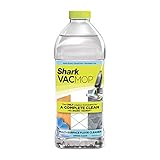
- Formulated to work with all Shark VACMOPs: VM252 & VM180
- All-in-one cleaner quickly breaks up stuck-on stains.
- For use on all sealed floors—stone, hardwood, vinyl, laminate, tile, marble, and linoleum
- Dries fast without leaving streaks
- Comes in a spring clean scent
| Guide and market | Charging detail stated in the guide | What to do |
|---|---|---|
| VM200UK series, UK | Approximately 4 hours for a full charge; up to 10 minutes of continuous vacuuming. These are specifications for this model series, not a general VACMOP promise. | Use the charger specified for the VM200UK model. See the UK owner guide. |
| VM250 series, US-market guide | Approximately 3.5 hours for a full charge. The guide depicts a magnetic replacement charger. | Check the exact model and use its specified charger. See the VM250-series guide hosted by Best Buy. |
These charge times are model-specific manual specifications, not a comparison test. Before ordering a replacement, match the part to the model and region; the guides do not establish universal charger compatibility.
Independent reader supportYour contribution helps us test, update, and keep practical guides available for everyone.When to stop troubleshooting
If reseating or replacing the pad, checking solution, and charging with the correct model charger do not resolve the symptom, consult Shark’s support information for the exact model. The manuals support these basic checks but do not establish a DIY repair for a failed pump, clogged nozzle, or internal electrical fault. Stop using a unit that appears damaged rather than treating the scraping or shutdown guidance as reassurance for an unknown problem.
Quick Recap
Best Value

- Designed to work with Shark VACMOPs: VM252 & VM180 - only refills formulated to deliver a complete clean
- A complete clean - All in one pad: Only refills formulated to deliver a complete clean
- The VACMOP Pad vacuums up and locks away debris in an innovative built-in dirt chamber, unlike other pads that push dirt around!
- Featuring absorbent mopping layers to clean stuck-on grime—providing shiny clean floors
- Multi-layered pads stand up to tough messes and store it within the pad without clogging the machine.
Product prices and availability are accurate as of the date/time indicated and are subject to change. Any price and availability information displayed on Amazon at the time of purchase will apply.