Start by identifying the exact Emtek lock model, then match the symptom to its mechanism: a rough deadbolt often needs an alignment check, while an unresponsive electronic lock may need batteries or a wiring check. Emtek products use different mechanisms, so follow the instructions for your specific model before adjusting or taking apart hardware.
Before troubleshooting, identify the lock
Determine whether you have a deadbolt, keyed lockset, mortise lock, multipoint lock, electronic lock, or CF 2.0 concealed-fastener lockset. Find the model name and consult its technical specifications and installation or programming guide; Emtek provides these through its FAQ, support page, and product pages. The checks below apply only to the product types identified in each section.
| # | Preview | Product | Price | |
|---|---|---|---|---|
| 1 |

|
Emtek E3020 EMTouch Electronic Keypad Deadbolt from the Brass Modern Collection, Oil Rubbed Bronze | $280.85 | Buy on Amazon |
| 2 |
|
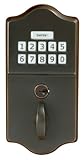
Emtek Oil Rubbed Bronze classic style electronic keypad deadbolt | $296.00 | Buy on Amazon |
Before changing anything, note what happens: whether the key or thumb turn moves, whether the latch or deadbolt retracts fully, and whether an electronic keypad lights, beeps, or accepts a code. These details help distinguish a power or wiring issue from binding, misalignment, or a damaged component.
Mechanical deadbolt is rough, binding, or will not retract fully
Emtek lists several possible causes for these symptoms. They are diagnostic possibilities, not a single fix for every deadbolt. Check alignment and installation before assuming a part has failed.
What’s actually slowing this PC down?
Pick the symptom - the matching free tool is one click away.
#1 Best Overall
- { "language_tag": "en_US", "value": "Type: Deadbolt - Keyless Entry", "marketplace_id": "ATVPDKIKX0DER" }
Key turns roughly or the thumb turn does not work
If a key turns roughly, Emtek says misaligned inside trim may tilt the tailpiece so it rubs against a retainer pin. For a thumb turn that will not turn, check whether the spindle is straight and whether the inside trim is crooked or off-center. Emtek’s FAQ suggests loosening the screws and adjusting the plate where the trim is misaligned. Follow the instructions for your lock and avoid forcing the key or thumb turn.
Thumb turn does not operate the latch
Emtek identifies a door that is too thick for the tailpiece or a broken tailpiece as possible causes. An extension kit may address the specified door-thickness issue, but confirm the exact model and kit compatibility before ordering. A broken tailpiece needs repair or replacement rather than an alignment adjustment.
Key removal causes a malfunction
If operating the deadbolt with the key causes a malfunction when the key is removed, Emtek says the deadbolt may be installed incorrectly. Its FAQ directs the installer to reinstall it with the latch unlocked and the tailpiece horizontal. Use the exact installation instructions for the lock.
Cylinder interferes with the latch or deadbolt retracts only partway
For cylinder interference, Emtek lists door thickness and latch or tailpiece alignment as possibilities. If an inside knob retracts a mortise deadbolt only partway, the FAQ lists friction at the faceplate, a jam inside the mortise box, misaligned trim, or a crooked side plate. These issues can involve internal hardware; do not dismantle the mortise mechanism unless you are competent to do so and are following its model-specific instructions.
Key turns but the door does not open
On a keyed lockset, Emtek says the key may need to turn beyond the point where the deadbolt unlocks to retract the latch bolt. Do not assume this applies to every Emtek lock: identify the product and check its operating instructions.
If a key spins on multipoint hardware, Emtek says a damaged cap retainer pin or tailpiece may be involved. Latch and strike misalignment can also create excess friction and stress on interior components. If the key spins freely or the hardware remains engaged, stop forcing it and consult the product instructions or a door-hardware professional.
Rank #2
- Electronic keypad entry set
- Includes Key
Electronic lock does not respond or the keypad is dim
The checks in this section come from Emtek’s EMPowered keypad troubleshooting guide. Battery requirements and wiring differ across electronic-lock models, so do not apply these specifications to another model without checking its manual.
- Check that the batteries are correctly oriented and in good condition; replace discharged batteries.
- If the lock is inaccessible because its batteries are depleted, use the mechanical key if your model has one. Emtek’s guide recommends carrying the key to prevent lockout.
- If the keypad has power but does not respond, check the guide’s wiring advice: a keypad wire may be disconnected or pinched.
For the EMPowered keypad lock covered by that guide, a “Low Battery” message calls for replacing all four batteries with new AA alkaline batteries. After replacement, Emtek highly recommends using the app to lock or unlock the device so it can connect and ensure its internal time is correct. Check the EMPowered troubleshooting guide before buying batteries or applying this step to another electronic model.
Do these 3 things before closing this tab:
1Repair Windows errors before they cause bigger problems2Fix the driver behind crashes, sound loss and screen glitches3Clear out junk files and repair common Windows errorsElectronic lock accepts a code but the door will not open
For the EMPowered keypad model covered by Emtek’s guide, check for a foreign object between the door and frame and verify that the wire is firmly connected to the interior lock. A code being accepted does not rule out an obstruction or connection issue, and a battery change is not an established fix for this symptom.
Electronic lock will not relock automatically
For the EMPowered keypad covered by the troubleshooting guide, check whether Auto-Lock is enabled if the lock does not automatically lock or relock as expected. Confirm the setting and procedure in the manual for your model rather than assuming the same menu or behavior applies to other Emtek electronic locks.
Emtek CF 2.0 lever sags after installation
This advice is specific to Emtek CF 2.0 concealed-fastener hardware, not standard Emtek locksets. Emtek’s CF 2.0 troubleshooting guide attributes a sagging lever to cassette clocking and recommends loosening the cassettes, rotating them opposite the direction of sag, and retightening them. Follow the CF installation troubleshooting guide for the hardware; do not use this adjustment on a different lock mechanism.
When to stop and get help
- Stop if a key, thumb turn, or lever requires force, or if a component appears broken.
- Use model-specific instructions for adjustments, battery changes, programming, and wiring checks.
- For a broken tailpiece, internal mortise jam, persistent alignment problem, or uncertain installation, contact Emtek or a qualified door-hardware professional. Emtek says it primarily sells through authorized dealers and showrooms; its FAQ provides the dealer route.
Emtek’s support page lists customer service at (800) 356-2741, Monday through Friday, 5 a.m. to 5 p.m. Pacific Time. Contact details and availability can change, so check the support page before calling.
Quick wins for a faster PC:
Scan for outdated or missing drivers - takes under a minuteDriver Scan →Clear out junk files and repair common Windows errorsFree Scan →Quick Recap
Product prices and availability are accurate as of the date/time indicated and are subject to change. Any price and availability information displayed on Amazon at the time of purchase will apply.




