スマートフォンからガレージドアを操作するには、myQ対応のWi-Fi内蔵オープナー、または既存オープナーに追加するSmart Garage Control/Smart Garage Hubが必要です。対応機器を確認したら、無料のmyQアプリでアカウントを作成し、デバイスを登録してWi-Fiとドアをペアリングします。既存オープナーが正常なら、本体を買い替えずに後付けできる場合があります。
設定前に確認すること
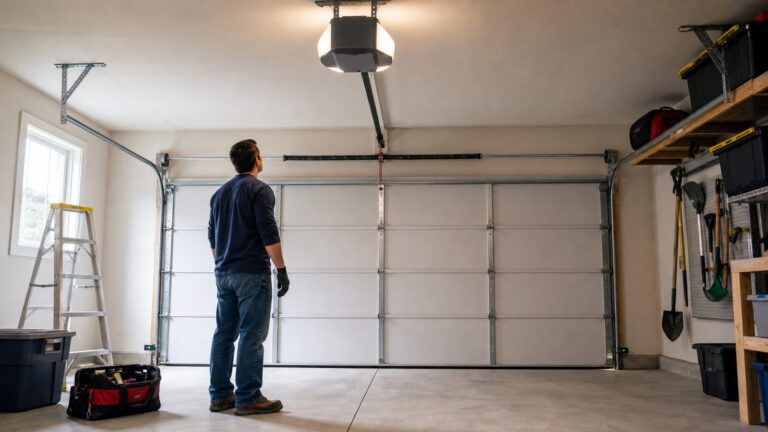
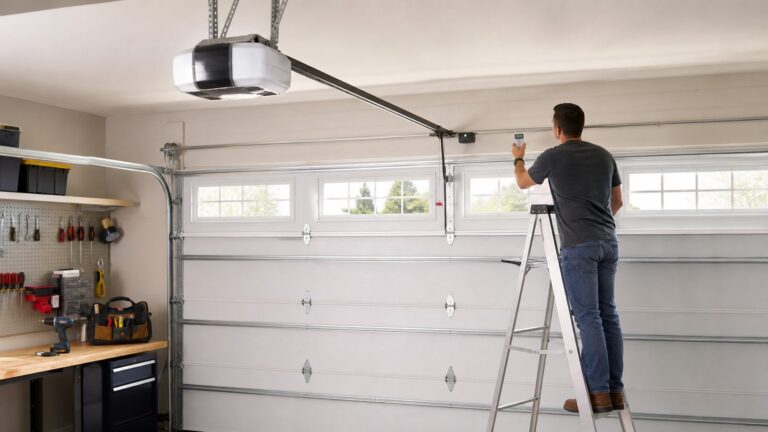
まず、ガレージ内のモーター本体を確認してください。壁付けボタンや携帯リモコンではなく、天井または壁に取り付けられたオープナーを見ます。
As an Amazon Associate I earn from qualifying purchases.
- 本体にWi-Fiマークや「Powered by myQ」の表示があるか
- myQロゴだけで、Wi-Fiマークがない機種ではないか
- ブランド、型番、製造時期、Learnボタンの種類
- セクショナルガレージドアと安全センサーが使われているか
- スマートフォンに最新のmyQアプリをインストールしているか
- 自宅Wi-FiのSSIDとパスワードを準備しているか
多くのmyQ機器では2.4GHz Wi-Fiが必要です。5GHzのみのネットワークでは接続できないことがあります。2.4GHzと5GHzを同じSSIDに統合したルーター、非表示SSID、ガレージ内の弱い電波も設定の妨げになります。詳しい条件は公式のルーター設定案内で確認してください。
Outdated Drivers Are Slowing You Down
One free scan finds every outdated or missing driver and matches the right update for your exact hardware.Free scan · exact hardware matchWindows Errors? Fix Them Before They Spread
Repair common Windows errors and clear accumulated junk for a smoother, more stable PC - no reinstall needed.Free scan · no reinstall互換性はブランド名だけでは判断できません。対応機種でも製造年、周波数、Learnボタン、安全センサーによって結果が変わるため、購入前にmyQ公式のセットアップ・互換性確認ページを使います。
#1 Best Overall

- “Did I shut the garage” No more worrying.
- Open or close your garage from anywhere. Simply download the free myQ app for iPhone or Android and get connected with your very own Smart Garage
- Works with Amazon Key In-Garage Delivery—an exclusive Prime member benefit that protects your Amazon packages.
- Give access to family or friends while on the go
- Never worry if the garage is closed at night by setting a close schedule
必要な機器を選ぶ
| 現在の状態 | 選択肢 | 特徴 |
|---|---|---|
| myQ対応Wi-Fi内蔵オープナー | 機器を追加せずアプリで設定 | 最も簡単。ただしWi-Fi電波と互換性が必要 |
| Wi-Fi非対応だが対応する既存オープナー | Chamberlain Smart Garage Control | ハブとドアセンサーを追加して既存機器を使い続ける |
| 対応する旧型オープナー | myQ Smart Garage Hub | ハブ、センサー、オープナーを順番にペアリング |
Smart Garage Controlは、Chamberlain、LiftMaster、Craftsmanなどの一部機種や、一定年代以降のGenieなどに対応します。ただし「1993年以降」「1996年以降」といった目安だけで購入せず、必ず型番単位で確認してください。
Wi-Fi内蔵オープナーをmyQアプリに登録する
- myQアプリを開き、アカウントにログインします。アカウントがなければ作成します。
- 画面上部または右上の歯車アイコンをタップします。アプリによっては左上のイニシャルが入口です。
- DevicesまたはDevice Managementを開きます。
- Add a new deviceまたは「+」をタップし、Garage Door Openerを選びます。
- オープナーが天井設置か壁設置かを選びます。
- Bluetoothの使用許可を求められたら許可します。スマートフォンはオープナーの近く、目安として約3フィート以内に置きます。
- Bluetoothで検出できない場合は、スマートフォンのWi-Fi設定から
myQ-XXXで始まる一時ネットワークに接続し、myQアプリへ戻ります。 - アプリの指示に従い、壁付け操作ボタンの種類を選びます。携帯リモコンではなく、壁の操作ボタンを使ってください。
- 指示されたら壁付けボタンを押し、ドアが動くことを確認します。動かなければ「It Didn’t Open」を選び、診断手順を実行します。
- 指示が出た場合は、オープナーをLearn/学習モードにします。
- 自宅のWi-Fiを選び、パスワードを入力します。設定中はスマートフォンを自宅Wi-Fiに接続したままにします。
- アプリの指示に従い、ドアを完全に開いてから完全に閉じます。
- アプリのドア画面で開く・閉じる操作を行い、実際のドアの状態と表示、通知が一致するか確認します。
機種によっては、Wi-Fiを有効にする前にオープナーを一度完全に開閉する必要があります。また、バッテリー駆動中はmyQから操作できない機種があります。詳しい画面や機種別手順は公式のWi-Fi接続手順を参照してください。
Wi-Fi非対応オープナーにSmart Garage Controlを追加する
用意するもの
- Chamberlain Smart Garage Control
- 付属のドアセンサー
- 互換性のある既存オープナー
- ガレージ内の電源と十分なWi-Fi電波
- 2.4GHz Wi-Fi
- myQアプリ
設定手順
- myQアプリにログインします。
- 歯車アイコンまたはイニシャルからDevices/Device Managementを開きます。
- 「+」またはAdd a new deviceをタップし、Smart Garage Controlを選びます。
- アプリの指示に従ってハブを自宅Wi-Fiへ接続します。
- ドアセンサーをガレージドアに取り付けます。
- ハブとセンサーをペアリングします。
- オープナーのLearnボタン、または対応する壁付け操作ボタンを使って、ハブをオープナーに登録します。
- ドアを完全に開閉し、センサーの状態とアプリの表示が一致することを確認します。
- デバイス名を付けて保存し、アプリから開閉をテストします。
この方法は、既存オープナーを残したい場合に適しています。ただし、対応機種であってもMonitor Mode(状態の確認だけで、アプリから開閉できないモード)になる場合があります。購入前に公式互換リストを確認してください。
Rank #2

- Wide-Angle Surveillance Camera: Capture a comprehensive view of your garage area, from driveway to doorway.
- Advanced Motion Detection: Monitor unfamiliar activity in your garage area for peace of mind.
- Real-Time Notifications: Receive timely and meaningful notifications via the myQ app to ensure the safety of your loved ones.
- Premium Smart Features (Subscription Required): Upgrade to a myQ subscription for advanced AI-powered detection including people, cars, and packages with intelligent alerts, plus access to recorded video history and enhanced motion detection. Free trial included to experience premium features.
- Two-Way Audio: Engage in live conversations while also monitoring ambient sounds in the area around your garage.
Smart Garage Hubを使う場合
Smart Garage ControlとSmart Garage Hubは似ていますが、同じ製品として扱わないでください。Hubの型番やLED表示によって画面と手順が異なります。代表的な設定順序は次のとおりです。
- myQアプリでログインし、「+」またはDevicesから新しいデバイスを追加します。
- Smart Garage Hubを選びます。
- ハブを電源に接続します。セットアップ開始時は青色LEDが点滅することがあります。
- 2.4GHz Wi-Fiへ接続します。
- ドアセンサーを取り付け、ペアリングします。
- オープナーのLearnボタンを使ってハブとオープナーをペアリングします。
- アプリの指示に従ってハブを固定し、ドアを開閉して状態を確認します。
MYQ-G0301や821LMBなど、所有しているモデルに合う手順はSmart Garage Hubの公式接続案内で確認してください。Wi-Fi内蔵オープナーを持っている場合は、Hubの手順ではなく前記のWi-Fi内蔵オープナー用手順を使います。
対応しないオープナーとMonitor Mode
次のような機種は、アプリに登録できても開閉操作まで使えないことがあります。
Rank #3
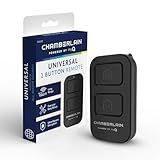
- Compatible with Leading Brands – Works seamlessly with Chamberlain, LiftMaster, Craftsman and most other garage door openers made after 1997.
- Long-Range Performance – Up to 1300 ft range for your garage door opener (conditions permitting) for smooth, reliable operation.
- Fast, Improved Programming – New setup process makes pairing with your garage door opener quick and frustration-free.
- Control Up to 2 Garage Doors or Gates – Each programmable button controls a different garage door openers or gate.
- myQ Smart Garage Control – Connect to the my Q app to manage access, receive notifications, and view garage door opener access history and more!
- DIPスイッチ式オープナー。HubやmyQ Garageで開閉できず、Monitor Modeになる場合があります。
- 青色のLearnボタンを持つ433MHz機。ハブ単体では操作できず、追加のmyQ Door Controlが必要になる場合があります。
- Wayne-Daltonの一部周波数。372.5MHzは対応例がありますが、303MHzは非対応とされます。
- 安全センサーが正しく取り付けられていない、またはセクショナルドアではない構成。
Learnボタンの色だけで判断せず、型番、周波数、製造年、公式互換表を組み合わせて確認してください。
Do these 3 things before closing this tab:
1Scan for outdated or missing drivers - takes under a minute2Repair Windows errors before they cause bigger problems3Fix the driver behind crashes, sound loss and screen glitches設定できないときの対処
Wi-Fiが表示されない
- ルーターのSSIDが非表示になっていないか確認します。
- 2.4GHz帯が有効か確認します。
- 2.4GHzと5GHzが同じSSIDの場合、一時的に2.4GHz専用SSIDを作ります。
- ガレージ内の電波を確認し、必要ならルーターや中継機を近づけます。
- スマートフォンをオープナーまたはハブの近くに移動します。
- Wi-Fiパスワードを再入力します。
- オープナーまたはハブを再起動して、登録をやり直します。
Bluetoothでペアリングできない
- myQアプリにBluetoothの使用許可を与えます。
- スマートフォンのBluetoothを一度オフにしてからオンにします。
- アプリを終了して再起動します。
- Wi-Fi設定から
myQ-XXXへ手動接続してアプリに戻ります。 - オープナーの近くで作業します。
- 別のmyQアカウントに登録済みでないか確認します。
オープナーやドアが反応しない
- 携帯リモコンではなく壁付け操作ボタンを使っているか確認します。
- Learnボタンを押すタイミングをアプリの指示に合わせます。
- 左右の安全センサーが向き合い、汚れや障害物がないことを確認します。
- オープナーがバッテリー駆動になっていないか確認します。
- その機種が開閉操作に対応しているか、Monitor Modeではないか確認します。
- 必要なら既存のWi-Fi設定を消去してから再登録します。
アプリの状態表示と実際のドアが違う
ドアセンサーの向き、取り付け位置、電池、ハブとの距離を確認します。ドアを完全に閉めた状態でセンサーが閉状態を検出するか確認し、半開きのまま設定を完了しないでください。
ルーターを交換した後に動かない
SSIDやWi-Fiパスワードを変更しても、myQ機器が自動的に新しい設定へ移行するとは限りません。アプリから対象デバイスを開き、新しいWi-Fi情報で再接続してください。解決しない場合は公式の再ペアリング手順を確認します。
Rank #4

- Wide-Angle Surveillance Camera: Capture a comprehensive view of your garage area, from driveway to doorway.
- Advanced Motion Detection: Monitor unfamiliar activity in your garage area for peace of mind.
- Real-Time Notifications: Receive timely and meaningful notifications via the myQ app to ensure the safety of your loved ones.
- Premium Smart Features (Subscription Required): Upgrade to a myQ subscription for advanced AI-powered detection including people, cars, and packages with intelligent alerts, plus access to recorded video history and enhanced motion detection. Free trial included to experience premium features.
- Two-Way Audio: Engage in live conversations while also monitoring ambient sounds in the area around your garage.
設定後の安全確認
- アプリに「Open」「Close」などの操作が表示される。
- ドアを開閉したとき、アプリの状態表示が実際の状態と一致する。
- 開閉通知が届く。
- モバイル通信に切り替え、外出先から状態確認と操作ができる。
- 家族やサービス業者への共有権限を必要最小限にする。
遠隔操作の前には、ドア周辺に人、車、自転車、ペットがいないことを確認してください。myQアプリの通常のスマートフォン操作と、車載インフォテインメント、Amazon Key、Apple HomeKitなどの連携は別機能です。車載連携、動画保存、その他のプレミアムサービスでは、対応車種や有料プランが関係する場合があります。通常のスマートフォン操作と同じものとして扱わないでください。
買い替えと代替製品の考え方
既存オープナーが正常に動き、公式互換表で対応しているなら、まず後付けのSmart Garage ControlまたはSmart Garage Hubを検討するのが合理的です。オープナー本体を買い替えずに済むためです。一方、オープナーが古く、安全センサーや互換性にも問題があるなら、myQ内蔵オープナーへの買い替えが現実的な場合があります。
Apple HomeKit、Siri、Alexa、Google Assistantとの連携や、月額料金を避けることを優先するなら、互換性を確認したうえでMeross MSG100なども候補になります。Genie製オープナーならGenie Aladdin Connectが候補ですが、myQアプリではなくAladdin Connectアプリを使います。いずれも、まず既存オープナーの型番と互換性を確認してください。
Quick Recap
Product prices and availability are accurate as of the date/time indicated and are subject to change. Any price and availability information displayed on Amazon at the time of purchase will apply.