Recommended Free Tools
A click on its own does not tell you whether a Ryobi charger has failed. Ryobi’s published troubleshooting material does not define a clicking-specific fault, and it does not say whether the sound is normal. The reliable path is to identify your exact charger model, read the indicator chart for that model, run a few safe checks, and use a second compatible battery to narrow down where the fault sits. Stop using the charger if it is visibly damaged or keeps faulting, and contact Ryobi.
What a click can and cannot tell you
The sound is a symptom. Ryobi’s official materials that cover charger troubleshooting describe behavior through indicator lights, battery temperature, and battery compatibility. They do not tie a click to a particular component such as a relay, and they do not list it as a fault code. Matching the sound to the lights on your specific model is far more informative than matching it to any general explanation online.
Start with the model number
Ryobi support is organized by model, and indicator meanings differ between chargers and battery platforms. Before you interpret anything, note two things from the charger label and the battery: the charger model number and the battery platform, such as 18V ONE+ or 36V. Those two details determine which manual and which indicator chart apply.
The 18V ONE+ Dual Chemistry Charger (P117) is one example of this. Ryobi’s product page for that model is marked discontinued, and its instructions apply to that model only. Do not assume the instructions for one charger apply to another, even if the lights look similar.
#1 Best Overall

- Indicator lights to show charging status
- Maintenance mode conditions the batteries stored on the charger for peak performance
- Keyholes are located on the underside of the tool so you can keep it anywhere in the workshop
- Batteries sold separately
- Power source type: corded-electric
Safe first-pass checks
- Unplug the charger and read the model number. On Ryobi’s US support page, Support, use model lookup to find the manual, parts list, and repair information for that exact model.
- Check the outlet and inspect the outside of the unit. Look at the charger case, plug, and cord for visible damage. Ryobi New Zealand advises not to use a damaged charger. Do not open the case to investigate a click.
- Confirm the battery is supported and fully seated. Check that the battery belongs to the charger’s supported platform, then reseat it firmly. Read the lights against your model’s indicator chart, not against a colour pattern you have seen on another charger.
- Allow for battery temperature if your guide calls for it. The Ryobi New Zealand troubleshooting article, How to Troubleshoot a Ryobi Charger That’s Not Lighting Up or Charging, gives 10°C–37°C as the range it presents for charging. That figure comes from a regional guide for the models it covers. Confirm the range in your model’s manual before relying on it.
- Remove and reinstall the battery as directed, then retest. If the indicator still shows a fault, move to the battery comparison below.
Reading indicator lights by model
Ryobi Australia publishes separate LED guides for different voltage platforms. Each covers only the models it lists, so use them only if your charger appears on that list.
18V single-port chargers
In Ryobi Australia’s 18V Single Charger LED guide, flashing red and green means the battery pack or the charger is defective. The guide’s suggested next step is to reinsert the pack. If the same indication returns, try another compatible battery.
Rank #2
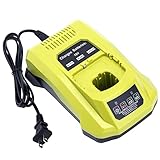
- 100% Compatible with Ryobi 18V ONE+ Lithium-Ion NiCad NiMh Battery P102 P103 P104 P105 P106 P107 P108 P109 P100 P122 P161 P189 P190 P191 P197, HP battery PBP005 PBP002. Also compatible with Ryobi 12V 14.4V ONE+ NiCad NiMh Battery (DON'T fit 12V 14.4V lithium Battery)
- Replacement for Ryobi 18V battery charger P117, P118, P118B, P135, P166, 140237023, 140153004. (1 battery charger for 3 TYPES 18V batteries )
- Advanced charging technology, universal 100V-240V voltage input. Output 12V~18V 2A for Li-ion Batteries, 1.5A for Ni-MH&Ni-CD Batteries.A full charge for 6.0Ah 18V lithium battery in 3 hours or less thus minimizing downtime.
- Smart LED indicator will show battery charging status, Power On-Steady Red, Defective-Flashing Red, Abnormal Temperature-Flashing Yellow, Charging-Flashing Green, Charged-Steady Green.
- Built-in multiple safety protection measures to prevent battery overheat, overcurrent, overload, overcharge and short circuit. 60 days money back, 12 months warranty. 24*7 hours prompt customer service.
36V single-port chargers
Ryobi Australia’s 36V Single Charger LED guide is a separate document with its own model list and its own indicator behaviour. It also says that a repeated defective indication may call for testing with another battery. Do not apply the 18V meanings to a 36V charger, or the reverse.
Using a second battery to narrow the fault
When the model’s guide points to a fault and reseating does not clear it, a second compatible battery is the simplest isolation test. Read the outcome this way:
Quick wins for a faster PC:
Clear out junk files and repair common Windows errorsFree Scan →Scan for outdated or missing drivers - takes under a minuteDriver Scan →Rank #3

- ONE BATTERY TO POWER THEM ALL. The ultimate versatility. Do more jobs and finish all the tasks with just one battery. Power up and work with all the 225 tools in the RYOBI 18V ONE+ System. From drilling, driving, cutting and fastening to lighting plumbing, cooling and rocking to trimming, edging, mowing and clearing. ONE+ is the system that delivers more. 100 percent compatible to all.
- CORDLESS POWER. Maximize your capability without distractions of heavy and tangled wires. Delivers fade-free power for maximum performance that is comparable or even more powerful than your corded tools. Never be limited with power cords and extension cords. Complete your DIY project even without electric power souce.
- LONGER RUNTIME. Don't pause but power through. With up to 1.5x more runtime, you'll absolutely end your task without holding back just to charge.
- CHARGE EFFICIENTLY. Charge fast while conserving the energy. Powers from 0 to 100 in less than an hour. With the IntelliPort technology feature, in every charge you do, conserving energy, protecting battery cells, and maximizing battery life is ensured.
- POWER THAT PERFORMS. Worry less and be confident in extreme weathers. Works perfectly and delivery the same output..
- The second battery charges normally. The first battery is the more likely source of the fault.
- The fault repeats with the second battery. A charger fault becomes more plausible.
This test separates a battery problem from a charger problem. It does not reveal the internal cause of either, so treat the result as a direction for the next step rather than a diagnosis.
When to stop and get it repaired
- Stop using the charger if the case, plug, or cord is visibly damaged.
- Stop using it if it keeps faulting after the checks above, especially if a second compatible battery produces the same result.
- Do not open the charger or bypass the battery’s safety electronics. Either can create a hazard and can void coverage.
For batteries still under warranty, Ryobi’s Batteries & Chargers Support page states: “To replace a battery that is still under warranty, please contact our customer service through the Chat or reach us at 800-525-2579.” This is Ryobi customer support guidance; the page does not attribute it to a named person. For batteries outside warranty, the same page directs readers to Home Depot for replacement batteries.
Rank #4

- Stens replacement parts have become a favorite among lawn and landscape professionals thanks to exceptional performance.
For charger repairs, Ryobi’s support pages describe repair and replacement-part routes for individual models. The 40V Integrated Rapid Charger support page is an example of this, but it covers only that model. Check your own model’s page for its repair options.
Independent reader supportYour contribution helps us test, update, and keep practical guides available for everyone.Repair or replace: what to compare
If the checks point to the charger, weigh the options against four factors before buying anything.
The Tool Desk
Outbyte Driver Updater FREEFix the driver behind crashes, sound loss and screen glitchesFind Drivers →Outbyte PC Repair FREEClear out junk files and repair common Windows errorsFree Scan →Best Value

- ✅Intelligent & Efficient: This P117 fast charger features a 100-240V AC input, with an 18V/2A output for Li-ion and a 12V-18V/1.5A output for NiCd batteries. It can fully charge a 6.0Ah 18V battery in 3 hours or less, minimizing downtime. For protection, it includes a built-in cooling system and actively controls current, voltage, and temperature to optimize battery life
- ✅Dual Chemistry Charger P117: One charger for three types of 18V batteries, compatible with Ryobi 18V ONE+ Lithium-Ion NiCad NiMh Battery P102 P103 P104 P105 P106 P107 P108 P109 P100 P122 P161 P189 P190 P191 P197, HP battery PBP005 PBP002 etc. Also compatible with Ryobi 12V/14.4V ONE+ NiCad/NiMh Battery (DO NOT fit 12V/14.4V lithium Battery)
- ✅Helpful Design: This P117 18V battery charger has an LED indicator that shows charging/maintenance status. Compact, space-saving design. Eco-friendly packaging: minimalist carton design, plastic-free
- ✅Your Direct Replacement & Upgrade: Biswaye P117 battery charger replacement compatible with Ryobi 18V battery charger P117, P118, P118B, P135, P166, 140237023, 140153004
- ✅Certified to meet FCC, RoHS, and CE safety standards. Contact us: for any questions, click "Ask a question" on our storefront or in the "YOUR ORDER" options, then click "Contact Seller"
| Factor | What to check |
|---|---|
| Platform and model compatibility | Confirm the charger’s exact model and that it supports your battery platform, such as 18V ONE+ or 36V. |
| Warranty status | Find your proof of purchase. Check the warranty for the product itself, because the terms for a battery do not automatically apply to a charger. |
| Where the fault follows | Whether the fault stays with the first battery or repeats with a second compatible battery. |
| Availability of the model | Whether the model is still offered. A discontinued model may need service through Ryobi rather than a replacement. |
If the charger is the problem and the model is still available, a compatible Ryobi battery charger is the replacement route. Confirm the platform and exact model first, and do not assume a charger from another voltage will work with your batteries.
The same model-first approach applies to the Ryobi US Batteries & Chargers Support page and the 18V ONE+ Dual Chemistry Charger (P117) product page. Use each page only for the model it describes.
No published failure rates for clicking Ryobi chargers were found, so this guide does not estimate how often the problem has a particular cause.
Quick Recap
Product prices and availability are accurate as of the date/time indicated and are subject to change. Any price and availability information displayed on Amazon at the time of purchase will apply.
Free tools Windows power users keep installed
One-click scans. No signup required.




