A complete construction change order request identifies the project and contract, explains the reason for the change, defines the added, deleted, or revised work, shows the proposed cost and time effects, lists supporting documents, and states the approval being requested. Submit it through the procedure in the signed contract: a request or proposal is not an approved change until the contract’s required authority authorizes it.
Start with the contract procedure
There is no single form, deadline, markup, signature combination, or approval path that applies to every construction project. The signed agreement, incorporated general and supplementary conditions, owner procedures, and applicable law control. Before drafting, check the clauses covering changes, notices, pricing, payment, schedule extensions, construction directives, and dispute preservation.

As an Amazon Associate I earn from qualifying purchases.
Use the project’s required form if one exists. If the contract does not prescribe a form, create a clearly labeled request with the sections in this article. Confirm where it must be sent, who may issue instructions, how quickly notice is due, and whether work may proceed while price or time remains unresolved. Keep the document’s status visible in its title and throughout the text.
What’s actually slowing this PC down?
Pick the symptom - the matching free tool is one click away.
Confirm the requested action
Decide whether you are asking for review of a potential change, approval of pricing, a time extension, written direction to proceed, or execution of a formal change order. Those are different decisions. An owner’s email, a field instruction, an architect’s sketch, and an executed change order may have different contractual effects.
Essential sections of the request
| Section | What to state | Useful evidence |
|---|---|---|
| Identification | Project, location, parties, contract number, request number, date, and related drawing, specification, RFI, or instruction reference | Contract cover page, document register, correspondence log |
| Reason and origin | Who identified or requested the change, why it is needed, and why the original contract does not cover it | Owner directive, design revision, RFI response, site record, photograph |
| Scope | Exact added, deleted, or revised work, location, quantities, materials, performance requirements, exclusions, assumptions, and affected trades | Marked-up drawings, revised specifications, takeoff, photographs |
| Contract effect | Proposed net addition, deduction, or no price change; proposed adjustment to contract time, milestones, or completion date | Estimate, quotes, schedule update, impact analysis |
| Attachments | Numbered list of every supporting document and its date | Drawing and specification revisions, quotes, records, calculations |
| Decision and authorization | Action requested, unresolved items, and the person or entity authorized to approve it | Signature blocks or electronic approval required by the contract |
Project and contract identification
Put enough information in the header that a reviewer can match the request to the correct job without searching. Include the project name and location; owner and contractor names; contract or purchase-order identifier; request number; submission date; and, when available, the change, drawing, specification, RFI, or instruction number. If the project has multiple buildings, phases, or bid packages, identify the affected area.
Do not assume a universal header is mandatory. These are practical fields; the project form may require additional identifiers or a different numbering convention.
Reason and origin of the change
State who requested or discovered the change and what problem it resolves. Typical origins include an owner request, a design revision, an unforeseen condition, a coordination conflict, a code or authority requirement, or a correction to contract documents. Explain why the requested work differs from the original scope rather than merely saying that it is “extra.”
Recommended Free Tools
Attach or reference the instruction that triggered the request. A concise chronology helps: identify the date of the request or discovery, the communication that documented it, and any interim action taken. Clear reasons and timely communication are emphasized in AIA guidance on administering changes.
Clear description of the changed work
Write the scope so a person who was not in the field can understand what will be built, removed, or revised. Identify the exact location, quantities, dimensions where relevant, materials, finishes, testing, and performance requirements. Describe interfaces with existing work and other trades.
Rank #2

- MADE FOR SERVICE BUSINESSES - Space for company stamp or logo, and notes; great for contractors and field service professionals, including construction, HVAC, plumbing, electrical, landscaping, maintenance, mechanic and repair
- 2-PART NCR FORMS - Create clean duplicate copies instantly with white and yellow sheets; ideal for job invoices, work orders, contractor estimates, repair orders, and service calls without messy carbon copy paper
- LARGE 8-1/2" X 11-7/16" FORMAT – Full-page layout with ample room for customer information, materials, labor, subtotal, tax, and total; clear printed lines keep handwriting fast, neat, and legible on every job
- EASY TO FILE AFTER USE - Top micro-perforation removes each invoice smoothly while keeping remaining forms secure, helping you provide professional customer copies and maintain accurate records
- BUILT FOR FIELD WORK - Fold-out cardboard divider prevents write-through and doubles as a sturdy writing surface for work on construction sites and customer locations
Separate inclusions from exclusions. List assumptions such as access, working hours, available utilities, or owner-furnished items, and identify conditions that would require a further decision. If the change deletes work, describe the deleted item and the resulting credit basis. If it revises work, explain both the original requirement and the replacement.
Reference the contract drawings and specifications being changed and identify the revised documents that define the proposed work. A marked-up plan alone may not establish material or performance requirements; pair it with revised details, schedules, or specification paragraphs when needed.
Do these 3 things before closing this tab:
1Repair Windows errors before they cause bigger problems2Scan for outdated or missing drivers - takes under a minute3Clear out junk files and repair common Windows errorsProposed contract-sum effect
State the proposed net addition, deduction, or explicitly state that no price change is requested. Then show how the figure was developed. A transparent breakdown commonly separates direct labor, materials, equipment, subcontractor or supplier amounts, credits for deleted work, and contractually permitted overhead or profit markups.
Use the pricing method required by the contract, such as agreed lump sum, unit prices, time and materials, force account, or another defined method. Do not assume a particular percentage, cost category, or markup is allowed; those limits come from the contract and applicable project rules.
Explain quantities and unit rates where they drive the result. Attach supplier or subcontractor quotations, labor-hour calculations, equipment rates, quantity takeoffs, and other support. Identify taxes, freight, permits, testing, and temporary work when they affect the amount. Show credits as well as additions so the reviewer can see the net adjustment.
Rank #3
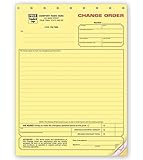
- DIMENSIONS: Standard letter size 8.5 x 11 inches, perfect for professional documentation and filing systems
- CARBONLESS DESIGN: Yellow contractor copy ensures clear, legible duplicates without carbon paper mess
- PROFESSIONAL FORMAT: Pre-printed change order form specifically designed for construction project modifications
- DOCUMENT TYPE: Official construction change order form for recording project amendments and cost adjustments
- PRACTICAL FEATURES: Easy-to-write surface with clear impression transfer for accurate record keeping
For a federal contract, the applicable changes clause and Federal Acquisition Regulation (FAR) procedures may require cost analysis and segregation of costs that can be separately identified. FAR 43.204 addresses that federal-contract context. Those requirements do not automatically govern a private project or a nonfederal public job.
Outdated Drivers Are Slowing You Down
One free scan finds every outdated or missing driver and matches the right update for your exact hardware.Free scan · exact hardware matchPC Slower Than It Used to Be?
A free scan shows the junk files, broken settings and background clutter dragging Windows down - then fixes them in one click.Free scan · Windows 10 & 11Contract-time and schedule effect
State the requested adjustment to contract time, milestones, or completion date. If no extension is sought, say so. Explain the schedule logic instead of asserting that the change is “on the critical path.” Identify affected activities, procurement lead times, access constraints, sequencing, and any resequencing or mitigation assumed.
For a small change, a short narrative may be enough. For a change that could affect completion, attach an updated schedule or an impact analysis showing the baseline activities, the proposed work, and the resulting dates. A public-project specification cited in the source material calls for an updated schedule showing the effects of the change. Preserve the schedule version and data date used for the analysis.
Supporting documents and attachment register
Number every attachment and list its title, revision or date, and purpose. Depending on the change, include:
- Revised drawings, details, schedules, or specifications.
- Marked-up plans showing the location and limits of work.
- Photographs, inspection records, field measurements, and daily reports.
- RFI responses, architect or engineer instructions, owner directives, and relevant correspondence.
- Quantity takeoffs, labor and equipment calculations, supplier or subcontractor quotations, and credit calculations.
- Schedule updates, fragnet or time-impact analyses, procurement information, and mitigation plans.
- Permits, authority comments, testing requirements, or code information when they caused or define the change.
Refer to attachments in the body of the request. An attachment list without an explanation of how each document supports scope, price, or time leaves the reviewer to reconstruct the case.
Quick wins for a faster PC:
Clear out junk files and repair common Windows errorsFree Scan →Fix the driver behind crashes, sound loss and screen glitchesFind Drivers →Requested decision and authorization
End the request with a precise action: for example, approval to price the work, approval of a stated contract-sum adjustment, approval of a time extension, written direction under a construction-change mechanism, or execution of the formal change order. Identify assumptions that still need an answer and distinguish them from terms you are asking the reviewer to approve.
Name the required decision-maker under the contract. Do not treat a field conversation, unapproved estimate, or internal signature as authorization unless the agreement gives that person authority. AIA professional guidance advises obtaining the client’s written approval before issuing a change order, while some contracts provide a separate directive process for urgent work.
Request, proposal, directive, and executed change order
Use status language consistently. A request asks for a decision. A proposal offers scope, price, and time terms for consideration. A potential change records an issue that may become a change. A directive is an instruction issued under an authorized contract mechanism, sometimes before final price agreement. An executed change order records the agreed modification.
| Status | Typical purpose | What it does not prove by itself |
|---|---|---|
| Request or potential change | Alerts the parties and seeks review or direction | That the owner accepted price, time, or entitlement |
| Proposal | Offers defined scope and proposed adjustments | That the proposal is binding or approved |
| Directive | Authorizes performance under a clause that permits directed work | That final valuation has been agreed |
| Executed change order | Documents agreement on the changed work and contract adjustments | That every project uses the same signatories or form |
Under the instructions for AIA G701–2017, the form is executed when the owner and contractor, with the architect’s concurrence, agree on the change and the contract-sum and contract-time adjustments. That workflow is an example, not a universal mandate. The contract may instead use a construction change directive or another interim procedure. Federal contracts may permit a written unilateral change order within the scope of an applicable changes clause and authorized contracting-officer procedures; that federal rule should not be generalized to private construction.
A practical preparation workflow
- Read the change clauses. Confirm notice deadlines, pricing rules, required forms, schedule provisions, and approval authority.
- Create a change log entry. Assign a number, record the discovery or instruction date, and identify the responsible parties.
- Collect the trigger documents. Save the RFI, directive, revised drawing, photograph, inspection record, or other evidence that explains the origin.
- Define the scope. Mark the location, quantify the work, state materials and performance requirements, and list exclusions and assumptions.
- Build the estimate. Follow the contract’s pricing method, show additions and credits, and attach calculations and quotations.
- Analyze time. Identify affected activities and procurement, then state the requested extension or explain why none is needed.
- Assemble and index attachments. Use stable file names, revision dates, and cross-references in the narrative.
- Submit for the correct decision. Label the status, send it through the required channel, and preserve proof of delivery and subsequent approval or direction.
Common defects and how to correct them
- “Extra work” with no boundaries: Add location, quantities, specifications, interfaces, exclusions, and revised-document references.
- A lump-sum number with no basis: Provide labor, material, equipment, subcontract, credit, and markup detail consistent with the contract.
- Schedule impact asserted but not demonstrated: Identify affected activities and attach a schedule analysis when completion or milestones may move.
- Missing trigger evidence: Cite the instruction, RFI, drawing revision, site record, or photograph that caused the request.
- Unclear status: Put “request,” “proposal,” “directive,” or “executed change order” in the heading and state the decision being sought.
- Assumed authority: Verify who may approve the change and whether written authorization is required before proceeding.
- Universal rules copied from another job: Remove unsupported assumptions about markups, signatures, deadlines, or payment and apply the controlling contract instead.
- Attachments that cannot be matched to the narrative: Number them, date them, and explain the scope, cost, or time point each one supports.
Illustrative wording for a well-defined request
A useful request might say that an owner-issued revision changes the partition layout on a named floor, identifies the affected drawing and specification revisions, describes the walls and associated electrical and finishes work to be added, lists demolition and credits for deleted work, and states the proposed net contract adjustment. It would then identify the activities affected by the revised sequence, state whether a milestone moves, list the estimate and schedule attachments, and ask the authorized representative to approve pricing, time, or written direction as applicable.
Best Value
This example demonstrates the level of specificity, not a universal form or entitlement. The actual scope, valuation, and approval language must come from the project documents and facts.
AIA forms as a reference point, not a mandate
AIA Contract Documents describe a change order as a written instrument that records the changed work and any adjustments to contract sum and contract time. The AIA A201–2017 wording, as quoted in AIA guidance, defines it as: "A written instrument prepared by the Architect and signed by the Owner, Contractor, and Architect stating their agreement upon all of the following: 1) the change in the Work; 2) the amount of the adjustment, if any, in the Contract Sum; and 3) the extent of the adjustment, if any, in the Contract Time."
AIA G701–2017 is an implementation document that includes change description, contract-sum and time adjustments, and supporting information. It is useful when the project adopts that document family, but it is not legally required for every construction job. Other private, public, and federal contracts use different forms and authority structures.
Final pre-submission checklist
- Project, location, parties, contract identifier, request number, and date are correct.
- The origin, instruction, or condition requiring the change is identified.
- Added, deleted, and revised work is measurable and tied to current contract documents.
- Exclusions, assumptions, interfaces, and unresolved questions are explicit.
- The proposed net price or no-cost position follows the contract’s pricing method.
- Labor, materials, equipment, subcontractor amounts, credits, and permitted markups are supported.
- Contract time, milestones, completion date, and schedule logic are addressed.
- Every attachment is numbered, dated, and referenced in the narrative.
- The document states whether it is a request, proposal, directive, or execution package.
- The requested approver and required authorization method match the signed contract.
- Submission evidence and later approvals or directions will be retained in the project record.
The strongest change order request lets a reviewer trace one uninterrupted chain from the triggering event to the defined work, documented price, schedule consequence, evidence, and requested decision. When the contract procedure is followed and the status is kept explicit, the request becomes a reliable record for negotiating or documenting the authorized change.
Quick Recap
Product prices and availability are accurate as of the date/time indicated and are subject to change. Any price and availability information displayed on Amazon at the time of purchase will apply.

