An intelligent jobsite is a connected construction site in which information about workers, equipment, progress and conditions reaches the people who must act on it in usable time. It is not a single product or a synonym for installing sensors. A reliable network, integrated data, clear workflows, trained people and response procedures all have to work together.
For a contractor, the practical test is simple: does a field observation become a timely, accurate decision? If attendance records automatically support payroll, a muster list is available during an evacuation, a humidity alert protects installed materials, or a BIM progress report supports a payment application, the site is operating intelligently.
As an Amazon Associate I earn from qualifying purchases.
What “intelligent jobsite” means in practice
The term describes a range of connected workflows rather than a standardized system. A 2023 EC3 conference paper identifies connectivity and real-time data integration as essential, while noting that construction sites change constantly and are difficult to integrate. A phone app, reader, camera or sensor is only one part of the result. Data must travel from the field to a system, be interpreted in context and trigger an assigned action.
What’s actually slowing this PC down?
Pick the symptom - the matching free tool is one click away.
That distinction separates an intelligent jobsite from a collection of disconnected gadgets. A temperature sensor that stores readings nobody reviews is monitoring, not an effective control. A badge reader that produces an attendance file accepted by payroll and an emergency-muster process is part of an intelligent workflow.
#1 Best Overall

- Our new generation compact beacon with a unique button trigger option AND movement sensor. Long Range BLE 5.0 but also compatible with BLE 4.0. Shows battery level in broadcast. Button and/or movement sensor can be configured to trigger different broadcasts.
- Button Trigger allows the beacon to be configured to broadcast only after a specific button click, or to broadcast a different UUID after a specific button click, or to broadcast one UUID at all times but to switch to a modified UUID for a limited period after a specific button click. The movement sensor feature has similiar configurability options. These unique powerful features open up a wide range of custom usage cases for this beacon.
- Long Range Connectivity: Utilizes advanced BLE 5.0 Bluetooth technology for extended transmission range and improved signal stability
- Multi-Purpose Tracking Device: Suitable for asset tracking, indoor navigation, proximity marketing, and attendance monitoring applications
- Low Energy Consumption: Designed with Bluetooth Low Energy technology to maximize battery life and minimize power usage
The core elements
- Connectivity: networks and gateways that can reach the active work areas and remain available as the site changes.
- Data capture: mobile check-ins, badges, beacons, equipment telemetry, cameras, environmental sensors, inspections and model-based progress records.
- Integration: connections to project-management, scheduling, BIM, payroll, safety or reporting systems so information is not trapped in separate silos.
- Decision workflows: named people, thresholds, escalation paths and response times for each important alert or report.
- People and governance: worker training, subcontractor participation, permissions, retention rules and a process for correcting bad data.
What you may see on an intelligent jobsite
There is no required technology stack. The appropriate combination depends on the project problem, site conditions and existing systems. These examples describe distinct capabilities; they are not interchangeable.
| Workflow | Typical field inputs | Useful output | Important qualification |
|---|---|---|---|
| Workforce attendance and muster | Smartphone check-in, NFC badge or BLE beacon with site readers | Attendance, hours, trade or zone reports and an emergency headcount | Coverage, enrollment and worker adoption determine data quality. |
| Access and security | Entry credentials, readers and video feeds | Access events, alerts and an investigation record | Video and identity data require restricted access and retention rules. |
| Environmental monitoring | Water, temperature, humidity, weather, fire, smoke or CO2 sensors | Threshold alerts and a log for corrective action | Effectiveness depends on sensor placement, calibration, connectivity and response. |
| People and asset location | IoT tags, readers and location software | Current or recent location of workers and equipment | Accuracy varies by technology and site geometry; integration with CAD or BIM may be needed. |
| BIM and augmented-reality progress | Field observations, model elements, images and schedule data | Progress records that support coordination, schedules and payment review | A case example is evidence of a workflow, not a universal productivity result. |
| Connected equipment and automation | Machine telemetry, remote controls and autonomous functions | Utilization data or supervised machine operations | Development-stage systems still require testing, human oversight and industry collaboration. |
How contractors use the data
Attendance, hours and emergency muster
Workforce-management systems described by Eyrus combine contractor and worker registration with certification records, mass messaging, automated attendance, hours and trade reporting, zone tracking and muster information. A worker might check in with a phone, wear a Bluetooth Low Energy (BLE) beacon that pings against readers, or use an NFC badge. These methods solve different operational problems: a phone can be quick to deploy, a badge can provide a deliberate access event, and a beacon can support repeated presence detection when a compatible reader network is installed.
Before selecting a method, define who is required to register, what counts as “on site,” how transfers between zones are recorded and who owns the correction process. A list that is technically generated but not reconciled with late arrivals, visitors and subcontractor changes is unsafe to treat as a complete muster.
Windows Errors? Fix Them Before They Spread
Repair common Windows errors and clear accumulated junk for a smoother, more stable PC - no reinstall needed.Free scan · no reinstallOutdated Drivers Are Slowing You Down
One free scan finds every outdated or missing driver and matches the right update for your exact hardware.Free scan · exact hardware matchAlerts and site conditions
Access control, video monitoring and environmental sensors can surface water intrusion, temperature or humidity excursions, severe weather, fire, smoke or elevated carbon dioxide. Configure each alert with a threshold, recipient, backup recipient and physical response. For example, a humidity alarm near material storage should identify the person who can inspect the area, protect the material and document the disposition. Without that response loop, an alert merely adds noise.
Vendor descriptions establish that these features exist; they do not establish identical detection performance on every project. Test coverage in the actual buildings, account for power interruptions and confirm how alerts behave when the network is unavailable.
Progress, schedule and payment visibility
An Autodesk University case description for a hospital project led by Batson-Cook Construction used BIM-based data and augmented-reality progress reporting to support data collection, scheduling and timely payments. In a workflow like this, the team agrees on what constitutes installed work, links observations to model elements and records who verified each status. The value is traceability: the project team can compare planned and observed work without relying only on narrative updates.
Rank #2
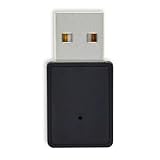
- Contact us on Amazon message center for bulk price, promotions and technical support.
- Free APP (Feasybeacon) and SDK available for both Android and iOS system. All major parameters can be modified via “FeasyBeacon “, include device name.
- Up to 450m work range in open area, support 10 slots broadcast, can be powered by any electronic device with USB port.
- Comply with Eddystone UID& URL and iBeaocn format broadcast which can be configurable for non-connectable advertising frames.
- Particularly suitable for retail, stadium, museum, hospital, exhibition, hotel, restaurant, etc
Keep model status, photographic evidence and schedule revisions synchronized. Otherwise, a visually impressive field capture can still produce a misleading progress percentage.
Locating people and equipment
An Autodesk University session describes Skanska piloting an IoT-based real-time location system (RTLS) for people and assets, with attention to safety, productivity and integration with CAD and BIM tools. Location information can help find a shared lift, understand congestion or identify who may be inside a zone during an emergency. It is not automatically a productivity measurement: tag assignment, battery life, reader placement and the chosen accuracy level all affect what the map means.
Connected and autonomous equipment
A March 24, 2026 article from JLG presents a development-stage vision of connected autonomous equipment operating under human oversight. That is a forward-looking manufacturer direction, not a description of normal jobsite practice. Contractors considering such equipment should require documented operating limits, supervision, testing results, stop controls, maintenance procedures and a plan for mixed operations with conventional machines.
How to plan an intelligent-jobsite rollout
Start with one operational problem and design the response before buying hardware. The following sequence keeps the project grounded in a measurable workflow.
- Name the problem. Choose attendance accuracy, emergency headcounts, equipment location, environmental protection, progress verification or another specific need. Record the cost of the current failure: delayed payroll, search time, material damage, missed coordination or slow approvals.
- Map the current process. Document who records information, where it is stored, how often it is updated, who reviews it and what happens when it is wrong. Include the general contractor, key subcontractors, site logistics and office staff.
- Define the required data and action. Specify fields, timing, acceptable accuracy, alert thresholds, responsible roles and escalation. For a muster workflow, define the roster cutoff, visitor handling and the person who reconciles discrepancies.
- Survey the physical site. Check cellular, Wi-Fi or private-network coverage in basements, shafts, laydown areas and temporary structures. Identify power, weather exposure, steel or concrete obstructions and locations that will move as the build advances. The EC3 paper treats network and device integration as central challenges on dynamic sites.
- Check integration before selection. Confirm interfaces with scheduling, BIM, payroll, safety, access-control and reporting tools. Ask whether data can be exported in a usable format, whether timestamps are consistent and how offline records synchronize.
- Plan adoption and privacy. Explain the purpose to workers and subcontractors, provide registration support and publish rules for location, video and personal data. Limit access by role, set retention periods and document how a worker can challenge an incorrect record. Local employment, privacy and safety laws vary; obtain jurisdiction-specific advice rather than assuming one policy fits every site.
- Pilot one defined area or crew. Run the workflow through normal shifts, deliveries, outages, bad weather and emergency drills. Measure data completeness, false alerts, response time, correction effort and user participation.
- Review and expand deliberately. Keep the pilot only if the resulting information changes a decision or reduces avoidable work. Add adjacent workflows after the first one is stable, preserving common identities, locations, timestamps and permission controls.
How to compare technology options
Compare solutions by the work they must support, not by a feature count. A BLE beacon system, an NFC badge system, mobile check-in and a BIM progress tool answer different questions. Use a written scorecard covering:
Do these 3 things before closing this tab:
1Scan for outdated or missing drivers - takes under a minute2Repair Windows errors before they cause bigger problems3Fix the driver behind crashes, sound loss and screen glitches- Workflow fit: Does it capture the event you actually need, at the required frequency and accuracy?
- Coverage and resilience: What happens in remote areas, during construction changes, power loss or an internet outage?
- Compatibility: Can it exchange data with current project, payroll, BIM and safety systems without duplicate entry?
- Adoption burden: How are workers, visitors and subcontractors enrolled, trained and supported each day?
- Reporting: Can supervisors see exceptions quickly and can administrators audit the underlying records?
- Administration: Who replaces batteries, moves readers, manages permissions, corrects records and closes alerts?
- Data controls: Are roles, encryption, retention, export and deletion behavior documented for the locations where you operate?
- Total operating effort: Include devices, installation, connectivity, calibration, support, integration and the staff time needed to keep the workflow reliable.
Common failure modes and fixes
Buying hardware before defining the response
Symptom: dashboards fill with readings but no one can say what decision they support. Fix: write the alert owner, threshold, response and evidence requirement before installation.
Rank #3

- Compact Beacon with Button Trigger: This compact beacon includes all of the usual beacon features as well as a button trigger option that can be configured to trigger different broadcasts or broadcast only for X seconds after being pressed or broadcast a different UUID after pressed.
- Long Range BLE 5.0 Compatibility: Features Long Range BLE 5.0 technology while maintaining full compatibility with BLE 4.0 phones and scanners, ensuring broad device support across different Bluetooth versions
- Battery Level Monitoring: Shows battery level directly in TLM broadcast transmission, allowing you to monitor power status without needing to physically check the device
- Multi-Format Broadcasting: This Multi-Beacon broadcasts your choice of iBeacon, Eddystone TLM, Eddystone URL, and/or Eddystone UID format with Eddystone TLM broadcasting battery strength, temperature, and count data.
- Fully Customizable Settings: Beacon name, UUID, TX broadcast strength, broadcast interval, major/minor values are all customizable via free apps with wide TX Power range from -40 to +4dBm and adjustable intervals from 100 to 10,000 milliseconds
Assuming connectivity is permanent
Symptom: records disappear in concrete cores or temporary areas, then arrive out of order. Fix: perform a coverage survey, test offline behavior and define reconciliation rules for delayed data.
Treating a pilot as proof of universal results
Symptom: a successful demonstration is presented as a guaranteed safety or productivity improvement. Fix: report the project, dates, conditions and measured workflow outcomes; do not generalize beyond them.
Ignoring workforce and subcontractor participation
Symptom: some crews use the process while others bypass it, producing incomplete rosters and inconsistent reports. Fix: make enrollment part of site access, provide alternatives for device or language needs and assign a daily data steward.
Collecting sensitive data without boundaries
Symptom: location or video data is visible to more people or retained longer than necessary. Fix: use least-privilege access, publish a purpose statement, restrict retention and review permissions regularly.
Confusing a vendor testimonial with independent evidence
Eyrus quotes Project Engineer Jesus Montiel about its attendance records: “It has been a great help keeping accurate information for worker attendance eliminating the issues with individuals forgetting to sign in or out each day.” That is one user’s vendor-published experience, not an independent estimate of typical results. Use such statements as context, then measure your own completeness and correction rates.
Independent reader supportYour contribution helps us test, update, and keep practical guides available for everyone.What the available evidence does—and does not—show
The cited material documents technology categories, implementation challenges and case examples. It does not establish that every intelligent-jobsite deployment improves safety, productivity, quality, schedule or cost. The EC3 publication focuses on connectivity and integration. Autodesk University pages describe a 2016 RTLS pilot and a 2024 progress-tracking case. Eyrus supplies vendor-defined capabilities and a testimonial. JLG’s March 2026 article explicitly describes development, testing and collaboration still required for autonomous equipment.
Rank #4

- ✅【Bluetooth 5.1】BLE 5.1 offers more stable connections, faster data transfer speeds, and longer transmission range, enhancing device compatibility and communication efficiency for more complex applications.
- ✅【160m Advertising Distance】FSC-BP103B supports an advertising range of up to 160 meters, providing wide coverage in open environments for stable signal transmission, ideal for large-scale applications.
- ✅【3-Year Battery Life】In the default configuration, FSC-BP103B offers up to 3 years of battery life, with actual lifespan depending on usage frequency and environmental conditions.
- ✅【Up to 10 Advertising Frames】Supports up to 10 broadcast slots, allowing simultaneous transmission of multiple signals to reduce interference and improve signal efficiency, ideal for various applications.
- ✅【Free SDK & APP】You can quickly test and develop beacon functionalities using our resources, enabling faster integration into your projects.
No independent, field-wide performance statistic is established here. An ABC 2025 Field Tech Report landing page surfaces adoption figures, but those figures should be checked against the full report and methodology before being quoted. Example headcounts on a vendor page are project descriptions, not representative industry rates.
A contractor’s readiness checklist
- One clearly stated operational problem and a named owner.
- A process map showing data entry, review, correction and response.
- Coverage, power and physical-installation plan for the current phase and likely site changes.
- Integration requirements for existing project, BIM, payroll, safety and access systems.
- Participation plan for employees, subcontractors, visitors and temporary labor.
- Privacy, security, retention and incident-response rules approved for the project location.
- Pilot measures such as data completeness, alert precision, response time and administrative hours.
- An expansion gate based on useful decisions, not on the number of devices deployed.
Frequently Asked Questions
Is an intelligent jobsite the same as a smart construction site?
The terms are often used interchangeably, but neither identifies a formal standard. Focus on whether connected data reaches the right person and produces an agreed action, regardless of the label.
Do I need BLE beacons to create an intelligent jobsite?
No. BLE beacons are one attendance or location option. Mobile check-in, NFC badges, environmental sensors, BIM observations or other tools may be more appropriate for a particular workflow; verify compatibility with the readers and software before purchasing.
How accurate must location tracking be?
Accuracy should match the decision. Zone-level presence may be sufficient for muster or congestion analysis, while finding a specific tool may require tighter accuracy. Define the required tolerance first and test it in the actual building conditions.
What should a small contractor pilot first?
Choose a high-frequency problem with a clear owner, such as attendance reconciliation, equipment search or a single environmental risk. A narrow pilot makes coverage, adoption and response failures visible before you commit to a site-wide rollout.
Recommended Free Tools
Quick Recap
Product prices and availability are accurate as of the date/time indicated and are subject to change. Any price and availability information displayed on Amazon at the time of purchase will apply.

