Recommended Free Tools
Verdict: the Viomi V3 Max is worth considering only as a genuinely cheap, returnable clearance or refurbished purchase. Around $160, it offers useful LiDAR mapping, scheduled vacuuming, basic mopping and multi-floor map support. But it is a 2021 model, has no auto-empty dock, may be difficult to find in stock, and carries greater battery, app and replacement-parts risk than newer robots.
What is the Viomi V3 Max?
The Viomi V3 Max is a three-in-one robot for dry vacuuming, basic mopping and combined vacuum-and-mop cleaning. It uses LiDAR laser navigation rather than random movement, connects through the Mi Home/Xiaomi Home app, and can be controlled through app schedules, room or zone cleaning and virtual boundaries. Viomi announced it in the United States on August 27, 2021, so a unit sold today should be treated as older or residual stock rather than a current-generation release. Viomi’s launch announcement describes the original positioning and claimed features.
As an Amazon Associate I earn from qualifying purchases.
Price and availability: the bargain is conditional
Retailer snapshots showed the V3 Max at about $159.99 at Walmart, Lowe’s and VMInnovations. However, the Walmart and Lowe’s listings were out of stock, and VMInnovations also marked the product sold out. These figures are historical price signals, not a guaranteed current offer. Walmart’s listing is useful for identifying the product, but buyers should verify live stock, condition and seller details before paying.
Use the following price framework:
- Under $150: potentially compelling if the robot is new or reliably refurbished, includes its dock and accessories, and has a return window.
- $160–$200: reasonable only if you specifically want LiDAR mapping and accept manual dustbin emptying.
- Above $200: compare carefully with newer robots offering better parts availability or auto-emptying.
- Used without returns: generally high risk. Battery wear, clogged pumps, worn brushes and app-pairing problems may not be obvious from a listing.
Before buying, confirm whether the unit is new, open-box, refurbished or used; who provides the warranty; how long returns last; what shipping costs; and whether replacement filters, brushes, mop pads and batteries are still obtainable.
#1 Best Overall

- Fully upgraded anti-drop technology prevents the robot vacuum cleaner from falling from stairs and off edges
- Smart carpet boost tech will maximize the suction power once getting on the carpets, pulling dirt or cracks effectively for deep cleaning
- Improved AI core algorithm and advanced LiDAR Navigation technology that uses mapping technology that can store up to 5-floor maps
- Features 4 suction modes with 2400Pa suction perfect for dirt, dust, and pet hair off hard floors or carpet
- Smart app and voice control capabilities so you can schedule a cleaning or track your robot in real-time anytime, anywhere with Alexa and Google Assistant
Key specifications
| Feature | Specification or claim | Important qualification |
|---|---|---|
| Navigation | LiDAR laser navigation | Supports structured mapping, but is not proof of advanced camera-based object recognition. |
| Cleaning modes | Vacuum, mop, or vacuum and mop | Mopping is intended for routine maintenance. |
| Suction modes | Four | Mode selection affects noise, battery life and cleaning time. |
| Suction rating | 2,400 Pa or 2,700 Pa | Different regional listings disagree; Pa ratings are not standardized cleaning tests. |
| Battery | 5,200 mAh | Older or used units may have substantially reduced capacity. |
| Claimed runtime | Up to 180 minutes | A maximum manufacturer claim, not guaranteed runtime in high-power mode. |
| Dustbin | 0.4 L | Must be emptied manually. |
| Water tank | 200 mL | Suitable for light maintenance mopping. |
| Wi-Fi | 2.4 GHz only | 5 GHz networks are not supported according to the manual. |
| Mapping | Up to five floor maps | Advertised capability; app behavior can vary by region and software version. |
| Voice control | Alexa and Google Assistant | Listed for US-facing versions; regional app support may differ. |
| Threshold crossing | Approximately 2 cm | Actual performance depends on the threshold’s shape and traction. |
| Auto-emptying | No | The standard dock is a charging dock, not a self-empty station. |
| US-listed dimensions | Approximately 13.98 × 13.98 × 4.13 in | A regional listing gives different measurements. |
| US-listed weight | About 10 lb | A regional listing says 6.5 kg; catalog data is inconsistent. |
The regional Viomi page lists the 5,200 mAh battery, 180-minute maximum runtime, 0.4-liter dustbin, 200 mL water tank and approximately 2 cm clearance. The US-facing listing gives the 2,400 Pa rating, five-map claim and US dimensions. A Russian product page lists 2,700 Pa instead. These figures should not be silently combined as though they came from one consistent specification sheet. Viomi’s regional specification page and the US-facing retailer listing show the discrepancies.
How well does it clean?
Vacuuming
The V3 Max is best viewed as a routine-maintenance robot. Its LiDAR route planning, carpet boost, four suction settings, scheduled cleaning and large battery should make it useful for everyday dust, crumbs and surface debris on hard floors. It may also be suitable for surface pet hair, particularly on hard flooring.
There is not enough independent controlled testing in the available evidence to promise premium deep-carpet pickup, standardized noise performance or a particular battery endurance. The suction number alone cannot establish cleaning quality: brush design, airflow, filter condition, floor type and repeated-pass behavior all matter.
Do these 3 things before closing this tab:
1Scan for outdated or missing drivers - takes under a minute2Repair Windows errors before they cause bigger problems3Fix the driver behind crashes, sound loss and screen glitchesRank #2
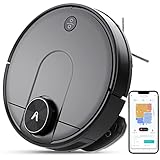
- Cleans with a Y-pattern that mimics real manual mopping techniques for more in-depth cleaning
- Improved AI core algorithm and LDS Laser System that uses mapping technology that can store up to 5-floor maps
- Features 4 suction modes with 2400Pa suction perfect for dirt, dust, and pet hair off hard floors or carpet
- Smart app and voice control capabilities so you can schedule a cleaning or track your robot in real-time anytime, anywhere with Alexa and compatible with 2.4Ghz Wi-Fi
- Includes dual water tanks and a 2-in-1 dust box to ensure the cleaning of the dirtiest of flooring
Mopping
The robot uses a water tank, mop pad and claimed Y-pattern movement. That makes it suitable for light maintenance mopping, not for scrubbing dried spills, removing embedded grime or replacing a proper manual clean. Remove rugs before mopping, rinse and dry the pad after use, empty leftover water and use only cleaning solution permitted by the manual or manufacturer.
Do not leave the robot stationary with a wet pad attached, especially on wood or other moisture-sensitive flooring. Water marks can result from a high water setting, an overloaded pad, uneven flooring or a leaking tank.
No auto-empty dock
The V3 Max has a conventional dust container. You must remove and empty it yourself; the standard charging station does not automatically transfer debris into a larger bag. Some marketplace copy may use terms such as “self-cleaning,” so check exactly what is included in the box. The regional Viomi listing identifies no self-empty station. See the documented dock description.
Rank #3

- 5000Pa Strong Suction: Robot Vacuum With 5000Pa suction power, it effortlessly removes pet hair, dust, and debris from all types of floors. It can also easily clean on short-pile & medium-pile carpets
- Vacuum & Mop in One Go: G8000 Max robot vacuum is equipped with 450 ml dustbin and 300 ml water tank combo, it supports simultaneous vacuuming and mopping in one go. The innovative design reduces cleaning time by 50%, enhancing household efficiency
- Long Battery Life, Always Ready: Up to 150 minutes in quiet mode, meeting daily cleaning needs and automatically recharging when the battery is low, always ready for the next cleaning task
- 4 Control Ways & 4 Cleaning Modes: Supports 4 control methods: App, Remote, Voice, and Button, making it ideal for wives, seniors, and parents. Choose from 4 cleaning modes(Spot, Edge, Zig-zag, and Manual cleaning) to meet your daily cleaning needs. The Zig-zag mode ensures maximum coverage and cleaning efficiency
- Ultra-Slim Design, Smart Sensors: The robot cleaner is 2.99 inches in height, it easily reaches under beds, sofas, and cabinets for thorough cleaning. With anti-collision and anti-fall sensor technology, it intelligently navigates around obstacles, walls, and stairs
Navigation, mapping and obstacle limits
LiDAR is the V3 Max’s strongest feature for the price. It can create editable maps, support room and zone cleaning, use virtual boundaries and is advertised as storing up to five floor maps. A multi-floor map does not mean the robot can climb stairs: you must carry it to another level and ensure it can recognize or use the appropriate map.
For the first mapping run:
- Place the dock in a permanent position with a clear approach.
- Open doors to the rooms you want mapped.
- Remove cords, socks, toys, tassels and loose fabric.
- Supervise the run and avoid moving the robot or dock.
- Let the map finish before creating room divisions or no-go zones.
LiDAR does not guarantee reliable detection of thin cables, small objects, pet waste or clutter. Product copy referring to an “AI algorithm” should not be interpreted as proof of camera-based object avoidance. If rooms are missed, doors were closed, the robot was relocated, clutter blocked its route or the wrong floor map was active. A supervised remapping cycle is the sensible first remedy.
Independent reader supportYour contribution helps us test, update, and keep practical guides available for everyone.App setup and Wi-Fi troubleshooting
The V3 Max uses the Mi Home/Xiaomi Home app and requires a 2.4 GHz Wi-Fi network. The FCC-hosted manual explains that Wi-Fi configuration is started by holding the specified robot buttons for approximately three seconds until the device announces network-configuration mode. App labels may change over time, so treat the following as a practical sequence rather than permanent interface wording. Read the available manual.
Rank #4

- 1. Compact and Quiet Operation: With a slim 2.85" profile, the eufy robot vacuum operates quietly, offering a comprehensive clean without causing a disturbance, making it perfect for use at any hour.
- 2. Extended Cleaning Performance: Capable of running up to 100 minutes on hardwood floors, the eufy vacuum robot provides powerful, consistent suction for a thorough clean at a noise level similar to a microwave.
- 3. Adaptive Suction Power for Different Surfaces: BoostIQ Technology adjusts suction within 1.5s for optimal cleaning on any surface.
- 4. Superior Protection and Efficiency: The eufy robot vacuum comes with an anti-scratch tempered glass-top cover, infrared-sensor for evading obstacles, and drop-sensing tech, ensuring a safe, efficient clean while self-recharging to stay ready.
- 5. Note: The 11s Max does not support WiFi or app connectivity; all operations are performed using the remote control and the buttons on the device.
- Install or update Mi Home/Xiaomi Home and sign in.
- Place the robot on its dock and switch it on.
- Connect your phone to a 2.4 GHz network, not 5 GHz.
- Tap the app’s add-device control.
- Select or search for the Viomi V3 Max.
- Hold the specified buttons for about three seconds to enter Wi-Fi configuration mode.
- Complete the pairing prompts.
- Run a supervised mapping cycle.
- Name rooms and create no-go or no-mop areas where supported.
If pairing fails, try a dedicated 2.4 GHz network, move the phone and robot closer to the router, reset Wi-Fi again, remove any stale device entry and retry. Also check the selected Mi Home region. A second-hand unit may need a factory reset. Routers using unusual security settings or aggressive band steering can create additional problems; a simple WPA2-compatible 2.4 GHz network is often easier to test.
Maintenance and ownership
This is not a hands-off appliance. The absence of an auto-empty dock means regular maintenance is part of the ownership cost.
Free tools Windows power users keep installed
One-click scans. No signup required.
After mopping
- Remove and rinse the mop pad.
- Empty remaining water from the tank.
- Allow the pad and tank to dry.
- Check the water outlet for blockage.
Weekly or as needed
- Empty and clean the dust container.
- Clean the filter as directed.
- Remove hair from the main and side brushes.
- Wipe cliff sensors and charging contacts.
- Inspect the drive wheels and front caster.
- Keep dust away from the LiDAR turret and bumper.
Before buying older stock
- Ask for the manufacturing date if available.
- Confirm that the robot reaches and holds a full charge.
- Test its return to the dock.
- Check the return period before opening or using it.
- Verify replacement filters, brushes, pads and batteries are available.
A stated 180-minute runtime describes a new-condition maximum. It should not be assumed for a unit that has spent years in storage or has already been used.
Who should buy the V3 Max?
Good fit
- Hard-floor homes and apartments.
- Buyers who specifically want LiDAR mapping at clearance pricing.
- Users comfortable emptying a dustbin manually.
- Homes with reasonably uncluttered floors.
- Buyers who can verify app compatibility and obtain a meaningful return window.
- People seeking scheduled maintenance cleaning rather than intensive stain removal.
Poor fit
- Homes that need dependable deep-carpet cleaning.
- Anyone who wants automatic dust disposal.
- Users unwilling to troubleshoot 2.4 GHz Wi-Fi or regional app issues.
- Homes with many cords, toys, tassels or low-clearance obstacles.
- Buyers who need dependable long-term manufacturer support.
- People expecting sophisticated camera-based object avoidance.
- Anyone paying close to the price of a newer robot with stronger parts and support availability.
V3 Max versus a newer alternative
The Roborock Q5 Max+ is a more expensive but clearer value comparison. Roborock’s US store lists LiDAR navigation, 5,500 Pa stated suction, a DuoRoller brush, multi-level mapping, 2.4 GHz Wi-Fi and an auto-empty dock. Page snapshots showed prices around $279.99 to $329.99, with availability varying, so verify the live listing. Check Roborock’s official Q5 Max+ page.
The Q5 Max+ costs substantially more than a $160 V3 Max, but the extra money buys a newer ecosystem, auto-emptying, clearer US support signals and a more convenient ownership routine. It is still primarily a vacuuming robot, so buyers seeking advanced mopping may need to spend more. Newer Dreame models provide additional docking and mopping options, but their US range generally starts at several hundred dollars and is not a direct price comparison. See Dreame’s current US range.
Quick Recap
Buying checklist
- Is the offer genuinely in stock?
- Is the unit new, refurbished, open-box or used?
- Does the box include the charging dock, water tank, dustbin, brush, filter and mop accessories?
- Is there a meaningful return period?
- Who handles warranty claims?
- Can you find replacement consumables before purchasing?
- Will your Mi Home region recognize the device?
- Does the final price remain attractive after shipping and tax?
- Is the price low enough to compensate for no auto-emptying and uncertain long-term support?
Product prices and availability are accurate as of the date/time indicated and are subject to change. Any price and availability information displayed on Amazon at the time of purchase will apply.

