Some links on this page are affiliate links: if you buy through them we may earn a commission, at no extra cost to you.
Yes, a Raspberry Pi can run LinuxCNC and control a suitable hobby CNC machine. The important qualification is that a GPIO-connected parallel HAT is not a traditional PC parallel-port controller. It routes selected Raspberry Pi GPIO signals to a DB25 connector, which then connects to a compatible CNC breakout board.
That makes the setup a practical, low-cost retrofit for many three- to five-axis routers, mills, lasers and light-duty plasma machines. It is less suitable when you need very high step rates, extensive I/O, encoder feedback, tightly synchronized motion or maximum industrial reliability. In those cases, a hardware-timed Mesa controller is usually the better architecture.
As an Amazon Associate I earn from qualifying purchases.
Quick wins for a faster PC:
Repair Windows errors before they cause bigger problemsFix Now →Scan for outdated or missing drivers - takes under a minuteDriver Scan →How the Raspberry Pi CNC system works
The complete signal path is:
Raspberry Pi 4 or 5
    ↓
LinuxCNC real-time Linux image
    ↓
LinuxCNC Raspberry Pi GPIO driver
    ↓
GPIO-connected DB25 HAT
    ↓
DB25 cable
    ↓
Compatible CNC breakout board
    ↓
External stepper or servo drives
    ↓
Motors
Limit and home switches normally connect to breakout-board inputs. Spindle relays, VFD interfaces and other machine functions connect through the breakout board as well.
The HAT is therefore an interface adapter, not a motor controller. It does not directly power motors, replace stepper drives, provide a complete emergency-stop system or guarantee compatibility with every DB25 device. The Byte 2 Bot HAT is designed around a compatible five-axis CNC breakout-board arrangement and exposes selected Raspberry Pi GPIO functions through a DB25 connector. Its product description specifically warns that it is not a full general-purpose parallel port. See the manufacturer’s HAT documentation.
Popular on Amazon
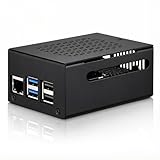
- COMPATIBLE WITH RASPBERRY PI 5 – Designed for Raspberry Pi 5 boards with precise cutouts and a clean metal enclosure fit. Case only: Raspberry Pi 5 board, cooler, NVMe HAT, SSD, POE HAT, power supply, and other expansion boards are not included.
- EXTRA SPACE FOR EXPANSION BUILDS – The taller internal layout is made for users who plan to install compatible active coolers, passive coolers, PCIe to M.2 NVMe HATs, POE HATs, or other low-profile expansion boards. Please check your cooler and HAT height before installation.
- VENTED METAL DESIGN FOR FLEXIBLE COOLING – Top and side ventilation openings help airflow around the Raspberry Pi 5 board and your selected cooling setup. The case can be used with many active or passive cooler layouts, depending on your cooler, HAT, and cable arrangement.
- MAIN PORTS STAY ACCESSIBLE – Cutouts allow access to USB-C power, Micro HDMI, USB, Ethernet, microSD card area, GPIO side opening, ribbon cable area, and the Raspberry Pi 5 power button. The side opening also helps keep board indicator LEDs visible.
- SILICONE POWER BUTTON PAD INCLUDED – The included silicone button pad helps you press the Raspberry Pi 5 onboard power button through the case opening. After assembly, confirm the button moves freely and does not stay pressed.
Is LinuxCNC suitable for a Raspberry Pi?
LinuxCNC is motion-control software that runs on a real-time Linux system; it is not an operating system by itself. LinuxCNC’s documentation supports ARM computers, including Raspberry Pi boards, and lists Raspberry Pi GPIO, SPI, Ethernet, legacy parallel-port and Mesa HostMot2 interfaces. Start with the current stable documentation and the hardware-interface guide.
Use the LinuxCNC image intended for the exact Raspberry Pi generation. LinuxCNC provides separate Raspberry Pi images because board generations differ. A Pi 4 image and a Pi 5 image should not be treated as interchangeable. The HAT vendor’s setup instructions also show that newer Pi 5 images may require changes to the supplied HAL configuration.
What’s actually slowing this PC down?
Pick the symptom - the matching free tool is one click away.
A faster Pi is not automatically a better motion controller. With GPIO-based step generation, timing depends on Linux real-time behavior, latency, interrupts, CPU load, kernel configuration and the required step rate. Run a latency test on the actual installation before trusting it with motion; do not rely on a universal pass/fail number.
When this architecture makes sense
| Choose the GPIO HAT when you need | Consider Mesa or another hardware-timed interface when you need |
|---|---|
| An inexpensive retrofit for an existing DB25 breakout board | High step rates or demanding acceleration |
| A compact controller for a modest hobby router or mill | Servo drives, encoders or closed-loop feedback |
| Simple step-and-direction control | Extensive I/O, probing or synchronized functions |
| To reuse external stepper drivers and machine wiring | Greater separation between the computer and machine electronics |
LinuxCNC documents Ethernet and Mesa HostMot2 hardware as ways to move real-time signal generation away from the computer. Mesa’s official site is mesanet.com. A GPIO HAT is not automatically inferior; it is simply a more limited and timing-sensitive architecture.
Also popular on Amazon

- Compatibility: Compatible with Raspberry Pi 3B+/3B/2B, Model: P252; Do NOT support Libre computer
- Passive Cooling Design: Design with good heat dissipation, passive cooling, heavy duty, don't need to install the cooling fan or heatsink
- Easy Access to All Ports: Access to all ports of Raspberry Pi 3B+ or Raspberry Pi 3B, GPIO cable interface and TF card slot is reservered
- Made of high quality aluminum material. With 4pcs thermal tapes to attach on your Raspberry Pi 3B+/3B. For Raspberry Pi 3B+, attach the big thin thermal tape on CPU; For Raspberry Pi 3B, attach the big thickness thermal tape on CPU
- Packing List: 1 x P252 Aluminum Case for Pi3; 4 x Thermal Pads; 1 x Mounting Screws Pack; Note: The Raspberry Pi 3 board is not included in the packing list
What you need
Required control hardware
- Raspberry Pi 4 or Raspberry Pi 5, matched to the LinuxCNC image and configuration.
- Suitable power supply and boot storage.
- Compatible Raspberry Pi GPIO-to-DB25 HAT.
- Compatible CNC breakout board.
- DB25 cable with the correct wiring and connector arrangement.
- External stepper or servo drives, motors and machine power supply.
- Limit and home switches where fitted.
- A properly designed physical E-stop and machine safety circuit.
Useful commissioning equipment
- Display and keyboard, or a configured network connection.
- Multimeter, logic probe or oscilloscope.
- Dial indicator or another way to verify axis travel.
- Enclosure, cooling and standoffs appropriate to the machine environment.
Do not assume that every DB25 cable or breakout board is compatible. Check the HAT schematic, DB25 pinout, breakout-board manual, signal voltage, input thresholds, grounding and optocoupler requirements. The HAT vendor provides example configurations, pinouts, schematics and mounting information on its downloads page.
Install the correct LinuxCNC image
- Open the official LinuxCNC download page.
- Select the image for the exact Raspberry Pi model.
- Write the image to a microSD card using Raspberry Pi Imager or another image-writing tool.
- Boot the Pi with machine power disconnected or motor power disabled.
- Confirm that LinuxCNC starts before connecting the machine.
- Record the Pi model, image filename and date, kernel version and LinuxCNC version.
LinuxCNC’s update guidance distinguishes ARM64 Raspberry Pi packages from x86 packages; do not apply instructions intended for an ordinary x86 installation without checking their scope. The vendor’s catalog has listed preloaded Pi 4 and Pi 5 cards containing LinuxCNC 2.9.4, but a dated card listing should not be described as the latest release without checking the current official download page.
Do these 3 things before closing this tab:
1Clear out junk files and repair common Windows errors2Scan for outdated or missing drivers - takes under a minute3Repair Windows errors before they cause bigger problemsAfter booting, these commands can help record the installation:
uname -a
linuxcnc --version
ip addr
The exact desktop launcher and configuration-directory path depend on the image. LinuxCNC can also be started from a terminal with the actual machine configuration path:
Also popular on Amazon

- 【All-in-One Raspberry Pi 4 Case Kit】Designed for Raspberry Pi 4 Model B / 4B, this ABS case includes a 4010 cooling fan, 4 aluminum heatsinks, screws, rubber feet, and screwdriver, so beginners do not need to buy cooling parts or mounting hardware separately.
- 【Active Cooling for Daily Pi 4 Projects】The included 40mm fan and heatsinks help reduce heat during media center use, home server projects, classroom builds, and light robotics. For quieter operation, users may connect the fan to a lower-voltage pin depending on their cooling needs and setup.
- 【Removable Top Cover for GPIO Access】The simple snap-on top cover allows access to the GPIO area without fully removing the Raspberry Pi board from the case, useful for testing, learning, and maker projects where occasional pin access is needed.
- 【Durable ABS Protection】The sturdy plastic shell helps protect your Raspberry Pi 4 from dust, scratches, and everyday handling, making it suitable for students, classrooms, desktops, basic robotics projects, and DIY electronics work.
- 【Designed for Raspberry Pi 4 Port Layout】Openings are made for the Pi 4’s USB-C power, micro-HDMI, USB, Ethernet, GPIO, camera, and display areas. For best results, check your cable thickness and routing needs before installation, especially when using ribbon cables or multiple GPIO jumpers.
linuxcnc path/to/machine.iniFit and wire the HAT safely
- Shut down and unplug the Raspberry Pi.
- Fit the HAT to the GPIO header in the correct orientation. Never force the connector.
- Use standoffs or an enclosure so the board and DB25 connector are not mechanically strained.
- Connect the HAT to the compatible breakout board using the cable specified by the board documentation.
- Leave motor power disconnected during initial tests.
- Confirm the breakout board’s required logic voltage and whether it provides isolation or level conversion.
- Connect switches only after confirming their input voltage and active polarity.
- Wire the E-stop into an appropriate machine safety chain rather than relying only on a LinuxCNC signal.
The HAT supplies logic-level signals to the breakout board. Actual behavior depends on Raspberry Pi GPIO voltage, HAT buffering or level conversion, breakout-board thresholds, cable length, grounding, enable polarity and isolation. A DB25 connector makes the wiring convenient; it does not make the underlying interface a conventional PC parallel port.
Understand LinuxCNC’s configuration files
- INI file: Machine-level settings such as axes, units, limits, feed rates and motion parameters.
- HAL file: Connections between motion components, GPIO pins, switches, spindle controls and user-interface signals.
hal_gpio: The Raspberry Pi GPIO driver that exposes GPIO signals to HAL.- Step and direction: The pulse and direction signals normally sent to an external drive.
- Enable: A drive or breakout-board enable signal whose polarity varies by hardware.
- Home and limit inputs: Inputs that must be mapped and tested independently.
Download the vendor’s sample configuration, make a machine-specific copy and change one thing at a time. A sample file is a starting point, not a universal drop-in configuration.
Pi 4 and Pi 5 GPIO mappings are not interchangeable
Do not copy an old Pi 4 HAL file to a Pi 5 without checking the current vendor files. The HAT vendor’s examples show mappings such as these:
| Function | Pi 4/Pi 5 2023 example | Pi 5 2025 example | DB25 pin | Breakout function |
|---|---|---|---|---|
| X step | hal_gpio.PIN21-out |
hal_gpio.GPIO9-out |
2 | XSTEP |
| X direction | hal_gpio.PIN19-out |
hal_gpio.GPIO10-out |
3 | XDIR |
| Y step | hal_gpio.PIN23-out |
hal_gpio.GPIO11-out |
4 | YSTEP |
| Y direction | hal_gpio.PIN29-out |
hal_gpio.GPIO5-out |
5 | YDIR |
| Z step | hal_gpio.PIN31-out |
hal_gpio.GPIO6-out |
6 | ZSTEP |
| Z direction | hal_gpio.PIN35-out |
hal_gpio.GPIO19-out |
7 | ZDIR |
| A step | hal_gpio.PIN11-out |
hal_gpio.GPIO17-out |
8 | ASTEP |
This is a vendor-provided example mapping, not a universal DB25 standard or a complete pin table. Verify every signal against the current setup and troubleshooting page, the downloadable HAL files and your breakout-board documentation.
Also popular on Amazon

- COMPLETE RASPBERRY PI 3 CASE KIT – Includes ABS case, 3010 cooling fan, 3 heatsinks, 5V 3A micro USB power supply with on/off switch, screws, screwdriver and rubber feet. Raspberry Pi board is not included.
- MADE FOR RASPBERRY PI 3B/3B+/2B – Designed for Raspberry Pi 3B, Raspberry Pi 3B+ and Raspberry Pi 2B boards. Not for Raspberry Pi 4 or Raspberry Pi 5. Please check your board model before purchase.
- ACTIVE COOLING WITH FAN AND HEATSINKS – The 3010 fan and included heatsinks help move heat away from your Pi during RetroPie, Home Assistant, media center and everyday maker projects.
- DIY-FRIENDLY LAYERED DESIGN – The case is designed for straightforward assembly with included hardware and screwdriver. Fan and heatsinks remain accessible for normal maintenance after setup.
- MAIN PORTS STAY ACCESSIBLE – Cutouts keep USB, Ethernet, HDMI, audio/video, micro USB power and microSD card areas available. HAT boards, tall add-ons or thick cables may require extra clearance.
Commission the system without machine power
Use this order:
- Start LinuxCNC and confirm that the configuration loads without errors.
- Keep E-stop active and motor power off.
- Inspect the available HAL pins and signals:
halcmd show pin
halcmd show signal- Check GPIO output states and breakout-board LEDs or test points.
- Verify that drive enable behaves correctly.
- Use a meter or logic probe to confirm the expected DB25 pin changes.
- Verify E-stop behavior before enabling the drives.
- Enable one drive and jog one motor at very low speed.
- Confirm direction and travel scale.
- Test each limit and home input separately.
- Test E-stop while the system is enabled.
- Test all axes individually.
- Run a simple air-cut file before cutting material.
If a command is unavailable in a particular image, use the LinuxCNC GUI’s HAL or machine-diagnostics tools instead. A missing GPIO pin generally indicates that the driver did not load or that the pin name is wrong. A pin that exists but never changes points more toward incorrect netting, direction or polarity. A changing DB25 signal with no motor movement shifts suspicion to the cable, breakout board, enable signal, drive, motor power or drive configuration.
Set motion conservatively
Begin with low maximum velocity and acceleration. Confirm:
- Step and direction polarity.
- Step pulse width and direction setup time required by the drive.
- Acceleration that does not cause stalls.
- Axis scale using measured travel or a dial indicator.
- Correct units and axis direction.
- Latency under realistic load.
Reduce velocity and acceleration immediately if a motor buzzes, skips or behaves unpredictably. Excessive step rate, poor latency, incorrect microstepping, unsuitable drive current, noise, poor grounding or direction changes too close to a step edge can all cause trouble. If the required performance exceeds what the Pi GPIO interface can deliver reliably, move to hardware-timed motion rather than trying to solve every problem with more aggressive tuning.
Independent reader supportYour contribution helps us test, update, and keep practical guides available for everyone.Add limits, homing and spindle control separately
Once axis motion is reliable, add limit and home inputs one at a time. Confirm whether each input is active-high or active-low and test it independently in LinuxCNC.
Also popular on Amazon

- This is a Very Nice Looking Clear Protective case designed specifically for the Raspberry Pi 3 Model B+, 3B, 2B
- The case is a made of ABS that snaps together around the Raspberry Pi
- It provides the best available protection/accessibility for the Raspberry Pi
- Wall Mountable. Access to All ports. For New Raspberry Pi 3 b+
- Raspberry Pi is not included, Comes with 2pcs Heatsink
Spindle control should be a separate commissioning stage. A relay output, PWM signal and 0–10 V command are not interchangeable. The HAT vendor lists spindle-related functions for its paired breakout-board arrangement, but those capabilities should not be generalized to every DB25 breakout board. Verify the actual electrical implementation, VFD requirements, isolation and safe-stop behavior before connecting a spindle.
Troubleshooting
| Symptom | Likely causes | Checks and remedies |
|---|---|---|
| LinuxCNC will not start | Wrong image, HAL syntax error, wrong GPIO name, incompatible old configuration or missing real-time component | Start from a terminal, capture the error, revert to the untouched vendor sample, confirm Pi generation and change one item at a time. |
| No DB25 signal changes | HAT not seated, wrong mapping, inactive output, wrong polarity, incompatible cable or unpowered breakout board | Inspect HAL pins, check the schematic and measure the actual DB25 pin. Confirm breakout-board power and enable polarity. |
| Motor buzzes or skips | Excessive step rate, acceleration, poor latency, incorrect pulse timing, drive settings or electrical noise | Reduce speed and acceleration, adjust timing conservatively, test one axis, improve grounding and cable routing, or use hardware-timed motion. |
| Pi 5 tutorial does not work | Older GPIO naming or HAL assumptions | Use the current Pi 5 sample files and compare every mapping with the vendor’s current documentation. |
| E-stop does not stop motion | Software-only stop or incorrectly wired safety chain | Treat the machine as unsafe. Add or repair a physical safety circuit that removes drive power or otherwise places the machine in a safe state. |
LinuxCNC has separate stable and development documentation. An instruction copied from a development page may not match the currently released package, so check the branch and version before applying it.
Recommended Free Tools
GPIO HAT versus Mesa, an old PC or USB
GPIO-connected HAT
The advantages are low cost, compact size, reuse of common DB25 breakout boards and a straightforward retrofit path. The disadvantages are software-dependent timing, limited I/O, Pi-generation-specific mappings and dependence on the electrical quality and compatibility of the breakout board.
Mesa FPGA or Ethernet controller
Mesa hardware is a better fit when you need hardware-generated step timing, more I/O, encoder feedback, servos, probing, spindle synchronization or expansion headroom. It costs more and requires learning board-specific pinouts, firmware, HostMot2 and, for Ethernet boards, network configuration.
Older x86 PC with a native parallel port
An old PC remains a valid LinuxCNC option when it already has a suitable native parallel port and predictable real-time behavior. It may be inexpensive, but it is larger, less power-efficient and increasingly difficult to replace. LinuxCNC documents the legacy parallel-port driver separately and notes compatibility and EPP limitations for some PCI parallel-port cards. See the parallel-port documentation.
USB-to-DB25 adapters
A generic USB-to-parallel adapter is not equivalent to this GPIO arrangement or to a Mesa motion controller. LinuxCNC’s hardware-interface documentation identifies USB as unsuitable for real-time motion timing. Do not buy a USB printer adapter expecting it to replace a motion-control interface.
Crashes, No Sound, or Screen Glitches?
Random freezes, missing sound and display glitches usually trace back to one bad driver. Find and replace yours safely.Free scan · under a minuteWindows Errors? Fix Them Before They Spread
Repair common Windows errors and clear accumulated junk for a smoother, more stable PC - no reinstall needed.Free scan · no reinstallFinal commissioning checklist
- Correct LinuxCNC image for the Pi generation.
- Recorded image, kernel and LinuxCNC versions.
- Correct Pi-specific HAL configuration.
- Verified HAT, DB25 and breakout-board pin mappings.
- Confirmed signal voltage, grounding and cable compatibility.
- Working physical E-stop and safe drive-disable behavior.
- Working limits and home switches.
- Correct direction and verified axis scale.
- Conservative velocity, acceleration and pulse timing.
- Latency tested on the actual installation.
- Successful air cut before material cutting.
- Backup of the working INI and HAL files.
The practical conclusion is simple: a Raspberry Pi plus a GPIO-connected parallel HAT can be a sensible LinuxCNC retrofit for a modest hobby machine, provided the reader understands what the HAT really is. It is a GPIO-to-DB25 interface feeding a compatible breakout board—not a complete parallel-port controller and not a substitute for a machine safety system. Measure timing, verify every signal and choose Mesa hardware when the machine’s performance or I/O requirements exceed the GPIO approach.
Quick Recap
Product prices and availability are accurate as of the date/time indicated and are subject to change. Any price and availability information displayed on Amazon at the time of purchase will apply.

