The Tool Desk
Outbyte PC Repair FREEClear out junk files and repair common Windows errorsFree Scan →Outbyte Driver Updater FREEScan for outdated or missing drivers - takes under a minuteDriver Scan →Start with the oven’s exact model and the message or symptom on its display: TurboChef troubleshooting steps and fault-code meanings vary by model. Find the model on the oven’s identification label or interface, then use its matching owner’s manual before resetting the oven or attempting any model-specific procedure.
Before troubleshooting: identify the model and protect yourself
Use the official TurboChef product pages to locate the manual for your oven, including the CIBO+ product page. Manuals for the i3/i5, Tornado, Sota OneTouch, and ECO ST do not share one universal set of procedures or fault-code meanings.
- Write down the exact display message or fault code before taking action.
- Follow only owner-level checks and cleaning steps in the matching manual. Do not open the equipment cabinet or attempt electrical repairs.
- Food, the door, and the cavity may be hot. Use care while troubleshooting, as the ECO ST manual warns.
TurboChef has no power
For the i3/i5, the owner’s manual lists an unplugged oven or tripped main breaker as possible causes. Check that the plug is connected and that the wall circuit breaker is on. If it has tripped, reset it only if appropriate for your site and then power the oven back on. If power does not return, stop and use the service instructions in the correct manual rather than opening the oven.
The oven is not warming up properly
First confirm that the oven is on and the cook cavity door is fully closed. If there has been a main-breaker interruption, some TurboChef manuals describe turning the oven off and unplugging it briefly before restoring power; follow that step only if it appears in your model’s manual.
#1 Best Overall

- 3 x half size sheet pan capacity
- 2 5/8" mm tray spacing
- Single direction low-velocity fan
- Power ON control panel indicator
- Mechanical thermostat 150-550F
Some models describe a high-limit thermostat reset, but the reset location and procedure differ. Do not use a reset instruction taken from another model’s manual. If warming does not resume or the fault returns, contact service.
“Oven Door Open” appears
Check whether food or another obstruction is preventing the door from closing. Remove it, then open and close the door as directed in the matching manual. If the alert persists, a door-switch issue may need attention. Switch alignment is not a routine user adjustment; contact TurboChef support or an authorized distributor.
Rank #2

- Product Size 14.5" x 13.5"x 1"
- OEM Equivalent - NGC-1331
- PTFE oven Basket and mesh products are re-usable for hundreds of cooking cycles
- Non-stick PTFE surface makes basket clean-up quick and easy
- Oven basket can be used in many TurboChef, Merrychef, Amana high speed oven models
The oven is not cooking properly
Start with the checks common to the manuals: confirm the oven is clean, the correct food group and item are selected, and the food started in the expected condition, such as chilled or frozen. Further checks depend on the model:
- The i5 manual includes rack position and a missing lower air diverter among possible checks.
- Other manuals include verifying the oven model setting or the product’s size or weight.
Use the checks listed for your exact model; these are not a universal checklist. If the food still cooks inconsistently after the listed checks, request service rather than changing unlisted settings.
Free tools Windows power users keep installed
One-click scans. No signup required.
Rank #3
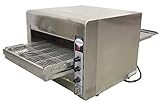
- CAPACITY: Sixteen - 14” pizzas /hour or Nineteen - 12” pizzas /hour or Twenty-five - 9” pizzas /hour. NOT GOOD FOR FROZEN PIZZAS
- ELECTRICAL: 240V / 60Hz / 1Ph. AMPS: 15 Amps. POWER: 3.6 kW, NEMA 6-20 Plug
- TEMPERATURE RANGE: 60°C - 260°C / 140°C - 500°F
- DIMENSIONS (DWH): 41” x 18.5” x 15.7”. OPENING HEIGHT x WIDTH: 3.25" x 14"
- A restocking fee will apply to all returns unless the product is found defective and is covered under the manufacturer’s warranty.
Smoke or steam is present: ECO ST guidance
For the ECO ST, the owner’s manual identifies an unclean oven or clogged rear vent as possible causes. It directs the owner to clean the oven and air filter. Follow the ECO ST cleaning directions; do not assume another TurboChef model uses the same filter or procedure. Verify the exact model and approved part before sourcing a replacement air filter. If smoke continues after the manual’s cleaning steps, request service.
ECO ST fault codes: examples, not universal meanings
The ECO ST manual says listed faults may terminate a cook cycle, with F6 noted as an exception that alerts the user to a possible air-circulation problem. Its code labels and associated checks are shown below; they apply to the ECO ST manual, not to other TurboChef displays.
Rank #4

- Turbochef oven cleaner
| Code | ECO ST manual label | Manual-directed checks or action |
|---|---|---|
| F1 | Blower Running Status Bad | Check power and airflow-related items described in the manual. |
| F2 | Cook Temperature Low | Allow the oven to warm as directed by the manual. |
| F5 | Magnetron Over Temperature | Ensure cooling airflow and rear fan guards are unobstructed. |
| F6 | EC Temp | Clear air nozzles during daily cleaning; the manual associates F6 with a possible air-circulation problem. |
These are abbreviated checks, not a substitute for the ECO ST fault table. The manual also directs users to contact Customer Support for a fault or error message that is not listed. For another model, consult that model’s own fault table; do not transfer these code meanings.
Independent reader supportYour contribution helps us test, update, and keep practical guides available for everyone.Other display and control symptoms
TurboChef troubleshooting tables also use symptom labels such as “oven is not beeping” and “touch response is slow or not detecting touch at all.” Their checks can vary by model. Look up the exact symptom in your oven’s manual and avoid trying a reset or adjustment that the manual does not specify.
Recommended Free Tools
Best Value

- Genuine OEM replacement part
- Turbochef provides commercial ovens that set the industry standard for excellence
- Genuine OEM parts provide safety, reliability, and optimal performance
- Approved by original equipment manufacturer (OEM)
- Intended only for designed and specified use
When to stop and request service
Escalate the issue if a fault persists after the manual’s owner-level checks, a door alert keeps returning, smoke continues after the prescribed cleaning, or the display shows an unlisted fault. TurboChef’s service page describes in-warranty and out-of-warranty service request routes. It lists 1-800-908-8726 for immediate in-warranty assistance and (214) 379-6000 as a general contact number; confirm the current route and contact details on that page.
Quick Recap
Product prices and availability are accurate as of the date/time indicated and are subject to change. Any price and availability information displayed on Amazon at the time of purchase will apply.




