Verdict: The TP-Link Tapo C660 KIT is a good fit for a sunny construction site, driveway, side yard, vacation property, or small business that needs high-resolution video and remotely controlled pan/tilt coverage without running power cable. Its 4K image, local microSD recording, AI detection, dual-band Wi-Fi, and bundled solar panel make it useful value.
But two marketing terms need translating. “360-degree coverage” means the camera can move between directions; it does not record every direction simultaneously. And “24/7 Capture” uses interval images plus event-triggered video, not uninterrupted full-motion recording. If you need continuous video evidence, a wired camera or a different battery model is a better choice.
As an Amazon Associate I earn from qualifying purchases.
What is the Tapo C660 KIT?
The C660 KIT is an outdoor, battery-powered pan-and-tilt security camera supplied with TP-Link’s Tapo A201 solar panel. It connects over Wi-Fi and is managed through the Tapo app. The package is designed for locations where installing mains power is difficult, including detached garages, building sites, equipment yards, driveways, and remote outbuildings.
What’s actually slowing this PC down?
Pick the symptom - the matching free tool is one click away.
The U.S. kit typically sells for approximately $169.99, although TP-Link store pricing and promotions change. Check the official store listing for the current price.
#1 Best Overall
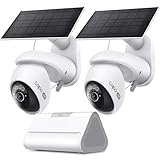
- What's Included - This purchase includes 1x Tapo VistaCam 360 with Solar Panel, 1x Tapo SolarCam 4K with Solar Panel, and 1x Tapo H500 Smart Hub with Chime. 2.4 or 5 GHz WiFi required.
- 4K Ultra HD Clarity - Experience 4× the resolution of standard 1080p for sharper images, finer details, and enhanced clarity. Capture license plates, small objects, and more.
- Centralized Smart Home Hub - Tapo H500 connects and controls up to 16 Tapo cameras and 64 sensors, unifying your smart home IoT devices on a single platform. Enjoy 16GB of built-in storage and support for up to 16TB of added storage (sold separately).
- AI Detection With No Monthly Fees - The Tapo VistaCam 360 and SolarCam 4K accurately identifies people, vehicles, and pets. When paired with the Tapo H500 Smart Hub, you can filter out familiar faces to only receive alerts when an unrecognized person is detected.
- Pan/Tilt with Smart Motion Tracking - Gain full control with VistaCam 360's 360° pan and 114° tilt with smart motion tracking that automatically follows moving subjects. Ideal for parents, pet owners, and anyone seeking home or business security.
What is in the box?
- Tapo C660 camera
- Tapo A201 solar panel
- Solar-panel bracket
- Camera mounting hardware
- Extension cable
- USB adapter cable
A microSD card is not included. The kit also does not include a power adapter; TP-Link lists a 5V/2A adapter requirement for charging. The A201 panel can connect to only one camera.
Key specifications
| Feature | Specification |
|---|---|
| Resolution | 4K, 8MP, 3840 × 2160 |
| Frame rate | 15/20fps, depending on mode, revision, firmware, or region |
| Lens | 4.0mm, F1.6 |
| Field of view | 105° diagonal, 88° horizontal, 45° vertical |
| Pan | 326° mechanical range; advertised 360° coverage |
| Tilt | 45° mechanical range; advertised 98° coverage |
| Digital zoom | Up to 18× |
| Night vision | 850nm infrared, listed range up to 40 feet, spotlights, color night vision |
| Storage | microSD card up to 512GB |
| Wireless | Dual-band 2.4GHz and 5GHz Wi-Fi |
| Weather rating | IP65 for the camera and solar panel |
| Solar panel | Tapo A201, maximum charging power 2.5W |
TP-Link documentation is inconsistent about battery capacity: some materials list 10,000mAh while a later product guide lists 9,600mAh. Treat the exact capacity as revision-dependent rather than a universal specification.
4K video is useful—but do not expect optical zoom
The C660 records at 3840 × 2160 pixels using an 8MP sensor. That extra detail is most valuable when the camera is mounted far from the subject, such as across a driveway or at the edge of a construction lot. It gives you more scope to crop footage and retain identifying detail than a 1080p or 2K camera.
Its 18× zoom is digital, not optical. Enlarging a distant face, license plate, or piece of equipment cannot create detail the sensor did not capture. Mounting position, lighting, Wi-Fi reliability, and the distance to the subject still matter more than the headline zoom number.
TechRadar found daytime footage clear, with useful detail for faces, license plates, and larger text at a distance. Night footage was usable but less crisp than daytime video, which is normal for compact security cameras operating in low light. The official specification describes 15/20fps; unless your particular mode and region confirm otherwise, regard it as 4K at up to 15 or 20fps rather than assuming a fixed frame rate.
What “360-degree coverage” really means
The camera can rotate around a broad horizontal area and tilt vertically, allowing you to inspect different parts of a property from the app or have the camera track detected movement. That is useful when one camera must cover a wide side yard, driveway, or perimeter.
It is not simultaneous 360-degree recording. The camera has one lens with an approximately 88° horizontal field of view. When it turns toward a person near the gate, it is no longer directly watching the equipment area behind it. A fixed camera may therefore produce more predictable evidence of one entrance, while the C660 is more flexible for patrolling a broad area.
The Tool Desk
Outbyte PC Repair FREERepair Windows errors before they cause bigger problemsFix Now →Outbyte Driver Updater FREEScan for outdated or missing drivers - takes under a minuteDriver Scan →Rank #2
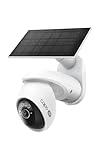
- THIS MAY BE THE PERFECT HOME SECURITY CAMERA - It combines 4K resolution, 360° pan/tilt coverage, and solar-powered operation so you never need to worry about wiring or battery changes.
- SEE EVERY DETAIL WITH 4K ULTRA-HD RESOLUTION - Capture license plates, faces, and more from across your driveway or front yard with crystal clarity. For best performance, ensure your firmware is updated by checking the Tapo app.
- COVER YOUR ENTIRE YARD WITH 360° PAN AND 98° TILT - Remotely move the camera via the Tapo app to see exactly what you need, or set auto-patrol to monitor automatically. The camera's field of view is greater than the mechanical pan/tilt range.
- SOLAR CHARGED - the included solar panel keeps your camera running 24/7 as long as it gets 45 minutes of sunlight per day, backed by a 10,000mAh battery for cloudy days. Use the included 13 ft cable to position the solar panel for optimal sun exposure.
- 24/7 CONTINUOUS CAPTURE: Captures images at customizable 1-60s intervals, with AI alerts that extend visibility beyond traditional PIR sensors. Requires storing on a mSD or a 2.5'' HDD when using the H500 CentralHub (sold separately).△
There is another practical limitation: TechRadar reported that motion-detection zones move with the camera rather than remaining locked to a geographic section of the scene. Pan/tilt tracking can also create blind periods in another area. For a site with two critical entrances, two fixed cameras may be more dependable than one moving camera.
Solar performance: low-maintenance, not maintenance-free
TP-Link says 45 minutes of direct sunlight can provide a day’s power under specified laboratory conditions and up to 100 triggered events per day. That is a useful indication of the panel’s potential, not a guarantee for every installation.
Real-world charging depends on panel angle, shade, dust, cloud cover, seasonal sun position, temperature, Wi-Fi activity, motion frequency, tracking, spotlights, alarms, cloud uploads, and capture settings. A panel that receives strong summer sun may perform very differently in winter or under a tree canopy.
TechRadar’s test found that the panel generally kept the camera near full charge in a sunny installation during normal use. It struggled when 24/7 Capture was enabled. With the panel disconnected, the camera ran for slightly more than two weeks in that test. That is an independent, installation-specific result—not a guaranteed battery runtime.
Crashes, No Sound, or Screen Glitches?
Random freezes, missing sound and display glitches usually trace back to one bad driver. Find and replace yours safely.Free scan · under a minutePC Slower Than It Used to Be?
A free scan shows the junk files, broken settings and background clutter dragging Windows down - then fixes them in one click.Free scan · Windows 10 & 11How to get the best solar result
- Fully charge the camera before installation; TP-Link estimates about 6.5 hours.
- In the Northern Hemisphere, aim the panel south where practical.
- Use the recommended 35–45° panel tilt.
- Choose a position with maximum year-round sun, not merely strong midday summer sun.
- Keep the panel clear of dust, leaves, snow, and other debris.
- Limit unnecessary tracking, spotlights, alarms, and high-frequency capture.
The camera is recommended at approximately 8–10 feet above ground for detection performance. Mount it so people or vehicles cross the field of view rather than approach directly toward it, which can improve detection.
24/7 Capture is not continuous video
This is the C660’s most important qualification. TP-Link’s 24/7 Capture feature takes still images at selectable intervals—such as every 1, 5, 10, or up to 60 seconds—even when no object is detected. When activity is detected, the camera switches to standard video recording.
That can help show what happened between motion events while using less power than full-time video. However, it is not equivalent to uninterrupted, full-frame, full-motion recording from a continuously powered camera. Fast activity between intervals may not be captured clearly, and TP-Link notes that automatic 360-degree scans and recordings are limited per day.
Rank #3

- What's Included - This purchase includes 2x Tapo VistaCam 360 with Solar Panel and 1x Tapo H500 Smart Hub with Chime. Connect the cameras with the smart hub for centralized smart home control and upgraded security features. 2.4 or 5 GHz WiFi required.
- 4K Ultra HD Clarity - Experience 4× the resolution of standard 1080p for sharper images, finer details, and enhanced clarity. Capture license plates, small objects, and more.
- Centralized Smart Home Hub - Tapo H500 connects and controls up to 16 Tapo cameras and 64 sensors, unifying your smart home IoT devices on a single platform. Enjoy 16GB of built-in storage and support for up to 16TB of added storage (sold separately).
- AI Detection With No Monthly Fees - The Tapo VistaCam 360 accurately identifies people, vehicles, and pets. When paired with the Tapo H500 Smart Hub, you can filter out familiar faces to only receive alerts when an unrecognized person is detected.
- Pan/Tilt with Smart Motion Tracking - Gain full control of your view with 360° pan and 114° tilt, while smart motion tracking automatically follows moving subjects. Ideal for parents, pet owners, and anyone seeking home or business security.
In practical terms: the C660 offers interval-based all-day capture and event-triggered video, not the same uninterrupted full-motion recording provided by a continuously powered camera.
Quick wins for a faster PC:
Scan for outdated or missing drivers - takes under a minuteDriver Scan →Clear out junk files and repair common Windows errorsFree Scan →If you are securing an active construction site and need a complete record of every movement, a wired camera is usually the safer choice. If you mainly need alerts and recorded clips when people, vehicles, or animals appear, the C660’s battery-friendly approach is more appropriate.
Storage and subscriptions
Local microSD recording
The camera has a microSD slot supporting cards up to 512GB. The card is purchased separately, and a high-endurance card intended for surveillance workloads is the sensible choice.
TP-Link estimates approximately:
- 128GB: 95 hours of 4K footage
- 256GB: 190 hours
- 512GB: 379 hours, or roughly 16 days
Local storage avoids a mandatory monthly fee for basic recording and playback. The Tapo app also supports password protection for the microSD card. Insert the card and initialize it in the app before relying on it for recordings.
Tapo Care cloud storage
Tapo Care is optional for basic local recording. TP-Link’s U.S. FAQ, updated June 11, 2026, describes Cloud, Cloud Advanced, and Cloud Advanced AI tiers, but says availability and features may vary by account and region. The app is the authoritative source for the plan offered to you.
- Cloud: up to 30 days, up to two devices, standard HD cloud storage.
- Cloud Advanced: up to 180 days, unlimited devices, and up to 4K storage.
- Cloud Advanced AI: up to 180 days plus features such as intelligent summaries, AI video search, facial recognition where available, and AI chat.
Cloud storage is valuable if someone could steal or damage the camera, because footage stored remotely may remain available. It also adds richer notifications and longer event history. The 30-day trial automatically converts to a paid plan unless canceled before it ends. See TP-Link’s current Tapo Care FAQ for account-specific details.
For a larger Tapo installation, TP-Link says the Tapo H500 can provide unified video management and up to 16TB of local storage, with the drive purchased separately. That is excessive for a single-camera buyer who only needs microSD recording.
Rank #4

- 【Endless Power from Solar Energy】Just 45 minutes of direct sunlight powers the camera for a full day of use, while the built-in battery lasts up to 180 days on a single charge during cloudy days. Solar charging requires temperatures above 32°F.△
- 【Easy Wire-Free Installation - Install Anywhere】Enjoy the flexibility of wire-free installation with the Tapo SolarCam C402 KIT. Free from outlet limitations, you can effortlessly set up the camera and solar panel wherever you need—whether it's the front porch, backyard, garage, or even a remote shed. The innovative design allows for the camera and solar panel to be installed as a unified unit or separately using the included 13-foot cable, providing optimal placement for any scenario.
- 【Prioritize What Matters】Eliminate unnecessary notifications by defining activity zones specifically monitoring for motion or people. Receive real-time alerts for true security concerns with free person/motion detection, eliminating false detection from other objects.
- 【Versatile Video Storage】Store footage locally via a microSD card (up to 512GB)* or via cloud with a Tapo Care cloud subscription. Tailor your security to suit your needs, whether indoor or outdoor, you have the storage option you need.
- 【Full-Color 1080P, Day and Night】Achieve crystal-clear visibility even in complete darkness, thanks to the large aperture lens and built-in spotlights. Capture vibrant color night vision up to 30ft away for enhanced security to monitor for possible intruders or motion.
Detection, alerts, and night vision
The C660 supports motion, person, pet, and vehicle detection, activity zones, and automatic tracking. TP-Link also promotes free AI detection and accuracy claims, but those figures are manufacturer claims rather than independent performance measurements.
False alerts can come from swaying trees, direct sunlight, street lamps, traffic, shadows, reflections, and camera movement. TP-Link recommends avoiding those conditions and not placing the camera behind glass. Adjust activity zones and sensitivity after installation rather than accepting the default settings.
Night features include 850nm infrared illumination, two built-in spotlights, color night vision, a starlight sensor, an F1.6 aperture, WDR, and 3D noise reduction. The listed infrared range is 40 feet. The built-in siren is rated at 93.3dB measured at 10cm; that measurement should not be interpreted as the volume someone will hear at the property boundary.
Color and infrared modes are useful for detecting movement, but independent testing found nighttime imagery less sharp than daytime footage. For construction-site identification, position the camera so available lighting falls on the likely approach without creating glare.
Independent reader supportYour contribution helps us test, update, and keep practical guides available for everyone.Connectivity and smart-home support
Dual-band Wi-Fi gives you a choice between 2.4GHz, which generally reaches farther, and 5GHz, which usually provides more bandwidth over a shorter range. A remote camera at the edge of a lot may have a perfect mounting position but an unreliable network connection. A mesh system or range extender may be necessary, adding cost and setup complexity.
Alexa support is the strongest of the major smart-home integrations according to TechRadar. Google Home support is more limited, mainly covering voice commands and streaming to compatible displays or TVs. Apple HomeKit is not supported. Two-way audio is included.
Free tools Windows power users keep installed
One-click scans. No signup required.
Installation and setup
- Insert a compatible microSD card if local recording is required.
- Charge the camera fully over USB-C before mounting.
- Install the Tapo app and sign in.
- Hold the camera’s power button for approximately three seconds.
- Select the C660 in the app and complete Wi-Fi setup.
- Confirm the battery status and test live view.
- Mount the camera roughly 8–10 feet above ground.
- Mount it sideways to the expected direction of movement so subjects cross the view.
- Mount the solar panel where it receives maximum year-round sunlight, using the recommended 35–45° tilt.
- Avoid glass, swaying trees, direct sun, street lamps, and heavy traffic in the view.
- Test detection categories, tracking, activity zones, two-way audio, night mode, and local playback before tightening the final installation.
Troubleshooting common problems
The camera will not power on
Connect a USB charger. TP-Link’s quick-start guide warns that the camera may need USB power again after falling or becoming fully depleted.
Best Value

- AWARD-WINNING HOME SECURITY: The Tapo C675D KIT was rated Tom's Guide Recommended in 2026 for its feature-rich performance, expansive coverage, and subscription-free local storage support, so you can protect more of your property with confidence.
- MORE VISIBILITY IN A SINGLE CAMERA: No need for extra cameras. In clear 4K, see a wide view with one lens, while the other zooms in & tracks motion - both showing on one screen. Plus, solar charging delivers ongoing power without battery upkeep.
- LENS 1 - 169° ULTRA-WIDE COVERAGE: See more than standard cameras with an expansive 169° field of view, covering more of your front yard, back patio, and more.
- LENS 2 - 360° AUTO-TRACKING WITH ZOOM: When motion is detected anywhere in the wide view, this lens locks on and tracks across 360° to keep the subject in focus. Viewing coverage exceeds the mechanical pan/tilt range.
- FREE AI DETECTION WITH CLEAR NIGHT VISION: Accurately identifies people, vehicles, and pets in real time while filtering out false alerts, with no monthly subscription required. Starlight color night vision keeps key details clear after dark.
The battery keeps falling despite sunlight
Reduce or disable 24/7 Capture, limit unnecessary tracking and spotlight use, inspect the panel for shade or dirt, check the cable and connector, and verify the Wi-Fi signal. Heavy activity can consume power faster than the 2.5W panel replenishes it.
There are too many false alerts
Reposition the camera away from trees, roads, lamps, reflections, and direct sunlight. Revise activity zones and mount the camera so movement crosses the frame.
Live view is unreliable
Try 2.4GHz for range or 5GHz for bandwidth, depending on the problem. If the mounting point is at the edge of Wi-Fi coverage, improve outdoor coverage with a suitable mesh node or extender.
Do these 3 things before closing this tab:
1Fix the driver behind crashes, sound loss and screen glitches2Clear out junk files and repair common Windows errors3Scan for outdated or missing drivers - takes under a minuteNo recordings appear
Initialize the microSD card in the Tapo app and confirm that local recording is enabled. If the card is missing or incompatible, event playback will not work as expected.
You do not want a cloud subscription
Cancel the 30-day Tapo Care trial before it ends. Local microSD recording remains the relevant subscription-free route, while cloud backup and enhanced features require a plan.
Weather and temperature limits
The camera and solar panel are IP65-rated, meaning they are protected against dust and water jets. IP65 is not submersion protection, so do not install either unit where water pools or where flooding is possible.
Pay particular attention to winter conditions. TP-Link lists a battery charging range of 0°C to 45°C (32°F to 113°F). A camera may tolerate a broader operating temperature than its battery can safely charge within. IP65 also does not mean the solar panel will produce enough energy in shade, snow, or prolonged overcast weather.
Recommended Free Tools
Alternatives worth considering
| Choose this instead | Why |
|---|---|
| Tapo C560WS | A wired alternative when mains power is available and continuous operation matters more than a wire-free installation. |
| Tapo C460 KIT | A 4K solar option with a fixed-view emphasis, better if you do not need active pan/tilt patrol. |
| Tapo C615F KIT | A 2K solar pan/tilt model with floodlight-oriented illumination, suitable when lower cost or active lighting matters more than 4K detail. |
| Reolink Altas PT Ultra | A stronger candidate if genuine continuous recording and broader smart-home compatibility are more important than staying in the Tapo ecosystem. Verify current U.S. pricing and availability before buying. |
Who should buy the Tapo C660 KIT?
Buy it if you need one camera to patrol a broad outdoor area, have dependable direct sunlight, want 4K detail and color night vision, prefer local storage without a required subscription, and accept event recording plus interval capture instead of guaranteed full-motion recording.
Choose something else if the installation is shaded, Wi-Fi does not reach the site, Apple HomeKit is essential, full Google Home integration is important, or you need multiple directions recorded simultaneously. For a critical entrance or a permanently active construction site, a fixed wired camera may provide more reliable evidence than a solar pan/tilt camera that can turn away from the scene.
Quick Recap
Product prices and availability are accurate as of the date/time indicated and are subject to change. Any price and availability information displayed on Amazon at the time of purchase will apply.

