Do these 3 things before closing this tab:
1Clear out junk files and repair common Windows errors2Scan for outdated or missing drivers - takes under a minute3Repair Windows errors before they cause bigger problemsSome links on this page are affiliate links: if you buy through them we may earn a commission, at no extra cost to you.
Powerwall 3 is a powerful, polished home battery—but it is not automatically the best choice for every homeowner. Its strongest advantages are unusually high output from one battery, automatic outage protection, and an integrated solar inverter. Its biggest disadvantages are the installed cost, Tesla-specific compatibility limits, and the possibility that 13.5 kWh will run out quickly under heavy household loads.
This evaluation focuses on the current Powerwall 3 in the United States. Pricing, incentives, utility rules, electrical requirements, and installer availability vary by location.
As an Amazon Associate I earn from qualifying purchases.
Crashes, No Sound, or Screen Glitches?
Random freezes, missing sound and display glitches usually trace back to one bad driver. Find and replace yours safely.Free scan · under a minuteWindows Errors? Fix Them Before They Spread
Repair common Windows errors and clear accumulated junk for a smoother, more stable PC - no reinstall needed.Free scan · no reinstallWhat is Tesla Powerwall 3?
Powerwall is a rechargeable residential battery system used to store electricity for later use. It can store excess solar power, provide backup during a grid outage, shift consumption away from expensive time-of-use periods, and monitor household energy through the Tesla app.
A complete system includes the battery plus compatible backup-control equipment, such as a Backup Gateway 2, Backup Switch, or Gateway 3. Installation should be completed by Tesla or a Tesla Certified Installer.
Popular on Amazon

- 49 Min UltraFast Recharging: With upgraded HyperFlash tech, fully recharge at 1,600W—for outage prepping, camping trips, or tailgating events. Enable it in the Anker app.
- 2,000W Output via 10 Ports: Delivers 2,000W (3,000W peak) and 1,024Wh capacity. Power up to 10 devices—ideal for emergency backup, remote work setups, tiny homes, and off‑grid living.
- Compact and Portable: Easily carry, store, and move from room to room, your RV, or even on beach and park outings. C1000 Gen 2 is 14% smaller and 11% lighter than similar models.
- 10 Years of InfiniPower: Built to last through years of daily backup and RV and van life. After 4,000 cycles, the battery still has at least 80% capacity.
- 1.8 Hr Solar Recharging: Go fully off‑grid with sustainable power for tiny homes, camping RV off‑grid setups, and remote locations. Plug in 600W (60V max) of solar and recharge in just 1.8 hours.
Powerwall 3 is different from Powerwall 2 and Powerwall+. It includes an integrated solar inverter and is designed especially for newer solar-and-storage installations. It can sometimes be added to existing solar, but compatibility depends on the exact inverter, electrical layout, solar array, utility requirements, and backup design.
Powerwall 3 specifications at a glance
| Specification | Powerwall 3 |
|---|---|
| Nominal battery energy | 13.5 kWh |
| Continuous AC output | Up to 11.5 kW |
| Solar inverter | Integrated |
| Solar-to-home/grid efficiency | 97.5% |
| Solar-to-battery-to-home/grid round-trip efficiency | 89% |
| Warranty | 10 years |
| Expansion | 13.5-kWh Powerwall 3 Expansion units |
| Backup equipment | Backup Gateway 2, Backup Switch, or Gateway 3 |
These figures come from Tesla’s Powerwall specifications and support information and its technical documentation. The 97.5% figure describes solar-to-home/grid efficiency; it is not the same measurement as the documented 89% solar-to-battery-to-home/grid round-trip figure.
Quick wins for a faster PC:
Fix the driver behind crashes, sound loss and screen glitchesFind Drivers →Clear out junk files and repair common Windows errorsFree Scan →Five advantages of Powerwall 3
1. High continuous output from one battery
Powerwall 3 can provide up to 11.5 kW of continuous AC output, with Tesla listing 185 amps of locked-rotor motor-start capability. That gives one unit a better chance of supporting substantial loads than a lower-output battery.
Depending on the electrical design, backed-up loads may include refrigerators, freezers, lighting, outlets, internet equipment, sump pumps, well pumps, kitchen appliances, and some air-conditioning or heat-pump systems. The high output is particularly useful for homes with larger electrical demands.
However, output and capacity are different. kW describes how much power the battery can deliver at once. kWh describes how much energy it stores. A battery can run a large appliance and still be depleted quickly.
2. The integrated inverter can simplify new solar installations
Powerwall 3 incorporates a solar inverter and six maximum-power-point-tracking inputs. For a new solar-plus-storage project, this may reduce duplicated hardware, simplify the equipment layout, and support a more integrated design than adding a separate battery inverter.
It can also allow solar energy to charge the battery directly in configurations designed for that purpose. That is different from every retrofit arrangement, so the installer should identify whether the proposed system is DC-coupled, AC-coupled, or uses another configuration.
The integrated inverter is not ideal for every roof. Systems with multiple roof orientations, partial shade, or a strong preference for panel-level optimization may be better served by a microinverter-based or other architecture.
3. Automatic outage protection
With the appropriate gateway or switch, a Powerwall system detects a utility outage, disconnects the home from the grid, and supplies the backed-up electrical loads. The system can then recharge from solar when conditions and system design permit.
This is more convenient than manually connecting a portable battery or generator. The Tesla app can show battery state of charge, solar production, household consumption, grid imports and exports, outage events, reserve settings, and alerts.
The Tool Desk
Outbyte PC Repair FREEClear out junk files and repair common Windows errorsFree Scan →Outbyte Driver Updater FREEScan for outdated or missing drivers - takes under a minuteDriver Scan →“Whole-home backup” does not mean every appliance can run indefinitely. The installer must calculate the home’s service capacity, continuous demand, motor-starting current, code requirements, and the loads that will actually be included.
4. Capacity can be expanded
One Powerwall 3 stores 13.5 kWh of nominal battery energy. Tesla also offers Powerwall 3 Expansion units that add 13.5 kWh each. Tesla documentation supports expansion arrangements subject to the specified system limits and design requirements.
Additional storage can provide longer overnight backup, more capacity for repeated outages, and greater flexibility for solar self-consumption or time-of-use load shifting. It may also be useful in a home with electric heating, cooling, or other large loads.
More capacity does not remove the need for an electrical design. Panel capacity, transfer equipment, wiring, service size, code compliance, and the desired loads must all be checked.
Also popular on Amazon
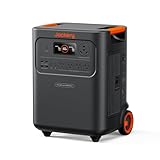
- Essential Home Backup: The Jackery HomePower 3600 Plus delivers 3600W output (7200W in parallel) to run pumps, heaters, and dryers with ease. With dual voltage (120V & 240V in parallel) and 3584Wh capacity expandable to 21kWh per unit or 43kWh with multiple units, it can power a 3-person household for over 2 weeks.
- Safe Power That Lasts: Built with high-temp resistant ceramic membrane battery cells tested at 302 °F, the Jackery HomePower 3600 Plus Portable Power Station prevents thermal runaway from heat or overcharge. Offering 6,000 cycles and a 10-year lifespan, it delivers safe, reliable even in -4 °F blizzards.
- Plug-and-Play: With its easy plug-and-play design, the Jackery HomePower 3600 Plus, paired with MTS, powers your home effortlessly—no complex installation required. Whether at work, in the kitchen, or with family, simply plug in, press "Power-On" and keep life running smoothly through any outage.
- 4 Charging Options: With 4 convenient ways to charge, the Jackery HomePower 3600 Plus solar generator can be fully recharged from 0–100% in just 2 hours via hybrid AC+DC. It also supports charging via AC in 2.5 hours, solar in 4 hours, or a gas generator in 2.5 hours —delivering a full day of quiet, clean energy.
- Ultra-Portable & Lightweight: The Jackery HomePower 3600 Plus, the lightest 3.6kWh LFP power station, boasts automotive-grade CTB tech and is 34% smaller and 29.3% lighter than other models. Its luggage-style design with wheels and a telescopic handle allows effortless rolling from kitchen to garage or beyond.
5. Strong app and software integration
Tesla’s software can make a battery easier to monitor and manage than a system with limited user controls. Depending on the location, utility, firmware, and configuration, owners may be able to set operating modes, maintain a backup reserve, use time-based energy control, review system alerts, and participate in a virtual power plant.
The system can continue core energy functions during an internet interruption, but connectivity is important for app access, remote monitoring, over-the-air updates, and some program or warranty requirements. The applicable warranty should be reviewed rather than relying on a blanket assumption.
Five disadvantages of Powerwall 3
1. The total installed cost can be high
The battery is only one part of the project. A quote may also include the gateway or switch, panel modifications, a backup load center, permits, inspections, labor, structural work, trenching, inverter changes, utility interconnection, taxes, and other site-specific costs.
Tesla’s U.S. ordering process uses the property address and household information to develop a design, and Tesla says installation costs are included in the final price shown for an order. It does not publish one universal national installed price.
As marketplace context, EnergySage reported in July 2026 an average installed home-battery cost of approximately $15,647 before incentives. Its separate marketplace analysis reported an average installed Powerwall 3 cost of $13,473 before incentives. These are quoted-project averages, not a guaranteed price for a particular address. See EnergySage’s battery cost data and Tesla’s ordering information.
Compare the complete installed price—not just the equipment price, monthly payment, or advertised battery capacity. Also compare cost per kWh, cost per kW of continuous output, backed-up circuits, warranty coverage, and financing charges.
2. One battery may not last long under heavy use
Powerwall 3’s 13.5 kWh nominal capacity can be sufficient for essential loads, but runtime depends on reserve settings, conversion losses, appliance cycling, weather, solar production, and the length of the outage.
As a simple illustration, a home averaging 1 kW would theoretically use 13.5 kWh in 13.5 hours before reserve and losses. At a 3-kW average load, the theoretical figure is about 4.5 hours. Actual results can differ substantially because appliances cycle rather than draw a constant load.
Recommended Free Tools
Central air-conditioning, heat pumps, electric resistance heating, water heating, pool equipment, and EV charging can consume energy rapidly. Ask the installer for a load-specific runtime estimate using your actual appliances and a stated battery reserve. Tesla’s ordering process provides a backup guide based on the selected number of Powerwalls.
3. Tesla’s ecosystem limits compatibility and future flexibility
Powerwall 3 is not a universal battery that can be freely mixed with every inverter or Tesla battery generation. Tesla explicitly says Powerwall 3 cannot be added to Powerwall 2 or Powerwall+ systems.
Existing solar owners may need an AC-coupled design, additional equipment, a replacement inverter, or restrictions on which solar capacity operates inside the backup circuit. Tesla’s compatibility table identifies supported arrangements and restrictions for particular third-party inverters.
Do not settle for a general statement that Powerwall is “compatible with solar.” Require the proposal to name your exact inverter model, coupling arrangement, backup-circuit limits, and any equipment that will be replaced.
4. Its integrated inverter may be less suitable for complex or shaded roofs
Powerwall 3’s integrated inverter is a major advantage for many new installations, but it does not provide panel-level optimization in the same manner as a microinverter system. Complex roofs, multiple orientations, and partial shade can make the design decision less straightforward.
EnergySage identifies complex or shaded roofs as a potential disadvantage in its Powerwall 3 review. This does not make Powerwall 3 impossible to use; it means the solar design should be compared with an alternative architecture before signing.
Also popular on Amazon

- 1500VA/1000W PFC Sinewave Uninterruptible Power Supply (UPS): Uses sine wave output to provide battery backup power for Active PFC & conventional power supplies; Safeguards computers, workstations, network devices, and telecom equipment
- 12 NEMA 5-15R OUTLETS: 6 battery backup & surge protected outlets, 6 surge protected outlets; INPUT: NEMA 5-15P right angle, 45 degree offset plug with 5 foot power cord; 2 USB charge ports (1 Type-A, 1 Type-C) quickly charge phones and tablets
- MULTIFUNCTION, COLOR LCD PANEL: Displays immediate, detailed information on battery and power conditions; Color display alerts users to potential issues before they can affect critical equipment and cause downtime; Screen tilts up to 22 degrees
- AUTOMATIC VOLTAGE REGULATION (AVR): Corrects minor power fluctuations without switching to battery power; UL SAFETY CERTIFIED: Product has been tested in a UL certified lab and listed with UL as meeting or exceeding safety standards
- 3-YEAR WARRANTY – INCLUDING THE BATTERY; $500,000 Connected Equipment Guarantee; FREE PowerPanel Management Software (Download)
5. Financial payback depends heavily on location
A battery’s financial return depends on retail electricity rates, time-of-use pricing, net-metering or net-billing rules, export compensation, outage frequency, incentives, degradation, financing costs, cycling, and virtual power plant payments.
Powerwall may be worthwhile for resilience even when the bill savings alone do not produce an attractive payback. Conversely, a home with low rates, infrequent outages, and limited peak/off-peak price differences may struggle to justify the investment financially.
What’s actually slowing this PC down?
Pick the symptom - the matching free tool is one click away.
Tesla says Powerwall is designed to qualify for the federal Investment Tax Credit when installed on a new or existing solar system and charged entirely with solar energy, but eligibility depends on applicable tax rules and the specific installation. Confirm the current rules with a qualified tax professional.
Utility programs are local and may include participation commitments. Tesla lists different programs, including a GVEC virtual power plant offering and a Rocky Mountain Power program with up to $2,000 in stated upfront incentives under specified conditions. Check the current incentive information and your utility’s terms before including any payment in your financial calculation.
Independent reader supportYour contribution helps us test, update, and keep practical guides available for everyone.What can one Powerwall 3 realistically run?
There is no universal appliance list because the answer depends on simultaneous demand and motor-starting loads. One Powerwall 3 may support essential circuits such as refrigeration, lighting, outlets, internet equipment, and pumps. It may also support some HVAC systems, but the installer must verify compressor starting current and ongoing demand.
- Central HVAC: Ask whether the compressor is backed up, whether a soft starter or load management is required, and how cooling performance changes during a hot outage.
- Electric resistance heat: Furnaces, baseboard heaters, electric boilers, and heat strips can drain the battery quickly and may need to be excluded.
- EV charging: It may be possible electrically, but charging a vehicle meaningfully during a long outage can consume a large share of the battery.
- Well and sump pumps: These may be essential but have motor-start surges that must be included in the calculation.
- Ranges, dryers, pools, and water heaters: These are high-demand loads that may need to be limited, scheduled, or excluded.
Ask for the backed-up-load schedule in writing. “Whole-home” should describe the approved electrical configuration, not an unlimited promise of simultaneous operation.
Free tools Windows power users keep installed
One-click scans. No signup required.
Powerwall 3, Powerwall 2, and Powerwall+
Powerwall 3 should not be treated as a drop-in upgrade for older Tesla systems. Tesla states that Powerwall 3 cannot be combined with Powerwall 2 or Powerwall+ in the way a homeowner might expect from a simple capacity expansion.
Powerwall 2 is positioned as an add-on option for existing solar systems and supports major inverter brands. Powerwall 3 and Powerwall+ are built around newer solar-and-storage designs, although Powerwall 3 may be added to some existing solar systems after an equipment-level review.
If you already own a Powerwall 2 or Powerwall+, ask whether the practical choices are adding the same generation, replacing the system, or using a separate battery architecture. Do not approve a proposal until the installer confirms generation compatibility in writing.
Powerwall 3 compared with alternatives
| Alternative | May suit | Key trade-off |
|---|---|---|
| Enphase IQ Battery | Homes already using Enphase microinverters | Per-unit storage or output may be lower, depending on the model and number of units |
| FranklinWH aPower 2 | Buyers prioritizing greater per-unit capacity, peak output, or a longer listed warranty | Must be evaluated for local installer support, price, and system compatibility |
| SolarEdge battery | Homes already built around SolarEdge equipment | Less attractive if the change requires replacing a functioning ecosystem |
| Standby generator | Very long outages where fuel is available | Requires fuel, maintenance, combustion equipment, and generator installation |
| Portable battery station | Renters or homes needing limited essential-load backup | Usually lacks automatic whole-home transfer and high whole-house output |
EnergySage’s 2026 comparison includes FranklinWH aPower 2, Enphase IQ Battery 10C, SolarEdge BAT-10K, MidNite Solar Powerflo 16, and other systems. The right alternative depends first on your existing inverter ecosystem and outage needs, then on capacity, output, warranty, price, and installer availability.
Questions to ask before signing
- What is the complete installed price, including permits, electrical work, taxes, and utility fees?
- Which exact Powerwall model, gateway or switch, and expansion units are included?
- Which circuits are backed up, and which loads are explicitly excluded?
- Can the system support my HVAC, heat pump, well pump, sump pump, pool equipment, and EV charger?
- What are the calculated continuous load and motor-starting requirements?
- Will my existing solar inverter remain, or will it be replaced?
- Is the design AC-coupled or DC-coupled, and how much solar will operate during an outage?
- What runtime should I expect at specified average loads and reserve settings?
- Which warranty covers the battery, performance, communications, and installer workmanship?
- Who handles permits, inspections, utility approval, and interconnection?
- Which tax credits, rebates, or virtual power plant payments apply to my address, and what commitments do they require?
- What is the expected installation timeline, and what happens if utility approval is delayed?
Who should buy Powerwall 3?
Powerwall 3 is a strong fit when you experience frequent or costly outages, are installing new solar, want automatic backup, have substantial electrical loads, value an integrated Tesla ecosystem, or qualify for meaningful local incentives. It is especially compelling when the complete quote is competitive and the installer can clearly document the backed-up loads and expected performance.
It may be a poor fit when your priority is the lowest cost per stored kilowatt-hour, outages are rare, electricity rates are low, your existing solar system is difficult or expensive to integrate, your roof is heavily shaded or unusually complex, or you expect one battery to run every major appliance for several days.
Final verdict
Tesla Powerwall 3 is a premium integrated home-energy system with strong single-unit output, automatic backup, useful software, and a straightforward path for many new solar installations. Its weaknesses are equally practical: a potentially high installed price, limited cross-generation compatibility, design constraints for some existing solar systems and roofs, and uncertain financial payback.
Choose it for documented resilience and system fit—not simply because it has a familiar name or a large kW rating. Before signing, compare a complete Tesla or certified-installer quote with at least one compatible alternative and verify exactly what your home will be able to run during an outage.
PC Slower Than It Used to Be?
A free scan shows the junk files, broken settings and background clutter dragging Windows down - then fixes them in one click.Free scan · Windows 10 & 11Outdated Drivers Are Slowing You Down
One free scan finds every outdated or missing driver and matches the right update for your exact hardware.Free scan · exact hardware matchQuick Recap
Product prices and availability are accurate as of the date/time indicated and are subject to change. Any price and availability information displayed on Amazon at the time of purchase will apply.

