A smart plant monitoring system using IoT measures conditions such as soil moisture, temperature, humidity, light and water level, then sends that information over a network to a mobile app or web dashboard. It can also control a low-voltage pump or valve automatically. The most reliable design keeps essential irrigation safeguards on the controller and uses the cloud for remote monitoring, alerts and optional control.
This is not one standardized product. It is a class of systems that can be built with an ESP32, ESP8266 or Arduino-based controller, different sensor combinations and either a cloud platform such as Blynk or a local dashboard. For a home planter, greenhouse, educational prototype or small growing installation, the design below provides a practical starting point.
As an Amazon Associate I earn from qualifying purchases.
What an IoT plant-monitoring system does
Manual plant care commonly relies on a calendar or guesswork. That can lead to watering soil that is still wet, missing a plant while travelling, running a pump after a reservoir has emptied or overlooking unsuitable temperature, humidity and light conditions.
Recommended Free Tools
An IoT plant-monitoring system addresses these problems by combining four functions:
#1 Best Overall

- 【2024 Latest Wi-Fi Gateway Weather Station】: With bulti-in temperature, humidity, and barometric pressure 3-in-1 sensor, the Ecowitt GW1200 Wi-Fi gateway could not only be an indoor weather station but also be a Wi-Fi gateway to connect to Ecowitt all developed sensors/subdevices. An additional 1.5m/3ft USB extension cable for powering the gateway, allowing you to measure more accurate values at any location.
- 【Easy to Install & Easy Wi-Fi Configuration】: Ecowitt GW1200 is powered by USB(2.0 or later). With a cable clip and a USB extension cable, you can place it anywhere in your home. There are 2 methods to finish the Wi-Fi configuration: The Ecowitt APP or the website. It is recommended that you download the Ecowitt APP and finish the Wi-Fi configuration. The details about how to configure Wi-Fi are on the Quick Start Guide.
- 【Upgrade Firmware】: According to your needs decide whether to automatically update the firmware. With the firmware update, you can use the latest function of GW1200. Besides, the original data can be retained. This option is unchecked as a default setting, which means the device will not upgrade firmware by itself. If this option is enabled, it will upgrade firmware automatically (precondition: gateway GW1200 connected to your router with internet access from the network).
- 【Reliable Wireless Soil Moisture Sensor】: Equipped with advanced chip, ECOWITT WH51 wireless soil moisture sensor collect soil moisture data within 72 seconds when totally inserted into the soil. The data can be transmitted via GW1000/GW1100 Wi-Fi gateway( sold separately ) and the live data can be viewed on WS View Plus or Ecowitt APP after Wi-Fi configuration done.
- 【Indoor & Outdoor Use】: The IP66 waterproof moisture sensor can be used for indoor & outdoor potted plants, lawn, garden, farm etc. ★ Please Note : ecowitt WH51 soil moisture sensor is designed to measure soil moisture ONLY. Do not touch the stone or hard rock soil. ★
- Sensing: collecting measurements from the soil and growing environment.
- Processing: filtering readings, applying calibration and deciding whether an action is permitted.
- Communication: sending telemetry through Wi-Fi, cellular, LoRaWAN or another network.
- Presentation and actuation: showing data on a dashboard and optionally operating a pump, valve, fan, humidifier or light.
A local display that only shows readings is an automated plant monitor, but it is not fully IoT-enabled. Network communication and remote data access or control are what add the IoT layer.
What should the system monitor?
| Parameter | Typical component | Purpose |
|---|---|---|
| Soil moisture | Capacitive or resistive moisture sensor | Primary input for irrigation decisions |
| Air temperature | DHT11, DHT22 or BME280 | Environmental context and heat-stress alerts |
| Relative humidity | DHT11, DHT22 or BME280 | Helps interpret evaporation and indoor conditions |
| Reservoir level | Float switch, ultrasonic sensor or level sensor | Prevents a pump from running without water |
| Pump status | Relay state, current sensor or flow sensor | Shows whether watering was commanded and, with suitable sensing, whether it occurred |
| Light | Light sensor or PAR/PPFD meter | Useful for evaluating indoor plant placement |
A basic system needs soil moisture and, ideally, temperature and humidity. Reservoir-level sensing becomes important as soon as automatic watering is enabled. Light, electrical conductivity, pH, rainfall, flow and gas sensors are optional extensions rather than requirements for a houseplant project.
Choosing the moisture sensor
A capacitive sensor is generally preferable for a long-term installation because exposed resistive probes can corrode. Neither type provides a universal, inherently accurate “moisture percentage”, however. Soil composition, fertilizer salts, sensor placement, pot size and calibration all affect the reading.
What’s actually slowing this PC down?
Pick the symptom - the matching free tool is one click away.
A value labelled 40% in coco coir may not represent the same condition as 40% in sandy soil, clay-heavy soil or ordinary potting mix. Treat the output as a locally calibrated control signal unless the system uses a properly validated measurement method.
Temperature, humidity and light
DHT11 is inexpensive but limited. DHT22 generally offers a broader range and finer resolution. A BME280 is a more capable environmental sensor, although its pressure measurement is usually unnecessary for basic plant care.
There is no universal temperature or humidity threshold for every plant. Set limits according to species, growth stage, potting medium and whether the plant is indoors, in a greenhouse or outdoors.
For indoor installations, a light sensor can identify major placement differences. Raw lux is not the same as photosynthetically active radiation. Serious horticultural decisions should use PAR or PPFD-capable measurement rather than treating an inexpensive lux sensor as a complete assessment of plant lighting.
Reference architecture
Sensors
   ↓
ESP32 or ESP8266 controller
   ↓
Local filtering and safety logic
   ↓
Wi-Fi, cellular or LoRaWAN
   ↓
Cloud platform or local server
   ↓
Mobile app, web dashboard and alerts
   ↓
Optional manual command
   ↓
Relay or MOSFET driver
   ↓
Pump, valve, fan, grow light or humidifier
The controller should continue to enforce local rules such as maximum pump runtime, reservoir-empty lockout and sensor-failure shutdown even if the internet or cloud service is unavailable. Cloud connectivity should improve visibility, not be the only thing preventing unsafe irrigation.
Rank #2

- This is a simple moisture sensor can be used to detect soil moisture, when the soil water shortage, the module outputs a high level, whereas the output low.
- Use this sensor to make an automatic watering device that will keep your garden of plants unmanaged.
- Module dual output mode, digital output is simple, more accurate analog output.
- Sensitivity adjustable (Figure blue digital potentiometer adjustment)
- Comparator using LM393 chip, stable job
This four-layer model is also used in recent plant-monitoring project designs. Examples include an Arduino-based system with soil and environmental sensors, an ESP8266/Blynk design and ESP32 systems using cloud analytics and alerts. See the Arduino reference design, ESP8266/Blynk paper and ESP32 cloud-monitoring example.
Choosing the controller
| Controller | Best suited to | Main trade-off |
|---|---|---|
| Arduino Uno | Basic classroom prototype | Requires a separate network module for IoT connectivity |
| ESP8266 | Low-cost Wi-Fi monitoring | Less processing capacity and flexibility than ESP32 |
| ESP32 | General-purpose connected build | More capable, but requires careful pin and power planning |
| Raspberry Pi | Local database, camera, gateway or full dashboard | Higher power use and greater software complexity |
The ESP32 is the strongest default for a new Wi-Fi prototype because it includes Wi-Fi and offers more processing power and peripherals than a basic Uno. ESP8266 remains suitable for a small sensor-and-pump system. An Uno-only design should not be described as IoT unless it has an external communication module. Blynk documents support for ESP32, ESP8266, Arduino boards and Raspberry Pi through its supported-board documentation.
Recommended hardware
- ESP32 development board.
- Capacitive soil-moisture sensor.
- DHT22 or BME280 environmental sensor.
- Float switch or other reservoir-level sensor.
- Low-voltage DC water pump.
- Correctly rated relay module or MOSFET driver.
- Separate power supply for the pump.
- Tubing, drip emitter and, where useful, a check valve.
- Waterproof enclosure, cable glands and strain relief.
- Fuse or suitable current protection.
- Optional OLED/LCD, status LED, buzzer and manual override button.
Electrical and construction safety
Keep a beginner prototype low-voltage and use a pump with an appropriately rated DC supply. Never power the pump directly from an ESP32 GPIO pin. The GPIO should operate a suitable driver or relay, while the pump receives power from its own supply.
Do these 3 things before closing this tab:
1Repair Windows errors before they cause bigger problems2Scan for outdated or missing drivers - takes under a minute3Clear out junk files and repair common Windows errorsWater, tubing and electronics should be physically separated wherever possible. Mount the controller in a protected enclosure, provide strain relief for cables and route tubing so leaks cannot drain onto the electronics. A check valve can reduce siphoning after the pump stops.
A relay module does not make a mains-powered pump safe by itself. Mains installations require appropriate isolation, enclosure, fusing, grounding and compliance with local electrical requirements. For a student or home prototype, a low-voltage pump is the safer choice.
Wiring and control design
Connect digital sensors such as a DHT22 to suitable digital GPIO pins and connect an analogue moisture sensor to an ADC-capable input that matches the controller’s voltage limits. Check the particular development board’s pin restrictions before assigning pins; some pins affect boot mode or are unavailable on certain boards.
Use a common reference ground between the controller and low-voltage control electronics where the driver design requires it. Keep pump wiring physically separate from sensitive sensor wiring. Pumps can generate electrical noise and startup-current dips, so use an adequately rated supply and add the protection specified for the selected driver.
Windows Errors? Fix Them Before They Spread
Repair common Windows errors and clear accumulated junk for a smoother, more stable PC - no reinstall needed.Free scan · no reinstallOutdated Drivers Are Slowing You Down
One free scan finds every outdated or missing driver and matches the right update for your exact hardware.Free scan · exact hardware matchFor a DC pump, a properly selected MOSFET driver can be more efficient than a mechanical relay. A relay may be convenient for a simple prototype, but it can wear, stick or introduce switching noise. Include flyback protection where required by the pump-driver circuit.
Rank #3

- Capacitive Soil Moisture Sensor: Compatible with for Arduino Raspberry Pi
- Size:98*23mm
- Operating Voltage:3.3V DC;Output Voltage:0-3.0V DC
- Interface Type:PH2.54 3Pin
- Commodities include:10Pcs Soil Moisture Sensor;10Pcs connecting wire
Calibrate the moisture sensor before automating
Calibration is more important than copying a threshold from an online example.
- Insert the sensor into the dry soil medium used by the plant and record the raw reading.
- Fully wet the same medium, let excess water drain and record the wet reference.
- Map the raw range to a local scale.
- Choose irrigation limits for the particular plant and pot.
- Repeat the check after changing soil, pot size, sensor position or fertilizer concentration.
A two-point mapping can be written as:
moisture_percent =
  100 × (dry_reading - current_reading) /
        (dry_reading - wet_reading)
This formula assumes the raw value decreases as the medium becomes wetter. Some sensors behave in the opposite direction, so verify the direction experimentally and reverse the mapping if necessary. The result is a local control scale, not a laboratory measurement of volumetric water content.
Place the probe in the root zone, away from the pot wall and not immediately beside the drip outlet. A wet pocket can make the controller report satisfactory moisture while much of the root zone remains dry. Check the reading at several locations during setup.
Use hysteresis instead of a single threshold
This logic is risky:
if moisture < threshold:
    pump_on
else:
    pump_off
Small fluctuations around the threshold can repeatedly switch the pump or relay. A better approach uses separate dry and wet limits, short irrigation pulses and a soak period:
if moisture < dry_threshold
   and reservoir_not_empty
   and minimum_off_time_elapsed:
       pump_on_for_a_short_pulse()

wait_for_soak_time()

if moisture > wet_threshold:
       pump_off()
Also implement a maximum pump runtime, minimum off interval, daily watering limit, reservoir-empty lockout, disconnected-sensor detection and a timeout for manual watering commands. Begin in monitoring-only mode, compare the readings with the physical soil condition, and enable automatic irrigation only after the measurements and plumbing have been validated.
Firmware operating sequence
- Boot the controller.
- Initialize sensors and communications.
- Force the pump output to an off state during startup.
- Check whether sensor values are plausible.
- Take several readings and filter or average them.
- Update the local display and dashboard.
- Check for reservoir, sensor and communication faults.
- Apply hysteresis, lockouts and timing rules.
- Run the pump only for a bounded period if watering is permitted.
- Wait for water to distribute through the medium.
- Measure again.
- Upload the resulting state and issue alerts when needed.
- Repeat at a defined sampling interval.
Use explicit telemetry names rather than ambiguous variables:
soil_moisture_raw
soil_moisture_calibrated
air_temperature_c
relative_humidity_percent
light_level
reservoir_level
pump_state
auto_mode
last_irrigation_timestamp
last_sensor_update_timestamp
fault_code
Do not mark irrigation as complete merely because a relay was energized. Relay state confirms a command, not delivered water. A flow sensor or measurable post-irrigation soil response provides stronger confirmation.
Quick wins for a faster PC:
Repair Windows errors before they cause bigger problemsFix Now →Fix the driver behind crashes, sound loss and screen glitchesFind Drivers →Clear out junk files and repair common Windows errorsFree Scan →Adding a Blynk dashboard
Blynk is a practical choice when the goal is a mobile and web dashboard without building a complete backend. Its documentation covers device connectivity, dashboards, monitoring, remote control, alerts and device management. See the Blynk documentation, quick-start requirements and hardware and connectivity overview.
Rank #4
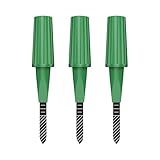
- Zigbee Hub Required: Compatible with standard Zigbee 3.0, such as Echo (4th Gen), Echo Plus (1st Gen and 2nd Gen), Echo Studio, Eero 6, Eero Pro 6, Home Assistant (ZHA & Z2M), Hubitat and SmartThings Aeotec, Homey, Homey Bridge, Homey Pro. A Zigbee hub is required. Gen2 is optimized for stronger and more stable wireless performance, helping ensure consistent data transmission
- Stable Monitoring, Smart Irrigation: Designed to deliver more consistent soil moisture readings, helping reduce data fluctuations and improve confidence when deciding when to water your plants. It widely adapts to various soil environments, guaranteeing your plants always receive the right amount of water
- Capacitive Monitoring: Unlike traditional probes, capacitive sensors are less affected by soil salinity and pH, offering greater durability and a longer lifespan in various soil types. Suitable for various gardening places including farms, greenhouses, nurseries, gardens, and potted plants
- Enhanced Antenna for Stable Coverage: Featuring a reinforced antenna design for more stable signals, this sensor dramatically extends your signal range. Even when the sensor is placed in the living room, on the balcony, or in a garden corner, it maintains a reliable connection with your Zigbee gateway. This ensures stable data transmission in complex home environments, making indoor smart gardening more worry-free
- Remote Monitoring and Automation: Receive real-time alerts on your smartphone, allowing you to take action anytime, anywhere, ensuring your plants get the right care. Integrated with smart home systems, these sensors enable automated watering schedules, so you can manage and control your garden's irrigation remotely, saving both time and effort
Basic setup path
- Create a Blynk account in Blynk.Console or the mobile application.
- Switch to Developer Mode.
- Select supported hardware such as ESP32 or ESP8266.
- Install the required development libraries and prepare the device firmware.
- Provision the device and connect it to Blynk Cloud.
- Create datastreams for sensor values, status fields and control commands.
- Add dashboard widgets and charts.
- Implement telemetry uploads, alerts, local safety logic and bounded actuator commands.
Useful dashboard elements
- Current calibrated soil-moisture reading.
- Temperature and relative-humidity values.
- Historical charts rather than gauges alone.
- Pump state and automatic/manual mode.
- Reservoir level.
- Last successful sensor update.
- Manual watering button with an automatic timeout.
- Dry-soil, empty-reservoir, sensor-failure and offline alerts.
- Daily irrigation duration or measured volume.
A dashboard should make stale data obvious. Display the last successful upload time and distinguish “pump commanded on” from “water delivery confirmed.”
Cloud or local control?
Cloud-connected design
A cloud platform provides remote access, mobile notifications, historical storage and easier multi-device management. The disadvantages are internet dependence, account and privacy considerations, possible recurring costs and vendor dependency. Cloud control may be unavailable during an outage.
Local-only design
An ESP32-hosted web interface, MQTT broker, Home Assistant, Node-RED or a local database can keep data and control on the local network. This can reduce recurring costs and improve local availability, but it requires more configuration and does not automatically provide secure remote access.
The best general arrangement is hybrid: local irrigation safeguards and bounded control, with optional cloud telemetry and alerts. If the cloud disappears, the controller should either continue conservative local operation or fail safely with the pump off, depending on the risk profile.
Failure modes the design must handle
Soil and sensor faults
- Probe corrosion or drift.
- Fertilizer and salts changing readings.
- Sensor placed beside the outlet or pot wall.
- Roots displacing the probe.
- Different soil mixes requiring different calibration.
- Disconnected or implausible sensor output.
Pump and plumbing faults
- Empty reservoir and dry-running pump.
- Leaking or disconnected tubing.
- Siphoning after shutdown.
- Insufficient pump head pressure.
- Stuck relay.
- Clogged drip emitter.
- Electrical noise resetting the controller.
- One outlet unintentionally watering another plant.
Software, network and power faults
- Rapid relay cycling near the moisture threshold.
- Blocking delays preventing timely uploads.
- Hard-coded credentials exposed in shared firmware.
- Stale dashboard data appearing current.
- Manual commands without an expiry time.
- Cloud or Wi-Fi outage.
- Excessive battery drain from continuous Wi-Fi.
- Power supply unable to handle pump startup current.
On every restart, force the pump off before restoring normal operation. Treat failed sensor reads as a fault and do not water based on an invalid value.
Independent reader supportYour contribution helps us test, update, and keep practical guides available for everyone.Testing plan
| Test | Expected result |
|---|---|
| Dry calibrated soil | Dry status and, if enabled, a permitted irrigation request |
| Wet soil | No irrigation |
| Moisture near threshold | No rapid relay cycling |
| Empty reservoir | Pump blocked and alert generated |
| Disconnected moisture sensor | Fault state and pump kept off |
| Failed environmental sensor | Degraded monitoring and clear fault indication |
| Wi-Fi unavailable | Local safety logic continues and offline status is recorded |
| Power restart | Pump defaults to off |
| Manual watering command | Pump runs only for a bounded duration |
| Pump unplugged | Fault or missing delivery detected if flow sensing is installed |
| Several days of operation | No runaway logging, memory failure or notification flood |
Separate four kinds of validation. Functional testing checks whether the firmware performs the expected action. Measurement validation checks whether readings are consistent enough for decisions. Horticultural validation checks whether the plant benefits over time. Reliability testing checks whether the installation remains safe for days or weeks.
Monitoring-only versus automatic irrigation
| Approach | Advantages | Disadvantages |
|---|---|---|
| Monitoring-only | Lower risk, simpler wiring and fewer failure modes | Still requires the user to respond |
| Automatic irrigation | Reduces manual intervention and can react to soil condition | Introduces pump, leak, reservoir, calibration, power and software risks |
Monitoring-only is the safer first stage, particularly for valuable or sensitive plants. Automatic watering is appropriate only after the sensor, thresholds, reservoir, pump and tubing have been tested together.
Free tools Windows power users keep installed
One-click scans. No signup required.
Scaling beyond a prototype
For a single indoor plant, Wi-Fi and an ESP32 are usually sufficient. A greenhouse may need multiple zones, stronger enclosures, flow monitoring and reliable local fallback. A remote farm may need cellular or LoRaWAN rather than Wi-Fi. Blynk documents connectivity options including Wi-Fi, cellular, LoRaWAN, satellite and MQTT-related integration; the appropriate choice depends on distance, coverage, power availability and the number of devices.
Best Value

- 【Reliable Wireless Soil Moisture Sensor】: Equipped with advanced chip, ECOWITT WH51 wireless soil moisture sensor collect soil moisture data within 72 seconds when totally inserted into the soil. The data can be transmitted via GW1000/GW1100 Wi-Fi gateway( sold separately ) and the live data can be viewed on WS View Plus or Ecowitt APP after Wi-Fi configuration done.
- 【Support Pairing with Various Ecowitt Gateway/Consoles】: The GW1100 Gateway(sold separately) supports up to 8 WH51 Soil Moisture Sensors, and the channel name can be edited. When paired with a Weather Station Console (HP2551/HP3500/HP3501), up to 8 channels WH51 sensors supported and you can view soil moisture data in real-time on the Display. When paired with Console WH0291, you only can view soil moisture data in real-time on the Display.
- 【Uploading to Ecowitt Weather Server】: Supports uploading to our free Ecowitt weather server(ecowitt.net) to view the soil moisture data graph and download the history records on the website; support setting and receiving email alerts from the server; channel names can be edited on the website; supports remote monitoring with smart phone, laptop, or computer by visiting the website.
- 【Indoor & Outdoor Use】: The IP66 waterproof moisture sensor can be used for indoor & outdoor potted plants, lawn, garden, farm etc. ★ Please Note : ecowitt WH51 soil moisture sensor is designed to measure soil moisture ONLY. Do not touch the stone or hard rock soil. ★
- 【NOTE BEFORE PURCHASE】: Ecowitt WH51 soil moisture sensor could not directly display the soil humidity readout, which can not be used alone. North America:915MHz; Europe:868MHz; Other areas: 433MHz
As the system grows, define what “scalable” means: number of pots, irrigation zones, locations, messages, users, data-retention requirements or geographic range. A breadboard demonstration is not automatically suitable for commercial deployment. Production systems need weather protection, maintainable wiring, secure credential handling, software update procedures, device ownership controls and a documented response to power and network failures.
Cost and operating considerations
Hardware cost depends on the board, pump, enclosure, power supply, sensors, plumbing and local availability. For one or two home plants, an ESP32 with local control is often more economical than paying for a managed cloud service. A Blynk dashboard is attractive when a polished mobile and web interface is more important than eliminating recurring costs.
Blynk’s pricing is time-sensitive. Its pricing page currently lists Free, Starter, Prototype, Production and Enterprise options, with device, user, data-retention, messaging, dashboard, automation, support and branding differences. Check the current pricing page before making a purchase decision. Blynk’s March 17, 2026 production-tier announcement gives examples including $199 per month for 100 devices and up to $1,099 per month for 1,000 devices; these figures and limits may change.
The Tool Desk
Outbyte Driver Updater FREEFix the driver behind crashes, sound loss and screen glitchesFind Drivers →Outbyte PC Repair FREERepair Windows errors before they cause bigger problemsFix Now →Also account for replacement sensors, pump electricity, water, tubing and maintenance. No plant-monitoring system is maintenance-free: probes drift, reservoirs need filling, emitters clog, pumps wear and firmware or cloud services change.
Alternatives to a Blynk build
- Local ESP32 web interface: simple local access without a managed cloud dashboard.
- MQTT with Home Assistant or Node-RED: suitable for users already operating a home-automation server.
- Monitoring-only commercial sensor: convenient for readings but often limited for pump and valve integration.
- Greenhouse-grade controller: better for multi-zone irrigation, environmental control and rugged deployment, but more expensive and complex.
Commercial plant sensors can also bring proprietary apps, battery replacement, unclear soil calibration, limited pump integration and changing cloud support. Verify availability, compatibility and support before choosing one.
What the system cannot guarantee
IoT connectivity does not make the system intelligent by itself. Uploading readings to an app is IoT; it is not necessarily artificial intelligence, predictive analytics or precision agriculture. A moisture threshold cannot account for every plant’s drainage, roots, pests, disease, nutrient imbalance or light requirements.
Claims of water savings or improved growth require controlled measurements. One 2025 Arduino study reported a 30–40% reduction in water consumption in its particular setup, but that result should not be treated as a guarantee for every plant, soil and irrigation design. Likewise, the system should not be described as accurate, real-time, commercial-ready or suitable for all plants without defining the conditions and evidence behind those claims.
Quick Recap
Product prices and availability are accurate as of the date/time indicated and are subject to change. Any price and availability information displayed on Amazon at the time of purchase will apply.

