The simplest useful animatronic eye uses two hobby servos: one for horizontal movement and one for vertical movement. Add a lightweight eyeball—such as a ping-pong ball—inside a small gimbal, and you have a practical first prototype for a prop, mask, puppet, classroom project, or display.
A more expressive pair with eyelids is a different project. The documented Make: design uses five SG90-class servos, a 3D-printed mechanism, joystick control, a blink button, and a potentiometer for eyelid position. It is listed as moderate difficulty, not plug-and-play. Start with the two-servo single eye if this is your first servo mechanism; build the paired version when you need coordinated gaze, blinking, winking, or squinting.
As an Amazon Associate I earn from qualifying purchases.
Choose the right build
| Build | Best for | Advantages | Trade-offs |
|---|---|---|---|
| Two-servo single eye | Beginners, quick prototypes, small props | Few parts, simple wiring, easy geometry | Usually requires one mechanism per eye; eyelids are separate |
| Five-servo paired eyes | Masks, puppets, display heads, expressive animatronics | Horizontal and vertical gaze plus eyelids | More alignment, wiring, calibration, and binding problems |
| Larger metal-gear version | Heavy eyes, long linkages, high-cycle installations | More torque and durability | Greater weight, cost, and current demand |
| Autonomous or sensor-controlled version | Interactive installations and unattended props | Can react to people, motion, or remote commands | Requires additional sensors and software |
“Simple” describes the scope of the mechanism, not the price or the amount of adjustment. A pair of moving eyes with independent eyelids involves five actuators and precision alignment even when the individual parts are inexpensive.
How animatronic eyes move
Eye movement is normally divided into two axes:
- X-axis: horizontal gaze, from left to right.
- Y-axis: vertical gaze, from up to down.
A servo rotates a horn. The horn may directly move an eye bracket or push a rod, wire, fork, or printed connector. The mechanism must allow the eyeball to rotate around a point close to its visual center. If the pivot is too far from that center, the eye will shift, scrape, or require excessive servo travel.
#1 Best Overall

- 1. Package inculeds: SG90 9g servo motor + servo tester controller + 6V 4 AA battery holder
- 2. SG90 9g Servo: 180 degree. SG90 is a high quality,low-cost servo for all your mechatronic needs
- 3.Three modes of servo tester: Support manual / automatic / and neutral three modes, can test a variety of models of servo and micro servo
- 4.High quality battery box: Made with high quality materials. Each holder holds 4pcs AA batteries. With JR connector for easy connection
- 5. Please feel free to ask us any questions and we will do our best to help you solve the problem
Eyelids use additional pivots and linkages. They can close together for a blink, move independently for a wink, partially close for a squint, or follow the eye slightly during vertical movement. The Make: paired-eye project implements left/right and up/down motion, rapid blinking, adjustable resting eyelid openness, and subtle eyelid movement.
Option 1: the genuinely simple two-servo eye
A two-axis gimbal is the best place to begin. The Adafruit animatronic eyeball guide uses a micro servo mounted to a bracket that is moved by a second, larger servo. One servo controls left/right motion and the other rotates the assembly for up/down motion.
This approach can be made from a ping-pong ball, cardboard or foamboard, glue, brackets, and two servos. It avoids complicated linkage geometry and is easy to modify with hand tools. The critical requirement is alignment: the eye’s pivot must line up with the relevant servo shaft or rotational axis.
Recommended Free Tools
It is suitable for gaze, programmed glances, and random idle movement. Add eyelids later as a separate mechanism rather than trying to solve every feature in the first build.
Option 2: a paired eye mechanism with eyelids
The documented paired design uses a 3D-printed base, eye adapters, a center link, forks, eyelid connectors, and five TowerPro SG90 servos:
- Two servos for eye movement.
- Three servos for eyelid control.
- A joystick for manual horizontal and vertical gaze.
- A pushbutton for a blink command.
- A potentiometer for resting eyelid openness.
- An Arduino-compatible controller.
- A PCA9685 servo driver where centralized multi-servo control is preferred.
The project page lists an approximate one-day build time and a $50 project price, but those are historical estimates. Actual cost depends on local servo prices, filament, fasteners, tools, electronics, and whether you already have a 3D printer.
Parts and materials
| Part | Purpose and buying notes |
|---|---|
| 5 SG90-class micro servos | Eye and eyelid actuation. Confirm physical dimensions, spline type, torque, and operating voltage before substituting. |
| Arduino-compatible board | Reads the joystick and button and runs gaze and blink behavior. An Uno-class board is adequate for basic control. |
| PCA9685 16-channel servo driver | Optional but useful for five or more servos. It provides up to 16 PWM channels over I2C using two signal connections. See Adafruit’s wiring documentation. |
| Separate regulated 5–6 V servo supply | Powers the motors. Select current capacity for the actual number of servos, load, friction, and simultaneous movement. |
| Two-axis joystick | Provides analog X and Y gaze control. |
| Pushbutton | Triggers a blink; it can be replaced by a sensor or software event. |
| Potentiometer | Optional control for resting eyelid openness. |
| Printed frame and linkage parts | The Make: design uses PLA, while PETG or ASA may be preferable for thin, stressed, or snap-fit parts. |
| Eye shells or ping-pong balls | Keep the eyeballs lightweight. Heavy eyes increase current draw and make small alignment errors more damaging. |
| M2 and M3 screws, nuts, and pivots | Use the sizes specified by the chosen design. Rotating holes must remain free-moving. |
| Rigid rod or shaped wire | Transfers servo motion. Flexible wire is useful for prototypes but can introduce backlash. |
The Make: files include blank, iris-and-pupil, and realistic eye variants. Their interface is designed for components no larger than approximately 32 mm in diameter, subject to fit and print tolerances.
Rank #2
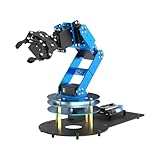
- ESP32 Controller & Arduino Programming. LeArm Open Source AI robotic arm powered by ESP32 and fully compatible with Arduino programming. It features built-in Bluetooth and multiple expansion ports, making it ideal for function upgrades and secondary development.
- Smart Digital Servos & Inverse Kinematics. Equipped with 6 smart PWM servos and an advanced inverse kinematics algorithm, LeArm Open Source delivers precise path planning and smooth, efficient movements—perfect for tackling complex tasks.
- Multiple Control Options. LeArm Open Source can be controlled by App, PC software, and wireless controller. It's beginner-friendly and easy to get started, even with no prior experience.
- Versatile Sensor Expansion. LeArm Open Source supports a wide range of sensors, including AI vision, voice module, ultrasonic, and acceleration sensors. It enables creative applications like color recognition, target tracking, face detection, voice control, and distance measurement.
- Enjoy Robotic Arm Making with Comprehensive Learning Resources. Enjoy the robot assembly process. LeArm is great for learning and building robot structures! Designed for students, engineers, university courses, and robot lovers. Comes with 200+ tutorials, sample experiments, open-source code, circuit schematics, and extensive programs—helping users dive into AI and programming while sparking endless creativity.
Print or fabricate the mechanism
Download the files from the Make: project page if you are following the paired design. Inspect every part before assembly:
- Remove support material, stringing, and debris.
- Check that pivot holes are round and clear.
- Drill or ream tight holes gradually instead of forcing a screw through them.
- Identify holes intended for self-tapping screws versus holes intended to rotate around a fastener.
- Test snap-fits before putting servo load on them.
- Sand the inside of each eyelid if it has rough overhangs or touches the eyeball.
Print orientation affects layer strength and surface quality. Thin eyelids and snap-fit sections deserve particular attention. PLA can work for a lightweight prototype, but a stronger filament may improve durability in stressed parts.
No printer is required for the two-servo prototype. Cardboard or foamboard is inexpensive, quick to cut, and ideal for proving the pivot and linkage geometry. It will be less durable and less repeatable than a printed frame, and glue joints may loosen after repeated cycling.
Assembly sequence
Build the mechanism in this order:
- Print or cut the frame and inspect all parts.
- Test every servo individually before installing it.
- Assemble the base, central pivots, and eye adapters.
- Install the eyeballs and verify that they move freely by hand with power removed.
- Build the horizontal and vertical eye-motion assemblies.
- Install eyelid pivots and connectors if using the five-servo design.
- Mount the servos in the specified orientation.
- Leave horns and motion linkages loose until the servos are powered and centered.
- Command each servo to its neutral position.
- Attach the eye-motion horns so both eyes face forward.
- Put the eyelid servos in their closed or blinking reference position, then attach the eyelid horns so the lids meet cleanly.
- Test each axis at a small travel range.
- Increase travel only after confirming that nothing binds, scrapes, or reaches a hard stop.
The Make: instructions specifically recommend fitting motion linkages with the servos powered and neutral, then disconnecting power before securing the hardware. Do not use the servo to force a misaligned part into place.
Wire the controller and servo power correctly
One or two servos may be controllable directly from suitable controller outputs, but several moving servos need a separate motor supply. The most important rule is simple:
Never power several moving servos through the microcontroller’s 5 V pin.
With an Arduino Uno-class board and a PCA9685, the logic connections are:
Rank #3

- 𝐆𝐞𝐧𝐮𝐢𝐧𝐞 𝐄𝐌𝐀𝐗 𝐐𝐮𝐚𝐥𝐢𝐭𝐲 - Authentic EMAX ES9051 II micro digital servo. No counterfeit, no compromise. Stable performance and reliable control you can trust.
- 𝐅𝐚𝐬𝐭 𝐃𝐢𝐠𝐢𝐭𝐚𝐥 𝐑𝐞𝐬𝐩𝐨𝐧𝐬𝐞 - Speed: 0.09±0.01 sec/60° (4.8V) | Torque: 0.8 kgf·cm | 180° rotation. Instant, accurate positioning for smooth motion.
- 𝐔𝐥𝐭𝐫𝐚‑𝐋𝐢𝐠𝐡𝐭 & 𝐂𝐨𝐦𝐩𝐚𝐜𝐭 - Dimensions: 19.7×8.3×23.2 mm | Weight: only 4.8 g. Perfect for weight‑sensitive RC planes, micro robots, and compact STEM builds.
- 𝐖𝐢𝐝𝐞 𝐀𝐩𝐩𝐥𝐢𝐜𝐚𝐭𝐢𝐨𝐧 - Ideal for RC cars, boats, airplane, robot arms. Essential for STEM, Arduino, and Raspberry Pi projects.
- 𝟑‑𝐌𝐨𝐧𝐭𝐡 𝐇𝐚𝐬𝐬𝐥𝐞‑𝐅𝐫𝐞𝐞 𝐖𝐚𝐫𝐫𝐚𝐧𝐭𝐲 - Free replacement or refund for any quality issue within 3 months. Scan the QR code to contact us directly.
- Arduino 5 V to PCA9685 VCC.
- Arduino GND to PCA9685 GND.
- Arduino SDA to PCA9685 SDA.
- Arduino SCL to PCA9685 SCL.
- External regulated 5–6 V supply to the PCA9685 servo-power input or V+ terminal.
- Servo plugs to the driver’s channel outputs.
VCC powers the PCA9685 logic. It is not the high-current servo rail. The controller ground and external servo-supply ground must be common so the control signals have a shared reference. The PCA9685 documentation explains the distinction between VCC and V+.
Quick wins for a faster PC:
Fix the driver behind crashes, sound loss and screen glitchesFind Drivers →Clear out junk files and repair common Windows errorsFree Scan →Micro servos can draw several hundred milliamps while moving, and larger or stalled servos may exceed 1 amp under load. Adafruit lists 5 V 2 A and 5 V 4 A supplies as examples, not universal answers. Choose a supply based on the servos, mechanical resistance, and how many will move together. Use short, adequately sized power wires and remove power immediately if a servo stalls or becomes hot.
Center and calibrate every servo
Do not assume that a nominal 90° command is the visual center. It is a useful starting reference, but horn orientation, servo variation, linkage geometry, eye diameter, and print tolerances change the result.
- Remove the servo horn.
- Command the servo to a nominal center, commonly about 90° in a 0°–180° control range.
- Install the horn so the eye faces forward, or so the eyelid is at the intended reference position.
- Move the servo through a small range and confirm the direction.
- Reverse the software mapping if the control direction is wrong.
- Find safe minimum and maximum values without touching mechanical stops.
- Record individual offsets and limits for each servo.
Centering should happen with the mechanism connected only after the servo has been zeroed. The Adafruit guide also uses 90° as a nominal center and recommends repositioning the horn if the eye does not face forward after zeroing.
Program gaze and blinking
The control model can be kept straightforward:
joystick X       → horizontal gaze target
joystick Y       → vertical gaze target
potentiometer    → resting eyelid openness
button press     → blink
Start with a neutral position, a joystick dead zone, individual servo offsets, and safe limits. Do not publish one universal angle table: the correct values belong to the particular mechanism.
What’s actually slowing this PC down?
Pick the symptom - the matching free tool is one click away.
For smoother movement, interpolate the current position toward the target instead of jumping directly to the joystick value:
currentX += (targetX - currentX) * 0.08;
currentY += (targetY - currentY) * 0.08;
The coefficient above is an example to tune, not a guaranteed setting. A smaller value usually produces slower, softer movement; a larger value follows the target more quickly.
Rank #4

- Servo Motor Controller Tester Kit:for Micro Servo Detection and Debugging
- Servo Motor Tester:Support (manual automatic and neutral three modes)can test a variety of models of servo and micro servo
- SG90 9g Servo:Running angle 180°±1° (500→2500 μsec)
- Power Box:1.5-6V
- Products include:1Pcs Servo Motor Tester;2Pcs SG90 9g Servo(180°)1Pcs Power Box with Wire
A blink should have three states:
OPEN → CLOSED → OPENMove the lids quickly to the closed position, hold them briefly, and return them more slowly or with slight timing variation. Ignore or queue another blink while the first is active. Software limits should prevent the eyelids from colliding with each other or the eyeballs.
For more natural idle behavior, add small random eye darts separated by irregular pauses. Avoid moving every servo simultaneously at maximum speed. Use easing near the end of a movement and allow the eyelids to follow vertical gaze slightly. Occasional asymmetric timing is more convincing than perfectly synchronized, repetitive motion.
The Tool Desk
Outbyte PC Repair FREEClear out junk files and repair common Windows errorsFree Scan →Outbyte Driver Updater FREEScan for outdated or missing drivers - takes under a minuteDriver Scan →Troubleshooting
The eye moves in the wrong direction
Check whether the servo is mounted in the opposite orientation, the linkage is attached to the wrong side of the horn, the X or Y mapping is reversed, or the left and right channels are swapped. Reverse the mapped value, confirm channel assignments, or refit the horn at neutral. Test with small angles before restoring full travel.
The servos jitter or the controller resets
This usually indicates inadequate servo power, a missing common ground, voltage drop, thin wiring, or a mechanical stall. Use an independent 5–6 V supply, connect grounds, shorten or strengthen the power wiring, test one servo at a time, and disconnect the linkage to see whether the bare servo moves freely. Reduce simultaneous movement and travel limits.
The eye will not return to center
Possible causes include servo backlash, flexible linkages, unequal friction, incorrect mechanical centering, or excessive eye mass. Use shorter or more rigid rods, reduce the eye’s weight, recenter the horn, and add a small software offset. Calibrate each eye independently rather than assuming both servos behave identically.
The eyelids scrape the eyeball
Rough printed overhangs, misaligned pivots, insufficient clearance, an oversized eyeball, or excessive servo travel can cause scraping. Sand the eyelid interior, clear the pivots, verify the eye diameter, reduce travel, and add a physical stop where appropriate. The Make: project specifically warns that eyelid interiors may need sanding because clearance is small.
PC Slower Than It Used to Be?
A free scan shows the junk files, broken settings and background clutter dragging Windows down - then fixes them in one click.Free scan · Windows 10 & 11Crashes, No Sound, or Screen Glitches?
Random freezes, missing sound and display glitches usually trace back to one bad driver. Find and replace yours safely.Free scan · under a minuteThe mechanism binds only at the extremes
With power removed, move the mechanism through its full range by hand. If it catches, correct the geometry before increasing software limits. The horn may be too close to or far from the pivot, a printed part may be warped, or the eye may be reaching a hard stop. Enlarge only the clearance holes that are meant to rotate; do not force a stalled servo.
Best Value

- 5+1 DOF Lightweight Design: Built for innovative applications with a lightweight structure, 0.2kg payload at 0.5m, 360° rotating base, and a 1m diameter working space for flexible operation on mobile platforms.
- High-Precision & Powerful Joints: Features direct-drive joints for superior repeat positioning accuracy and structural reliability; innovative dual-drive technology boosts shoulder joint torque significantly.
- ESP32 Smart Control & Compatibility: Equipped with ESP32 MCU supporting multiple wireless/wired control methods and communication protocols; fully compatible with ROS2 and various host computers for seamless integration.
- User-Friendly Operation & Expansion: Comes with cross-platform Web app and intuitive coordinate control mode; includes rich tutorials for quick start-up; supports customizable end-effectors via expandable components for diverse needs.
- AI Project Support (LeRobot Compatible): Integrates with the popular LeRobot AI robotic arm project, providing pre-trained models, teaching datasets and simulation environments to accelerate deployment of deep learning and reinforcement learning algorithms.
The two eyes do not match
Calibrate each eye separately. Check mirror alignment, linkage lengths, servo neutral positions, and backlash. Use individual software offsets, then synchronize target positions only after both mechanisms are independently centered.
A servo overheats
Cut power immediately. A hot servo may be continuously stalled by friction, excessive eyelid pressure, a misaligned pivot, or an overextended command. Check free movement with the linkage removed, reduce the limits, and replace a servo that remains noisy, hot, or unreliable.
Servo and controller choices
SG90-class micro servos
SG90-class servos are appropriate for lightweight printed parts and small eyes, but not universally sufficient. Their suitability depends on eye mass, eyelid friction, linkage geometry, and duty cycle. They also have more backlash and less robust gears than many metal-gear alternatives, and quality varies between suppliers.
Free tools Windows power users keep installed
One-click scans. No signup required.
Metal-gear or higher-torque servos make more sense for larger eyeballs, heavy lids, long linkages, or continuous-duty displays. They are heavier, draw more current, and can damage printed parts if travel is not limited.
Arduino and PCA9685
An Arduino-compatible board plus PCA9685 is a practical choice for five or more servos, custom sketches, sensors, and future expansion. The driver offers control channels rather than motor power; the external supply still has to deliver the current.
Circuit Playground Express and Crickit
For a compact two-servo prototype, Adafruit’s Circuit Playground Express and Crickit approach supports beginner-friendly MakeCode programming. It uses Crickit servo outputs 1 and 2 and includes programmed gaze sequences, random glances, and interactive control.
Arduino’s official UNO R4 comparison positions the UNO R4 Minima as the simpler prototyping board, while the UNO R4 WiFi adds Wi-Fi/Bluetooth through an ESP32-S3 and an onboard LED matrix. Wireless capability is useful for remote triggers or networked installations, but unnecessary for a local joystick-controlled eye.
Do these 3 things before closing this tab:
1Repair Windows errors before they cause bigger problems2Fix the driver behind crashes, sound loss and screen glitches3Clear out junk files and repair common Windows errorsMake the movement look alive
Realism comes more from motion design than from expensive hardware:
- Use smooth acceleration and deceleration.
- Add small, irregular eye darts during idle periods.
- Vary blink intervals instead of using a rigid timer.
- Allow slight differences between left and right eyelids.
- Let eyelids follow vertical gaze subtly rather than tracking perfectly.
- Limit diagonal extremes so the eyes do not look mechanically strained.
- Paint or print a clear iris, pupil, sclera detail, and optional veins.
- Use lighting that does not reveal the mechanism through thin eye shells.
A cheap, well-centered eye with low friction and varied timing will usually look more convincing than a powerful servo attached to a binding mechanism.
Quick Recap
Useful upgrades
- Cardboard prototype: Prove the pivot geometry before committing to printed parts.
- Independent eyelid channels: Add winks and asymmetric expressions.
- PIR sensor: Trigger a glance or blink when someone approaches.
- Camera or face tracking: Map detected position to X and Y targets, with strict software limits.
- Wireless controller: Use an UNO R4 WiFi or another suitable wireless board for remote operation.
- Larger servos: Use only when the mechanism genuinely needs more torque, and upgrade the power supply accordingly.
- Custom printed eyes: Adjust iris size, eye diameter, and eyelid clearance for a specific mask or character.
Product prices and availability are accurate as of the date/time indicated and are subject to change. Any price and availability information displayed on Amazon at the time of purchase will apply.

