Samsung Digital Home Key is real, but it is not a software-only replacement for every house key. Announced on March 2, 2026, the feature puts a digital home credential in Samsung Wallet. To use it, you need a compatible Galaxy phone, Samsung Wallet, SmartThings, a lock explicitly supporting Samsung’s Digital Home Key implementation, and availability in your region. The lock must be onboarded through SmartThings using Matter.
What Samsung Digital Home Key does
Digital Home Key extends Samsung Wallet’s digital-key concept from vehicles to homes. Depending on the specific phone and lock, you can unlock by tapping the phone to the lock with NFC, walk up for hands-free UWB proximity unlocking, or operate the lock remotely through an app. Samsung says UWB support begins on select devices in April 2026; it is not available on every Galaxy phone.
As an Amazon Associate I earn from qualifying purchases.
The announcement covers a rollout that began in select regions in March 2026. Partner timing, supported models and country availability can differ. Samsung’s announcement is the primary reference for the feature’s capabilities and limitations: Samsung Newsroom.
What’s actually slowing this PC down?
Pick the symptom - the matching free tool is one click away.
Aliro, Matter and SmartThings: three different pieces
These terms describe different parts of the system:
#1 Best Overall

- Samsung Find APP Certified: UGREEN FineTrack Slim S is certified by Samsung Find APP and connects directly through the official app—no third-party apps needed. Designed exclusively for the Samsung system (not compatible with other Android or iOS systems), perfect for Samsung users who value native system integration and simplicity.
- Ultra-Thin Yet Durable — Only 1.7mm thick, made with advanced cold-pressing technology. Corresponds to the thickness of 1 coin but is thinner and stronger than a standard card tracker, making it not easy to bend or break. You can easily put it in your wallet without getting stuck
- Rechargeable & Long-Lasting: Magnetic charging in 2 hour powers up to 1 year. No need to replace batteries like single-use wallet trackers, easily check the battery level through the app. (TIP: The red light will stay on and turn off after fully charged. The tracker is fully charged when it comes, so it may flash a red light and go off when charging at this time)
- Find the Phone with a Ring: Can’t find your Galaxy phone nearby? Simply double-press the button on your Smart Tag, and your phone will ring instantly—perfect for finding your phone hidden in the sofa, a backpack, or anywhere close by.
- Global Tracking & Loud Sound: For long-range tracking, the wallet card tracker leverages the global Samsung network to locate your items anywhere. It features a built-in buzzer that plays a loud sound for easy close-range locating. Additionally, the phone will promptly notify you if you leave the tagged item behind. (Alert distance adjusted based on the environment.)
- Aliro is the standardized access and credential protocol behind the digital-key communication. It is not a lock brand.
- Matter provides smart-home connectivity and onboarding.
- SmartThings is Samsung’s platform used to add and configure the compatible lock, including its Matter setup.
A lock that works with SmartThings or Matter is not automatically a Samsung Wallet Digital Home Key lock. Samsung’s separate compatibility and partner-rollout language means you must verify the exact model’s Wallet support, not just its Matter logo.
What you need before setup
- A compatible Samsung Galaxy phone. Samsung does not provide a universal model list in the announcement; NFC and UWB capabilities vary by device.
- Samsung Wallet installed and configured.
- The Samsung SmartThings app.
- A smart lock whose exact model explicitly supports Samsung Wallet Digital Home Key/Aliro and the relevant Matter integration.
- A supported country or region and a partner rollout that has reached your model.
- NFC on the phone for tap access. Both the phone and lock need UWB for hands-free proximity unlocking.
- A door, cylinder or deadbolt format the lock can physically fit, plus any required hub, bridge or firmware update.
How to add the key
Samsung describes the process conceptually rather than promising identical menu labels on every software version. The normal flow is:
- Install and open SmartThings.
- Add the compatible lock and complete its Matter setup in SmartThings.
- During lock onboarding, choose the option to add the Digital Home Key to Samsung Wallet.
- Authenticate with the Wallet’s biometric method or PIN.
- Test the method your hardware supports: NFC tap, UWB proximity or app control.
If the Wallet option does not appear, check the exact model, firmware, region and account setup before assuming the phone is defective.
Rank #2

- Samsung’s keyless deadbolt digital lock offers security and convenience in a stylish housing and design, with improved durability, battery life, and most importantly Voice Guided Programming. Your lock will tell you how to set up users, cards, and settings.
- Installation from an existing deadbolt is a simple retrofit operation. A new install can be completed on a 35~55mm thick door with a minimum of a 90mm lock stile.
- Giving access to tradies, guests, or friends has never been easier. It’s 70 user capacity allows you to register multiple users each with their own code or Samsung KeyTag or SmartTag.
- Automatic locking allows you to feel secure whenever you leave the house by locking behind you whenever you go out. This can also be set to manual if you’re in and out of the house frequently.
Which locks are actually relevant?
Samsung names Aqara, Nuki, Schlage and Xthings as partners; later developer material also mentions ULTRALOQ and Allegion brands such as Schlage. Partner participation does not mean every product in a brand’s range is compatible.
| Product or brand | What is documented | What to verify |
|---|---|---|
| Aqara Smart Lock U400 | Aqara advertises Samsung Wallet support; Matter over Thread and SmartThings are listed. Aqara’s US price was $229.99 on August 18, 2026. | Door fit, country availability, firmware and whether your phone supports the desired NFC or UWB method. Aqara U400 |
| Aqara Smart Lock U200 | Matter and SmartThings support; Aqara’s US price was $169.99 on August 18, 2026. | Do not assume Samsung Wallet support without current, model-specific confirmation. Aqara U200 |
| Aqara Smart Lock U300 | Matter/Thread and SmartThings support; Aqara’s US price was $229.99 on August 18, 2026. | SmartThings compatibility alone does not establish Digital Home Key support. Aqara U300 |
| Nuki Smart Lock (US page) | The page showed a $199 price and Matter/SmartThings signals. | Confirm the exact model’s Samsung Wallet/Aliro support, cylinder fit and regional availability. Nuki US Smart Lock |
| ULTRALOQ and Schlage | Samsung identifies these brands in its partner or developer material; ULTRALOQ publishes SmartThings integration. | Verify model-level Digital Home Key support rather than relying on the brand name. ULTRALOQ SmartThings integration |
Samsung’s implementation overview is available from its developer site: Samsung Developer. Samsung also lists the Aqara U400 in its US SmartThings catalog: Samsung US listing.
Do you need to replace your existing lock?
Usually, yes, if the current lock is not explicitly compatible. A Matter hub, SmartThings integration or remote-control capability cannot add the Aliro/Wallet credential path to a lock that lacks it. Before buying, check:
Rank #3
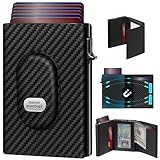
- 【12 Month Warranty】The Gaochale warranty covers any factory defects as a result from the manufacturing process of the product. It’s more than just a wallet; it’s a one-year promise of peace of mind.
- 【Ages Well Leather】Crafted from premium full-grain leather—the top-grade material that retains its natural texture. Over time, it absorbs natural oils from use, developing a rich, unique patina and becoming softer to the touch. It’s a timeless piece that truly gets better with age.
- 【Designed for Samsung Smarttag2】- The Smarttag Wallet has a built-in pocket that keeps your Samsung tag securely in place. Its open design also provides excellent signal strength. (Please note that our tag holder does not come with Samsung smarttag 2.)
- 【Smart Pop Up Wallet】Enjoy quick and effortless card access with our pop-up holder. A simple push-button mechanism reveals your go-to cards swiftly at your fingertips.
- 【RFID-Blocking Technology】 Equipped with advanced RFID-shielding material, this wallet creates a secure barrier to protect the sensitive data on your credit cards and IDs from unauthorized digital theft and electronic pickpocketing.
- The exact model number and current firmware.
- Explicit Samsung Wallet Digital Home Key or Aliro support.
- Whether a hub or bridge is required.
- NFC, UWB and app-control capabilities separately.
- Country availability and local support.
- Deadbolt, mortise or cylinder dimensions and whether installation changes the door.
- Landlord permission if you rent.
Security and lost-phone recovery
Samsung says the digital key is stored in Samsung Wallet and protected by Samsung Knox. Wallet management and use require biometric or PIN authentication, and Samsung says access can be remotely managed or removed through Samsung Find. Samsung describes the design as intended to align with EAL6+ certification standards; that wording does not mean every complete phone-plus-lock installation has received EAL6+ certification.
Do these 3 things before closing this tab:
1Fix the driver behind crashes, sound loss and screen glitches2Repair Windows errors before they cause bigger problems3Scan for outdated or missing drivers - takes under a minuteA secure phone credential also does not remove risks from a compromised lock, weak Samsung or SmartThings account security, exposed backup credentials or an unsecured home network. Use strong account authentication and review who has access.
If your phone is lost
- Use Samsung Find to manage or remove the Digital Home Key.
- If compromise is possible, change the relevant Samsung and SmartThings account credentials.
- Use another authorized user or your backup entry method until access is restored.
Failure cases to plan for
NFC works but UWB does not
The phone or lock may lack UWB, the necessary firmware or regional rollout may be incomplete, or that model may support only NFC and app control. Samsung says capabilities vary by device and lock.
Rank #4

- 【12 Month Warranty】The Gaochale warranty covers any factory defects as a result from the manufacturing process of the product. It’s more than just a wallet; it’s a one-year promise of peace of mind.
- 【Ages Well Leather】Crafted from premium full-grain leather—the top-grade material that retains its natural texture. Over time, it absorbs natural oils from use, developing a rich, unique patina and becoming softer to the touch. It’s a timeless piece that truly gets better with age.
- 【Designed for Samsung Smarttag2】- The Smarttag Wallet has a built-in pocket that keeps your Samsung tag securely in place. Its open design also provides excellent signal strength. (Please note that our tag holder does not come with Samsung smarttag 2.)
- 【Smart Pop Up Wallet】Enjoy quick and effortless card access with our pop-up holder. A simple push-button mechanism reveals your go-to cards swiftly at your fingertips.
- 【RFID-Blocking Technology】 Equipped with advanced RFID-shielding material, this wallet creates a secure barrier to protect the sensitive data on your credit cards and IDs from unauthorized digital theft and electronic pickpocketing.
SmartThings shows the lock, but Wallet does not
SmartThings control and Matter onboarding are separate from Digital Home Key qualification. Recheck model-specific Wallet/Aliro support, firmware and region.
SmartThings or the lock cloud is offline
Remote app unlocking may fail. Local NFC behavior differs by lock and implementation, so do not promise offline operation without the manufacturer’s documentation.
The lock batteries are dead
Samsung’s announcement does not establish a universal dead-battery or power-reserve unlocking policy. Keep at least one supported backup: a physical key, PIN, fingerprint, emergency power input, second authorized phone or mechanical override.
Best Value

- Ultra-Slim Credit Card Size For Hidden Storage:0.07in / 2.4mm thin credit card shape replaces bulky tracking devices, slips seamlessly into wallets, passport sleeves and luggage pockets. Discreet invisible design protects your travel valuables without drawing extra attention, ideal for privacy-focused travelers.Please fully charge the device before first use to achieve optimal battery performance. Wireless charger is NOT included in the package.
- Full Compatibility With Samsung SmartThings App Only:Officially works with Samsung SmartThings App (not compatible with other Android or iOS systems), supports one-tap fast pairing and real-time location tracking. Remote ring alert helps you quickly locate lost items. This tracker exclusively fits Samsung devices and cannot pair with iOS or other non-Samsung Android phones.
- Low Profile Portable Travel Design & Gift Option:Lightweight flat body adds zero extra bulk to daily carry bags. Standard card size fits most wallet slots, perfect for daily commute and cross-country travel. It also serves as a practical gift for family and friends who frequently travel.
- 7-Day Historical Location Record Function:Automatically saves 7 full days of location trails on SmartThings App. You can review complete movement records at any time to retrace lost luggage and personal belongings, greatly improving retrieval chances of missing valuables.
- Long-Lasting Wireless Rechargeable Battery:Fully charge before first use; up to 6–8 months of standby time on a full charge.Universal wireless charging eliminates messy charging cables and exposed ports; only 1–2 hours charging provides months of stable tracking.
Several people need access
Sharing a Wallet credential, granting SmartThings access, issuing a temporary lock PIN and handing over a physical key are different mechanisms. The available sharing model is lock-specific; check the manufacturer’s instructions.
Independent reader supportYour contribution helps us test, update, and keep practical guides available for everyone.Digital Home Key versus Apple Home Key
They are separate ecosystems. Samsung’s system uses Samsung Wallet, SmartThings/Matter and Aliro-compatible locks. Apple Home Key uses Apple Wallet and Apple’s own compatibility path. An Apple Home Key lock should not be assumed to work with Samsung Wallet, or vice versa.
Who should choose it?
A good fit
- Households already using Galaxy phones and SmartThings.
- People who want a key credential alongside payments, IDs or vehicle keys in Samsung Wallet.
- Buyers who have confirmed the exact lock model, region and access method.
Consider a keypad, fingerprint reader or conventional key instead
- Households with iPhones, Pixels or other non-Samsung phones.
- Guests, cleaners, tenants or contractors who need temporary codes.
- Anyone who wants entry to continue when a phone is unavailable.
- Users uncomfortable with cloud accounts or remote unlocking.
- Homes where mechanical recovery during battery or network failures is critical.
Bottom line
Samsung Wallet Digital Home Key is most useful for an existing Samsung-and-SmartThings household that can buy a lock with explicit, model-level support. It is not yet a universal reason to replace a working lock: compatibility, regional rollout, installation fit and backup entry options matter more than the Wallet feature itself. Treat a phone key as one access method, not your only way through the front door.
The Tool Desk
Outbyte Driver Updater FREEFix the driver behind crashes, sound loss and screen glitchesFind Drivers →Outbyte PC Repair FREERepair Windows errors before they cause bigger problemsFix Now →Quick Recap
Product prices and availability are accurate as of the date/time indicated and are subject to change. Any price and availability information displayed on Amazon at the time of purchase will apply.

